A Step-by-Step Guide to Building a Day-1 Follow-Up Workflow
A day-1 follow-up workflow means every qualified lead from a trade show hears from you within 24 hours, with a message that shows you remember the conversation. It does not depend on working late after the show. It depends on four short routines: a setup before the event, 20 seconds of capture at the booth, 20 minutes of clean-up each evening, and a planned push the next morning. This guide walks through each step, with checklists for solo exhibitors and for teams.
Marcus ChenUpdated 8 min read
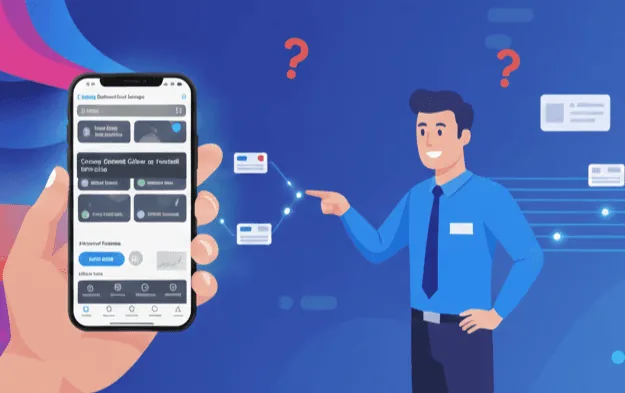
The workflow at a glance
| When | What | Time |
|---|---|---|
| A week before | Set up fields, categories, templates and integrations | 30 to 60 minutes |
| At the booth | Scan, qualify, note, remind | 20 to 30 seconds per visitor |
| Each evening | Review, resolve duplicates, build call lists, send same-day items | 20 minutes |
| Day-1 morning | Work the call lists, starting with requests | 2 to 3 hours |
| Days 2 to 14 | Second and third touches, meetings, CRM hand-off | Ongoing |
Step 1: Set up before the event
Most post-show chaos starts with inconsistent data: one rep writes "hot", another writes "call soon", a third writes nothing. Fix that a week before.
- Agree three to five qualification fields with fixed options. For example: product interest (browsing, interested, wants a quote), quantity (100, 500, 1,000, 5,000 units), timeline (this month, this quarter, next year) and next step (send catalogue, book demo, call). In Habsy Plus these are intent signals, a built-in lead qualification form: product interest, budget, timeline, answered in a few taps. Habsy AI can suggest a set from your website. See what are intent signals and trade show lead qualification questions.
- Create a category for the event and set it as the default, so every scan is filed under the show.
- Prepare two or three message templates: one for quote requests, one for demo requests and one general thank-you. Use our trade show follow-up email templates as a starting point.
- Connect your email, WhatsApp and CRM in Settings, so messages and contacts can flow without exports.
- Decide what runs automatically in Card Preferences, for example auto-enrich every contact and send your digital card after save. Leave template sending off for mixed audiences.
- Brief the team for 10 minutes: what each option means, an example visitor for each, and the rule for doubt (pick the lower option and add a note).
For teams: on the Habsy Platform, create a campaign for the show and set the intent signals once for everyone, so all reps record the same fields.
Step 2: Capture with context at the booth
After each conversation, before the next visitor:
- Scan the badge or business card. Habsy reads QR and NFC badges and business cards, with 99% accuracy on cards in in-house tests. If a badge holds only a registration number, scan the business card instead.
- Answer the intent signals. A few taps.
- Add one line of context, typed or as a voice note: "Opening two branches in Q2, wants offline support, send catalogue." Voice notes are transcribed and searchable.
- Set a reminder for anyone who needs a fast response: in 1 hour or in 4 hours for quote requests, tomorrow at 9 AM for most good conversations.
Busy moments happen. If cards pile up, collect them in one place and write two or three words on the back of each. Batch scan the stack later: up to 150 cards in about 5 minutes. See batch business card scanning.
If the hall has no signal, keep going. Capture works offline and syncs later. See offline mode in expo halls.
Keep the momentum
Turn captured contacts into timely follow-up.
Keep the note, intent and next action with every contact so your team knows what to do next.
Step 3: Clean up every evening (20 minutes)
Do this each night of the show, not once at the end. Details are freshest the same day.
- Sync. Connect to Wi-Fi so every contact processes.
- Scan the leftover stack with batch scanning, adding the notes you wrote on the backs.
- Review the fields that matter most: email and phone. Fix anything the scan could not read clearly, such as an unusual name format.
- Resolve duplicates. Visitors often come back with a colleague, or two reps scan the same person. Habsy flags possible matches and you choose what to keep.
- Fill gaps. Filter for contacts with no intent signals or no note, and add what you remember.
- Send the same-day items. Anyone who asked for a quote or price list should get it tonight.
- Build tomorrow's lists with filters:
- Asked for a quote or samples
- Asked for a demo or meeting
- Interested, timeline this quarter
- Everyone else from today
For teams: the manager checks the campaign list on the Habsy Platform each evening, sees who scanned what and whether intent signals are filled in, and assigns contacts that need a specialist to the right person, with a reminder.
Step 4: Execute the day-1 push
The morning after the show (or after each day for a long show), work through the lists in order.
| Order | List | Message |
|---|---|---|
| 1 | Asked for a quote or samples | What they asked for, with one question to move forward |
| 2 | Asked for a demo or meeting | Two or three time slots, or your booking link |
| 3 | Interested, timeline this quarter | A short recap, one detail they told you, one resource |
| 4 | Everyone else | A brief thank-you and one useful link |
To keep each message personal without spending ten minutes on it:
- Open the contact, read the note or play the voice note.
- Write a short prompt, such as "thank her for visiting, send the spec sheet for model X, suggest a call next week", and let Habsy draft the email or WhatsApp message from the contact and your notes. Edit and send.
- For list 4, use a template with Habsy Plus, or bulk send to the selected contacts once your email or WhatsApp is connected.
Then hand off: sync contacts to your CRM with notes and intent signals attached, or export to Excel, CSV or VCF. Do this the same day, so your sales team works from one list.
Step 5: Days 2 to 14
Day 1 is the first touch, not the last. Plan a short sequence for warm leads: a LinkedIn connection around day 3, something useful around day 7, a last check around day 14. Every touch should add something new. For timing by contact type and channel, read why follow-up timing determines networking ROI.
Track two numbers for the first two weeks:
- Follow-up completion: the share of contacts that got their first message within 24 hours.
- Meetings booked: the share that agreed to a call or demo within 14 days.
On the Habsy Platform, the post-event report for the campaign shows totals, top companies, seniority reached, intent signal answers and lead scoring, which helps decide who gets the next call.
Common mistakes
- No agreed fields. Every rep records leads differently, and filters break.
- Leaving review to the end of the show. Three days of contacts with fading memory.
- Same message to everyone. The visitor who asked for a quote gets the same email as the one who took a pen.
- Exporting late. Leads wait in a phone while the sales team waits for a spreadsheet.
- Stopping after one message. Silence after day 1 is usually timing, not a no.
Checklist
Before: fields agreed · event category set · templates ready · email, WhatsApp and CRM connected · Card Preferences chosen · team briefed At the booth: scan · qualify · note · remind Each evening: sync · batch scan leftovers · review emails and phones · resolve duplicates · send same-day items · build lists Day 1: requests first · demos second · warm leads third · everyone else · CRM hand-off
For a full pre-show list, see the trade show lead capture checklist.
Frequently Asked Questions
What is a day-1 follow-up workflow?
A routine that gets every qualified lead from an event a personal message within 24 hours. It covers setup before the show, capture at the booth, an evening clean-up and a planned outreach push the next morning.
What should we prepare before the show?
Agree three to five qualification fields with fixed options, create a category for the event, prepare a few message templates, connect your email and CRM, and brief the team on how to use the fields.
What should we do at the end of each show day?
Sync, scan any leftover cards, check emails and phone numbers, resolve duplicates, send anything promised for the same day, and build filtered lists for the next morning.
Who should we follow up with first?
People who asked for something specific, such as a quote, samples or a demo. Then warm leads with a near-term timeline, then everyone else.
How does Habsy help with day-1 follow-up?
Habsy captures cards and badges with intent signals, notes, voice notes and reminders, flags duplicates, drafts personal email and WhatsApp messages from your notes, and syncs contacts to 10+ CRMs or exports them to Excel, CSV or VCF. Teams share one campaign list on the Habsy Platform.
Can a solo exhibitor run this workflow?
Yes. Skip the team steps. Scanning, notes, reminders and export are free in the Habsy app, and AI-written messages, intent signals and voice notes come with Habsy Plus.
Keep the momentum
Turn captured contacts into timely follow-up.
Keep the note, intent and next action with every contact so your team knows what to do next.