How Offline Mode Saves You in Patchy Expo Halls
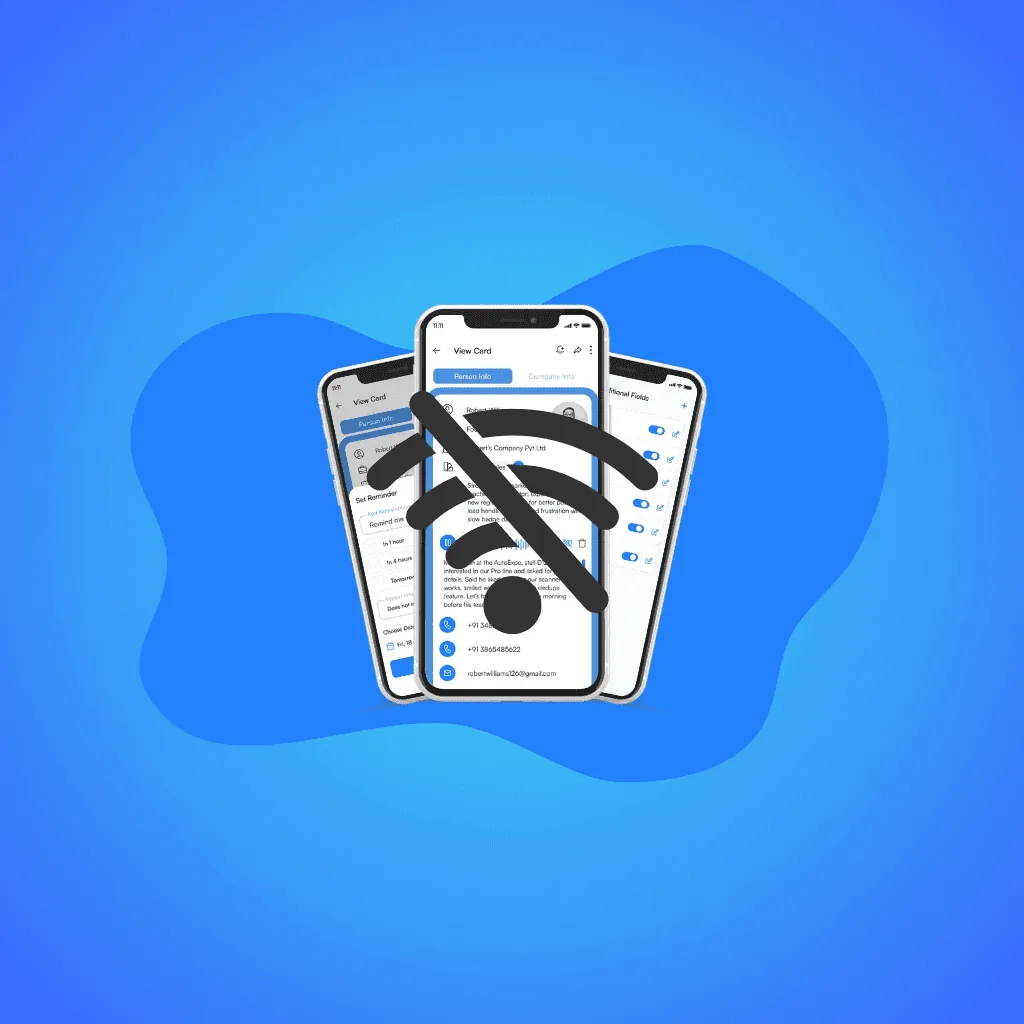
Expo Wi-Fi always fails when you need it most. Habsy app captures every card, badge, Voice note with Transcription and note through its offline business card scanner app, then syncs automatically when you’re back online.
Claire Bennett7 min read
On this page
- Introduction: The Moment the Hall Went Silent
- Problem: When Connectivity Fails, So Does Follow-Up
- Promise: Capture Everywhere, Sync When You’re Back Online
- Proof: Built for the Real World
- Payoff: Always Day 1 Ready
- The Results: The Calm After the Chaos
- Tangible Outcomes
- Conclusion: The Quiet Hero of Every Expo
- Be Day 1 Ready, Even Without Wi-Fi
Introduction: The Moment the Hall Went Silent
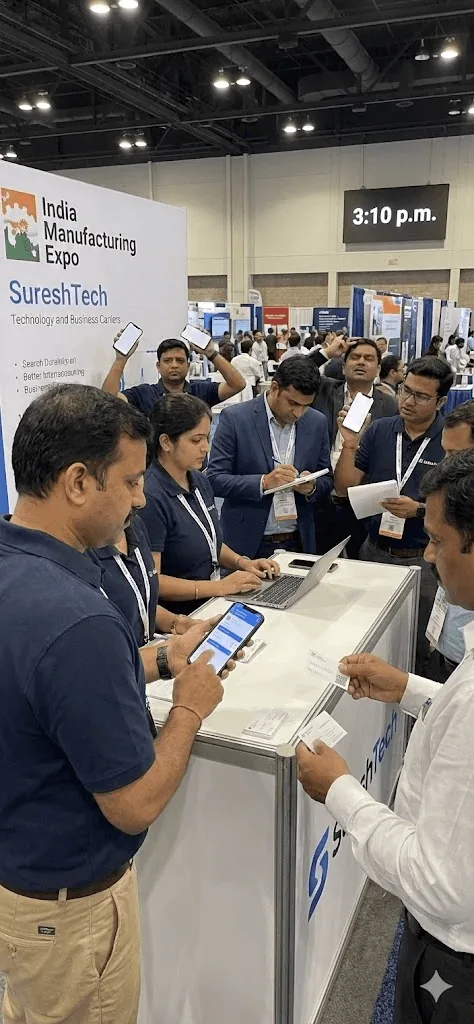
It was 3:10 p.m. on Day 2 of the India Manufacturing Expo. Hall 4 was alive with energy, screens flashing, conversations crossing, and visiting cards flying faster than coffee refills. Every exhibitor was in motion, chasing handshakes and scanning business cards before the crowd thinned.
At the SureshTech booth, things were running like clockwork. Suresh, the booth manager, moved briskly between visitors, scan, tag, voice note, next. His team was in perfect rhythm until, without warning, everything froze. The PA went quiet, the Wi-Fi bars disappeared, and an uneasy silence replaced the chatter.
Across the hall, frustration rippled. Nearby booths reached for paper pads, scribbling details that should have gone into their business card manager apps. A few frantically searched for hotspots, others just sighed. But not Suresh’s team. Their Habsy Business Card Manager kept working, every QR badge and digital business card quietly saved in the background. Unknown to them, the Habsy app’s Offline Mode had taken over, recording every scan, note, and reminder without missing a beat.
By the time the network came back forty minutes later, their business card scanner app simply blinked “Syncing…” and carried on.
Problem: When Connectivity Fails, So Does Follow-Up
Exhibitions move fast, but they happen in the worst networking environments imaginable: giant steel halls packed with hundreds of routers, devices, and people all fighting for the same fragile signal. The Wi-Fi drops just when the footfall peaks, the badge scanners lag, and mobile networks crumble under the crowd. What begins as a smooth workflow for scanning business cards and trade show leads suddenly collapses into chaos. Reps start taking photos of cards as a backup or scribbling names on brochures, promising themselves they will organize it later. But later never really comes. By the time the data finally trickles back into the CRM, it is incomplete, error-ridden, and stripped of context. Follow-ups get delayed, duplicates multiply, and qualified leads vanish into messy spreadsheets. It is not that teams do not care, they meant to follow up, they genuinely did, but the workflow let them down. Every lost connection breaks trust, momentum, and timing, hurting both networking and post-event ROI.
Promise: Capture Everywhere, Sync When You’re Back Online
Habsy’s Offline Mode was built for those unseen moments when technology lags but people keep moving. It ensures your booth, sales floor, and pipeline never slow down just because the network does.
Whether you are scanning badges at a Dubai expo, collecting cards in a crowded Chennai hall, or meeting clients in a hotel lobby with no signal, the Habsy Business Card Manager app works seamlessly. You can capture, qualify, and follow up without missing a beat.
Every QR badge, digital visiting card, or business card you scan is saved instantly to your device. Add Intent Signals, Category, and quick voice notes to keep context alive. Set one-tap reminders like “Tomorrow 10:00 AM” so next steps stay on track.
Everything happens offline in real time, without freezes or errors. Each contact appears as Saved Offline, syncing automatically once you reconnect. Cards are processed, fields are extracted, and duplicates are flagged for your review before export to your CRM. Your Habsy platform updates within minutes with no manual push and no delay.
The result feels invisible but powerful. Teams focus on conversations, not connection bars. Organizers stay confident knowing their exhibition lead capture software is secure. Sales managers see consistent Day 1 exports and faster follow-ups.
The Habsy app does not just keep you connected, it keeps you moving.
Product promise: “Capture everywhere, sync when you’re back online.”

Proof: Built for the Real World
The Habsy Business Card Manager is not a patchwork add-on. It is a complete reliability system designed from field experience, tested at expos, verified with real sales teams, and stress-tested where Wi-Fi fails most often. Every mechanism (queueing, deduplication, timestamping, multilingual business card AI powered-OCR, and voice-note syncing) has been engineered to work predictably even when offline.
1. Local Queue for Every Action
Each QR scan, business card, and tag you capture is first stored in a local queue on your device. When you are offline, these entries stack up securely, time-stamped, and waiting. As soon as you are back online, the Habsy app automatically uploads and processes them. Cards are parsed through its multilingual business card OCR, fields are extracted, and the data appears instantly on Habsy Platform. No manual sync, no missed leads, no interruptions, just continuous capture that quietly catches up when you reconnect.
2. Duplicate Detection
Habsy helps keep your contact database clean through smart duplicate detection. While contacts can still be captured offline, duplicate checks run once the device reconnects to the internet and sync resumes. During processing, the system compares details like email, phone number, company, and contact name to identify possible duplicates. Users can then review the duplicate and choose to either keep the duplicate card or delete it. This keeps the workspace organized, unified, and CRM-ready even when multiple teammates capture the same visitor.
3. Badge Scans Queued Too
Badge QR codes scanned offline join the same local queue as your cards. Once you reconnect, Habsy’s trade show lead capture app parses them into names, companies, and designations, without missing data.
4. Offline Voice Notes and Reminders
Salespeople rely on memory and momentum. The Habsy app protects both. A short voice note captured mid-conversation is stored locally and queued for upload. Likewise, reminders set offline appear automatically once you reconnect.
5. Encrypted and Private
Offline data stays on your device until it syncs to your Habsy workspace. Your workspace owns every record, Voice Note with Transcription note, and reminder. No data leaves your Habsy Business Card Manager without your consent.
6. Field-Tested Across Industries
The Habsy business card scanner app has been validated across manufacturing expos, SaaS conferences, and healthcare fairs, known for poor connectivity.
7. Zero Dependency on Device Type or Plan
The Habsy app works across Android and iOS, from low-cost phones to enterprise devices. It requires no special hardware or SIM privileges. Stability stays the same whether you use the free plan, Habsy Plus, or Habsy Platform.
For further detail check our pricing
8. Designed for Continuous Workflows
Most importantly, Offline Mode keeps your workflow unbroken. You can scan, tag, and set reminders without pause. Once back online, every record syncs automatically, ensuring your leads are ready to export or scan business cards to CSV/Excel for CRM import if needed.
Ready for your next event?
Bring every booth conversation back with context.
Capture cards and badges in seconds, qualify leads on the spot and give your team a clean next step.
Payoff: Always Day 1 Ready
When Wi-Fi fails, most exhibitors reach for paper. Habsy users do not. By evening, Suresh’s team had captured 142 leads with full details, completely offline. When the connection returned, the app synced automatically. The next morning, their data was in the CRM, mapped, de-duplicated, and ready for outreach.
The Results: The Calm After the Chaos
When the lights dimmed at the close of the expo, Suresh finally exhaled. The booth was quieter, his phone showed “Sync complete”, and the Habsy platform displayed 142 clean contacts, each tagged and reminder-ready.
That is when he realized what had not happened. No one had scrambled for hotspots. No one had handwritten names. No one had lost a single lead to bad connectivity.
By dinner, every conversation from the day was already organized and synced. While others were typing from memory, Suresh’s team was already calling prospects.
“We did not skip a beat,” he said later. “Wi-Fi or not, our follow-ups went out before breakfast.”
Tangible Outcomes
Zero downtime: Even during blackout hours, every lead stayed safe in the local queue. Teams kept scanning through unstable connections using the Habsy app’s exhibition lead capture software.
Speed: What once took days of manual entry now happens automatically. Data flows from mobile app to Habsy Platform in minutes. Faster exports, faster sequences, faster responses.
Data integrity: The business card manager ensures every record is accurate, complete, and duplicate-free. Fields are standardized for easy CSV or CRM import.
Peace of mind: Teams stop worrying about network bars and focus on real conversations. Managers no longer chase missing contacts after every show.
Business payoff: Faster time to CRM, cleaner data, and stronger follow-ups. Offline Mode translates directly to higher conversions and better event ROI.
Conclusion: The Quiet Hero of Every Expo
| Role | Offline Mode Impact |
|---|---|
| Booth Managers | Keep scanning through rush hours and sync later. |
| Sales Leaders and SDR Managers | Maintain Day 0 capture to Day 1 export rhythm using Habsy’s business card scanner app. |
| SMB Owners | Manage visiting cards, digital business cards, and contacts on mobile, even offline. |
| Organizers | Enable every exhibitor to use a trade show lead capture app that works without Wi-Fi. |
The Habsy Business Card Manager is the best business card scanner app. It combines mobile reliability, multilingual business card OCR, and contact deduplication before CRM import, giving teams total control over networking data.
When the lights of the hall dimmed and the routers blinked back to life, Suresh’s phone quietly flipped its final badge from Saved Offline to Synced. His leads were safe, organized, and ready for export.
Across the aisle, another exhibitor was still piecing together handwritten notes. The difference was not luck, it was design.
Habsy’s Offline Mode works quietly and reliably so your booth never misses a moment, your data never gets lost, and your next-day outreach never slows down.
Be Day 1 Ready, Even Without Wi-Fi
See how the Habsy Business Card Manager keeps your event capture alive, synced, and ready to scan business cards to CSV or any CRM.
Frequently Asked Questions
Why does Wi-Fi failure impact lead capture at expos?
Expo environments often have unstable connectivity due to crowd density and network overload. When Wi-Fi fails, lead capture tools stop working, causing data loss, incomplete records, and delayed follow-ups.
How does offline mode help during events?
Offline mode allows teams to continue capturing leads without interruption. Business cards, QR badges, notes, and reminders are saved locally and synced automatically once the connection returns.
What data can be captured offline using Habsy?
Habsy captures business card scans, badge scans, voice notes, Categories, intent Signals, and reminders offline. All data is securely stored and later processed when the device reconnects.
How does Habsy ensure data accuracy after syncing?
Habsy uses OCR, structured data extraction, and deduplication to clean and organize contacts during sync. This ensures CRM-ready data with no duplicates or missing fields.
What business impact does offline lead capture have?
Offline lead capture ensures zero data loss, faster CRM updates, and consistent follow-ups. Habsy enables teams to stay Day-1 ready, improving conversion rates and maximizing event ROI.
Ready for your next event?
Bring every booth conversation back with context.
Capture cards and badges in seconds, qualify leads on the spot and give your team a clean next step.