What Are Intent Signals? How to Qualify Leads at the Moment You Meet Them
Intent signals tell you how likely a lead is to buy, and how soon. Most articles talk about tracking website visits. But the strongest intent signals come from the conversation itself: what the person asked, how many units they need, and when. This guide explains both kinds, and how to capture the conversational kind in seconds.
Marcus Chen6 min read
On this page
- The quick answer
- Two kinds of intent signals
- Why intent signals matter at events
- How to design intent signals your team will use
- Example intent signals by industry
- How intent signals work in Habsy
- Good scales and bad scales
- Rolling intent signals out to a booth team in 10 minutes
- What happens to intent signals after the show
- Common mistakes
- Bottom line
The quick answer
Intent signals are pieces of information that show how likely a lead is to buy, and how soon: interest level, quantity, budget, timeline or the next step they asked for. They come in two kinds. Third-party intent signals are inferred from online behaviour and usually bought from data providers. First-party intent signals come from your own conversations, and they are the most reliable, because the person told you directly.
Habsy lets you define your own intent signals and mark them in seconds when you scan a card or badge.
Two kinds of intent signals
| Third-party intent signals | First-party intent signals | |
|---|---|---|
| Source | Online behaviour elsewhere, such as research activity | Your own conversations and interactions |
| How you get them | Bought from data providers | Captured by your team |
| What they tell you | A company may be researching a topic | This person wants a quote for 1,000 units this quarter |
| Reliability | Inferred | Stated by the buyer |
| Best for | Finding accounts to approach | Prioritising leads you have already met |
Third-party data helps you decide who to approach. First-party signals tell you what to do with the people you have already met. At events, where every conversation is first-hand, first-party signals are the ones that decide follow-up.
Why intent signals matter at events
After a busy event, you might have 200 new contacts. Without intent signals, they all look the same: a name, a company, an email. The follow-up turns into a generic email to everyone, and the five people who asked for a quote get the same message as the people who picked up a pen.
With intent signals recorded at the booth, you can filter before you follow up:
- Everyone who wants a quote, with a timeline of this quarter
- Everyone who needs more than 1,000 units
- Everyone who asked for a demo but has no meeting booked
How to design intent signals your team will use
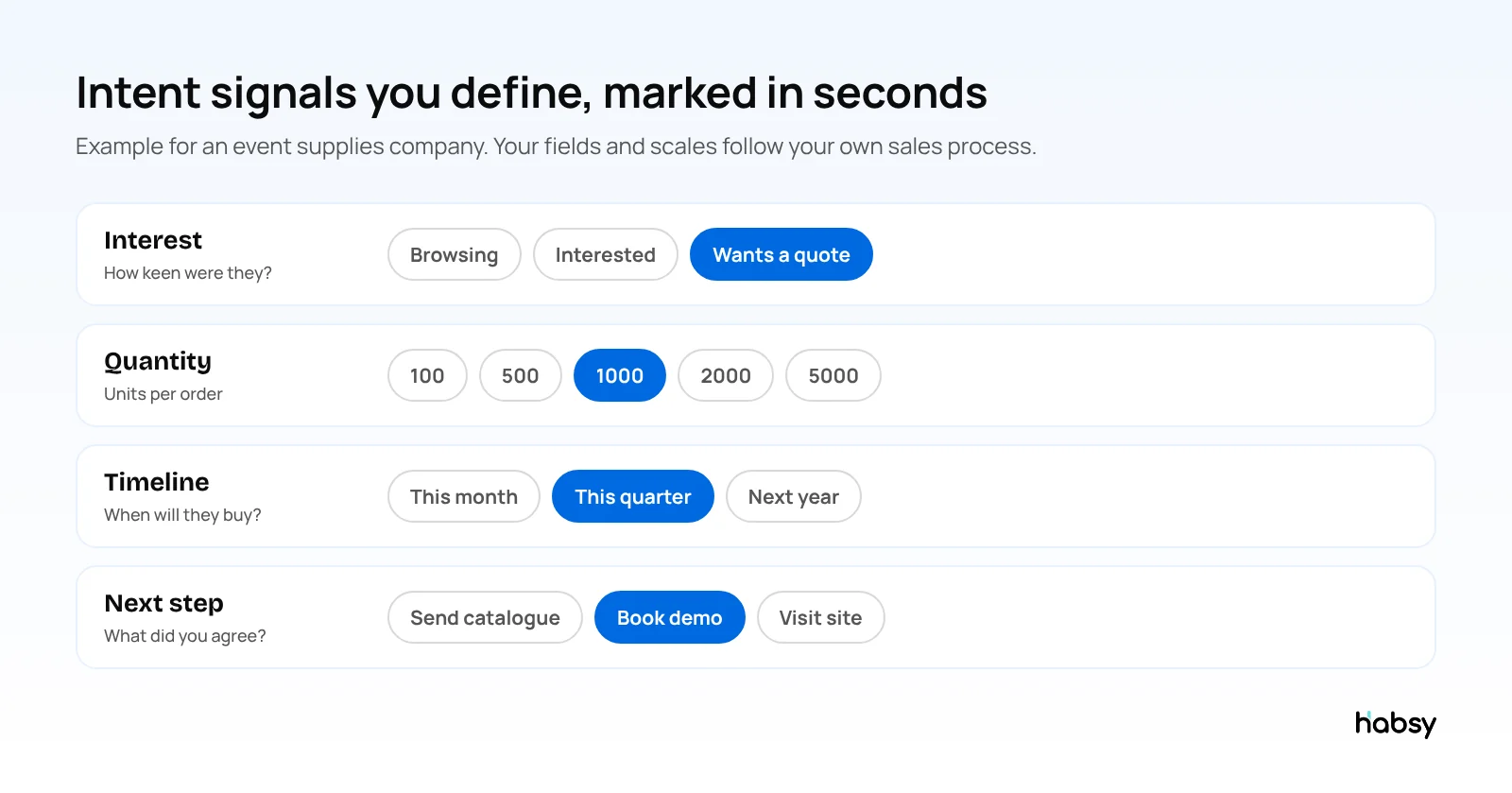
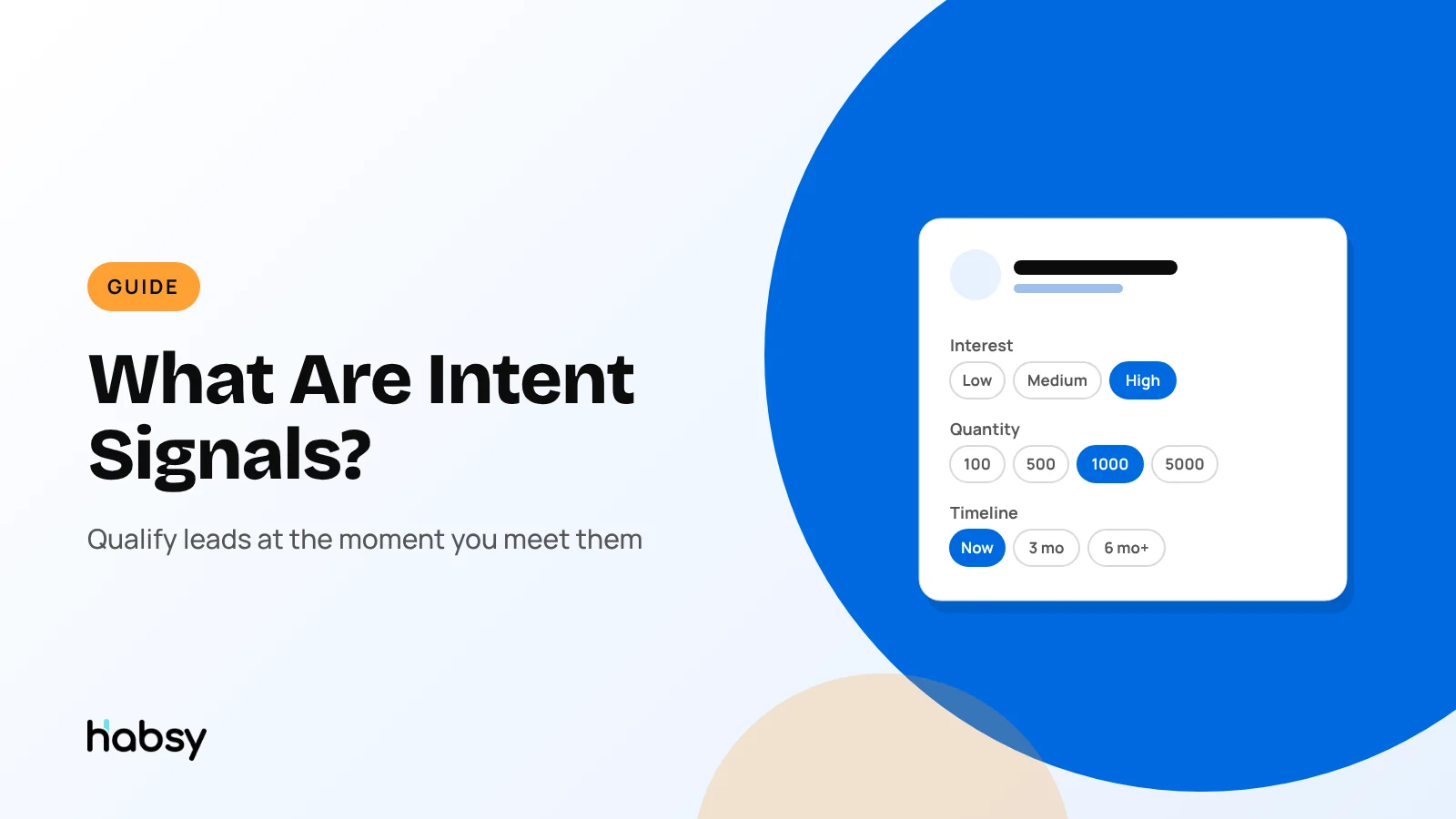
- Keep it to three to five fields. In a busy hall, nobody fills in ten.
- Use fixed options, not free text. “Wants a quote” is filterable. “Seemed keen-ish” is not.
- Make options observable. Base them on what the person said or asked, not a guess.
- Use your own units. If you sell event supplies, quantity tiers like 100, 500, 1000, 2000 and 5000 match how you price.
- Add a note for detail. Mark the tier, and type the exact figure in the note if they gave one.
- Use the same fields for the whole team. Otherwise filters break across reps.
Put the guide into practice
Turn every event conversation into a follow-up.
Capture accurate contact details, add the context that matters and stay ready for the follow-up.
Example intent signals by industry
| Industry | Useful intent signals |
|---|---|
| Manufacturing | Product line, order volume, sample requested, timeline |
| Software | Team size, current tool, demo requested, decision timeline |
| Pharma and healthcare distribution | Product category, region, monthly volume, licence status |
| Event supplies | Quantity tier, event date, quote requested |
| Real estate | Budget band, area, buy or rent, move-in timeline |
| Recruitment | Role type, seniority, notice period, open to move |
How intent signals work in Habsy
With Habsy Plus, you create intent signal fields that fit your sales process and product, and define your own scales. You can also let Habsy create intent signals with AI from your website or a short description of your business, then edit them.
At the moment of capture, after scanning a card, badge or QR code, you mark the contact’s level on each scale and add a note for exact figures or extra context. A voice note, transcribed into English and searchable, can hold the rest of the conversation.
Afterwards, intent signals work across Habsy:
- Filters let you build a call list from the signals, such as everyone who wants a quote this quarter.
- Exports include intent signals as columns, alongside notes and transcripts.
- CRM sync sends contacts to your CRM with the context attached.
- The Habsy Platform lets managers filter the team’s contacts by intent signals, and the campaign post-event report includes lead scoring to help decide the follow-up order.
Good scales and bad scales
A scale only works if two reps would pick the same option for the same visitor.
| Field | Bad scale | Good scale | Why the good one works |
|---|---|---|---|
| Interest | Cold, warm, hot | Browsing, interested, wants a quote | Based on what the visitor asked for |
| Quantity | Small, medium, large | 100, 500, 1,000, 5,000 units | Your own units, no guessing |
| Timeline | Soon, later | This month, this quarter, next year | A date anyone can check later |
| Role | Important, not important | Decision maker, influencer, user | Describes the person, not your opinion |
Rolling intent signals out to a booth team in 10 minutes
- Show the fields on one phone and explain what each option means, with an example visitor for each.
- Role-play two visitors. One rep plays a visitor, another scans a sample card and taps the signals.
- Agree the rule for doubt: if unsure, pick the lower option and say why in a note.
- Agree when to record: straight after the conversation, before the next visitor.
- Check after the first hour on the Habsy Platform: are signals being filled in for most scans?
What happens to intent signals after the show
Intent signals do most of their work after the event:
- Day 1 call lists: filter by signals, such as everyone who wants a quote this quarter.
- Routing: on the Habsy Platform, filter by signals and assign contacts to the right team member with a reminder.
- Exports: signals are included as columns, so a spreadsheet or CRM import keeps them.
- The post-event report: the campaign’s lead scoring helps decide the follow-up order.
Common mistakes
- Too many fields. Reps skip them in a rush.
- Vague labels. “Hot” means different things to different people.
- Recording later. Signals marked the next morning are guesses.
- Not using them. If follow-up ignores the signals, the team stops recording them.
Bottom line
Intent signals turn a contact list into a prioritised call list. The most reliable ones come from the conversation, recorded on the spot with fields your team agreed in advance. Habsy lets you define them and mark them in seconds. Read how they fit into the wider flow in how to avoid losing event leads, or see event lead capture.
Frequently Asked Questions
What are intent signals?
Intent signals are pieces of information that show how likely a lead is to buy and how soon, such as their level of interest, the quantity they need, their budget or their buying timeline.
What is the difference between first-party and third-party intent signals?
First-party intent signals come directly from your own interactions with the person, such as a conversation at your booth. Third-party intent signals are inferred from behaviour elsewhere, such as research activity on other websites, and are usually bought from data providers.
How do I capture intent signals at a trade show?
Agree on three to five fields with fixed options before the show, such as interest level, quantity and timeline. When you scan a visitor’s card or badge, mark each field before the next conversation. Habsy Plus lets you define these fields and mark them in seconds.
Can Habsy create intent signals for me?
Yes. Habsy can create intent signals with AI from your website or a short description of your business. You can then edit the fields and scales to match your sales process.
How are intent signals used after an event?
To filter and prioritise follow-up, for example everyone who asked for a demo and needs more than 500 units this quarter. On the Habsy Platform, the post-event report also includes lead scoring to help decide the follow-up order.
Put the guide into practice
Turn every event conversation into a follow-up.
Capture accurate contact details, add the context that matters and stay ready for the follow-up.