

WFES 2027 Guide: Dates, App, Badge Scanning and Follow-Up
WFES 2027 (World Future Energy Summit) takes place January 12 to 14 at ADNEC Centre Abu Dhabi, bringing together renewable energy, clean technology, water, circular economy and energy investment. Registration is required for visitors aged 18 and older; plan supplier conversations around project application, system interfaces and operating needs.
Habsy12 min read

WFES dates, hours and venue
- Dates
- January 12 to 14, 2027Tuesday to Thursday
- Venue
- ADNEC Centre, Abu DhabiADNEC Centre Abu Dhabi, UAE
- Entry
- Complimentary trade visitor registrationAge 18+; exhibition and conference access; buyer route separate.
- Official website
- worldfutureenergysummit.comConfirm details before you travel
Use the WFES dates above to plan your days, and check the WFES ADNEC Centre floor plan before you arrive.
Who exhibits and who attends WFES?
Utilities and energy developers may focus on generation, grid connection and project requirements, while industrial energy users may compare efficiency and decarbonisation approaches. Public-utility and municipal teams can ask about water, waste and operating performance; investors may focus on project stage and partnership structure. For each conversation, record the application, site or operating context, interface requirements, lifecycle support questions and agreed next step.
Who exhibits
- Renewable-power suppliers presenting solar technology
- Storage and grid firms supporting renewable deployment
- Water-technology suppliers for treatment, desalination and reuse
- Hydrogen and clean-fuel technology providers
- Waste and recycling businesses focused on resource recovery
Who attends
- Utilities and developers assessing generation projects
- Industrial users comparing efficiency and decarbonisation approaches
- Government and public-utility teams assessing energy, water and waste
- EPC contractors and consultants checking system interfaces
- Investors assessing project finance and partnerships
How to prepare for WFES: tips for exhibitors and visitors
Most of the work happens before you reach Abu Dhabi. Set up Habsy once and every conversation at the show ends with a saved contact, the context you need and a next step.
These WFES exhibitor tips cover how to prepare for WFES 2027, whether or not you also use the official WFES app.
If you are visiting
Before you fly
- 1
Create your Professional digital card
Share your details by QR code, NFC or link instead of paper cards.
- 2
Add your Business digital card
Your company profile and brochures, for partners and suppliers you meet.
- 3
Create a category for WFES
Plus the visitor intent signals below, to sort vendors by fit later.
- 4
Turn on Send my digital card back
Everyone you scan gets your card automatically.
If you are exhibiting
Before you fly, for every rep
- 1
Install Habsy on every rep's phone
Give each rep a digital card, plus one Business digital card for the company.
- 2
Set up intent signals and templates
Every rep qualifies and follows up the same way, by email or WhatsApp.
- 3
Add an enquiry form to your card
Print its QR code on the booth so visitors leave details when you are busy.
- 4
Create a campaign for WFES
Bringing several reps? Every scan lands in one live list.
How to set up a lead capture app before WFES
Five steps, in the order the app walks you through them. Visitors need steps 1 to 3. Exhibitors should do all five.
Habsy works as your WFES lead capture app and WFES mobile app in one, and step 1 gives you a WFES digital business card.
1. Create your digital business cards
Every Habsy account includes two free digital cards under MyQR: a Professional digital card for you and a Business digital card for your company, with your services and brochures. Habsy's AI builds them from your LinkedIn profile and website, or from a photo of your own business card. Share them by QR code, NFC or link. The person you share with opens your card in their browser, with no app needed, and saves your contact in one tap. Add an enquiry form so visitors who scan your card leave their details and are saved as a new contact.

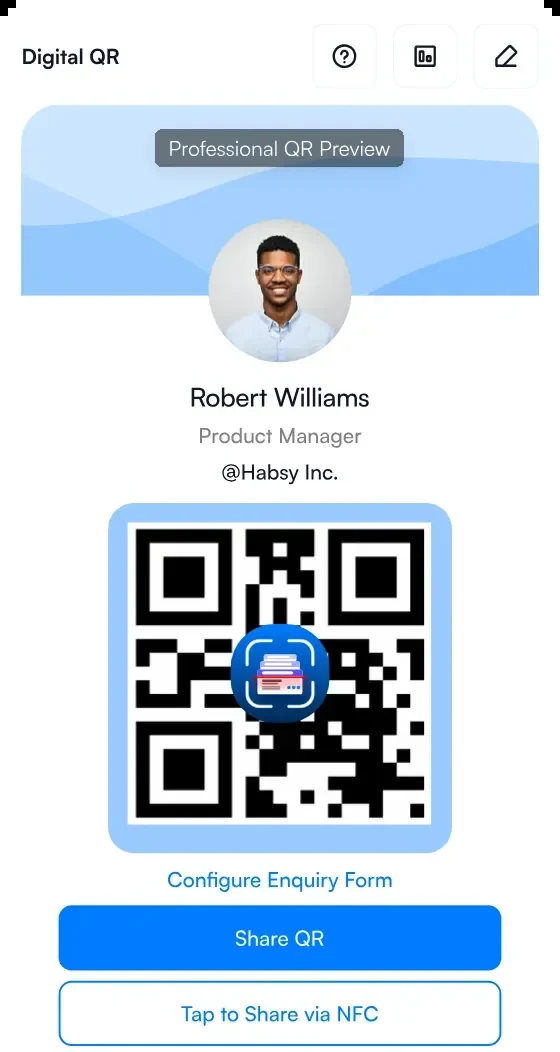
1Your Professional digital card
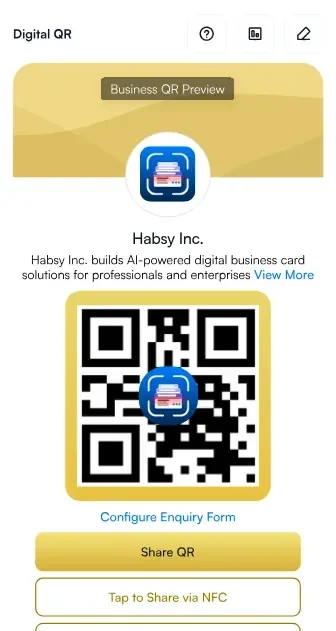
2Your Business digital card
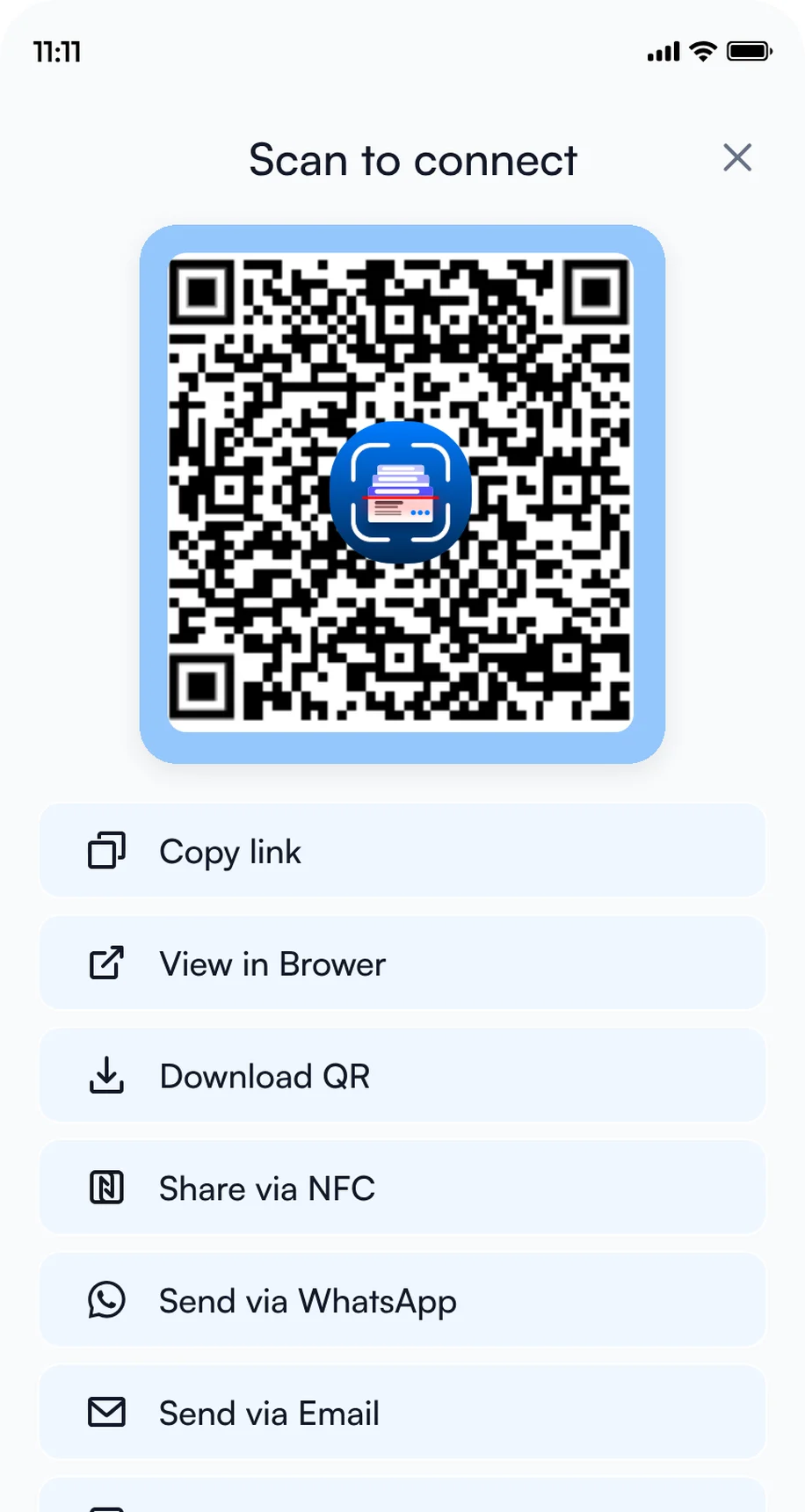
3Share by QR code, NFC or link
2. Add intent signals
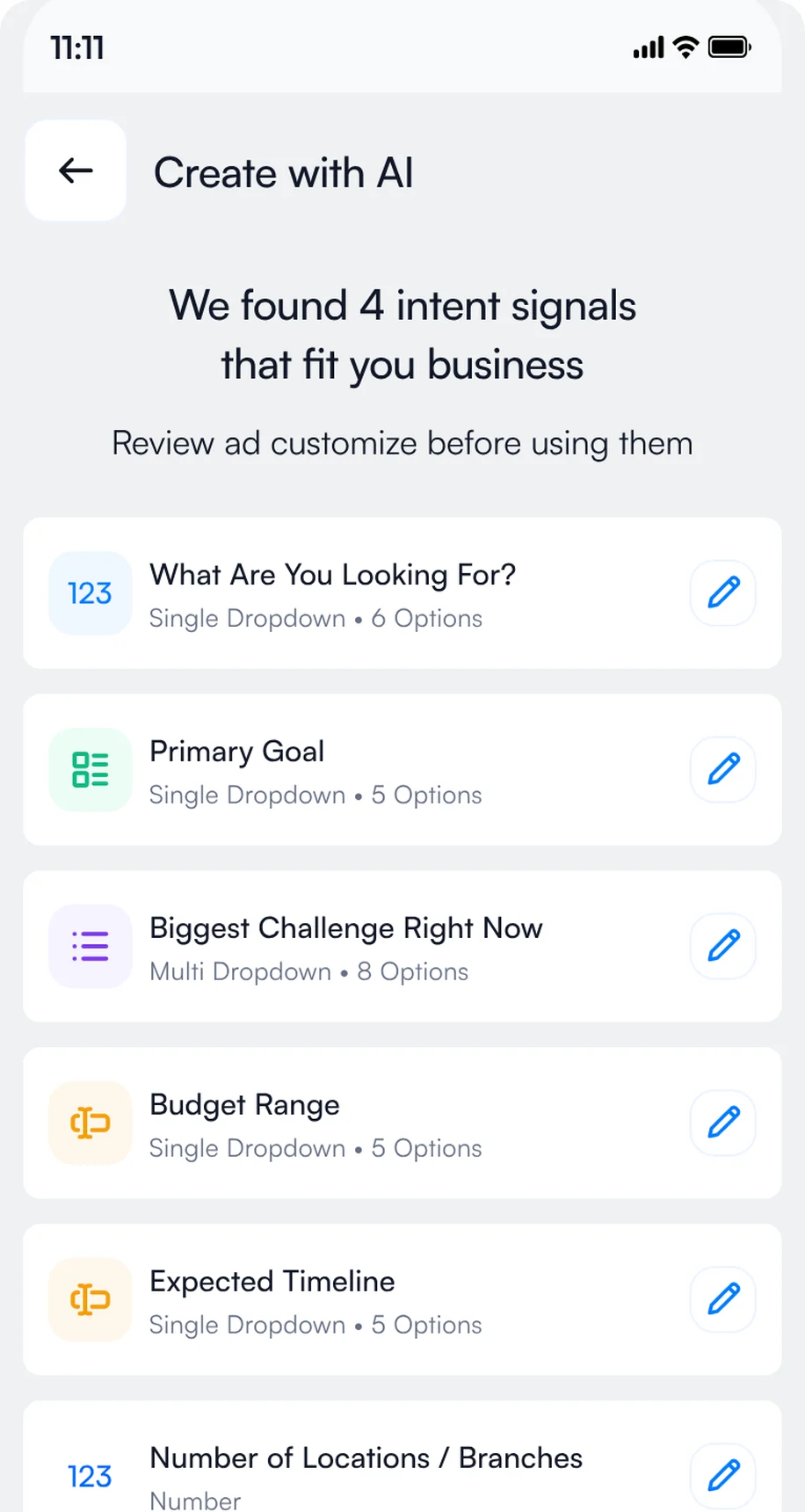
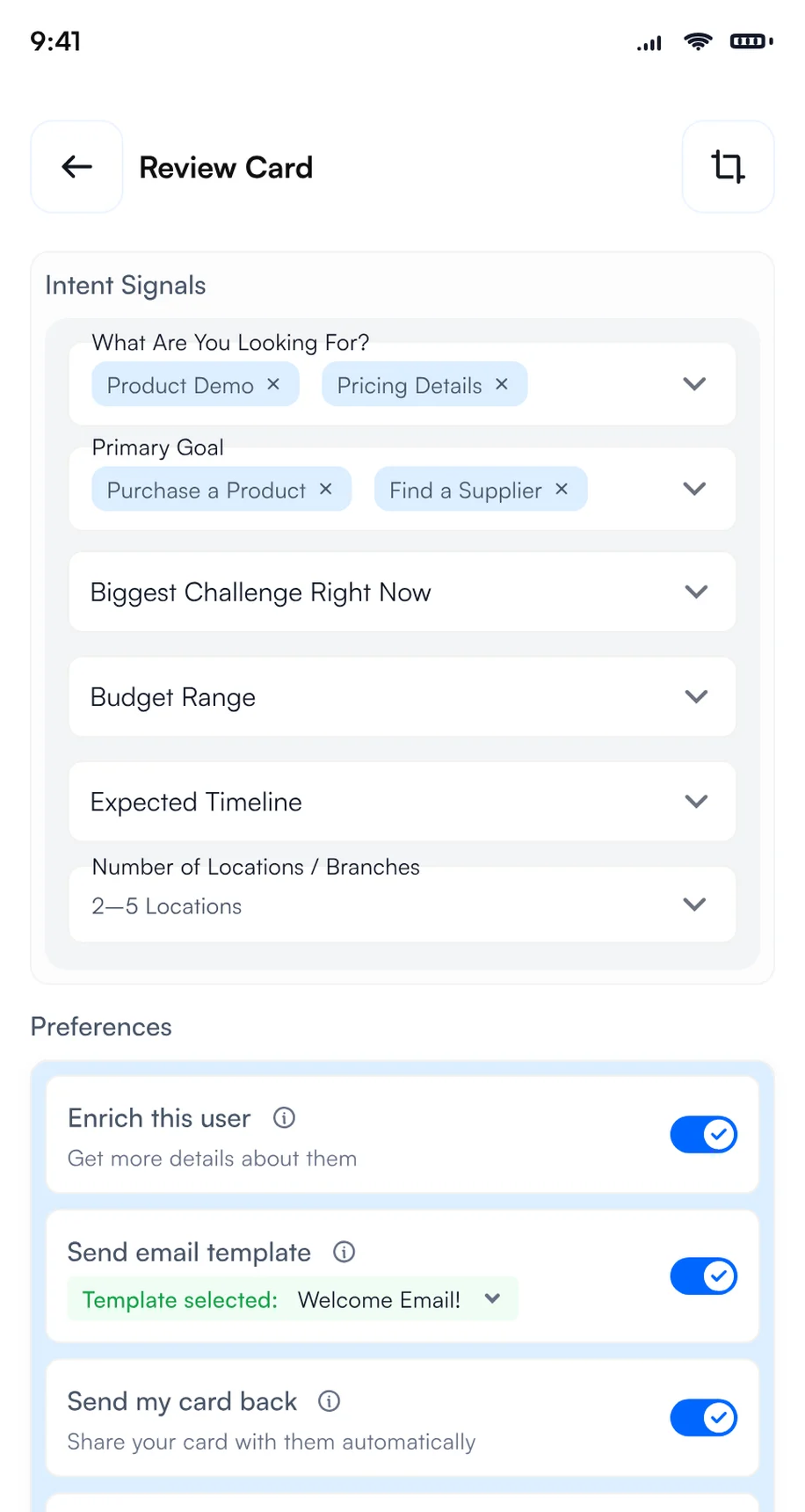
Intent signals are a built-in lead qualification form: tap-to-answer questions such as product interest, budget and timeline, answered in a few taps for every contact, so every rep records the same details. In Settings, open Manage Intent Signals, then tap Create with AI to get suggestions from your website, or Create Manually to add the set below.
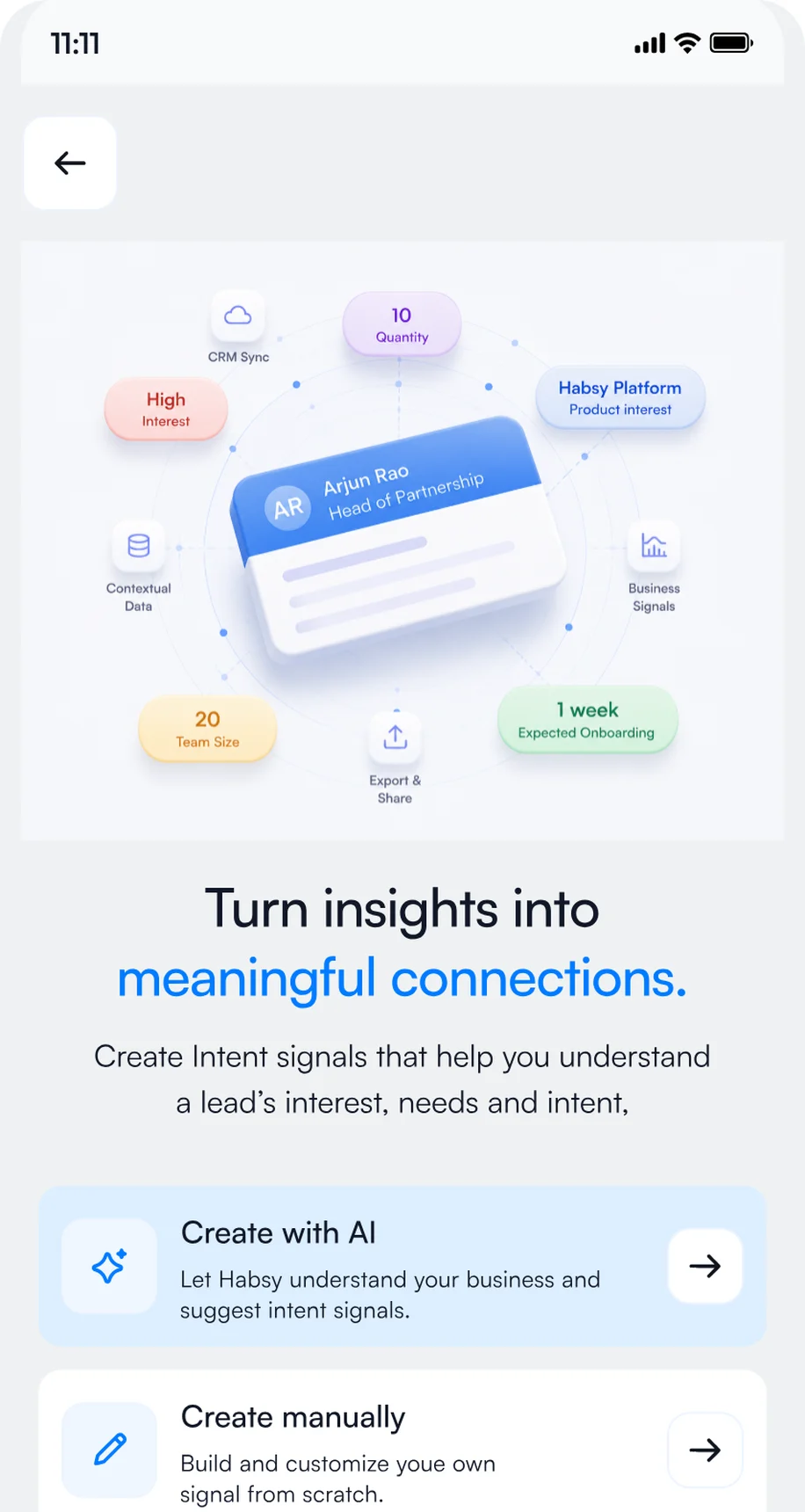
1Open Manage Intent Signals
2Review the signals Habsy suggests
3Tap the answers after each scan
- Utility or energy developer
- Industrial energy user
- Government or public utility
- EPC or engineering consultancy
- Investor or project financier
- Energy project engineer
- Grid integration specialist
- Water operations manager
- Project finance analyst
- Renewable power technology
- Storage and grid integration
- Water treatment and reuse
- Hydrogen and clean fuels
- Waste and resource recovery
- Within 3 months
- 3 to 6 months
- 6 to 12 months
- Researching
- Book a demo
- Send a proposal
- Share a case study
- Introduce a colleague
- Solar and wind systems
- Grid connection planning
- Battery storage
- Water reuse systems
- Hydrogen applications
- Waste recovery operations
- Exhibit hall booth
- Session or reception
- Strong fit
- Possible fit
- Not a fit
- Book a demo
- Request pricing
- Share with my team
- No follow-up
Add them in Settings, Manage Intent Signals, with Create Manually, or start with Create with AI and adjust the options to match what you sell or what you are looking for.
3. Create a category for WFES
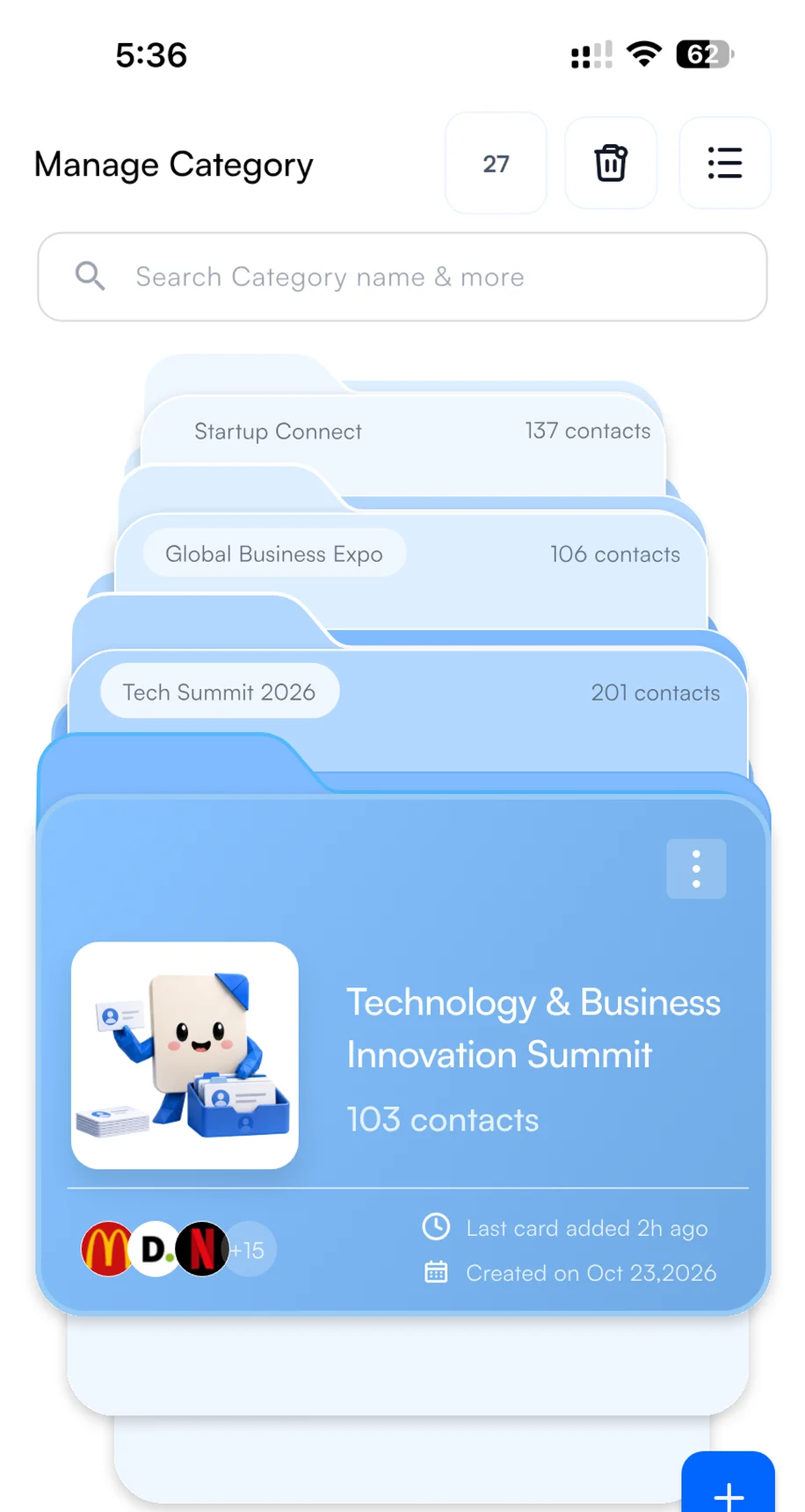
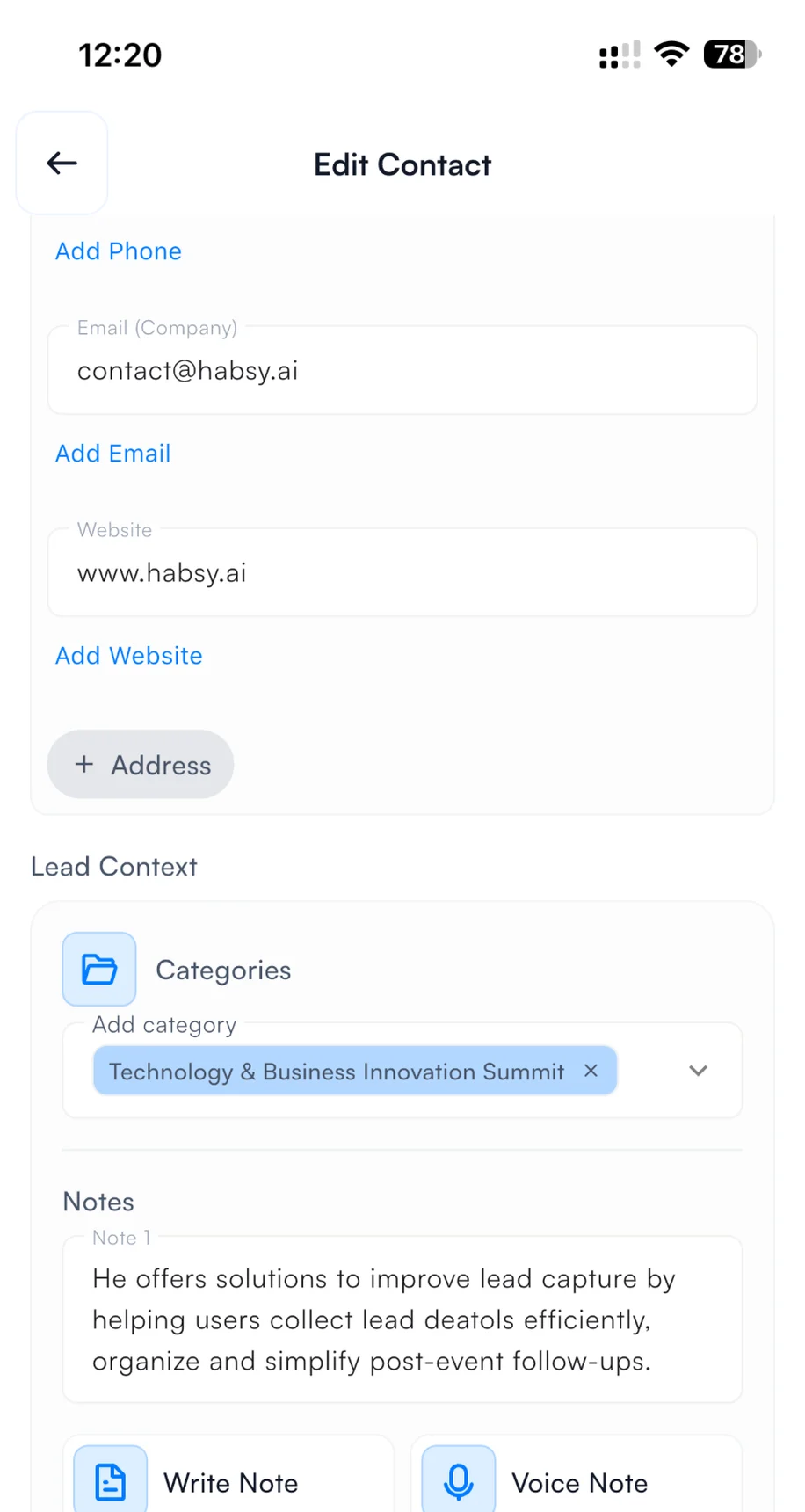
Create a category called WFES and set it as your default for the days of the event, so every contact you scan at the show is filed under it automatically. After the show, use it as a filter to export only your WFES contacts to Excel, CSV or VCF in one step. Exhibitors on Habsy Platform can also use the WFES category to track how the event performed: contacts captured, companies reached, intent signals and each rep's results.
1Create the category
2Pick it when you save a contact
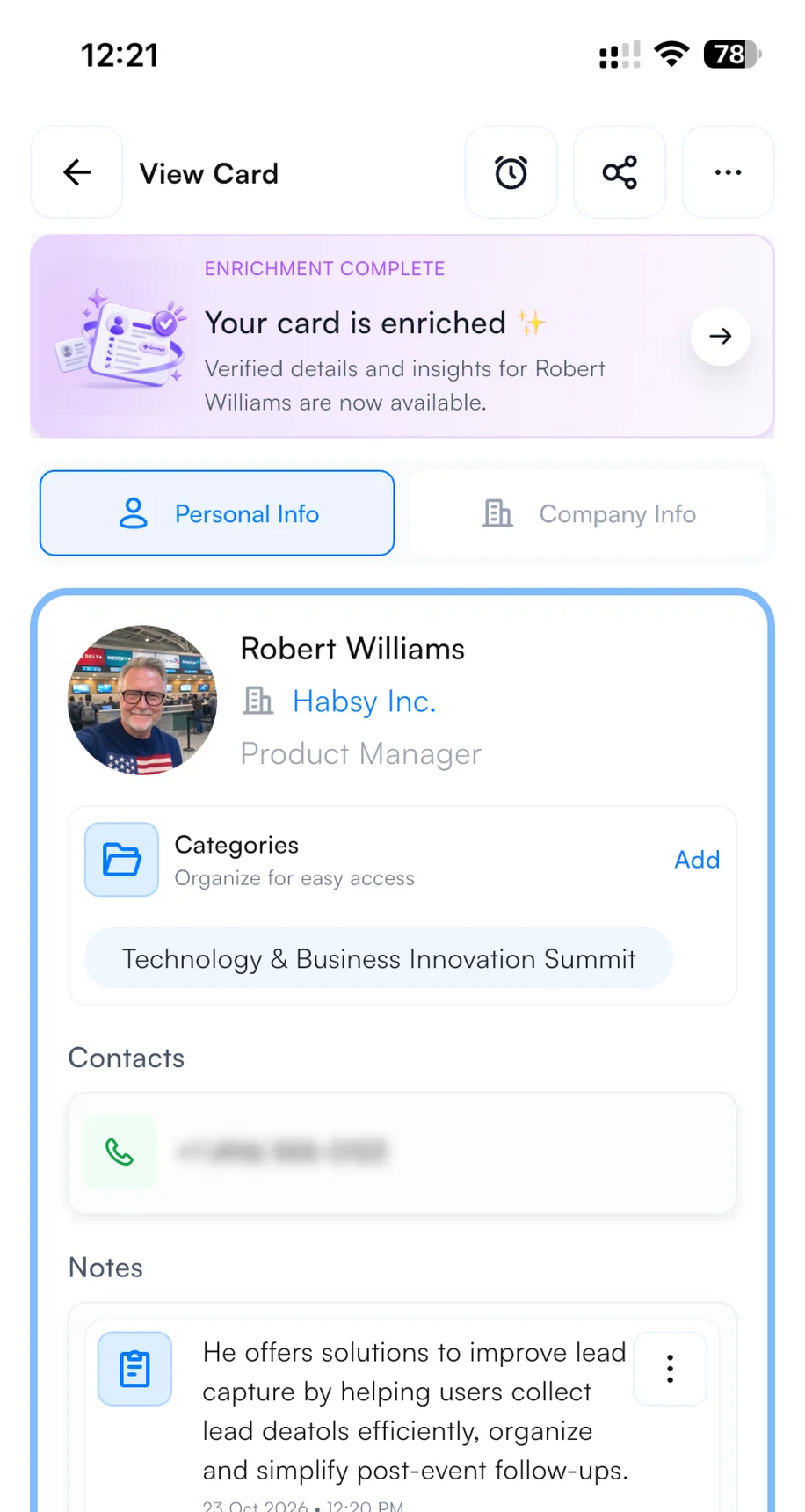
3Find it on every contact
4. Set up your email and WhatsApp templates
Connect your email account or WhatsApp Business account in Settings before the show. Then, with Send email or WhatsApp template turned on in your Card Preferences, your follow-up goes out from your own account the moment you save a scanned contact. The visitor often has your message, and your digital card, before they leave your booth. It shows you are organized and quick to respond, and it puts you ahead of every exhibitor who follows up next week. To write the template, open Email Templates or WhatsApp Templates in Settings, describe the message, and Habsy's AI writes it. Add variables such as the contact's name and company so every message is personal. Here is a template you can copy for WFES:
Hi {{recipient.name}},
It was good speaking with you at World Future Energy Summit 2027. I can send a concise overview of relevant system interfaces and operating considerations. Which application should I focus on: renewable generation, storage and grid integration, water, clean fuels, or resource recovery?
Best,{{user.name}}{{user.company}}
Hi {{recipient.name}}, this is {{user.name}}. Good speaking at World Future Energy Summit 2027. Which energy, water or resource-recovery application should I focus on when sending technical information?
Words in braces are variables. Habsy fills them in from each contact and from your profile when you send.
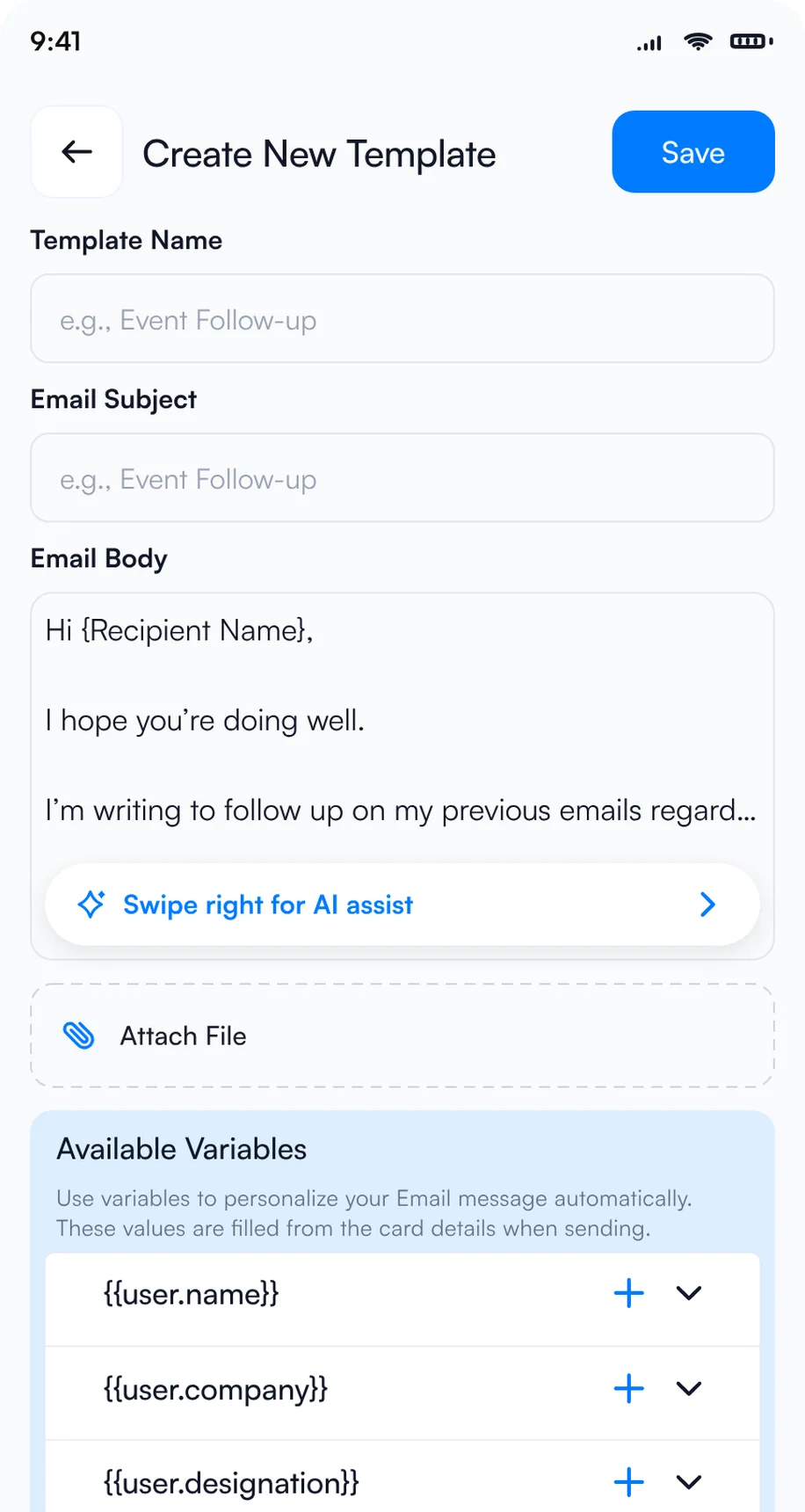
1Let AI write the template
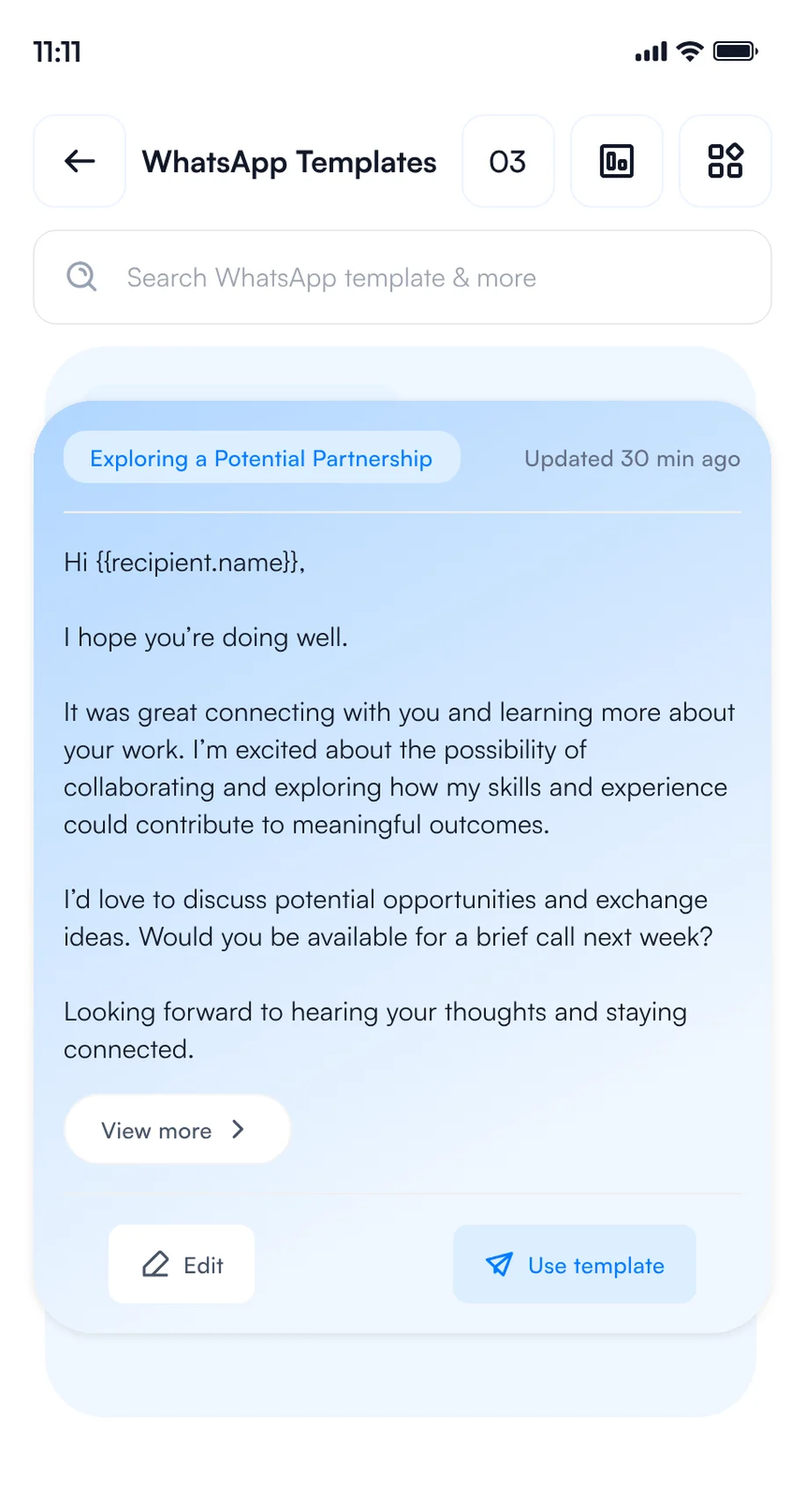
2Save your WhatsApp templates
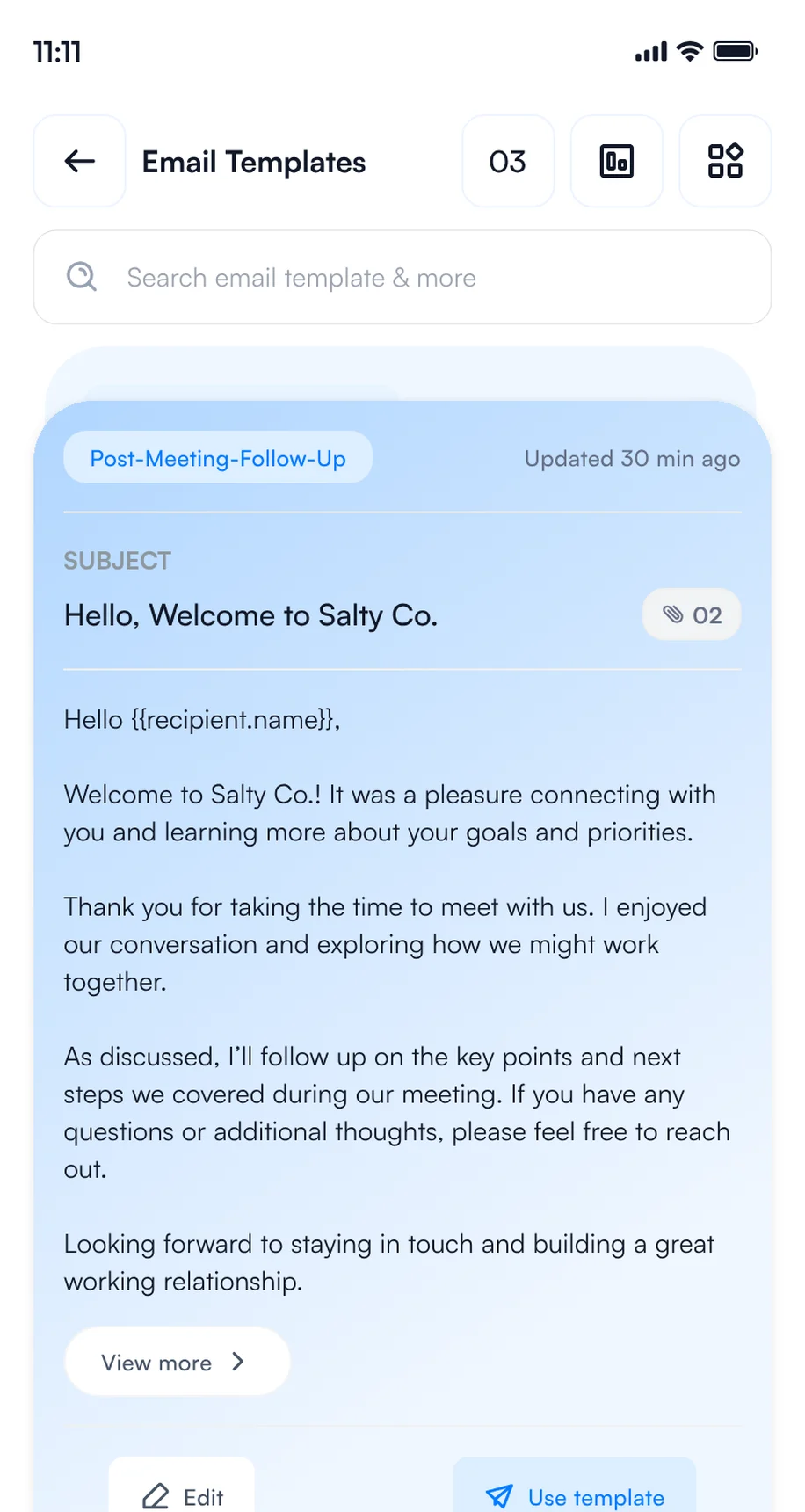
3Save your email templates
5. Set your Card Preferences
Choose what Habsy does each time you save a contact, once in Settings or per save. It runs in the background while you move on to the next conversation.
Mariam Al Nuaimi saved at WFES · 4 steps running in the background
Email, WhatsApp and CRM steps need the matching integration.
How to scan WFES badges and business cards with your phone
Use one lead capture app on your phone for every contact you make at WFES, wherever you make it: at the booth, in a session, at a reception or over dinner. Every rep and every visitor captures contacts on their own phone, free and with no scan limit, and every contact lands in one list with your category, intent signals and notes.
The same app is your WFES badge scanner, WFES lead scanner and WFES business card scanner, so WFES badge scanning and card scanning end up in one list.
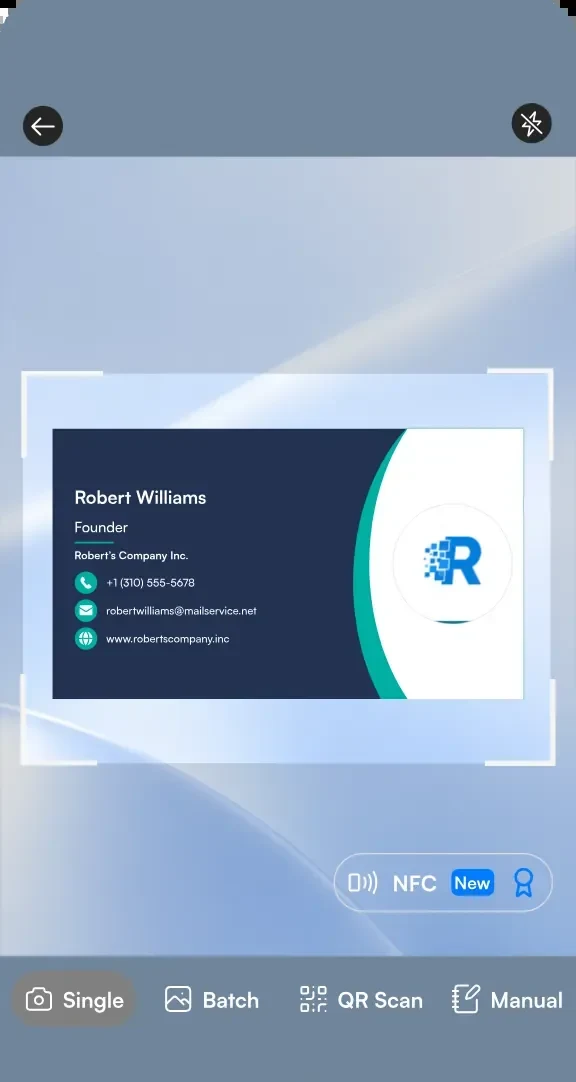
1Scan a business card
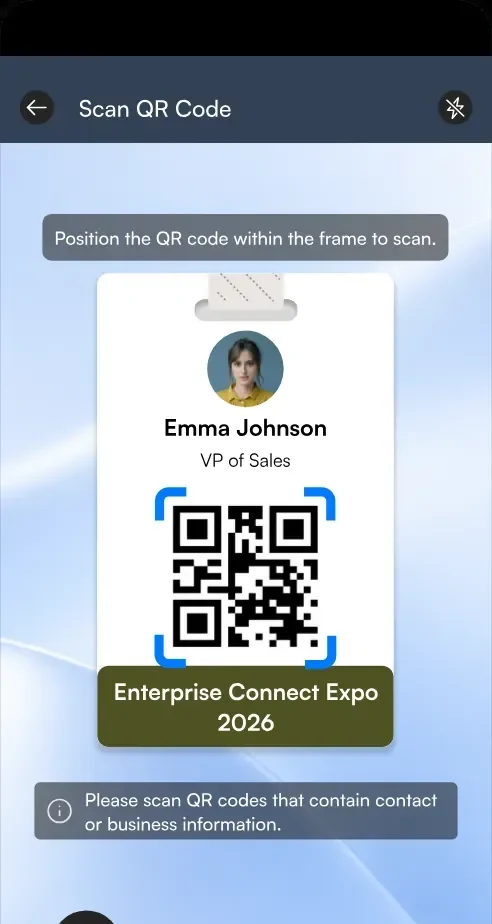
2Scan a badge QR code
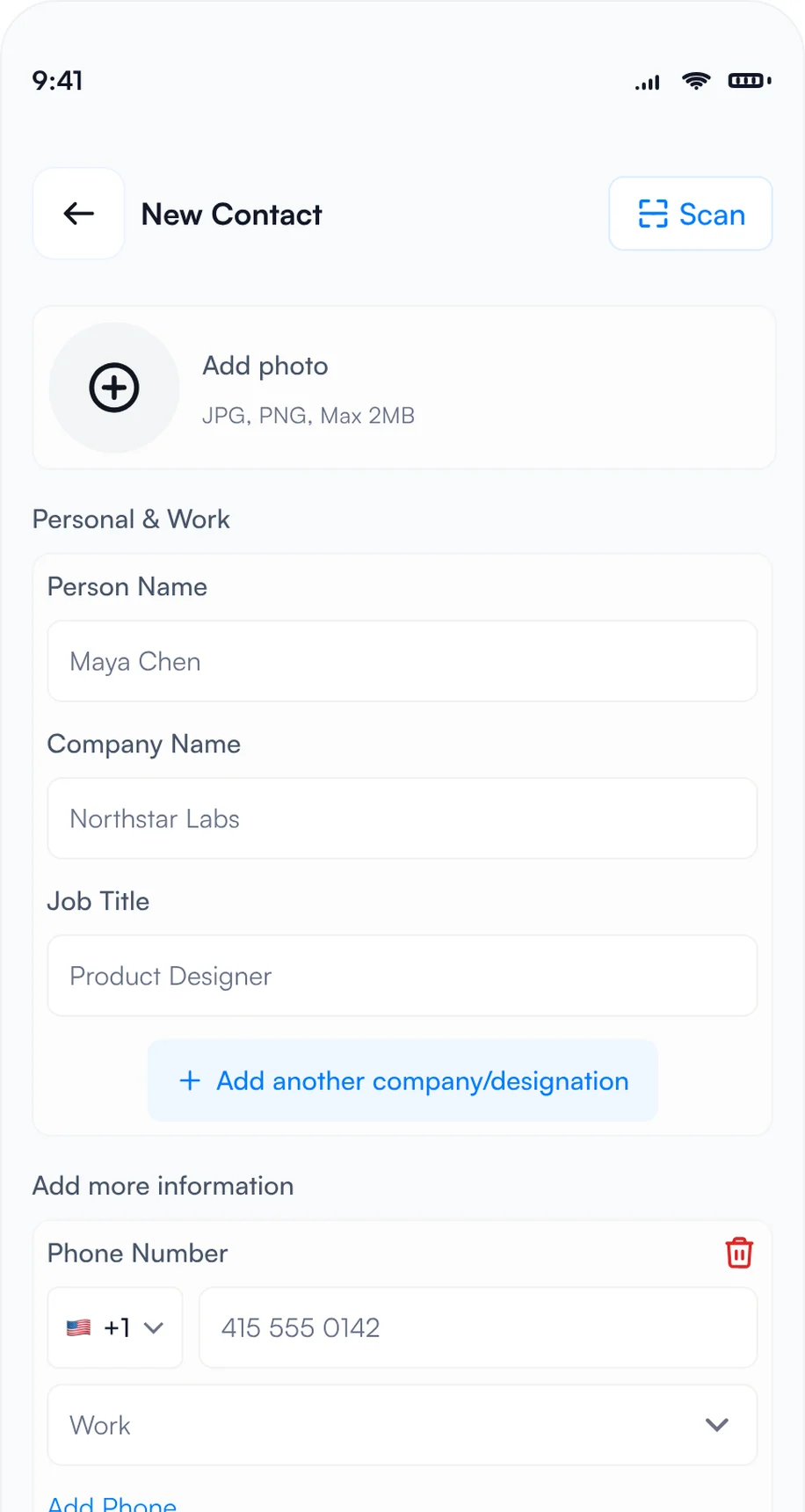
3Type it in with manual entry
- Badges: point the Habsy scanner at a badge and Habsy reads the attendee's details from its QR code. If a badge holds only a registration number, scan the person's business card or type them in.
- Business cards: scan each card in seconds, or switch to Batch and scan up to 150 cards in about 5 minutes without leaving the camera. Habsy reads cards in 200+ languages.
- QR codes: scan digital business cards from any provider, LinkedIn QR codes and contact QR codes.
- NFC: turn on NFC on the scan screen, then hold an NFC business card or an NFC event badge to the back of your phone. Habsy reads the contact and saves it, with no camera needed.
- Manual entry: no card and no QR code? Choose Manual and type the details in.
- Offline: capture continues when the hall Wi-Fi is busy, and contacts process once you reconnect.
Many shows also sell official lead retrieval through the organizer. Habsy works on its own or next to it. For more, read lead capture vs lead retrieval.
Whichever you choose, compare WFES lead retrieval with scanning on your own phones before you book.
How to qualify WFES leads while you talk
A contact without context is hard to follow up. Before the next conversation starts, add what you discussed and what you promised.
- Intent signals: tap the answers on the review screen after each scan.
- Voice notes: tap Add Voice Note and say what they need. Habsy turns it into a searchable transcript.
- Text notes: type a quick note, such as "Solar-grid storage interface; confirm controls".
- Reminders: in 1 hour, in 4 hours, tomorrow at 9 AM or any date and time, with a repeat and an alarm. All of them appear in My reminders.
Here is what a contact from WFES looks like with context added:
Mariam Al Nuaimi
Grid Integration Specialist, Crescent Grid Works
Intent signals
- Utility or energy developer
- Grid integration specialist
- Storage and grid integration
- Renewable power technology
- 3 to 6 months
- Book a demo
Notes
Comparing storage controls for a solar-grid connection; clarify interfaces and operating assumptions.
0:42 · "I need to understand how storage controls fit our grid connection."
Reminder
Friday, 9:00 AM · Send interface questions and a system overview
Fictional contact illustrating a conversation at WFES 2027 on Tuesday, January 12, 2027, ADNEC Centre, Abu Dhabi
Going to WFES 2027?
Your digital card and lead capture in one app.
Start free with scanning, text notes, reminders and export. Plus adds intent signals, templates and analytics; Platform supports teams.
How to follow up after WFES
The show ends on Thursday, January 14. What you do in the next 48 hours decides how many of those conversations turn into meetings, partners or deals.
If you visited: pick up the conversations you started
- See who looked at your card: open QR analytics to see how many people viewed and saved your digital card, how they engaged and where.
- Save and call back: save vendors to your phone contacts, and set a reminder to call back the ones you want to hear more from.
- Drop a message: Habsy writes a short email or WhatsApp message for any contact, mentioning where you met.
- Export and share: export your WFES category to Excel, CSV or VCF, by date range, with a copy sent to your email, and share the shortlist with your team.
Top locations
Example numbers.
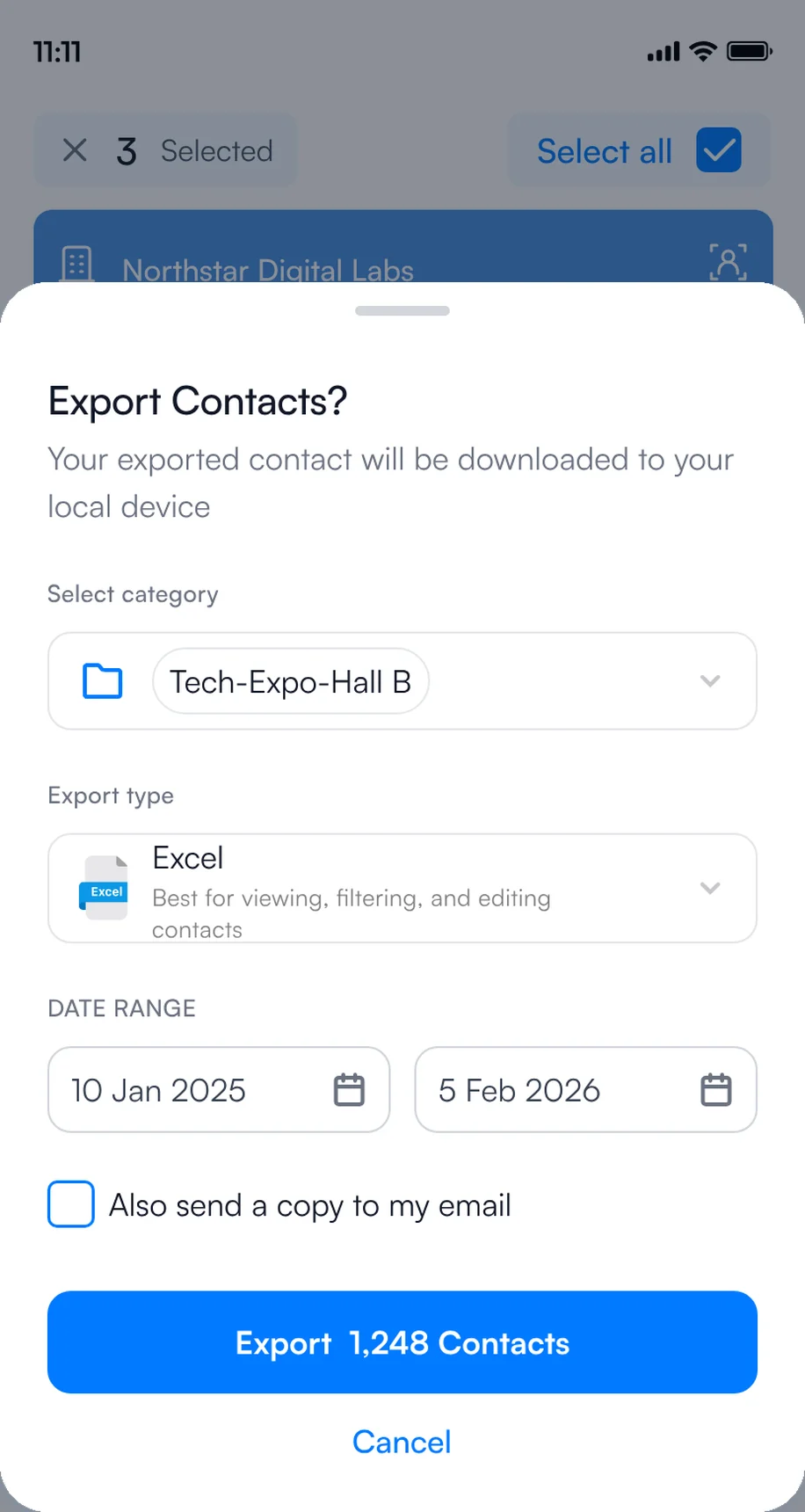
1Export to Excel, CSV or VCF
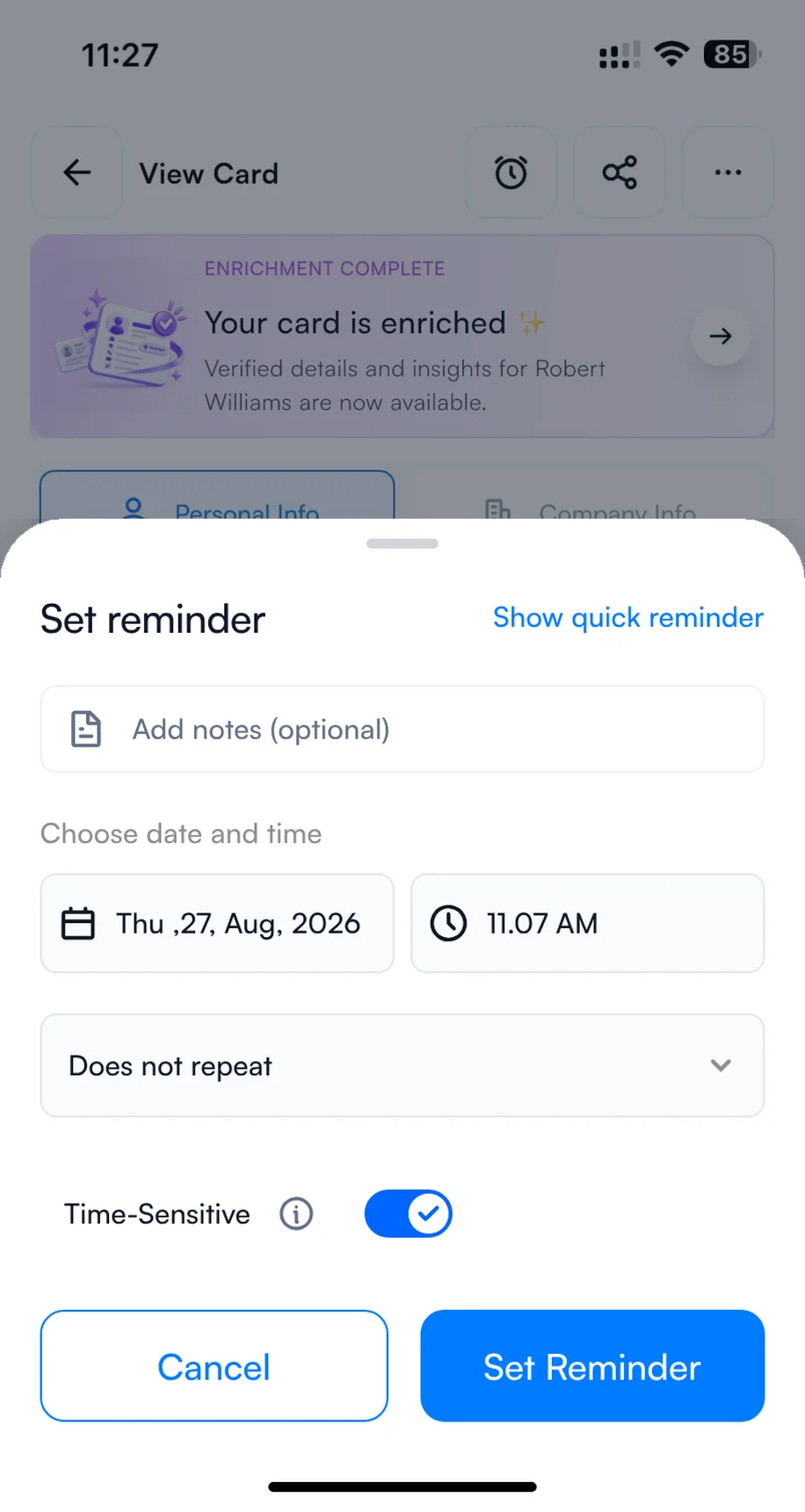
2Set a reminder to call back
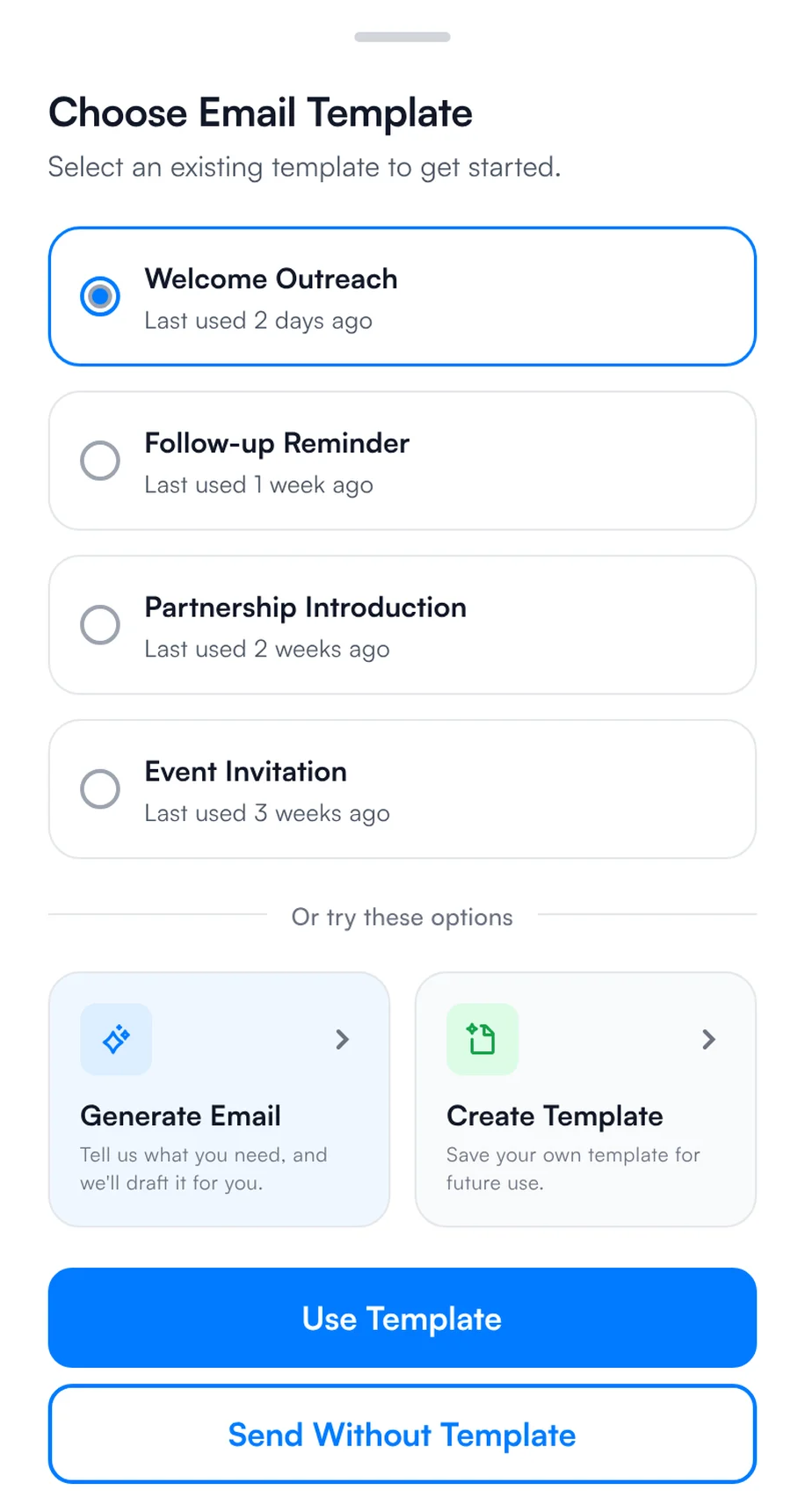
3Send a quick message
If you exhibited: follow up within 48 hours
- Thursday evening: batch scan any cards left in your pockets and check that every contact has a note.
- Friday: filter by intent signals, such as "Book a demo" and "Within 3 months", and send your WFES template to the hottest contacts first.
- Send at scale: select several contacts on the home screen, choose email or WhatsApp and a template, and send to all of them.
- Next week: work through the rest by reminder, sync qualified contacts to your CRM, and export the list to Excel, CSV or VCF.
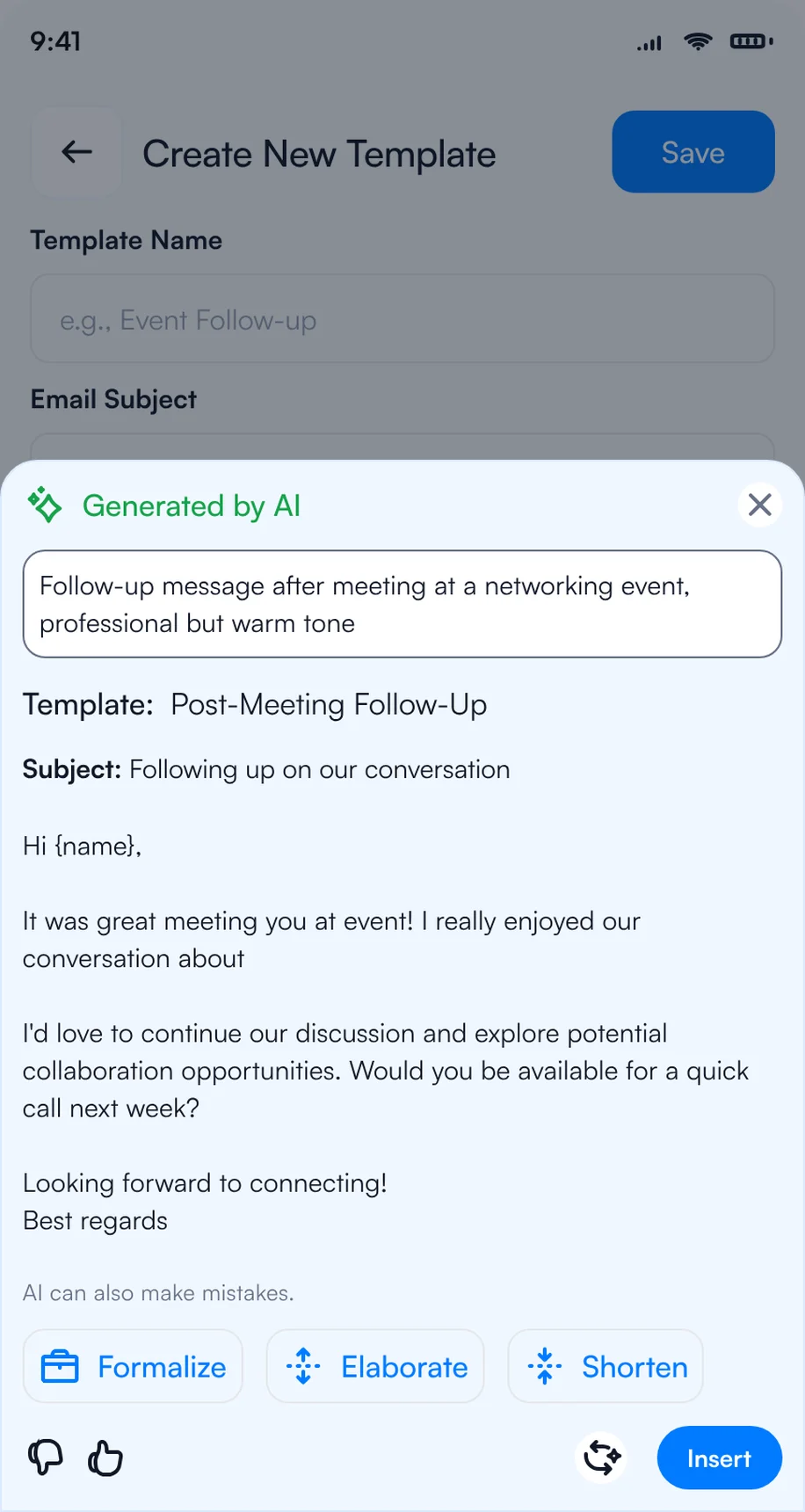
1Write the follow-up with AI
2Pick a template for each contact
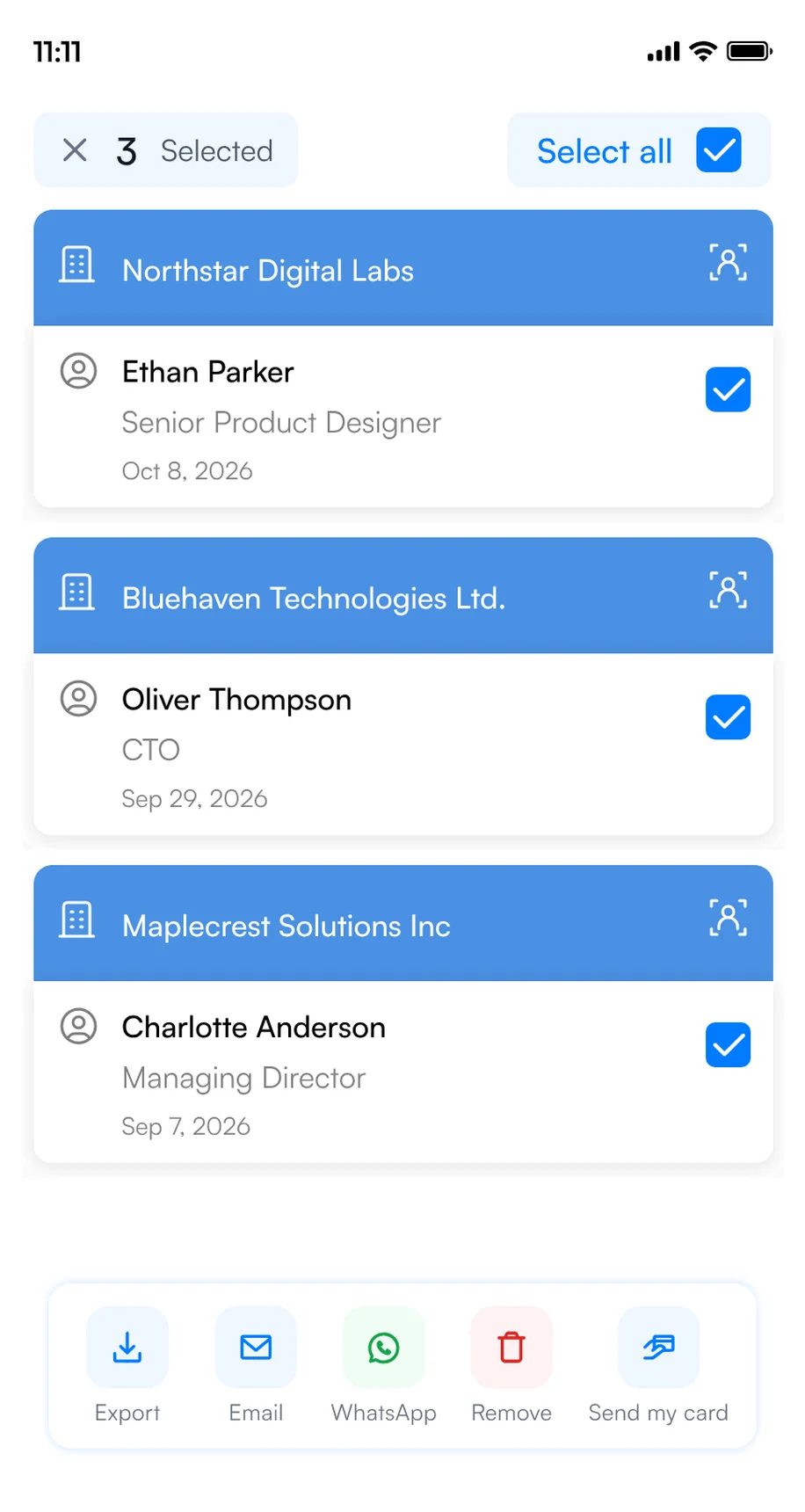
3Select several contacts and send
For more WFES follow-up email ideas, see our follow-up email templates.
WFES lead capture for exhibitor teams
When several reps work the booth, the hard part is not capturing leads. It is knowing, during the show and after it, who met whom, who is hot and who follows up. Habsy Platform is the web dashboard for that, at app.habsy.ai. Reps keep scanning in the app, and the manager sees everything in one place.
app.habsy.ai
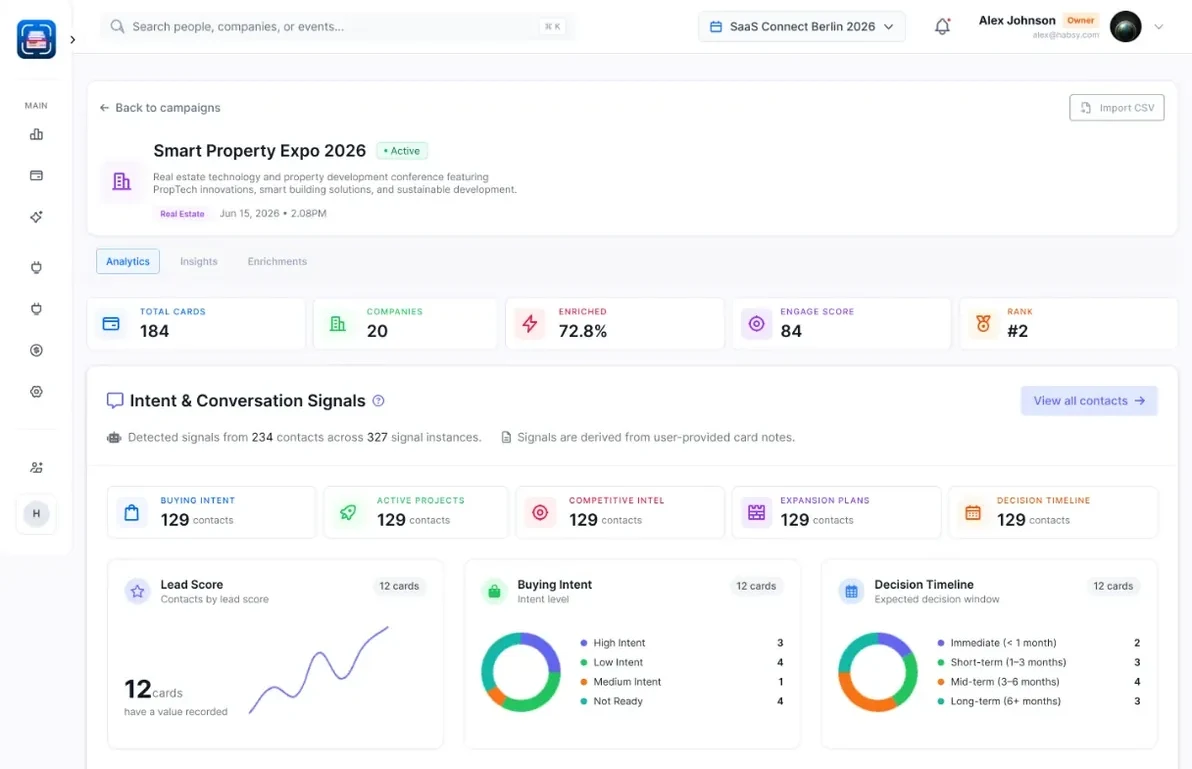
- One campaign for WFES: every rep's contacts land in one live list, by rep and by day.
- Clear ownership: assign contacts, set reminders, and get alerts when two reps meet the same person.
- Follow-up from one place: sync to your CRM and run email and WhatsApp follow-up for the whole team.
The WFES post-event report
When the show ends, Habsy turns your WFES contacts into a post-event report: what your team captured, who you met, what they told you through your intent signals, and a dossier on every company with how well it fits your business. Use it to decide who to call first and whether the next edition is worth the booth. Here is what it could look like for WFES, with example data:
Post-event report · WFES
Overview: what your team captured at WFES, how complete it is, and what stands out.
Analytics: the kinds of organizations and the seniority of the people your team met at WFES.
Intent signals: what contacts at WFES are interested in, when they plan to buy and the next step your reps agreed.
Habsy Platform has one team price, with no per-event or per-lead fees. See Habsy for teams or explore the platform.
Bottom line
Exhibitors and visitors can make supplier meetings more useful by recording the project application, technical interfaces and a clear follow-up question. Visitors: create your digital card and scan every card and badge you collect. Exhibitors: set up intent signals and templates before you fly, capture every contact in one app, and follow up within 48 hours. See event lead capture with Habsy.
Bringing a team to WFES and other events this year? See how Habsy works for sales teams, or book a demo of Habsy Platform.
Habsy is not affiliated with RX. Event details come from the official WFES website and can change.
Frequently Asked Questions
When and where is WFES 2027?
WFES 2027 runs January 12 to 14, 2027, at ADNEC Centre Abu Dhabi.
Is registration required, and what are the entry conditions?
Yes. Visitor registration is required, and the event is trade-only with a minimum age of 18. The organiser describes visitor registration as complimentary and says it provides access to the exhibition and conference programme.
Who is the summit intended for?
Its stated audiences include utilities and energy developers, industrial energy users, government and public-utility teams, EPC contractors, engineering consultants, water and municipal operators, investors and project-finance teams.
How should I prepare for supplier conversations?
Bring a concise description of the project or operating application. Ask about system interfaces, site and operating assumptions, performance measures and lifecycle support. Record what needs clarification and agree on a specific next step.
Does the buyer programme have separate entry requirements?
The organiser describes the buyer programme as having a separate participation route. Check its current programme information for participation details.
What should I compare across clean-technology suppliers?
Define the project stage and operating context first. Ask about capacity, interfaces, site requirements, operating assumptions and lifecycle support. For water or waste systems, include input conditions and handling needs. Record unresolved technical questions rather than assuming all suppliers can meet the same requirements.
Can Habsy read every badge at WFES 2027?
Habsy reads supported QR codes containing contact details. A proprietary registration ID or protected organizer link does not grant access to organizer records. Scan a business card or enter the details manually when needed.
Which Habsy features are free and which need Plus?
Free includes unlimited scanning, text notes, reminders, export and two digital business cards. Plus includes categories, voice notes, intent signals, follow-up templates, enquiry forms, analytics and integrations. Habsy Platform is a separate team offering.
How can a booth team organize contacts from WFES 2027?
Agree the fields and follow-up responsibilities before the event. Habsy Platform brings team contacts and event reporting together. Shared visibility depends on connectivity and synchronization; confirm the team setup before arriving.
Can I scan WFES badges with my phone?
Yes, if the badge carries a QR code or NFC chip with contact details: Habsy reads it with your phone, for free. If a badge only holds a registration number, scan the visitor's business card instead or add the contact manually.
Does WFES offer lead retrieval for exhibitors?
Many trade shows sell lead retrieval through the organiser, so check the WFES exhibitor services. You can also capture leads on your own phones with Habsy: scan badges and business cards, answer intent signals, a built-in lead qualification form: product interest, budget, timeline, answered in a few taps, and follow up after the show.
Going to WFES 2027?
Capture every contact you make in Abu Dhabi.
Share your digital card, capture business cards or supported contact QR codes, and retain the context for your next conversation.


