

Iran Print Pack 2026 Guide: Dates, App, Badge Scanning and Follow-Up
Iran Print Pack 2026 runs December 8 to 11 at Tehran International Permanent Fairground in Tehran. If you are planning supplier meetings, prepare questions about substrates, production requirements, line speeds and equipment integration, then record the details needed for a useful follow-up.
Habsy12 min read

Iran Print Pack dates, hours and venue
- Dates
- December 8 to 11, 2026Tuesday to Friday
- Venue
- Tehran International Permanent FairgroundTehran, Iran
- Official website
- iranprintpack.comConfirm details before you travel
Use the Iran Print Pack dates above to plan your days, and check the Iran Print Pack Tehran Intl Fairground floor plan before you arrive.
Who exhibits and who attends Iran Print Pack?
Printers and converters may focus on print processes, material handling and pre-press needs; packaging manufacturers may want to compare equipment requirements, line speed and changeover needs. Procurement teams can clarify specifications, quantities, service expectations and decision steps. Ask suppliers which materials and operating conditions their equipment supports, what information they need to assess a fit, and what technical documents they can provide. Record the process, substrate, target output and agreed next action for each conversation.
Who exhibits
- Printing equipment suppliers for prepress and production workflows
- Ink, substrate and print consumable suppliers
- Packaging machinery suppliers for filling, sealing and finishing
- Paper and related material suppliers
- Paper converting equipment and finishing technology suppliers
Who attends
- Printing companies assessing equipment and material requirements
- Converters comparing processes and production specifications
- Packaging manufacturers reviewing machinery and supply needs
- Print and packaging procurement teams evaluating supplier scope
How to prepare for Iran Print Pack: tips for exhibitors and visitors
Most of the work happens before you reach Tehran. Set up Habsy once and every conversation at the show ends with a saved contact, the context you need and a next step.
These Iran Print Pack exhibitor tips cover how to prepare for Iran Print Pack 2026, whether or not you also use the official Iran Print Pack app.
If you are visiting
Before you fly
- 1
Create your Professional digital card
Share your details by QR code, NFC or link instead of paper cards.
- 2
Add your Business digital card
Your company profile and brochures, for partners and suppliers you meet.
- 3
Create a category for Iran Print Pack
Plus the visitor intent signals below, to sort vendors by fit later.
- 4
Turn on Send my digital card back
Everyone you scan gets your card automatically.
If you are exhibiting
Before you fly, for every rep
- 1
Install Habsy on every rep's phone
Give each rep a digital card, plus one Business digital card for the company.
- 2
Set up intent signals and templates
Every rep qualifies and follows up the same way, by email or WhatsApp.
- 3
Add an enquiry form to your card
Print its QR code on the booth so visitors leave details when you are busy.
- 4
Create a campaign for Iran Print Pack
Bringing several reps? Every scan lands in one live list.
How to set up a lead capture app before Iran Print Pack
Five steps, in the order the app walks you through them. Visitors need steps 1 to 3. Exhibitors should do all five.
Habsy works as your Iran Print Pack lead capture app and Iran Print Pack mobile app in one, and step 1 gives you a Iran Print Pack digital business card.
1. Create your digital business cards
Every Habsy account includes two free digital cards under MyQR: a Professional digital card for you and a Business digital card for your company, with your services and brochures. Habsy's AI builds them from your LinkedIn profile and website, or from a photo of your own business card. Share them by QR code, NFC or link. The person you share with opens your card in their browser, with no app needed, and saves your contact in one tap. Add an enquiry form so visitors who scan your card leave their details and are saved as a new contact.

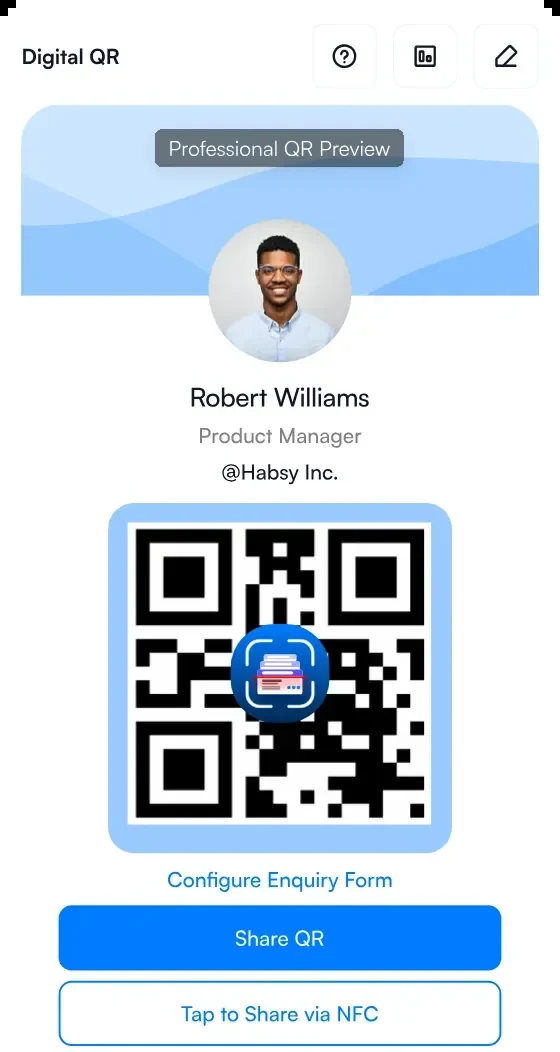
1Your Professional digital card
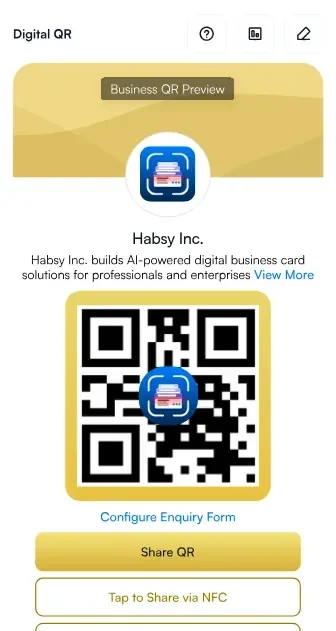
2Your Business digital card
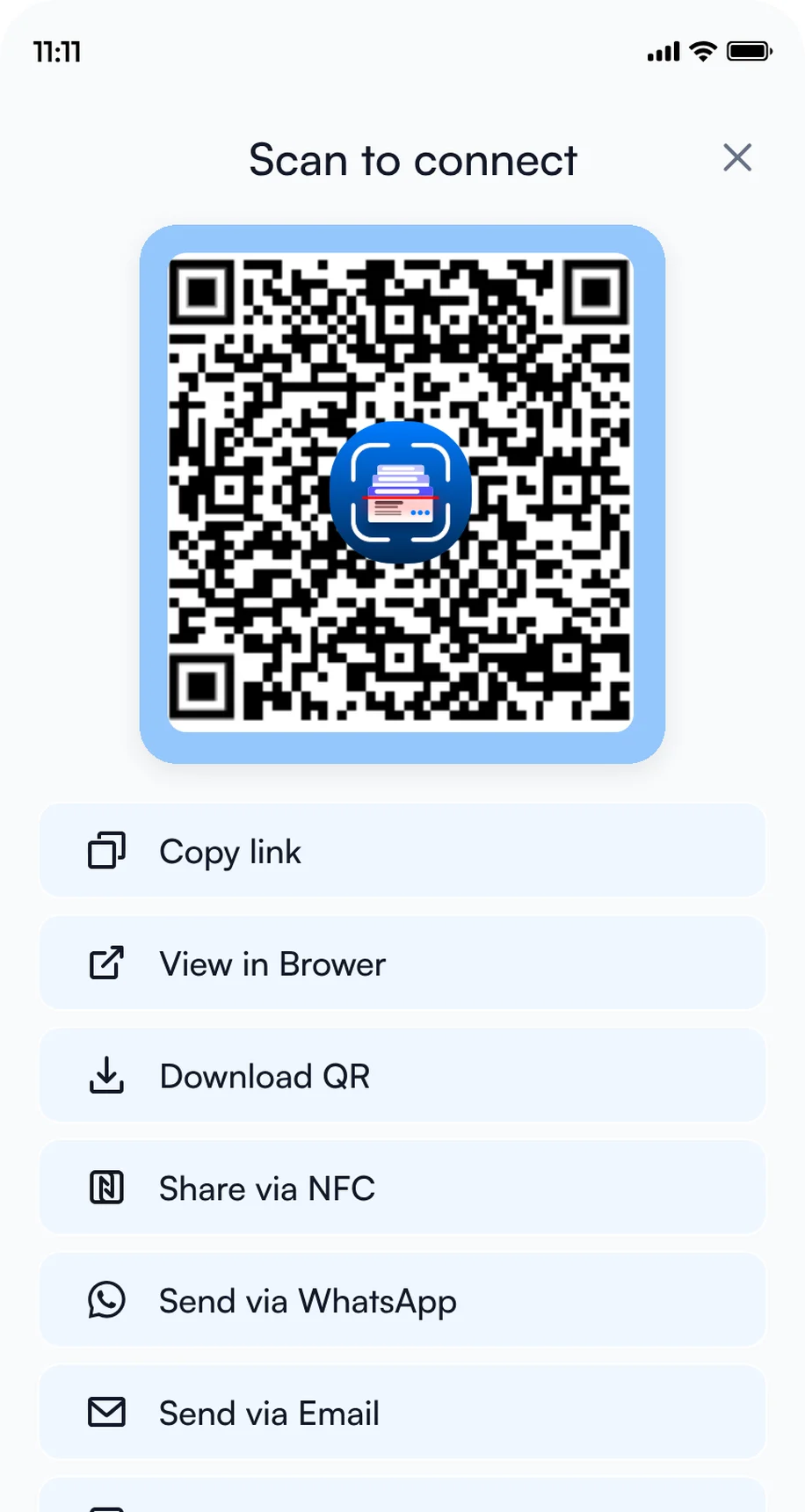
3Share by QR code, NFC or link
2. Add intent signals
Intent signals are a built-in lead qualification form: tap-to-answer questions such as product interest, budget and timeline, answered in a few taps for every contact, so every rep records the same details. In Settings, open Manage Intent Signals, then tap Create with AI to get suggestions from your website, or Create Manually to add the set below.
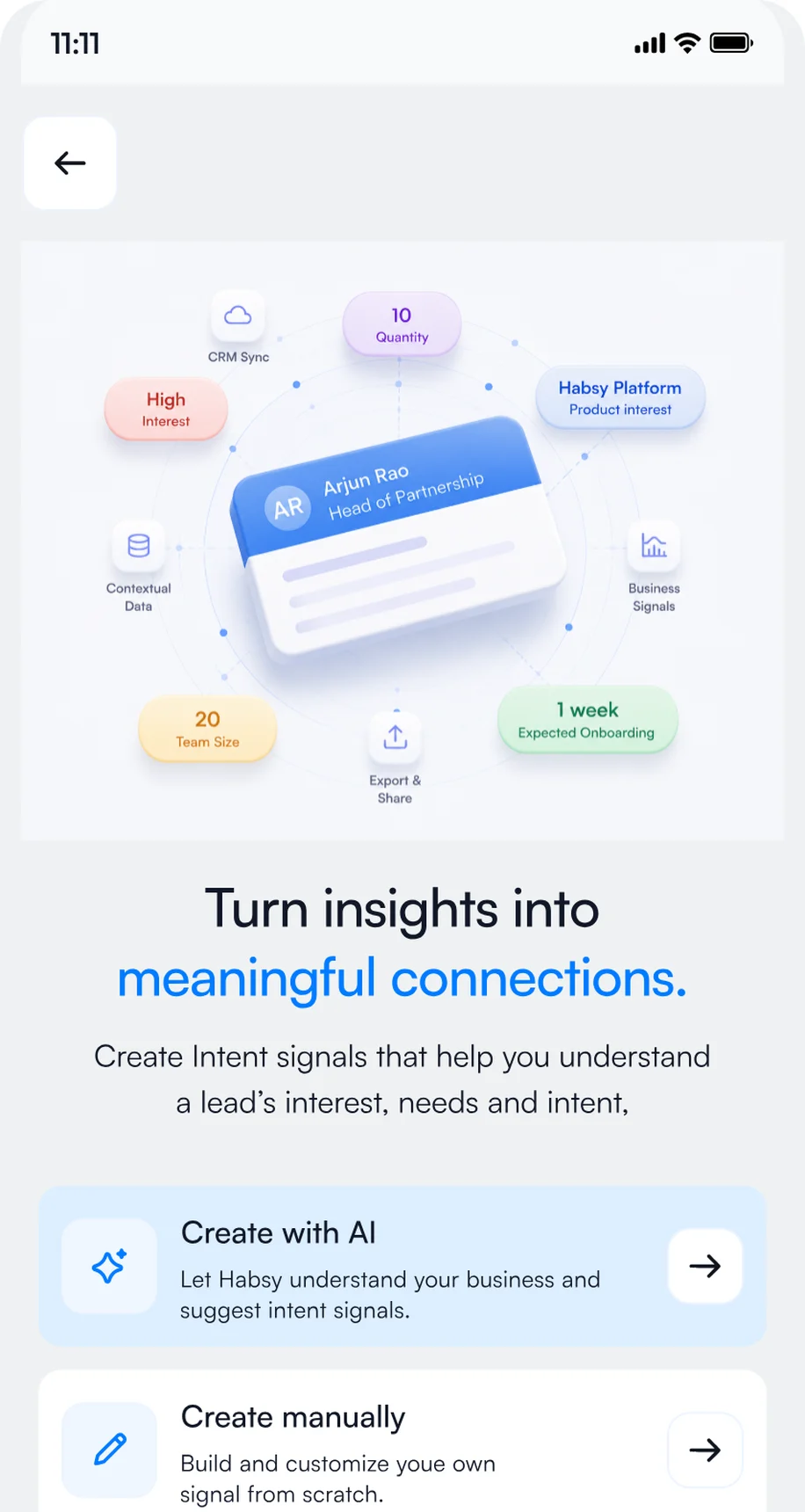
1Open Manage Intent Signals
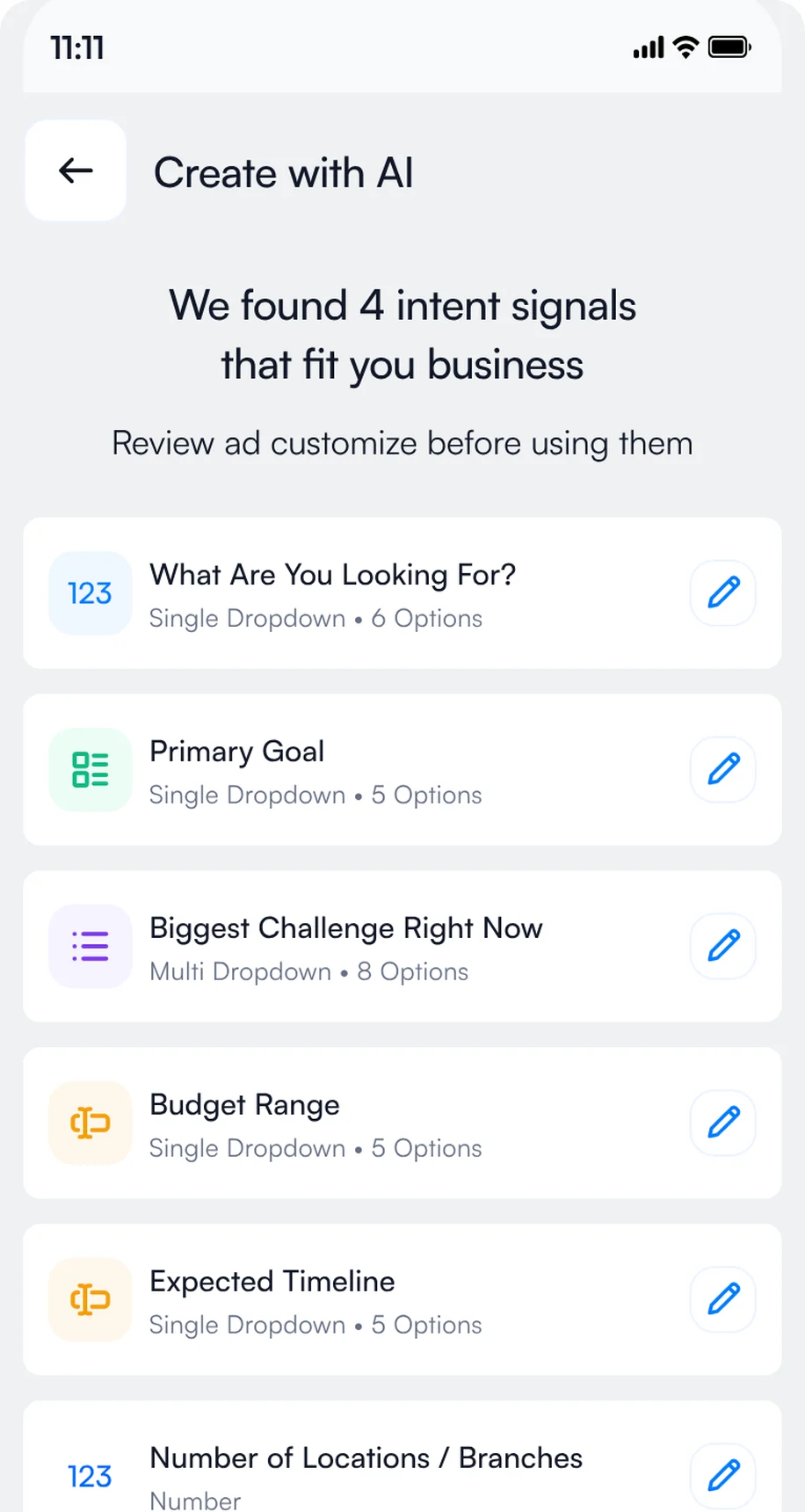
2Review the signals Habsy suggests
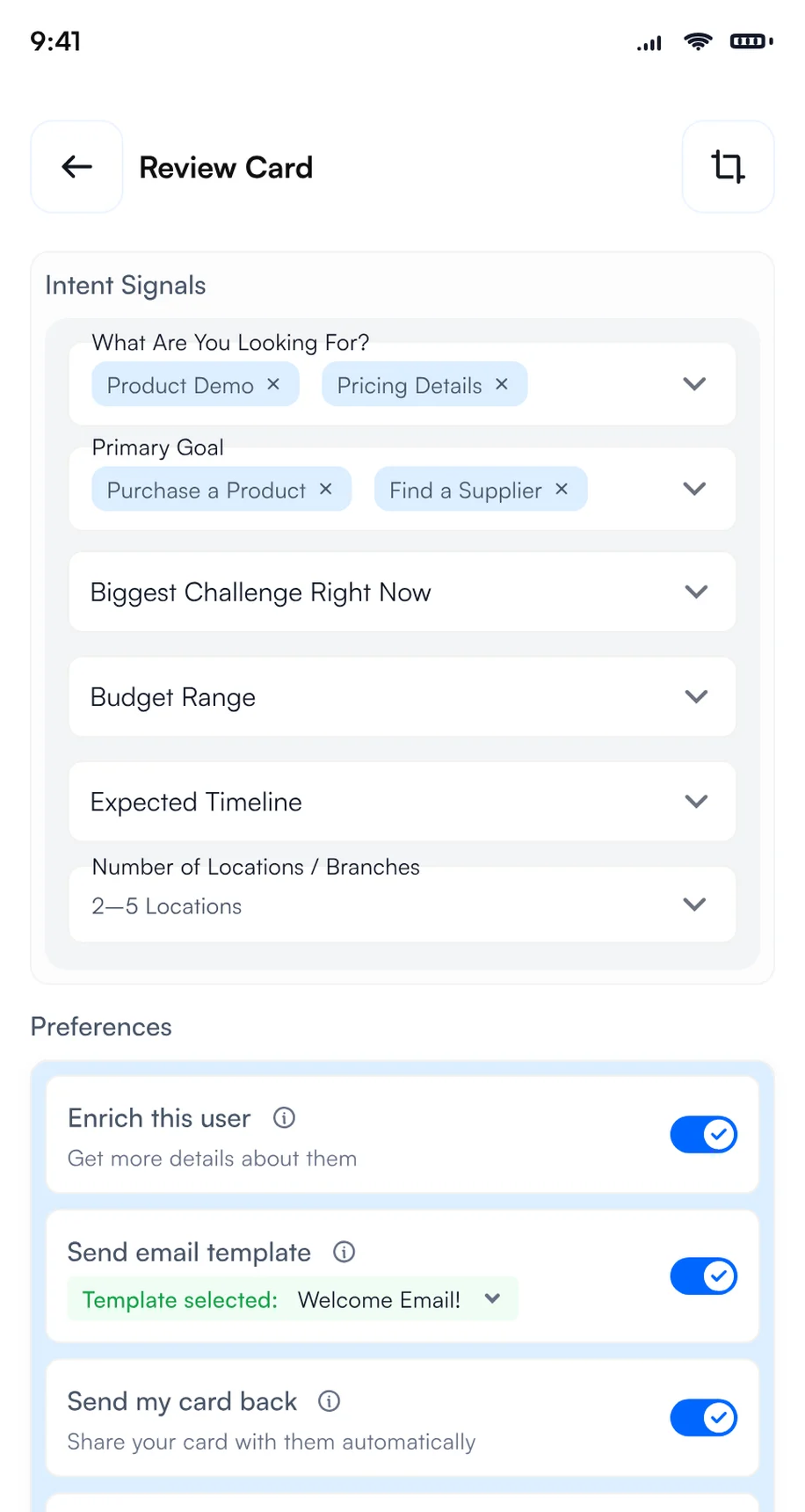
3Tap the answers after each scan
- Commercial printer
- Print converter
- Packaging manufacturer
- Packaging procurement team
- Paper supplier
- Production manager
- Packaging engineer
- Procurement manager
- Print operations lead
- Printing equipment
- Print materials
- Packaging machinery
- Packaging supplies
- Paper and converting tech
- Within 3 months
- 3 to 6 months
- 6 to 12 months
- Researching
- Book a demo
- Send a proposal
- Share a case study
- Introduce a colleague
- Printing equipment
- Print materials
- Pre-press technology
- Packaging machinery
- Packaging supplies
- Paper converting technologies
- Exhibit hall booth
- Session or reception
- Strong fit
- Possible fit
- Not a fit
- Book a demo
- Request pricing
- Share with my team
- No follow-up
Add them in Settings, Manage Intent Signals, with Create Manually, or start with Create with AI and adjust the options to match what you sell or what you are looking for.
3. Create a category for Iran Print Pack
Create a category called Iran Print Pack and set it as your default for the days of the event, so every contact you scan at the show is filed under it automatically. After the show, use it as a filter to export only your Iran Print Pack contacts to Excel, CSV or VCF in one step. Exhibitors on Habsy Platform can also use the Iran Print Pack category to track how the event performed: contacts captured, companies reached, intent signals and each rep's results.
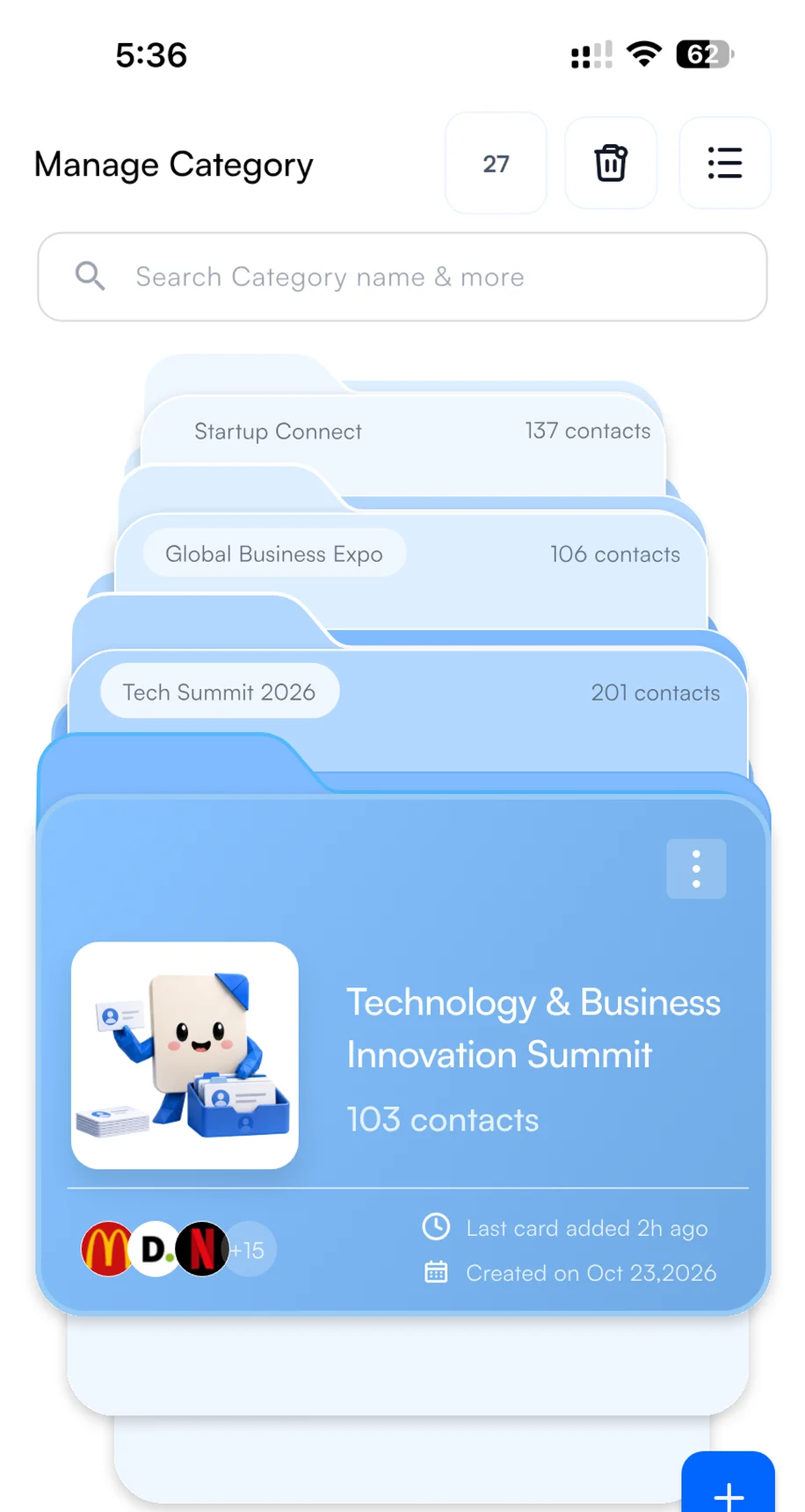
1Create the category
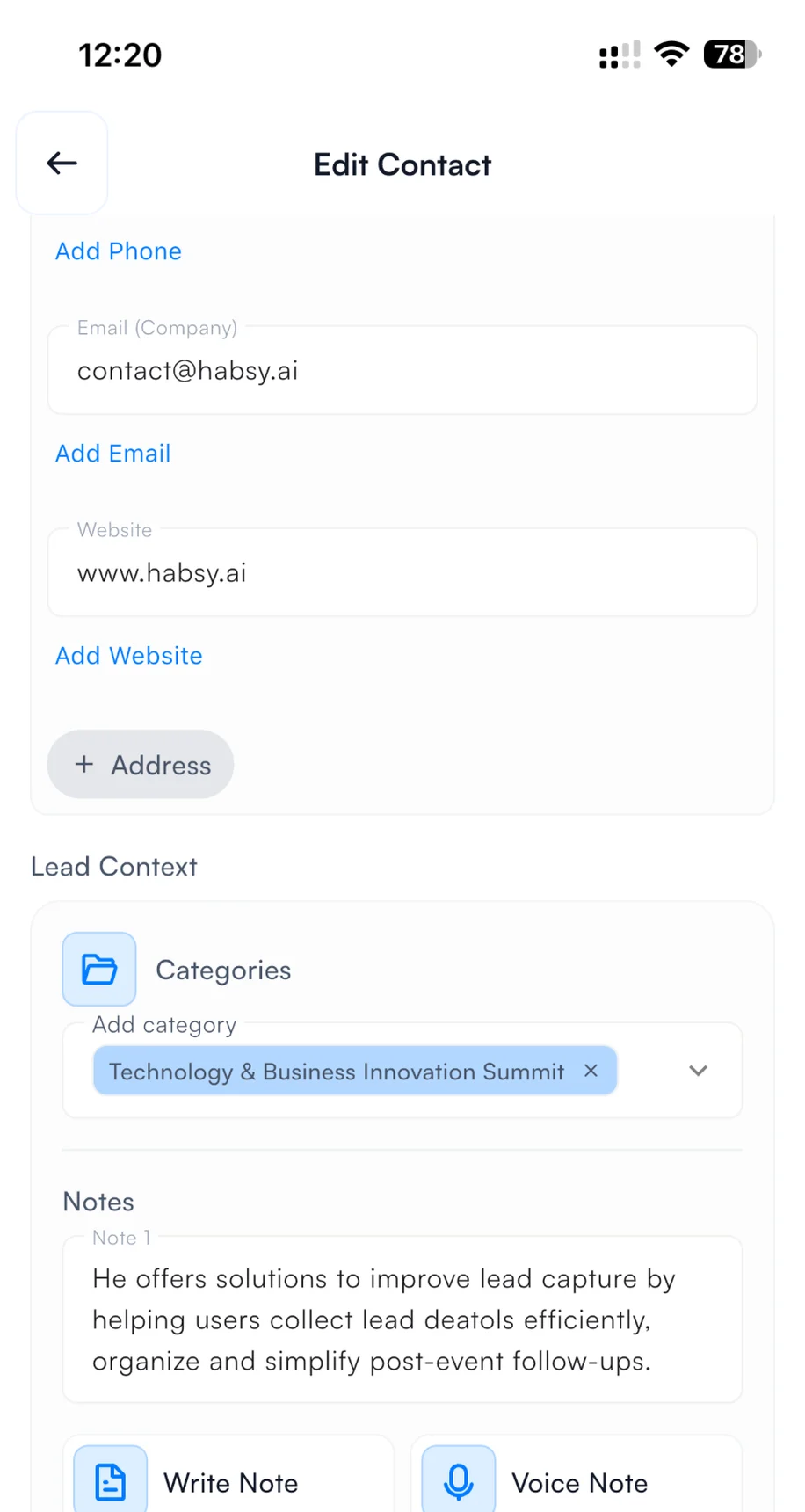
2Pick it when you save a contact
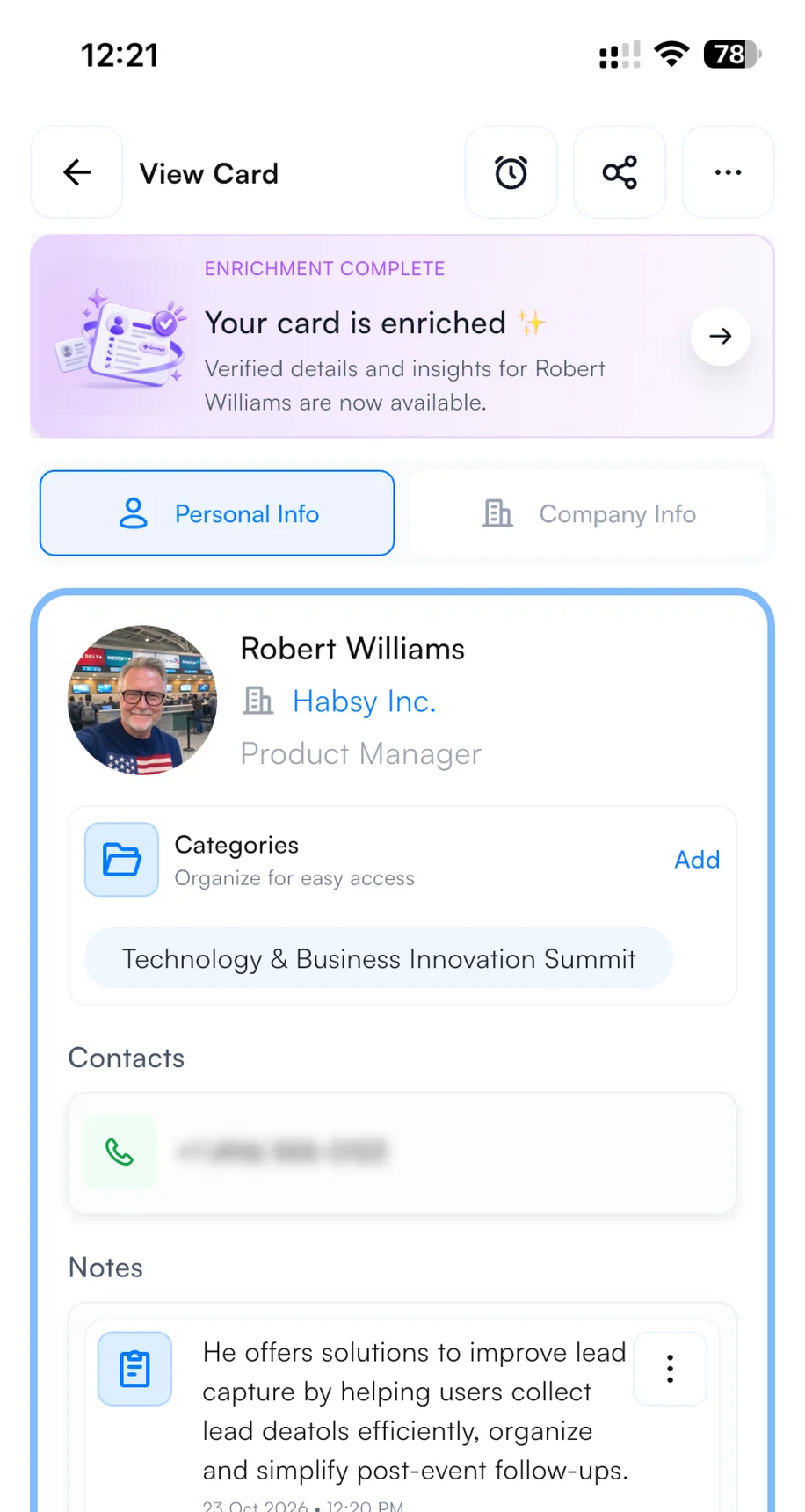
3Find it on every contact
4. Set up your email and WhatsApp templates
Connect your email account or WhatsApp Business account in Settings before the show. Then, with Send email or WhatsApp template turned on in your Card Preferences, your follow-up goes out from your own account the moment you save a scanned contact. The visitor often has your message, and your digital card, before they leave your booth. It shows you are organized and quick to respond, and it puts you ahead of every exhibitor who follows up next week. To write the template, open Email Templates or WhatsApp Templates in Settings, describe the message, and Habsy's AI writes it. Add variables such as the contact's name and company so every message is personal. Here is a template you can copy for Iran Print Pack:
Hi {{recipient.name}},
It was good speaking with you at Iran Print Pack 2026. I can send technical information about our packaging equipment for your review. Which line output and changeover requirements should I use to make the information relevant?
Best,{{user.name}}{{user.company}}
Hi {{recipient.name}}, good speaking with you at Iran Print Pack 2026. I can send relevant packaging equipment details. What line output should I use as a reference?
Words in braces are variables. Habsy fills them in from each contact and from your profile when you send.
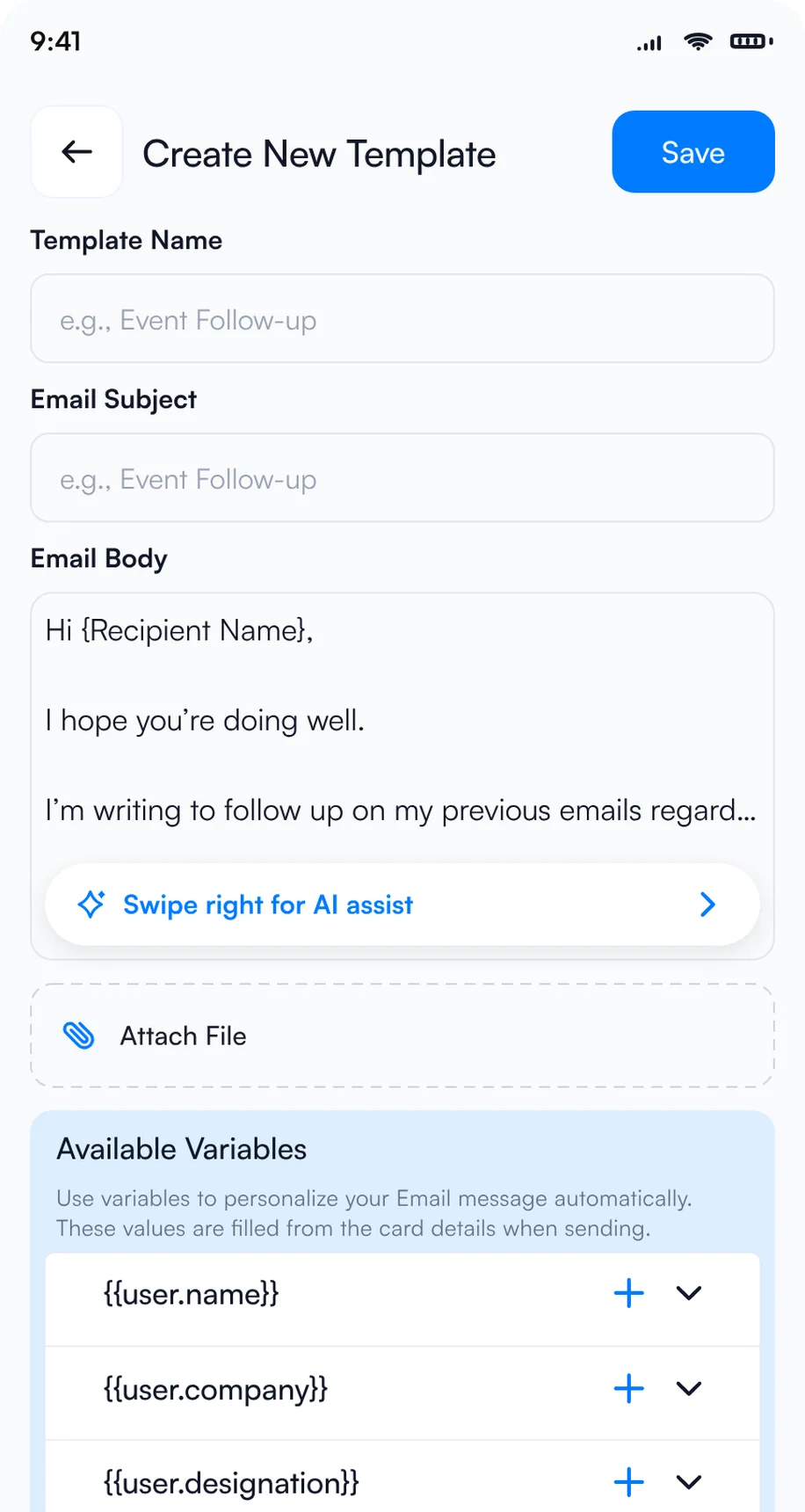
1Let AI write the template
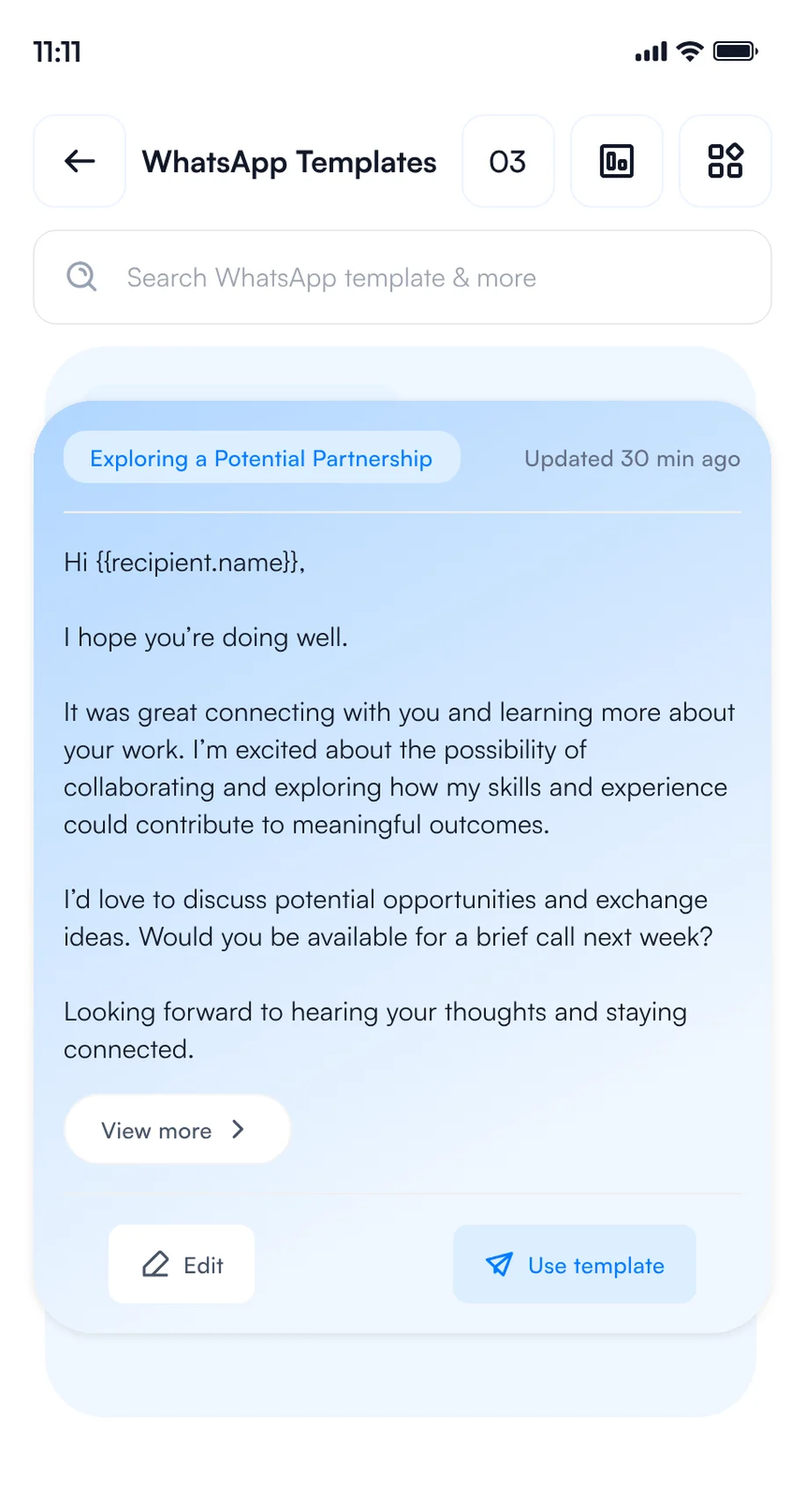
2Save your WhatsApp templates
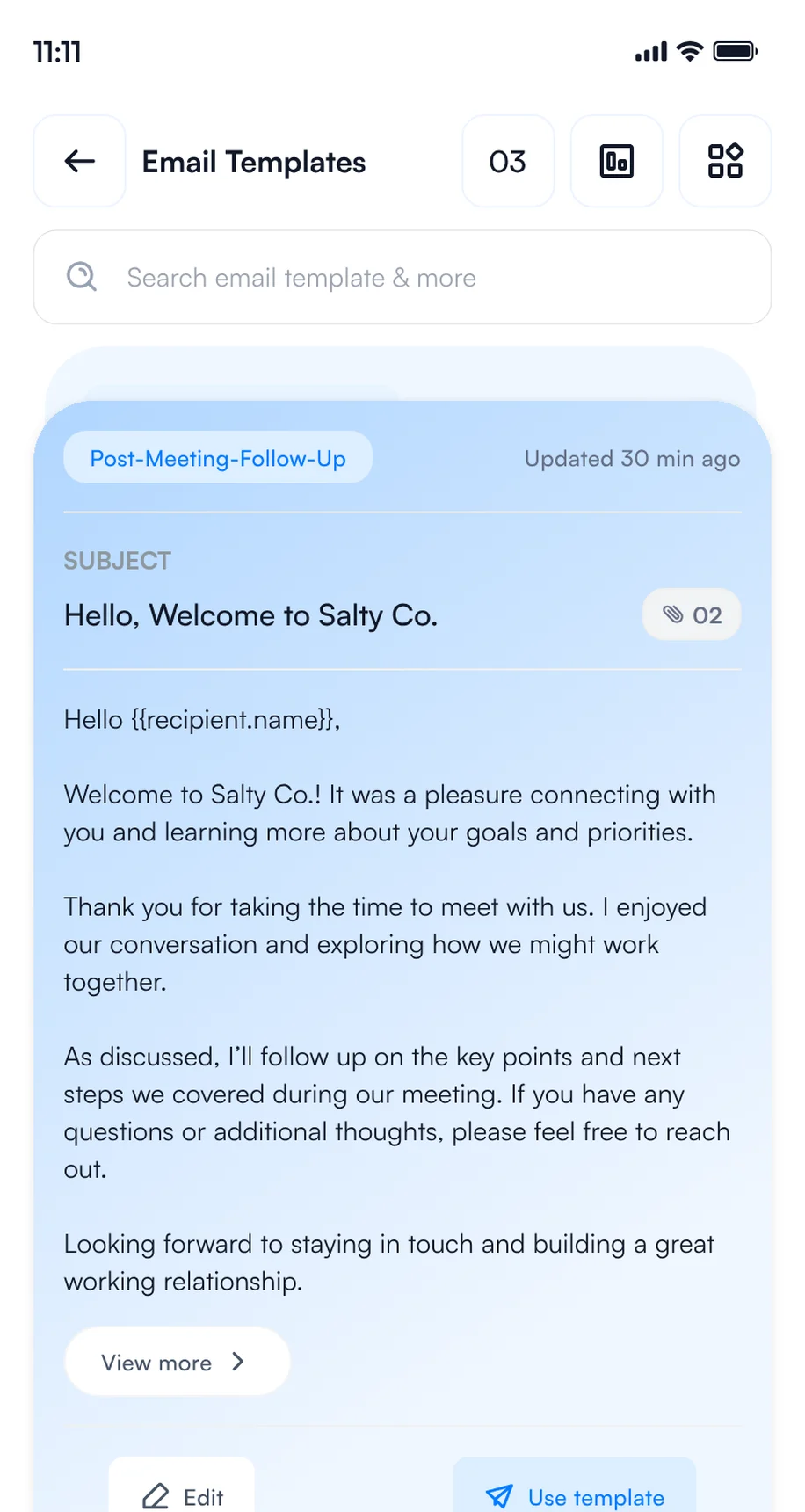
3Save your email templates
5. Set your Card Preferences
Choose what Habsy does each time you save a contact, once in Settings or per save. It runs in the background while you move on to the next conversation.
Nima Rahbar saved at Iran Print Pack · 4 steps running in the background
Email, WhatsApp and CRM steps need the matching integration.
How to scan Iran Print Pack badges and business cards with your phone
Use one lead capture app on your phone for every contact you make at Iran Print Pack, wherever you make it: at the booth, in a session, at a reception or over dinner. Every rep and every visitor captures contacts on their own phone, free and with no scan limit, and every contact lands in one list with your category, intent signals and notes.
The same app is your Iran Print Pack badge scanner, Iran Print Pack lead scanner and Iran Print Pack business card scanner, so Iran Print Pack badge scanning and card scanning end up in one list.
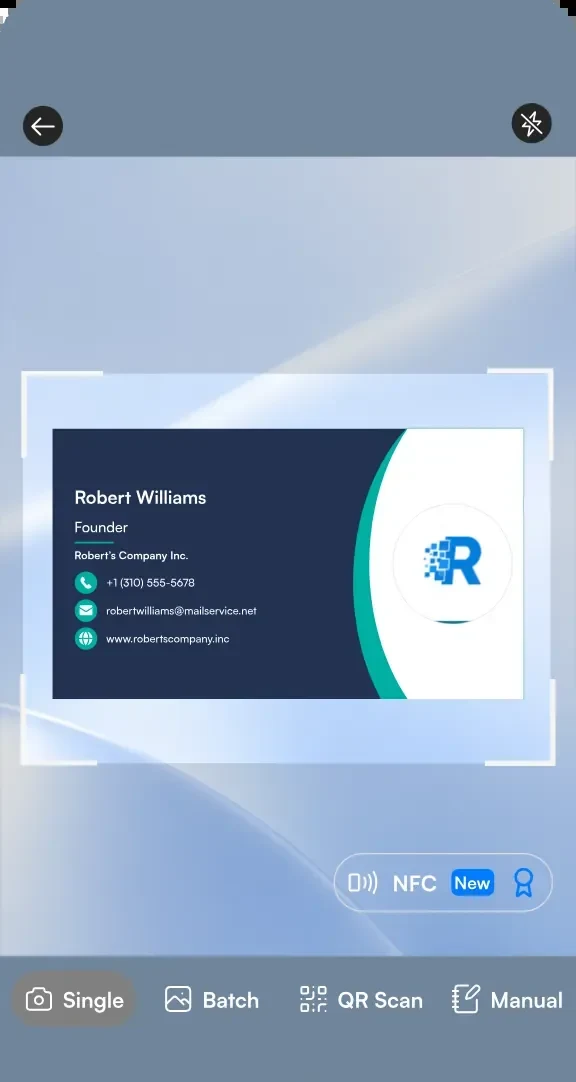
1Scan a business card
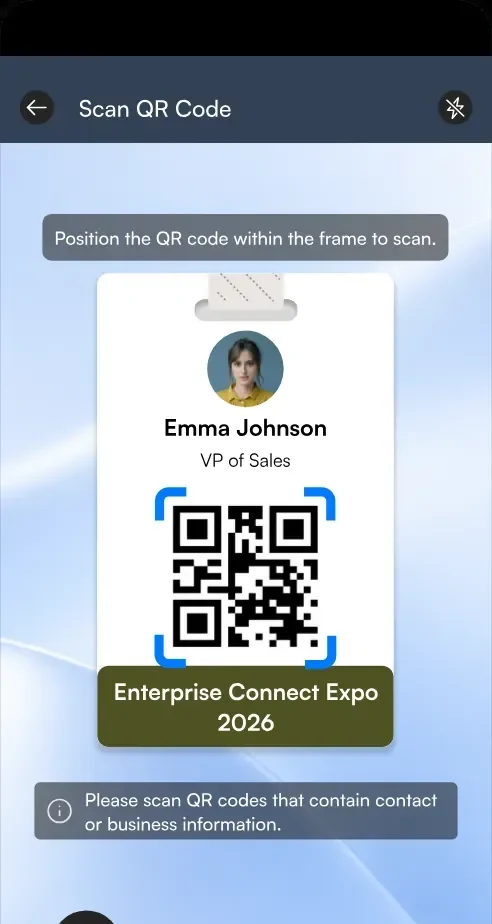
2Scan a badge QR code
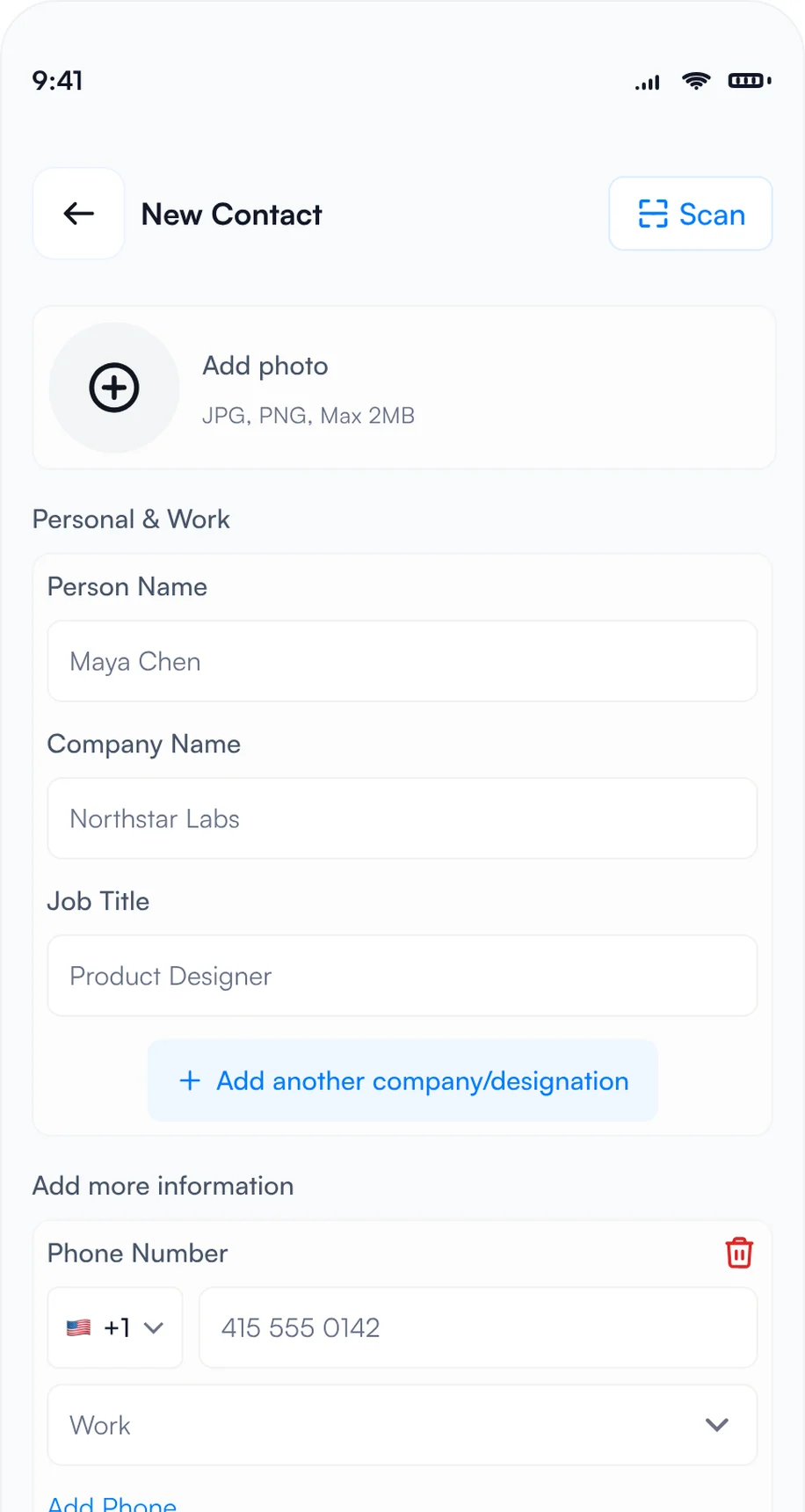
3Type it in with manual entry
- Badges: point the Habsy scanner at a badge and Habsy reads the attendee's details from its QR code. If a badge holds only a registration number, scan the person's business card or type them in.
- Business cards: scan each card in seconds, or switch to Batch and scan up to 150 cards in about 5 minutes without leaving the camera. Habsy reads cards in 200+ languages.
- QR codes: scan digital business cards from any provider, LinkedIn QR codes and contact QR codes.
- NFC: turn on NFC on the scan screen, then hold an NFC business card or an NFC event badge to the back of your phone. Habsy reads the contact and saves it, with no camera needed.
- Manual entry: no card and no QR code? Choose Manual and type the details in.
- Offline: capture continues when the hall Wi-Fi is busy, and contacts process once you reconnect.
Many shows also sell official lead retrieval through the organizer. Habsy works on its own or next to it. For more, read lead capture vs lead retrieval.
Whichever you choose, compare Iran Print Pack lead retrieval with scanning on your own phones before you book.
How to qualify Iran Print Pack leads while you talk
A contact without context is hard to follow up. Before the next conversation starts, add what you discussed and what you promised.
- Intent signals: tap the answers on the review screen after each scan.
- Voice notes: tap Add Voice Note and say what they need. Habsy turns it into a searchable transcript.
- Text notes: type a quick note, such as "Two lines; confirm output and changeover".
- Reminders: in 1 hour, in 4 hours, tomorrow at 9 AM or any date and time, with a repeat and an alarm. All of them appear in My reminders.
Here is what a contact from Iran Print Pack looks like with context added:
Nima Rahbar
Packaging Engineer, Caspian Carton Works
Intent signals
- Packaging manufacturer
- Packaging engineer
- Packaging machinery
- 3 to 6 months
- 2 lines
- Book a demo
Notes
Reviewing two packaging lines; needs output and changeover details.
0:42 · "I need to compare line output and changeover requirements."
Reminder
Saturday, 9:00 AM · Email line-output questions
Fictional contact illustrating a conversation at Iran Print Pack 2026 on Tuesday, December 8, 2026, Tehran Intl Fairground, Tehran
Going to Iran Print Pack 2026?
Your digital card and lead capture in one app.
Start free with scanning, text notes, reminders and export. Plus adds intent signals, templates and analytics; Platform supports teams.
How to follow up after Iran Print Pack
The show ends on Friday, December 11. What you do in the next 48 hours decides how many of those conversations turn into meetings, partners or deals.
If you visited: pick up the conversations you started
- See who looked at your card: open QR analytics to see how many people viewed and saved your digital card, how they engaged and where.
- Save and call back: save vendors to your phone contacts, and set a reminder to call back the ones you want to hear more from.
- Drop a message: Habsy writes a short email or WhatsApp message for any contact, mentioning where you met.
- Export and share: export your Iran Print Pack category to Excel, CSV or VCF, by date range, with a copy sent to your email, and share the shortlist with your team.
Top locations
Example numbers.
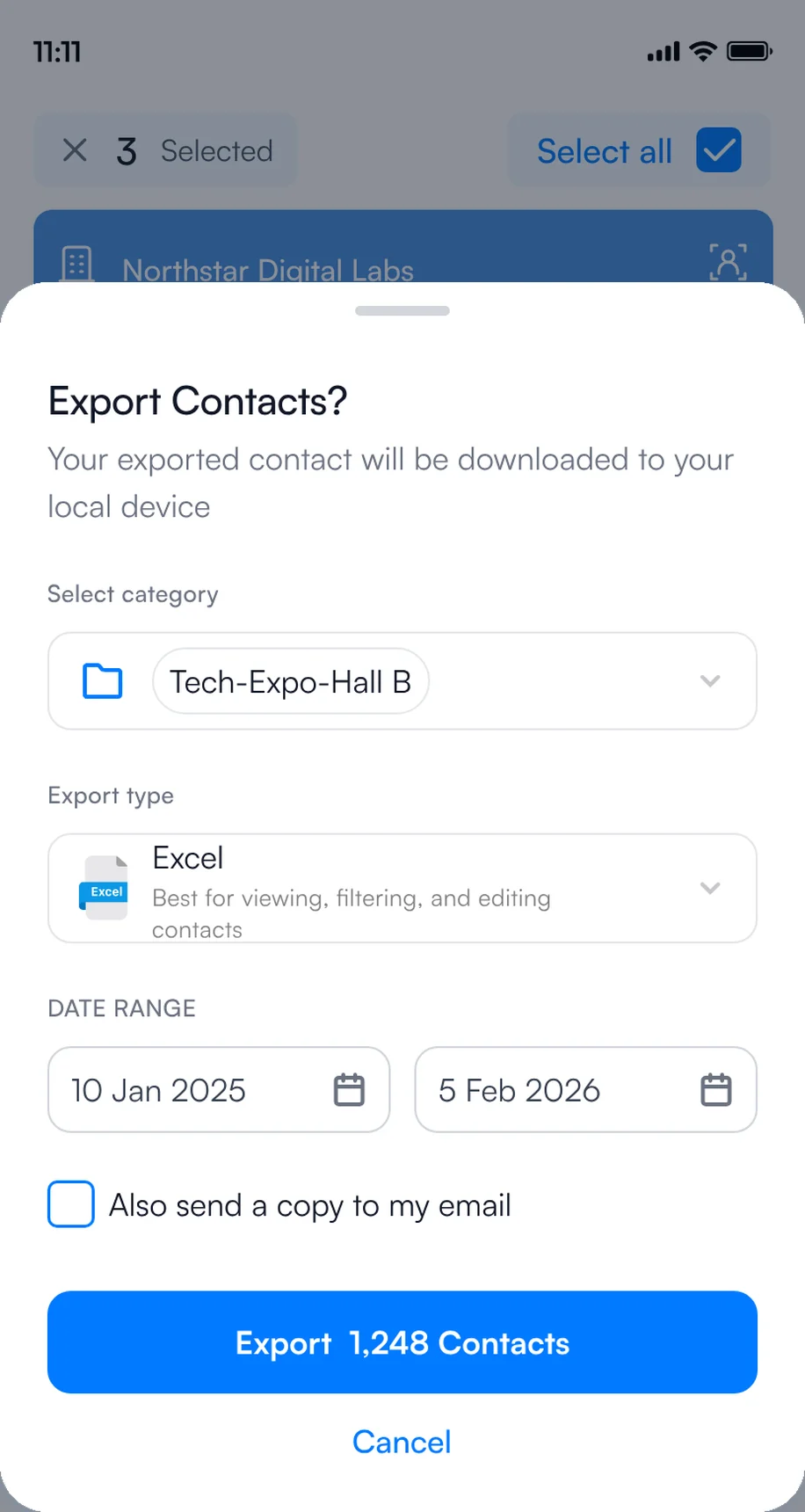
1Export to Excel, CSV or VCF
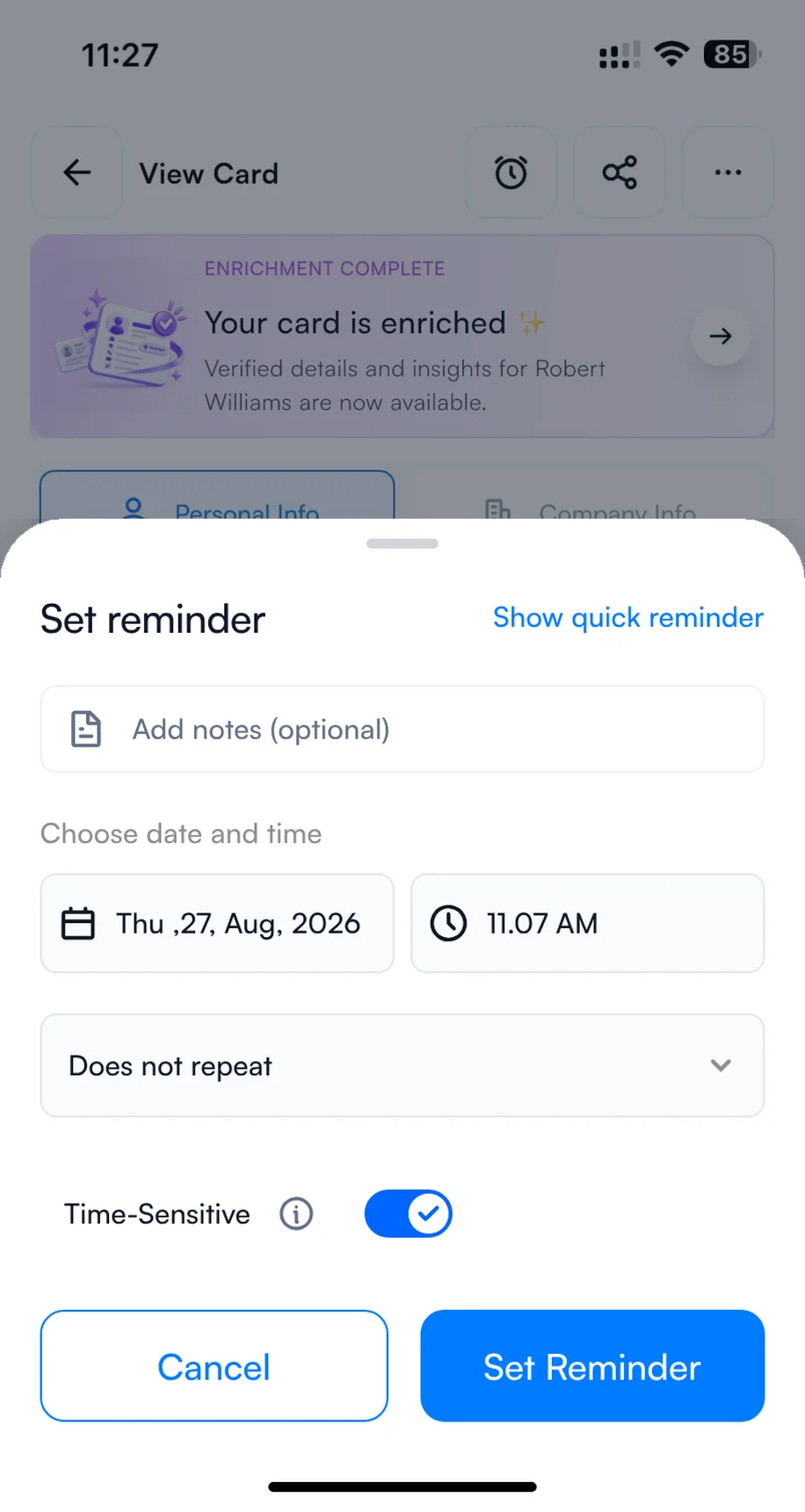
2Set a reminder to call back
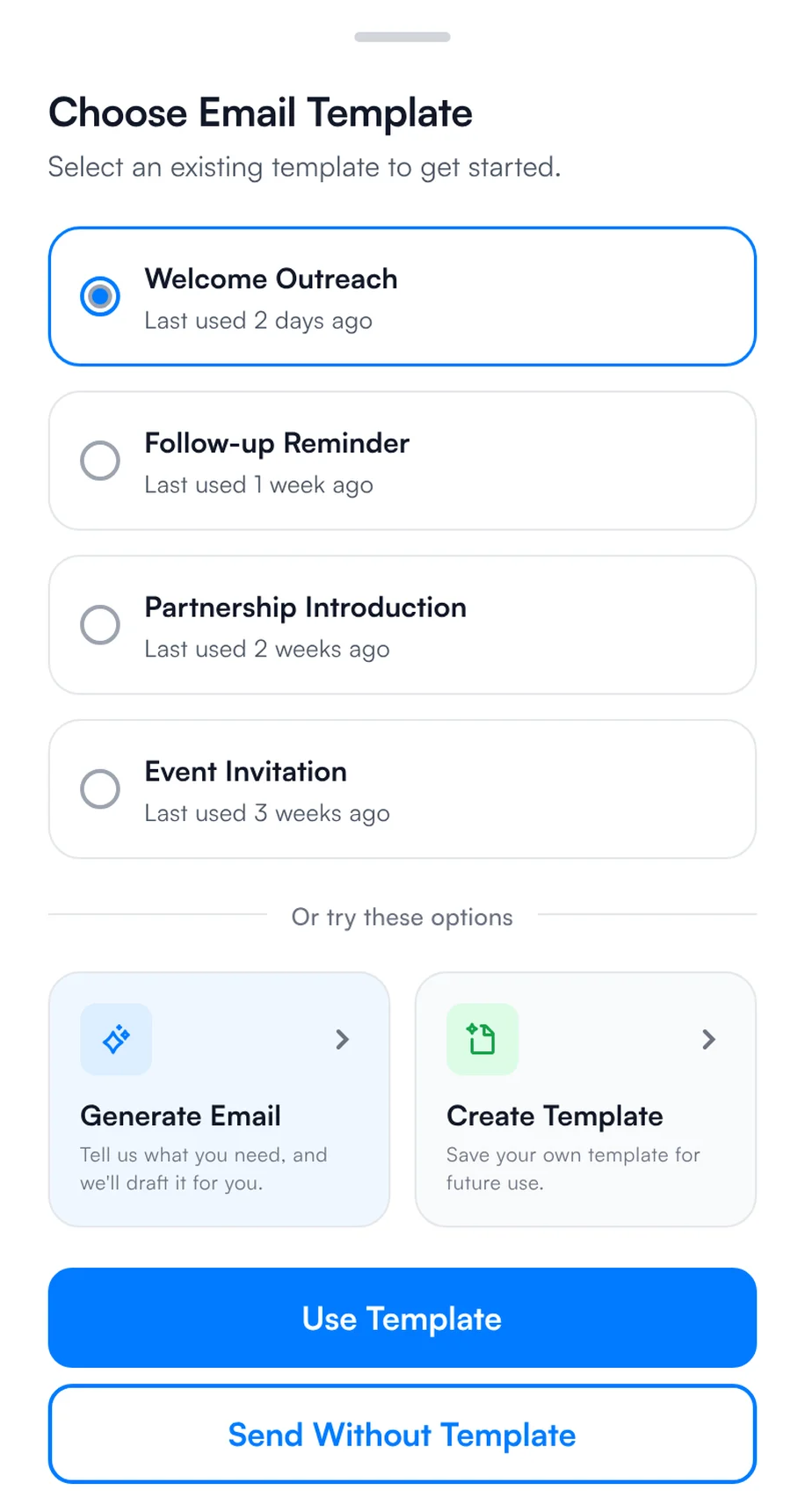
3Send a quick message
If you exhibited: follow up within 48 hours
- Friday evening: batch scan any cards left in your pockets and check that every contact has a note.
- Saturday: filter by intent signals, such as "Book a demo" and "Within 3 months", and send your Iran Print Pack template to the hottest contacts first.
- Send at scale: select several contacts on the home screen, choose email or WhatsApp and a template, and send to all of them.
- Next week: work through the rest by reminder, sync qualified contacts to your CRM, and export the list to Excel, CSV or VCF.
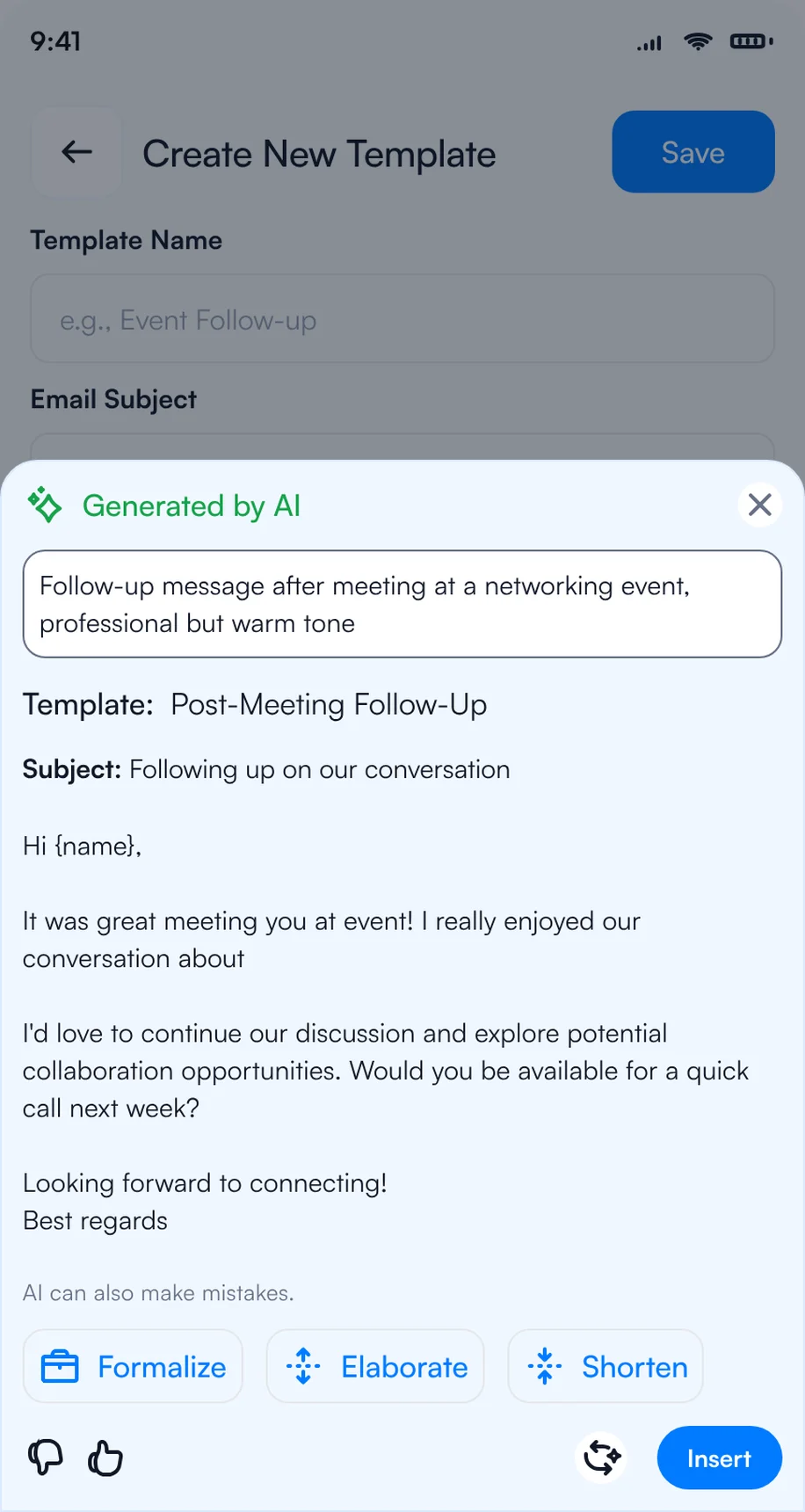
1Write the follow-up with AI
2Pick a template for each contact
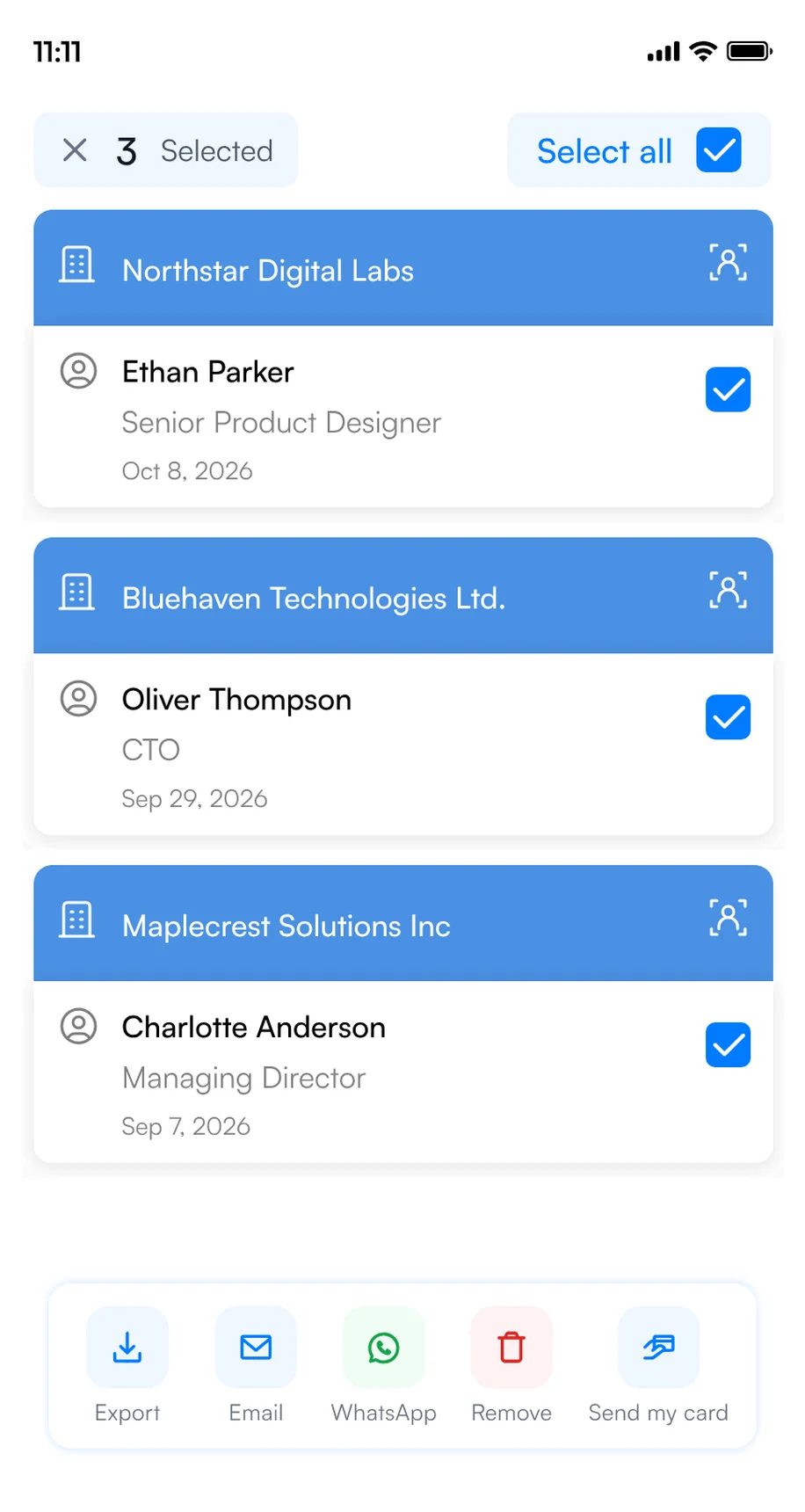
3Select several contacts and send
For more Iran Print Pack follow-up email ideas, see our follow-up email templates.
Iran Print Pack lead capture for exhibitor teams
When several reps work the booth, the hard part is not capturing leads. It is knowing, during the show and after it, who met whom, who is hot and who follows up. Habsy Platform is the web dashboard for that, at app.habsy.ai. Reps keep scanning in the app, and the manager sees everything in one place.
app.habsy.ai
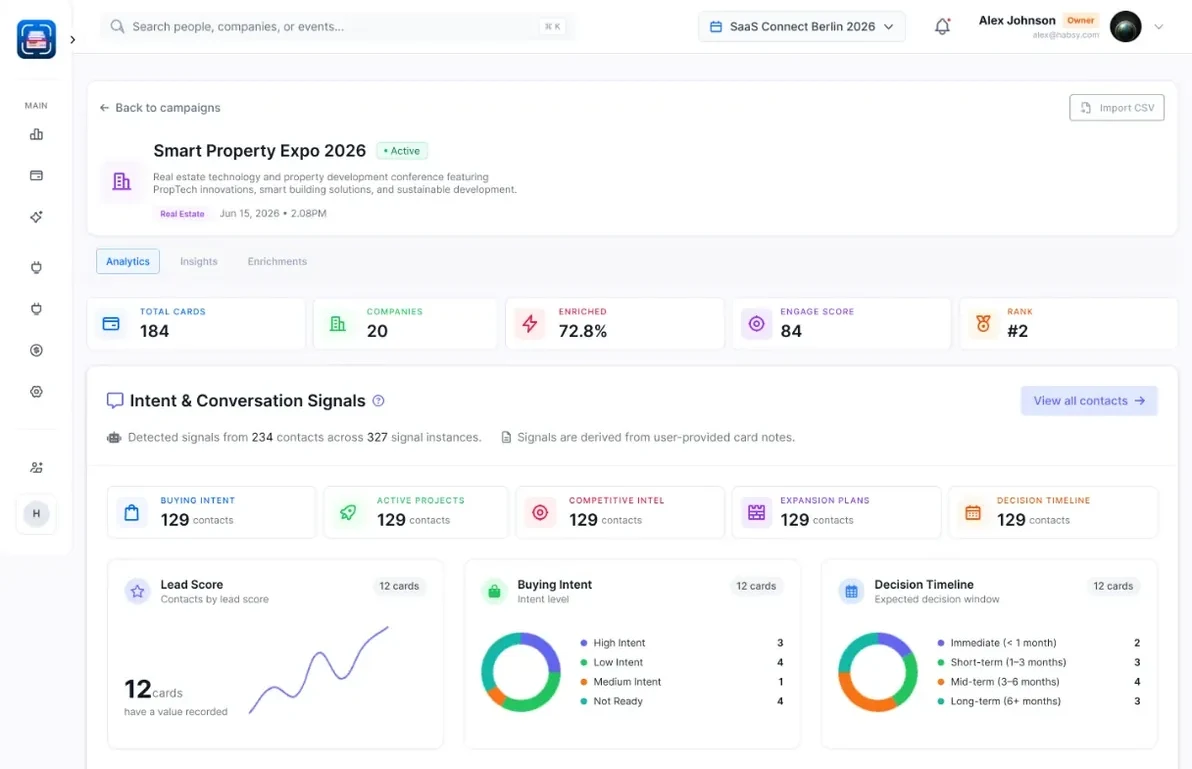
- One campaign for Iran Print Pack: every rep's contacts land in one live list, by rep and by day.
- Clear ownership: assign contacts, set reminders, and get alerts when two reps meet the same person.
- Follow-up from one place: sync to your CRM and run email and WhatsApp follow-up for the whole team.
The Iran Print Pack post-event report
When the show ends, Habsy turns your Iran Print Pack contacts into a post-event report: what your team captured, who you met, what they told you through your intent signals, and a dossier on every company with how well it fits your business. Use it to decide who to call first and whether the next edition is worth the booth. Here is what it could look like for Iran Print Pack, with example data:
Post-event report · Iran Print Pack
Overview: what your team captured at Iran Print Pack, how complete it is, and what stands out.
Analytics: the kinds of organizations and the seniority of the people your team met at Iran Print Pack.
Intent signals: what contacts at Iran Print Pack are interested in, when they plan to buy and the next step your reps agreed.
Habsy Platform has one team price, with no per-event or per-lead fees. See Habsy for teams or explore the platform.
Bottom line
Bring clear process and material requirements so supplier conversations can move from equipment features to practical fit and a specific next step. Visitors: create your digital card and scan every card and badge you collect. Exhibitors: set up intent signals and templates before you fly, capture every contact in one app, and follow up within 48 hours. See event lead capture with Habsy.
Bringing a team to Iran Print Pack and other events this year? See how Habsy works for sales teams, or book a demo of Habsy Platform.
Habsy is not affiliated with Arvin Mehr Fajr Co.. Event details come from the official Iran Print Pack website and can change.
Frequently Asked Questions
When and where is Iran Print Pack 2026?
The exhibition runs December 8 to 11, 2026, at Tehran International Permanent Fairground in Tehran, Iran.
What should I clarify when comparing print or packaging lines?
Start with the substrate, required format, output target and changeover needs. Ask which specifications and test information the supplier can provide, how the line interfaces with existing equipment, and who will review the technical details.
What industries and professional groups is the exhibition for?
The event covers printing and pre-press technology, packaging machinery and automation, and paper, paperboard and converting industries. The stated visitor profiles include printers and converters, packaging manufacturers, and print and packaging procurement teams.
How should I prepare for supplier meetings?
Bring the relevant process and material details, such as substrate type, production requirements, target line output and changeover needs. Ask what operating conditions a supplier's equipment supports, what technical information is available, and what should happen next.
What should I confirm before attending?
Check the official event website for current registration and visitor access instructions, and confirm the location of any meeting or programme activity you plan to attend.
Can Habsy read every badge at Iran Print Pack 2026?
Habsy reads supported QR codes containing contact details. A proprietary registration ID or protected organizer link does not grant access to organizer records. Scan a business card or enter the details manually when needed.
Which Habsy features are free and which need Plus?
Free includes unlimited scanning, text notes, reminders, export and two digital business cards. Plus includes categories, voice notes, intent signals, follow-up templates, enquiry forms, analytics and integrations. Habsy Platform is a separate team offering.
How can a booth team organize contacts from Iran Print Pack 2026?
Agree the fields and follow-up responsibilities before the event. Habsy Platform brings team contacts and event reporting together. Shared visibility depends on connectivity and synchronization; confirm the team setup before arriving.
Can I scan Iran Print Pack badges with my phone?
Yes, if the badge carries a QR code or NFC chip with contact details: Habsy reads it with your phone, for free. If a badge only holds a registration number, scan the visitor's business card instead or add the contact manually.
Does Iran Print Pack offer lead retrieval for exhibitors?
Many trade shows sell lead retrieval through the organiser, so check the Iran Print Pack exhibitor services. You can also capture leads on your own phones with Habsy: scan badges and business cards, answer intent signals, a built-in lead qualification form: product interest, budget, timeline, answered in a few taps, and follow up after the show.
Going to Iran Print Pack 2026?
Capture every contact you make in Tehran.
Share your digital card, capture business cards or supported contact QR codes, and retain the context for your next conversation.


