

NAB Show 2027 Networking: How to Meet the Right People and Follow Up
NAB Show runs April 3–7, 2027, at the Las Vegas Convention Center. Exhibits open April 4.
Claire Bennett7 min read
On this page
- NAB Show 2027 at a glance
- Who you can meet at NAB Show 2027
- Where people meet at NAB Show 2027
- One NAB Show 2027 introduction, start to finish
- Bring your digital cards, not a box of paper ones
- Remember everyone you meet
- Business card scanner and badge scanning at NAB Show 2027
- Turn NAB Show 2027 introductions into meetings
- Exhibiting at NAB Show 2027 as well?
- Bottom line
NAB Show 2027 at a glance
- Dates
- April 3 to 7, 2027Exhibits April 4 to 7
- Exhibition hours
- Sun10:00 AM to 6:00 PMMon9:00 AM to 6:00 PMTue9:00 AM to 6:00 PMWed9:00 AM to 2:00 PM
- Venue
- Las Vegas Convention CenterWest, Central and North Halls
- Official website
- nabshow.comConfirm details before you travel
Who you can meet at NAB Show 2027
NAB Show's attendee profile includes buyers, retail and wholesale managers, category directors, and operations teams. Their interests span broadcast equipment, streaming and OTT, and AI and cloud media workflows.
Who attends NAB Show 2027
- Buyers comparing broadcast and production suppliers
- Retail and wholesale managers
- Sourcing leads for audio and post-production
- Category directors assessing AI and cloud media
- Operations teams coordinating orders
Where people meet at NAB Show 2027
Introductions can happen at NAB Show conference sessions and across the West, Central and North Hall exhibit areas.
Programming begins April 3. Check the schedule and your pass for session access.
Use a session break to compare notes, and check your badge type before planning exhibit floor access.
Continue a relevant discussion after the session.
April 4 to 7, 2027, LVCC West Hall.
Talk with broadcast and production teams about what they are evaluating on the West Hall floor.
Meet suppliers on the showcase floor.
April 4 to 7, 2027, LVCC Central and North Halls.
Use the crossover to meet people connecting media technology with content workflows.
Meet suppliers on the showcase floor.
Announced for NAB Show 2027. Check the organiser for scheduling and access.
If eligible, use the programme to arrange a relevant discussion with a buyer or technology exhibitor.
Meet suppliers on the showcase floor.
One NAB Show 2027 introduction, start to finish
Follow one conversation from hello to a booked meeting. Mara is a fictional Operations Lead you might meet at NAB Show 2027; the rest of this guide uses the same example.
- 1Meet
You meet Mara at NAB Show conference sessions on Sunday, April 4, and compare notes on media workflows.
- 2Swap cards
You share your MyQR card with Mara and scan hers to save her contact details.
- 3Save it
You add a voice note that Mara is mapping AI and cloud media workflows and wants a short workflow outline.
- 4Follow up
That evening, send Mara the workflow outline at [link] and offer a short call through [your link].
Bring your digital cards, not a box of paper ones
Create your free digital cards at myqr.habsy.ai before you travel. Every account has two: a Professional digital card for you and a Business digital card for your company, with your services and brochures. In the app they live in MyQR. Make your role in broadcast or production clear, and name the workflow areas you want to discuss with media teams.
Professional digital card
For people you want to stay in touch with
- 1
Session peers
Share with people you meet at NAB Show conference sessions.
- 2
Workflow contacts
Keep in touch with media teams at the Central and North Hall crossover.
- 3
Production peers
Connect personally with production teams in the West Hall.
Business digital card
For buyers, partners and suppliers
- 1
Equipment buyers
Share with buyers comparing broadcast and production equipment.
- 2
Retail partners
Connect with retail and wholesale managers evaluating streaming and OTT.
- 3
Workflow partners
Exchange details with teams exploring AI and cloud media workflows.
- Lock screen: add your live QR to your lock screen, so you can share without unlocking your phone.
- NFC: hold your phone near theirs to share your card.
- Enquiry form: people who scan your card can leave their details, and they are saved as new contacts.
- No app needed: the other person opens your card in their browser and saves your contact in one tap.
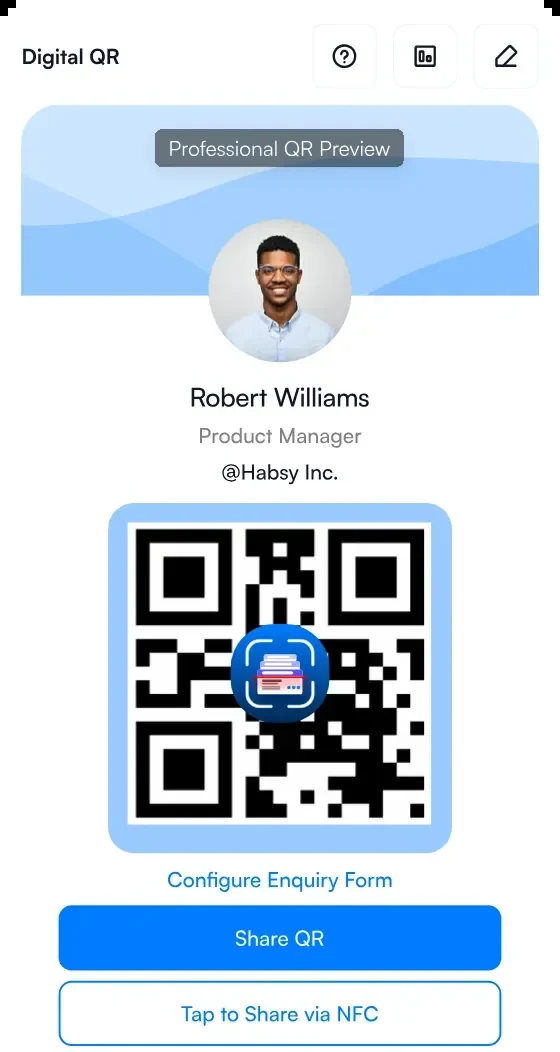
1Your Professional digital card
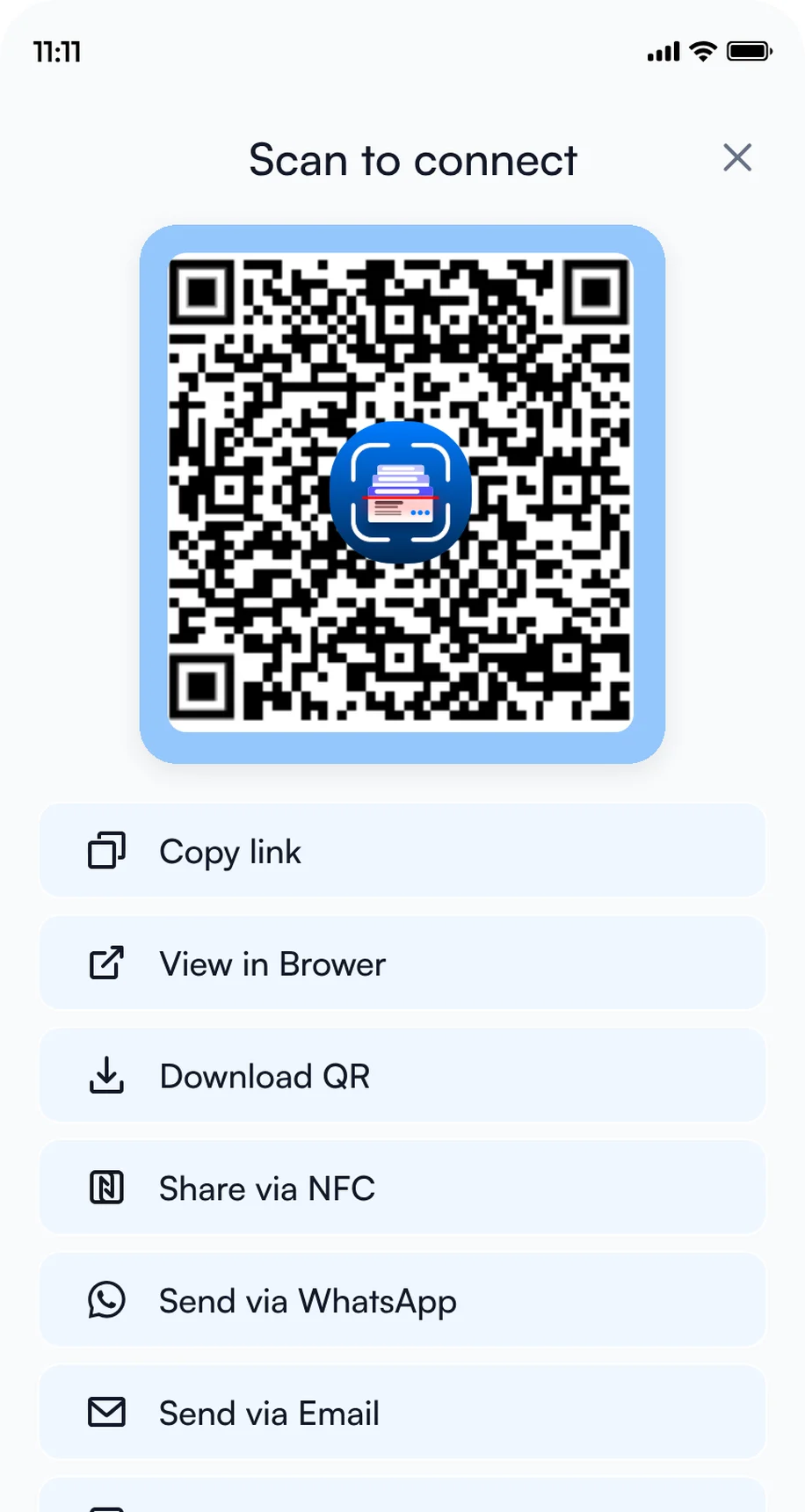
2Share by QR code, NFC or link
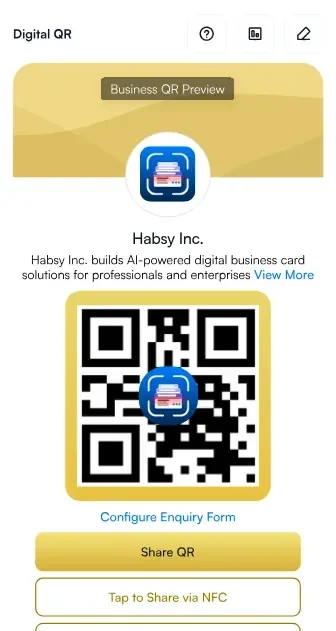
3Your Business digital card
Remember everyone you meet
A good introduction is easy to forget by the next morning. Add NAB Show 2027 in Habsy Events first (Settings, Trade shows, Events), so every contact you save is filed under the show. Here is Mara, saved right after the session:
- Scan: business cards in 200+ languages, badge QR codes and digital cards from any provider. Free, with no limit.
- Voice note: right after the chat, record what you talked about. Habsy turns it into a searchable transcript. Habsy Plus
- Reminder: set when to get back in touch, free, with an alarm if you want one.
Mara Chen
Operations Lead, Signal Harbor Media
Intent signals
- Media company
- Operations lead
- AI and cloud media
- NAB Show conference sessions
- Send workflow notes
Notes
Mapping AI and cloud media workflows; you promised to send a short workflow outline.
0:28 · "A short outline of how teams are organizing these workflows would be useful."
Reminder
Thursday, 9:00 AM · Send the workflow outline
Fictional example for NAB Show 2027.
Know more about Mara
Tap Ready to discover more on any contact and Habsy builds an AI Enriched Contact Brief from public sources: their role, career, company, products and contact details. When something cannot be verified, the brief says so instead of guessing. Habsy Plus Free accounts can try it a few times.
Mara Chen
Operations Lead, Signal Harbor Media
Snapshot
Mara is mapping AI and cloud media workflows for her media operations work and asked for a short workflow outline.
Company
Signal Harbor Media is a fictional media company. Its operations team is exploring ways to organize AI and cloud media workflows.
Example brief for a fictional contact. Real briefs vary with how much public information Habsy finds.
Business card scanner and badge scanning at NAB Show 2027
Habsy turns your phone into a business card scanner for NAB Show 2027. Scan a paper card in 200+ languages, the QR code on a badge when it holds the person's details, or a digital business card from any provider, and the contact is saved with your notes in seconds. Scanning is free with no limit, keeps working when the hall Wi-Fi is busy, and every contact is filed under NAB Show 2027 once you add the show in Habsy Events.
At receptions and side events, scan the card while you are still talking, so the details and the reason to follow up are saved before you move on.
Networking at NAB Show 2027?
Bring a digital card, not a box of paper ones.
Two free digital cards, shared by QR code, NFC or link, and every contact you meet saved with a note.
Turn NAB Show 2027 introductions into meetings
Your NAB Show 2027 kit includes an email and a WhatsApp message written for the show. Send one the same evening, with the resource you promised, while Mara still remembers the conversation.
Hi {{recipient.name}}, good meeting you at NAB Show conference sessions. Here is the workflow outline I mentioned: [link]. Open to a short call? You can book a time here: [your link].
Hi {{recipient.name}},
It was good meeting you at NAB Show conference sessions. I appreciated hearing about the AI and cloud media workflows you are mapping at {{recipient.company}}.
Here is the short workflow outline I promised: [link]. If useful, we can compare notes on a short call. Choose a time here: [your link].
Best,{{user.name}}{{user.designation}}, {{user.company}}
Words in braces are variables. Habsy fills them in when you send.
- Book the meeting: connect Calendly and add your booking link to your card and messages, so they pick a time themselves. Habsy Plus
- Let AI write it: describe what you want to say and Habsy writes a personal message for that contact. Habsy Plus
- Send your card back: with Send my digital card back on, everyone you scan gets your card automatically. Habsy Plus
- Keep the list: export your NAB Show 2027 contacts to Excel, CSV or VCF, or save them to your phone.
Exhibiting at NAB Show 2027 as well?
Print your Business digital card's QR on the stand so visitors can save your details when your team is busy, and run the booth on Habsy Platform, with every rep's contacts in one live list and a post-event report when the show ends.
Bottom line
Start with NAB Show conference sessions, then continue conversations about broadcast and production workflows across the exhibit halls. Create your digital cards at myqr.habsy.ai, add NAB Show 2027 in Habsy Events, and capture every person you meet with a note and a reminder. See Habsy digital business cards.
Habsy is not affiliated with NAB (National Association of Broadcasters). Event details come from the official NAB Show 2027 website and can change.
Frequently Asked Questions
When and where is NAB Show 2027?
The exhibit floor runs April 4 to 7, 2027, at the Las Vegas Convention Center in the West, Central and North Halls. Broader campus programming begins April 3.
Can Habsy tell me more about someone I met at NAB Show 2027?
Yes. Tap Ready to discover more on a contact and Habsy builds an AI Enriched Contact Brief from public sources, with their role, career and company. It is part of Habsy Plus, and free accounts can try it a few times.
Can I put my digital card on my phone's lock screen?
Yes. Add your live MyQR code to your lock screen, so people can scan it without you unlocking your phone.
Is there a business card scanner for NAB Show 2027?
Yes. Habsy is a free mobile app for iPhone and Android that scans business cards in 200+ languages, badge QR codes that hold the person's details, and digital business cards from any provider. Add NAB Show 2027 in Habsy Events and every contact you scan is saved under the show with your notes, ready for follow-up. Scanning is free, with no limit.
How do I turn a NAB Show 2027 introduction into a meeting?
Send a short message the same evening from the template in your NAB Show 2027 kit, and add your Calendly booking link so they can pick a time. Calendly is part of Habsy Plus.
What is the best way to share contact details at NAB Show 2027?
A digital card. Create a free Professional digital card at myqr.habsy.ai and share it by QR code, NFC or link. The other person opens it in their browser and saves your contact in one tap, without the app.
Going to NAB Show 2027?
Meet the right people at NAB Show 2027
Plan the floor and keep every booth
Add the event for Floor Picks, share your MyQR card and scan every card you collect.
Create your digital cardCapture every visitor and follow up fast
Your event kit, intent signals and follow-up that sends the moment you save.
Get Habsy freeEvery rep, one live list
One campaign on Habsy Platform, with assignment, CRM sync and a post-event report.
Book a demo

