

After MFS January 2027: Follow-Up Email and WhatsApp Templates, Ready Before the Show
MFS January 2027 runs January 20 to 22 at MOC Munich Order Center in Munich for fabric, denim, and apparel sourcing professionals.
Claire Bennett7 min read
On this page
- MFS January 2027 at a glance
- When to follow up after MFS January 2027
- MFS January 2027 follow-up messages you can copy
- Have them ready before MFS January 2027 opens
- Send them the moment you save a contact
- Business card scanner and badge scanning at MFS January 2027
- Follow up by priority, not by the order you met
- Following up for a whole team?
- What Habsy Plus adds at MFS January 2027
- Bottom line
MFS January 2027 at a glance
- Dates
- January 20 to 22, 2027Three-day event
- Venue
- MOC Munich Order CenterMunich, Germany
- Entry
- For fashion and textile professionalsUse the organizer's visitor registration portal.
- Official website
- munichfabricstart.comConfirm details before you travel
When to follow up after MFS January 2027
The exhibition closes Friday, January 22. Send a brief note at the booth, then follow up the next business day or during the following week:
Save the contact and note the product range or specification discussed.
Sort new contacts and record each promised quote, sample or call.
Send priority contacts the pricing, samples or lead times you promised.
Set reminders for open quotes and sync or export your contact list.
MFS January 2027 follow-up messages you can copy
These notes are written for fashion sourcing directors, textile designers, and CMT procurement teams at MFS January 2027. Words in braces are variables that Habsy fills in from each contact and from your profile.
ForFrom an exhibitor to a visitor who came to the booth
Hi {{recipient.name}},
Thanks for stopping by our stand at Munich Fabric Start. I can send the swatch and technical sheet for the fabric we discussed. Is your sampling window still on track?
Best,{{user.name}}
ForFrom an exhibitor to a visitor
Hi {{recipient.name}}, thanks for visiting our stand at Munich Fabric Start. Can I send the swatch reference and check sampling availability for your next range?
ForFrom a visitor to an exhibitor
Hi {{recipient.name}},
Thanks for showing me your fabric at Munich Fabric Start. Could you send the swatch reference, fibre composition, minimum order and lead times for lab dips and bulk delivery?
Best,{{user.name}}
ForTo someone you met on the fair floor
Hi {{recipient.name}}, good to meet you at Munich Fabric Start. I’d like to continue our conversation about checking fibre composition with suppliers. Are you free for a quick call next week?
Replace anything in square brackets with your own link or detail before you save the template.
Have them ready before MFS January 2027 opens
You do not need to copy these by hand. Add MFS January 2027 in Habsy: open Settings, then Trade shows, then Events, search for MFS January 2027 and choose Exhibitor or Visitor. Habsy creates your MFS January 2027 kit with an email and a WhatsApp template written for the show, plus a category and intent signals. Visitors also get Floor Picks.
- MFS January 2027 categoryEvery contact you save at the show is filed under it.
- Email follow-up templateWritten for MFS January 2027, ready to edit or send.
- WhatsApp follow-up templateThe same message, short enough for WhatsApp.
- Intent signalsSuggested for MFS January 2027. Review them and accept. Habsy Plus
- Floor PicksAnswer a few questions about your visit and see the booths worth your time.
- MFS January 2027 categoryEvery contact you save at the show is filed under it.
- Email follow-up templateWritten for MFS January 2027, ready to edit or send.
- WhatsApp follow-up templateThe same message, short enough for WhatsApp.
- Intent signalsSuggested for MFS January 2027. Review them and accept. Habsy Plus
In the app: Settings, Trade shows, Events. Your first event is free, kit included, with Floor Picks when you visit. More events are part of Habsy Plus.
Prefer a message written for one person? Describe what you want to say and Habsy's AI writes it for that contact, using their name and company. Habsy Plus

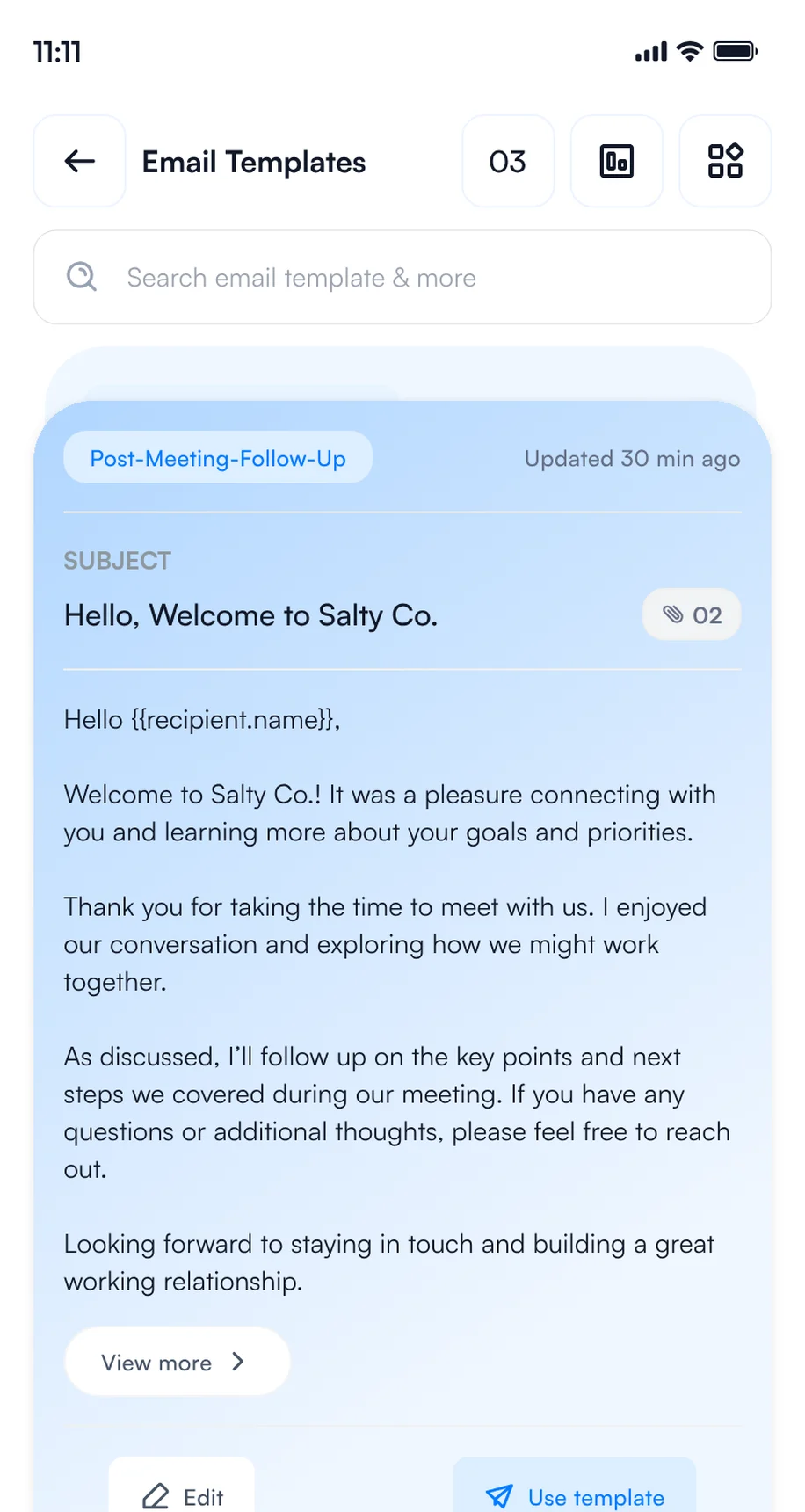
1Email templates
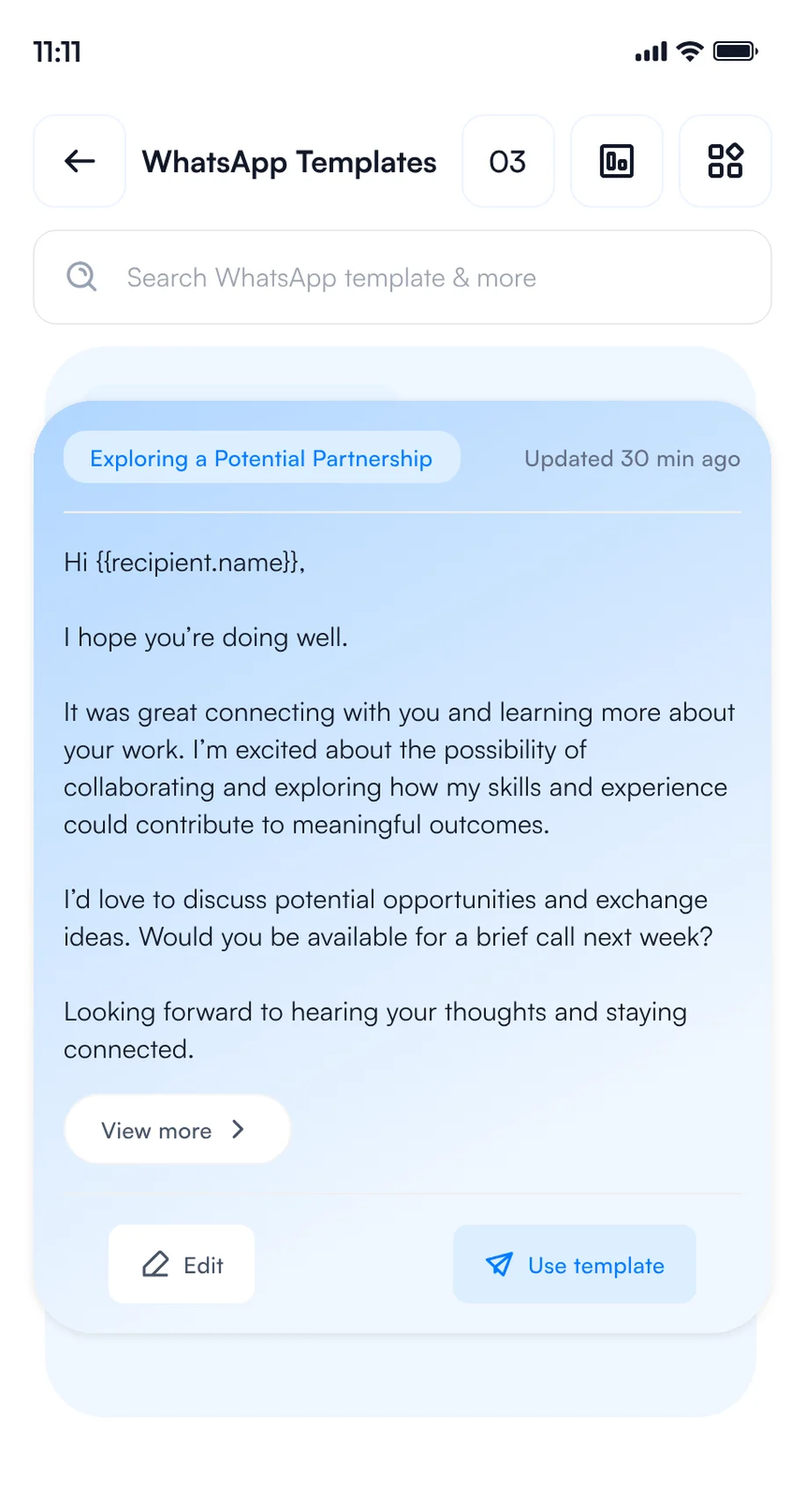
2WhatsApp templates
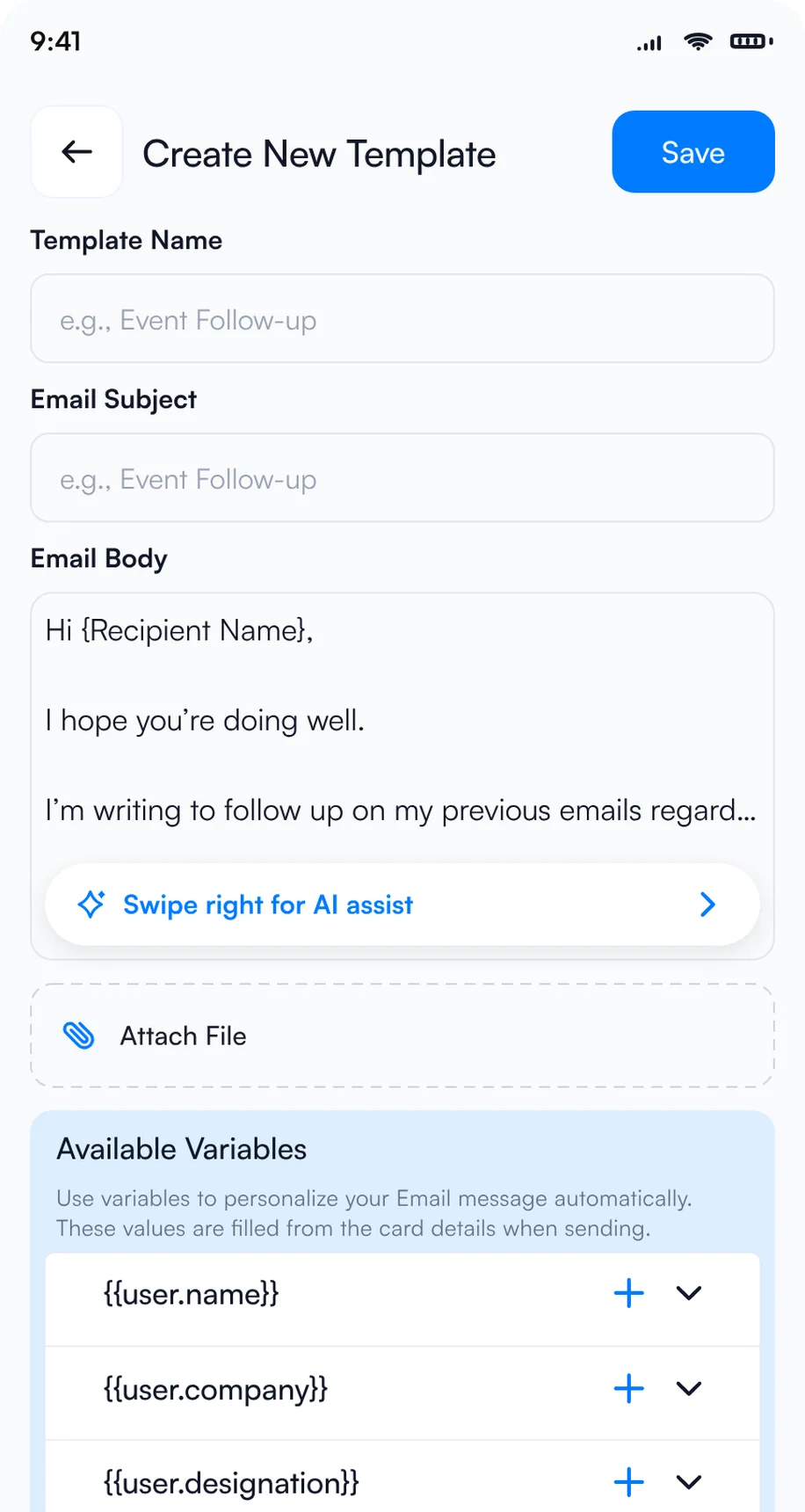
3A personal message, written by AI
Send them the moment you save a contact
The fastest follow-up goes out before the person leaves your booth, and it starts with capturing every contact. Scan badges, business cards in 200+ languages and QR codes on your own phone, free and with no scan limit, and add intent signals and a note before the next conversation. Here is a contact ready for follow-up:
Maya Chen
Sourcing director, Northline Activewear
Intent signals
- Fashion brand
- Sourcing director
- Recycled materials
- Denim textiles
Notes
Reviewing recycled nylon for an upcoming sportswear range.
0:28 · "We are comparing recycled nylon options for our next sportswear range."
Reminder
Monday, 9:00 AM · Send recycled nylon specifications
Fictional example for MFS January 2027.
Then connect your email account or WhatsApp Business account in Settings and turn on Card Preferences. Every time you save a contact at MFS January 2027, Habsy sends your template and your digital card in the background.
Maya Chen saved at MFS January 2027 · 4 steps running in the background
Email, WhatsApp and CRM steps need the matching integration. Card Preferences is part of Habsy Plus.
Business card scanner and badge scanning at MFS January 2027
Habsy turns your phone into a business card scanner for MFS January 2027. Scan a paper card in 200+ languages, the QR code on a badge when it holds the person's details, or a digital business card from any provider, and the contact is saved with your notes in seconds. Scanning is free with no limit, keeps working when the hall Wi-Fi is busy, and every contact is filed under MFS January 2027 once you add the show in Habsy Events.
Every scan can start your follow-up: with Card Preferences on, Habsy sends your template and digital card as soon as the contact is saved, so lead capture and follow-up happen in one step.
Following up after MFS January 2027?
Your templates, ready before you travel.
Add the event for your kit, and send each follow-up the moment you save the contact.
Follow up by priority, not by the order you met
Intent signals work like a short custom form you fill in for every contact, with a few taps. After MFS January 2027, filter your contacts by those answers and send to the most urgent first. Habsy Plus
- Fashion brand
- Garment manufacturer
- Textile mill
- Apparel supplier
- Sourcing director
- Material manager
- Textile designer
- CMT procurement specialist
- Woven fabrics
- Recycled materials
- Denim textiles
- Apparel manufacturing
- Within 3 months
- 3 to 6 months
- 6 to 12 months
- Researching
- Book a demo
- Send a proposal
- Share a case study
- Introduce a colleague
- Trims and accessories
- Technical fibers
- Circular materials
- Cut-Make-Trim
- FABRICS
- ADDITIONALS
- BLUEZONE
- THE SOURCE
Your MFS January 2027 kit comes with intent signals suggested for the show. Find them in Settings, Manage Intent Signals, adjust the options if you like and accept.
- Send to several at once: select contacts on the home screen, choose email or WhatsApp and a template, and send. Habsy Plus
- Remind yourself: set a reminder on anyone who asked for something later. Reminders are free.
- Sync and share: push contacts to your CRM, or export your MFS January 2027 contacts to Excel, CSV or VCF.
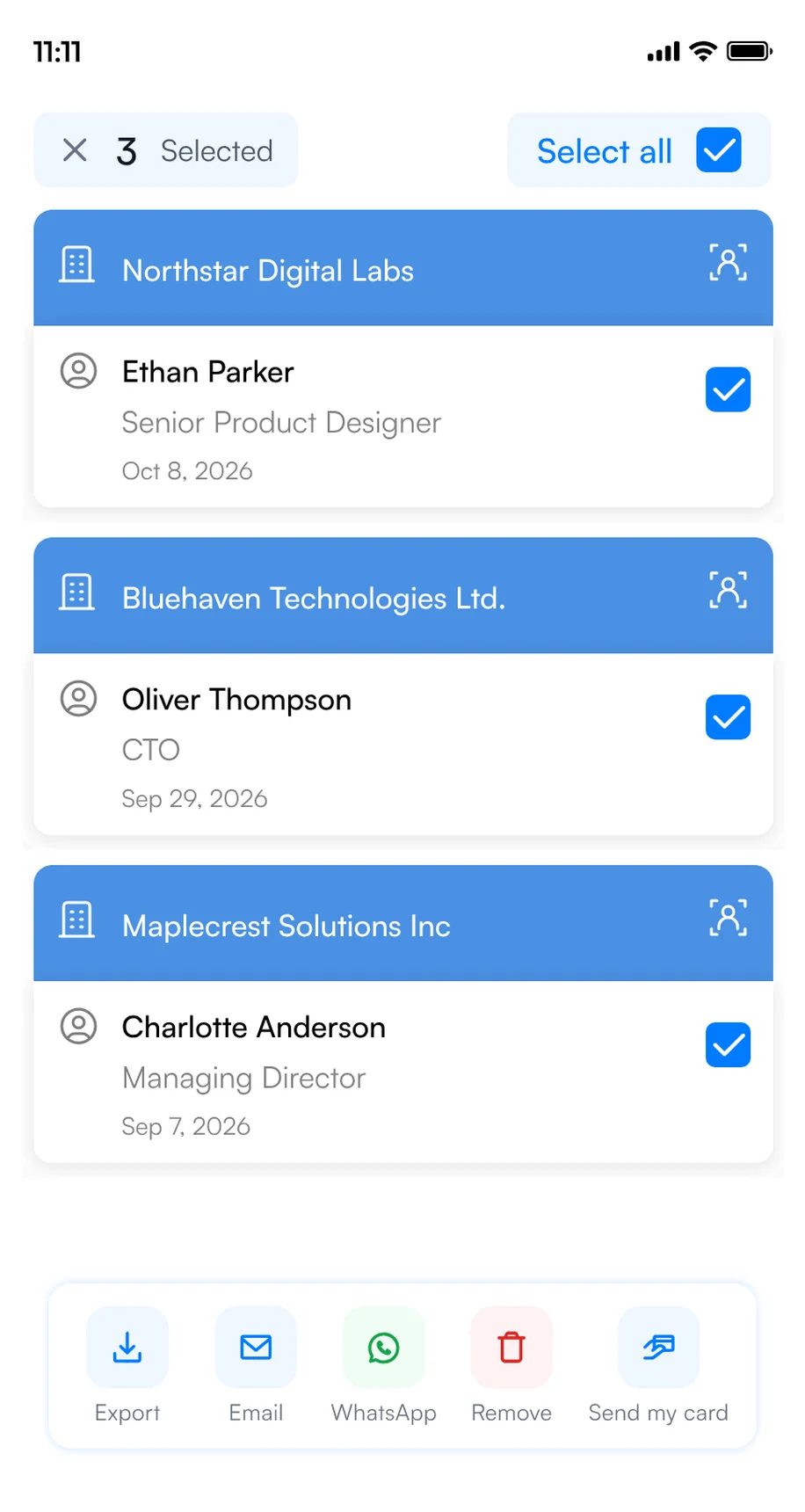
1Select contacts
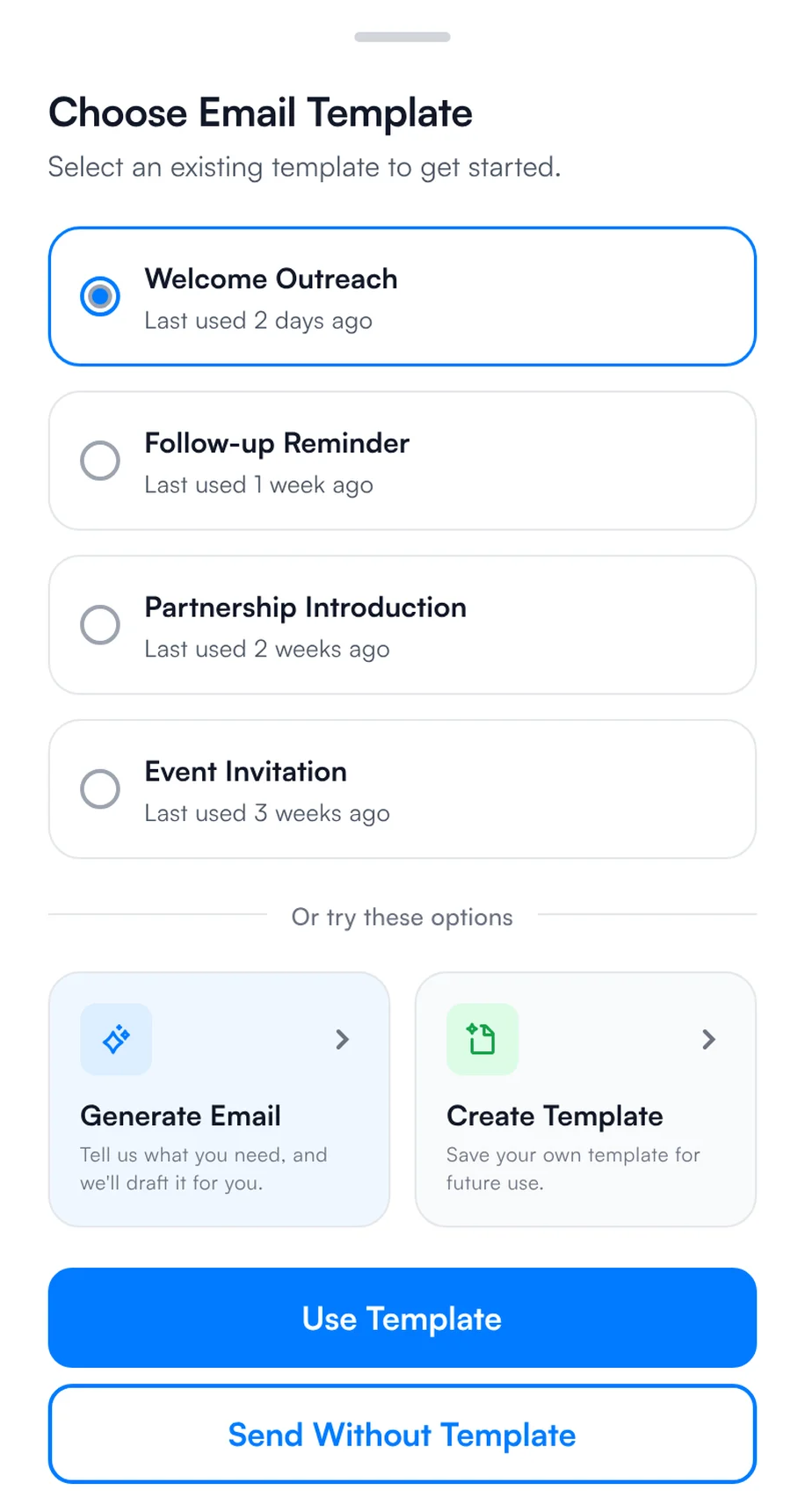
2Pick a template
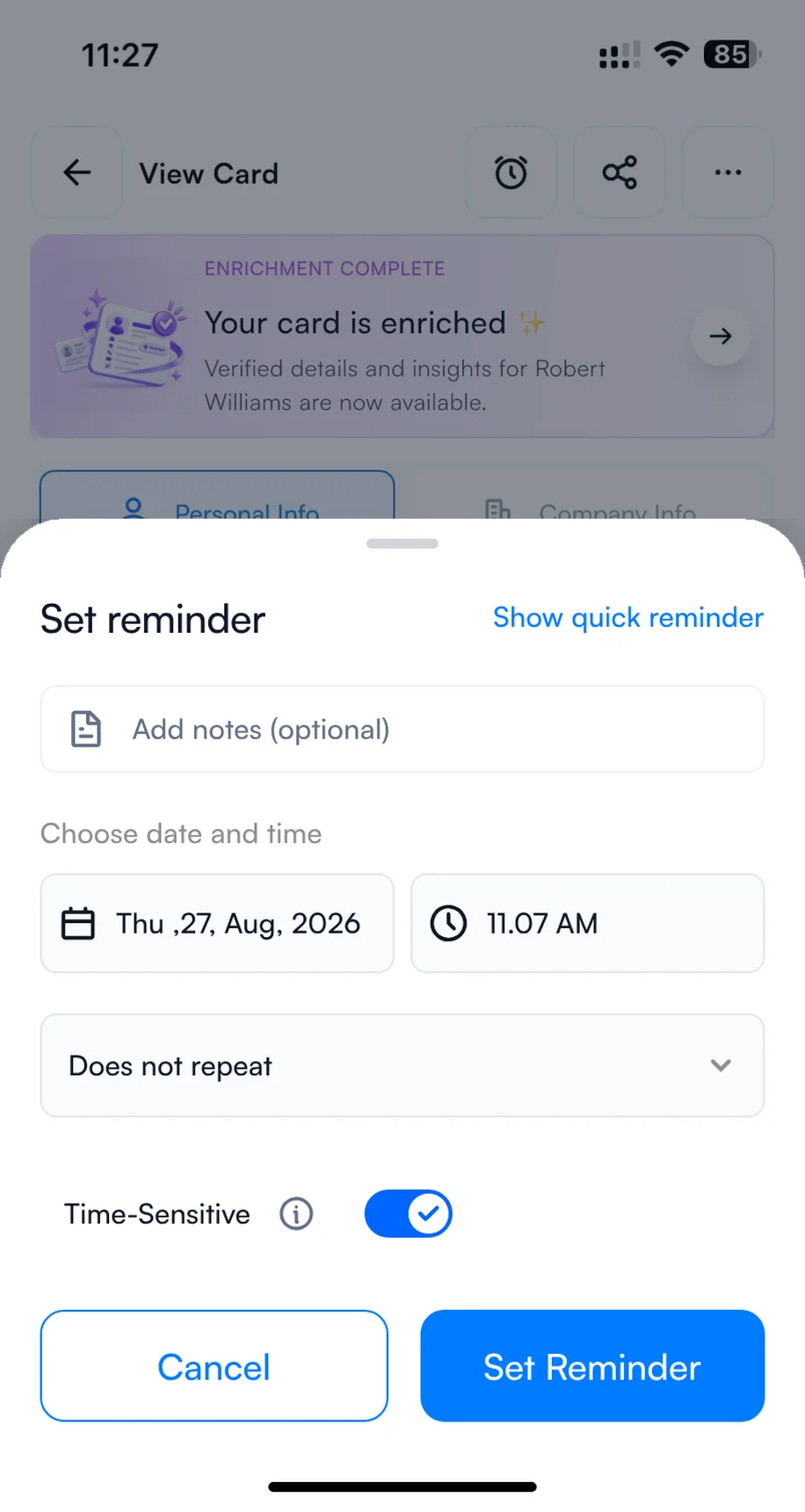
3Set a reminder for later
Following up for a whole team?
On Habsy Platform, send personal or bulk emails from your own domain with open and click tracking, assign contacts to reps, sync to your CRM and schedule meetings with a Google Meet or Zoom link. Bulk sends space themselves out automatically for deliverability. Book a demo of Habsy Platform.
What Habsy Plus adds at MFS January 2027
Free gives you the kit for your first event, reminders and export. Habsy Plus sends follow-ups for you and keeps them personal.
FreeAlways free
- Unlimited scanning: business cards, badges and QR codes
- Two digital cards in MyQR
- Your first event, with its kit
- Reminders
- Translation into 14 languages
- Export to Excel, CSV or VCF
Habsy PlusEverything in Free, plus
- Templates for every eventEmail and WhatsApp templates, filled in for each contact.
- Card PreferencesYour follow-up sent the moment you save a contact.
- AI messagesA personal message for one contact, written for you.
- Bulk sendOne follow-up to many contacts at once.
- Intent signalsFollow up with the most urgent contacts first.
- CRM syncContacts and notes in your CRM, without typing.
Habsy Plus starts with a 3-day free trial in the app. Get Habsy free
Bottom line
With MFS January 2027 ending Friday, January 22, your first follow-up can go out the next business day. Add MFS January 2027 in Habsy Events so your templates are ready before you travel, turn on Card Preferences so they send on save, and work through the rest by intent signals. See event lead capture with Habsy.
Habsy is not affiliated with Munich Fabric Start Exhibitions GmbH. Event details come from the official MFS January 2027 website and can change.
Frequently Asked Questions
When and where is MFS January 2027?
MFS January 2027 takes place January 20 to 22, 2027, at MOC Munich Order Center in Munich.
When should I follow up after MFS January 2027?
Within 48 hours of the show closing for your priority contacts. The fastest follow-up goes out while you talk, sent the moment you save the contact.
Can Habsy write MFS January 2027 follow-up messages for me?
Yes. Add MFS January 2027 in Habsy Events and your kit includes an email and a WhatsApp template written for the show. Habsy's AI can also write a personal message for one contact, as part of Habsy Plus.
Is there a business card scanner for MFS January 2027?
Yes. Habsy is a free mobile app for iPhone and Android that scans business cards in 200+ languages, badge QR codes that hold the person's details, and digital business cards from any provider. Add MFS January 2027 in Habsy Events and every contact you scan is saved under the show with your notes, ready for follow-up. Scanning is free, with no limit.
Can I send follow-ups automatically when I save a contact?
Yes. Connect your email or WhatsApp Business account and turn on Card Preferences. Habsy sends your template and digital card each time you save a contact. Card Preferences is part of Habsy Plus.
Can I follow up on WhatsApp after MFS January 2027?
Yes. Habsy sends WhatsApp templates as well as email, from your own WhatsApp Business account. Your MFS January 2027 kit includes a WhatsApp template written for the show.
Going to MFS January 2027?
Follow up first after MFS January 2027
Plan the floor and keep every booth
Add the event for Floor Picks, share your MyQR card and scan every card you collect.
Get Habsy freeCapture every visitor and follow up fast
Your event kit, intent signals and follow-up that sends the moment you save.
Get Habsy freeEvery rep, one live list
One campaign on Habsy Platform, with assignment, CRM sync and a post-event report.
Book a demo

