Blog
You just came back from a networking event with 30 business cards. Now what? You can sit down and type each one into your CRM, field by field, name, email, phone, title, company, address. Or you can scan them.
Most small business owners default to manual entry because "it only takes a minute." But does it? This article puts real numbers on both methods: time per card, error rates, cost per contact, and total time for realistic scenarios. Whether you collect 10 cards at a coffee meetup or 200 at a trade show, the business card scanner vs manual entry math tells a clear story.
If you do not have a sales ops team, every minute spent on data entry is a minute lost on follow-up. And speed to follow-up is what turns cards into revenue.
TL;DR
Manual CRM data entry takes ≈2-3 minutes per card. A business card scanner does it in 10-30 seconds.
After 50 cards, manual entry costs you 1.5-2.5 hours. Scanning takes under 25 minutes.
Scanner accuracy matches or beats manual entry on standard cards (≈96-99% vs ≈95-97%) and stays consistent as volume grows.
Human accuracy drops sharply after 30+ cards due to fatigue. Scanners do not get tired.
At $50/hour, manual entry for 50 cards costs $75-125 in time alone. A scanner app costs $0-15/month.
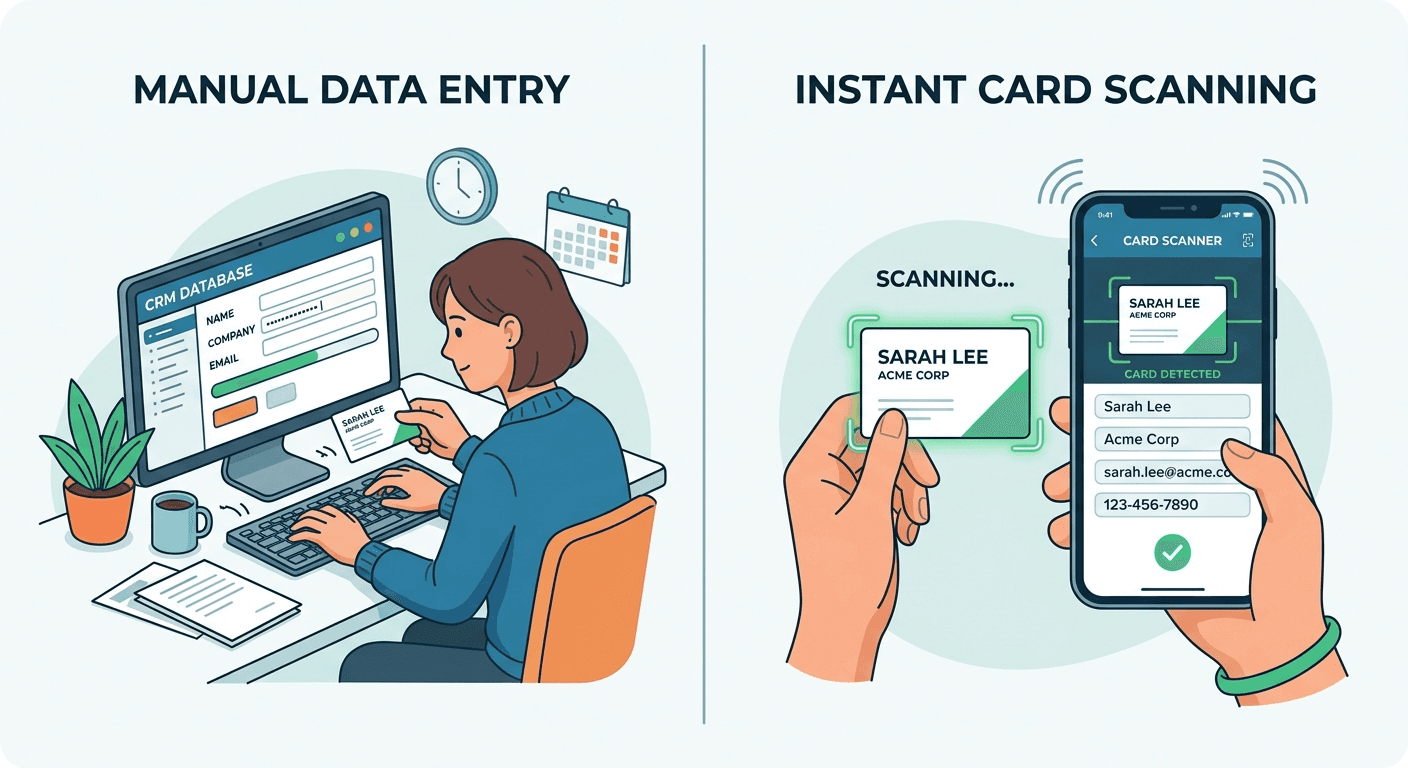
Manual entry takes 2-3 min per card with 15%+ errors. Scanners do it in under 30 seconds. Compare time, accuracy, and cost for your business.
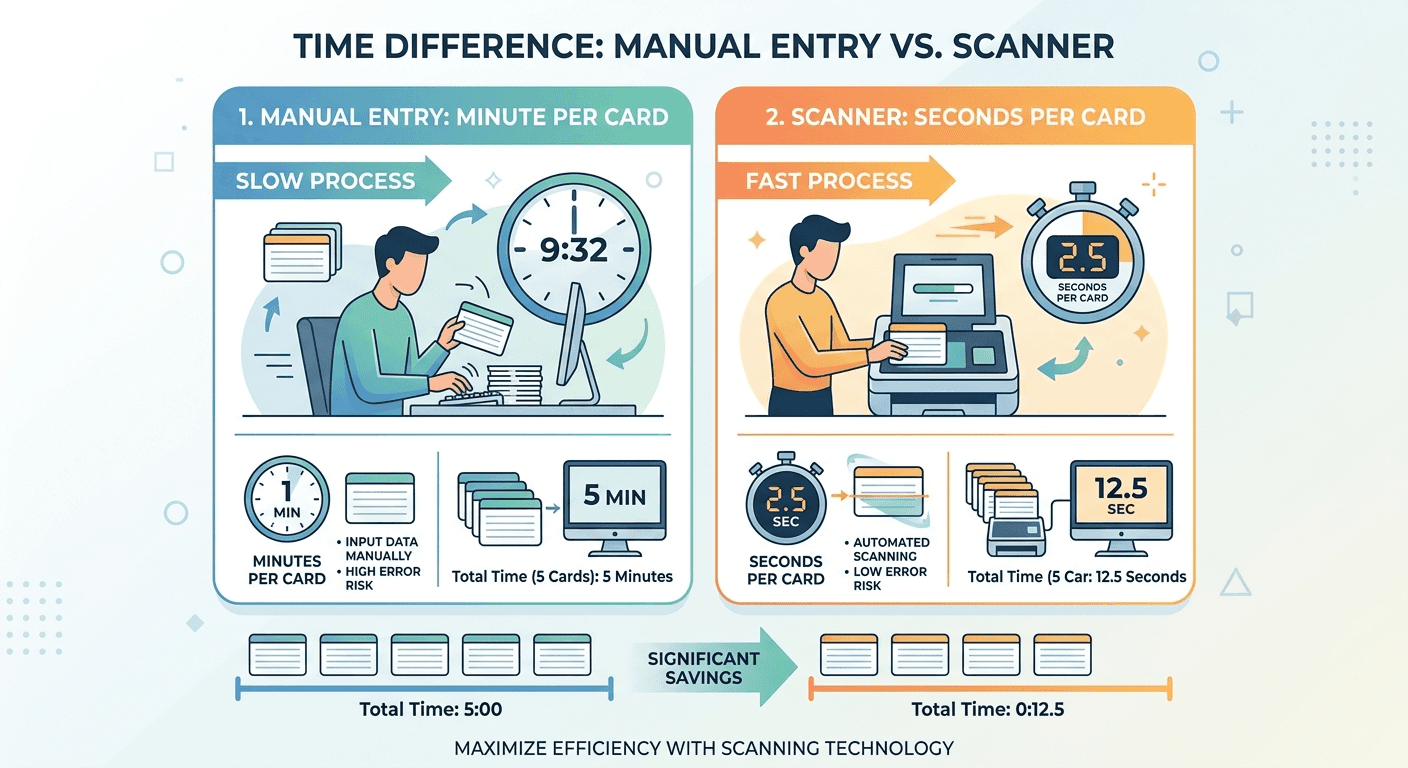
This is the core comparison. Let's put actual numbers on each method for getting a business card scanner CRM workflow to replace manual typing.
Manual CRM entry takes ≈2-3 minutes per card for basic fields: name, title, company, phone, email, address, and website. That includes opening your CRM, navigating to "new contact," typing each field, double-checking spelling, and saving. It does not include the hidden time: looking up the person on LinkedIn to verify their role, fixing autocorrect errors, or deciphering notes scribbled on the back of the card.
According to reporting by Wave Connect, entering 14 cards manually took over 20 minutes of typing plus another hour of LinkedIn research. That works out to ≈1.5 minutes for basic entry and 4-5 minutes per card if you add enrichment.
An AI business card scanner processes the same card in 10-30 seconds. You point your phone camera at the card, the app reads and parses the text, and the contact appears in your library with fields already sorted. With a review step to catch OCR edge cases, the total comes to ≈30 seconds per card. For a deeper look at how the AI pipeline behind this works, see how AI business card scanners actually work.
Here is what those numbers look like at scale.
Time comparison: manual entry vs scanner
Scenario | Manual Entry | Biz Card Scanner |
|---|---|---|
Time per card | 2-3 minutes | 10-30 seconds |
10 cards (coffee meetup) | 20-30 minutes | 2 minutes |
50 cards (conference) | 1.5-2.5 hours | 8-15 minutes |
200 cards (trade show) | 4-6 hours | 10 - 25 minutes |
Enrichment (Lead Research) | +3-5 min/card | Automatic (some apps) |
Data available in CRM | After typing session | Within Minutes of Scanning |
The difference is not marginal. At conference scale, scanning is 5-10x faster. At trade show scale, it is the difference between a full working day of data entry and a task you finish during the cab ride to the airport.
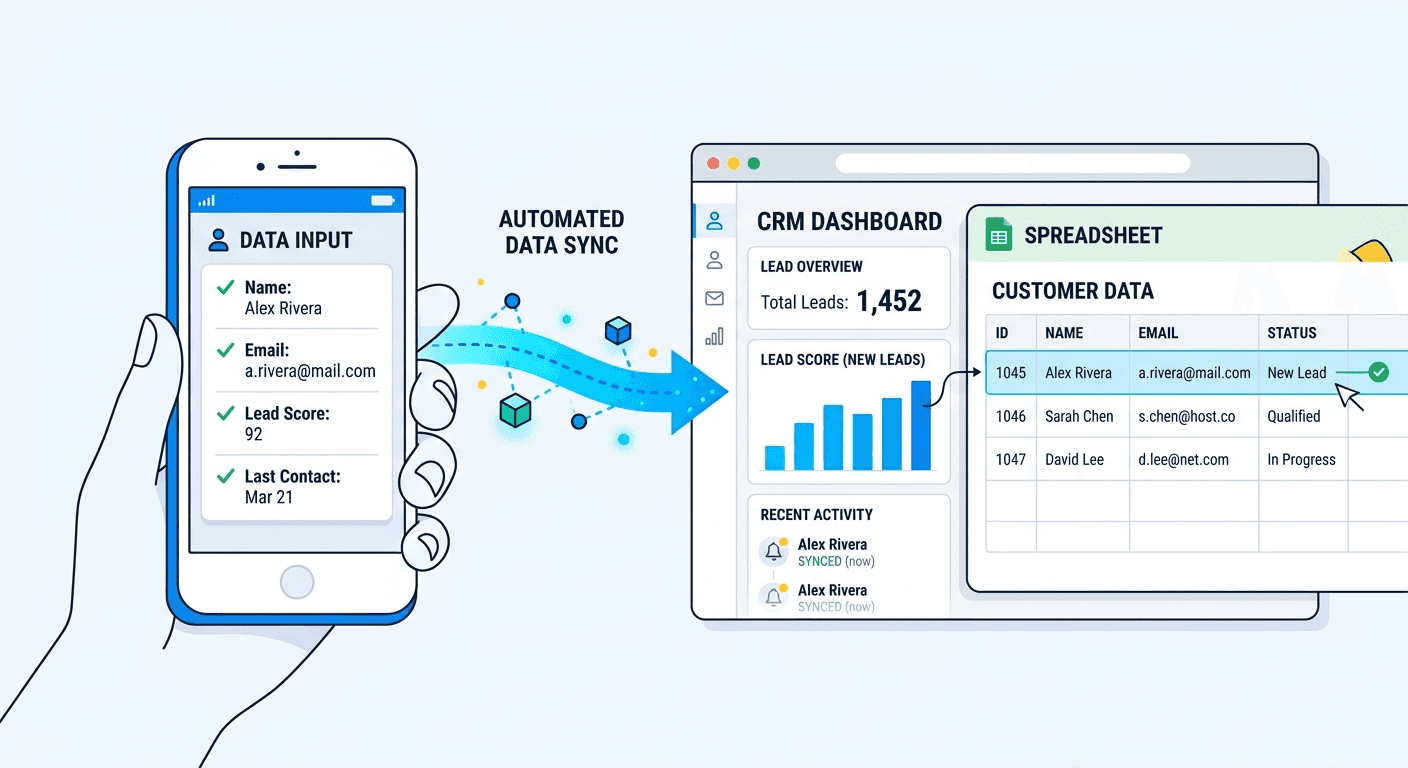
For teams that need to batch scan card stacks and export to CRM by Day-1, that time gap translates directly into faster follow-up and more meetings booked.
Speed means nothing if the data is wrong. Here is how each method performs on accuracy.
Manual entry errors are more common than most people assume. Human data entry carries ≈1% character error rate. On a typical business card with around 100 characters, that averages out to roughly one error per card. Common mistakes include transposed digits in phone numbers, misspelled company names, and wrong email domains (.com typed as .co, or .in missed entirely).
Then there is the delay problem. When entry is postponed to the next day (or next week), handwritten notes on card backs become illegible and you forget context: where you met, what you discussed, what they were interested in. Industry data suggests that ≈85% of salespeople have missed opportunities due to incorrect CRM data, and manual data entry errors cost companies an estimated 15% in lost revenue.
Scanner errors follow a different pattern. Top apps report ≈96-99% character accuracy, but independent tests show ≈15-25% of fields can contain errors on heavily stylized cards (metallic foil, dark backgrounds, decorative fonts, vertical layouts). On standard cards with clear fonts and good contrast, scanners consistently match or outperform manual entry.
The crucial distinction: business card data entry errors from manual typing are random and invisible until you send an email that bounces or call a wrong number. Scanner errors are systematic (the same types of cards cause issues) and visible during a quick review step.
Scenario | Manual entry | Scanner app |
|---|---|---|
Standard card, clear fonts | ≈95-97% field accuracy | ≈96-99% field accuracy |
Creative design, unusual fonts | ≈93-95% (human can interpret) | ≈75-85% (OCR struggles) |
After 50+ cards (fatigue factor) | Drops to ≈85-90% | Stays consistent |
Multilingual card | ≈90-95% (if you know the language) | ≈80-90% (depends on language support) |
Entry delayed 3+ days | ≈70-80% (memory fades, notes illegible) | ≈96-99% (photo captured at event) |
The takeaway: scanners win on consistency, humans win on interpretation of unusual designs. But humans get tired and procrastinate. Scanners do not. For the typical small business owner entering cards at 10pm after a long event day, a scanner with a review and de-duplication step delivers better accuracy with far less effort.
Most people compare scanner apps by features. The smarter comparison is cost of manual data entry in CRM versus the cost of automating it. This is not about full CRM data entry automation across your pipeline. It is about one specific, high-friction step: getting business card contacts into your system quickly and cleanly.
If you value your time at $50/hour (conservative for a business owner), every card entered manually costs $1.50-2.50 in time alone. Collect 50 cards at a conference, and that is $75-125 of your time sitting in front of a screen typing. Research from Salesforce suggests that sales reps already spend ≈25% of their workweek on manual CRM data entry instead of selling. For a small business owner who is also the lead salesperson, that ratio is worse.
Scanner apps range from free to $15/month. Even the premium options pay for themselves after a single networking event.
But the biggest hidden cost is not the typing. It is the delayed follow-up.
Research indicates that responding to a lead within 5 minutes can increase conversion rates by up to 21x compared to waiting 30 minutes. If you are typing cards into your CRM the day after an event, you have already lost the speed-to-lead advantage. With a scanner and CRM export, the contact is in your system before you leave the venue. Your Day-0 follow-up actually happens on Day-0.
Then there is the "never entered" cost. Industry data from Mobilo suggests that ≈90% of business contacts from paper cards never make it into a CRM. Those are not just lost contacts. They are lost revenue.
Quick ROI frame
Your hourly rate: $50
Cards collected at a conference: 50
Manual entry time: 50 x 2.5 min = 125 min (≈2 hours)
Cost of manual entry: $100
Scanner app cost: $0-15/month
Savings from one event: $85-100 in time, plus faster follow-up, plus fewer data errors
Your contacts stay under your control. Export or delete any time.
The right choice depends on your volume, your workflow, and how much speed-to-lead matters.
Manual entry still makes sense when you collect fewer than 5 cards per month, the cards use scripts your scanner does not support, or you prefer the ritual of reviewing each contact slowly and adding detailed personal notes during entry.
A scanner app makes sense when you collect 10+ cards per month, you attend events, conferences, or networking meetups regularly, you use a CRM (even a simple one like Google Contacts or a free HubSpot account), and you have ever had a pile of cards on your desk that you "meant to enter." Speed to follow-up matters here. A good scanner lets you capture, qualify with custom fields and tags, and set a reminder before you move to the next conversation.
A scanner with CRM integration is essential when you collect 50+ cards per month, your revenue depends on fast follow-up (sales, consulting, real estate, recruiting), you have a team sharing contacts, or you need to track which events generate the best leads. At this volume, the question is not "scanner vs manual" but "which scanner handles the full pipeline from scan business card to CRM-ready sequence-ready CSV?"
Before you choose between scanning and typing, consider a third path: digitize your business card so the person you meet never has to process it at all.
If you put a QR code on your business card, the person you meet never has to scan or type anything. They scan the QR, and your contact info saves directly to their phone. No OCR, no manual entry, no errors.
The hybrid approach works best for most professionals: use a QR code or digital business card for sharing your own details, and keep a scanner app on your phone for everyone else's paper cards. In the business card scanner vs QR code debate, the honest answer is that you need both. You control the outbound experience and handle the inbound chaos efficiently.
At events where organizers issue QR badges, a tool that handles both badge scans and card scans in the same workflow covers every scenario on the floor and gets your team to Day-0 follow-ups faster.
The bottom line: business card scanner vs manual entry
Scanners are 5-10x faster than manual entry, equally or more accurate for standard cards, and they pay for themselves after a single networking event. Manual entry still works for very low volumes, but it breaks down the moment you attend a conference or trade show.
The real question is not "scanner vs manual." It is "how fast do you want to follow up?" If you want sequence-ready leads by tomorrow, the answer is a scanner with qualification, de-duplication, and a clean CSV export.
Be Day-1 ready for your next event. Try Habsy free →
Frequently asked questions
How long does it take to manually enter a business card into a CRM?
On average, ≈2-3 minutes per card for basic fields (name, title, company, phone, email, address). Adding enrichment, like looking up their LinkedIn or verifying their email, adds another 3-5 minutes per card. For 50 cards collected at a conference, expect 1.5-2.5 hours of data entry.
How accurate are business card scanner apps compared to manual entry?
For standard card designs, scanner apps match or exceed manual entry accuracy (≈96-99% vs ≈95-97%). Scanners struggle with creative designs featuring unusual fonts or dark backgrounds, where accuracy can drop to ≈75-85%. However, human accuracy also drops significantly after 30+ cards due to fatigue, while scanners stay consistent regardless of volume.
Is a business card scanner worth it for a small business?
If you collect more than 10 cards per month, yes, it is worth using a business card scanner app. Free options handle basic scanning. For small businesses attending regular events, a $5-15/month app with CSV export or CRM integration saves hours and ensures contacts actually reach your system instead of sitting in a card pile. A dedicated scanner built for events pays for itself after a single networking session.
Can I scan business cards directly into Salesforce or HubSpot?
Yes. HubSpot offers a built-in scanner in its mobile app. Salesforce works with third-party scanner apps. Most major CRMs support scan-to-import via native apps, CSV import, or integrations. CSV-first tools like Habsy work with any CRM that accepts CSV files, which is all of them.
What is the best way to get business cards into a CRM?
For speed and accuracy at any volume above 10 cards, the best way to get business cards into a CRM is a scanner app with a review step and CSV mapping presets. For a full breakdown of the technology behind modern scanners, see how AI business card scanners work. For eliminating the problem on your end, use a QR code on your own card.
Do I need a business card scanner for a small business?
If you attend events, meet clients in the field, or collect cards at your shop or office, a scanner removes the bottleneck between collecting a contact and acting on it. The question is not whether you need one. It is how many cards are sitting on your desk right now that never made it into your CRM.










