Wave vs Habsy: Which Is Better in 2026?
Wave vs Habsy: Which Is Better in 2026?
Event networking is mission‑critical, and teams rarely lose deals in follow‑up; they lose them at capture. Scanning a card is easy. Preserving why the conversation mattered is not. The morning after a three‑day expo, the rep with structured intent signals, transcribed voice notes, and a deduplicated ranked list opens her pipeline; the rep with a stack of contacts and no context opens a spreadsheet. If you are searching for a Wave alternative for trade show lead capture, this Wave vs Habsy comparison gives you a direct answer.

Gopinath
13 Mins
Key Takeaways
Wave is built for digital business card sharing, while Habsy is built for lead capture: Habsy combines business card scanning, badge scanning, lead qualification, AI enrichment, and follow-up tools in a single workflow.
Habsy captures the context behind every conversation: Voice notes with transcription, Intent Signals, AI enrichment, and reminders ensure every contact is qualified and ready for follow-up from the moment it's captured.
Designed for high-volume events and international networking: Scan business cards, event badges, QR codes, and NFC contacts, translate cards in 200+ languages, and continue capturing leads even without an internet connection.
Move from scanning to selling faster: AI-powered follow-up templates, CRM-ready exports, duplicate detection, and advanced search help sales teams prioritize and engage the right leads sooner.
Choose the platform that matches your workflow: Wave is ideal for professionals focused on digital business cards and contact sharing, while Habsy is designed for teams that need to capture, organize, qualify, and convert event leads efficiently.

Why Choosing the Right Tool Matters for Event Teams
Most teams evaluate Wave and Habsy because both scan business cards. But scanning is the easy part. The real difference shows up in what each tool does between the scan and the moment a rep starts outreach.
A digital business card platform helps individuals share contact details and stay reachable over time. A purpose‑built event lead capture tool helps teams turn high volumes of conversations into a structured, qualified, deduplicated, CRM‑ready call list before the next morning’s standup. The difference is invisible during the conference and obvious 18 hours later, when one team is segmenting a clean ranked list and the other is reconciling spreadsheets.
A comparison of Wave and Habsy is most relevant when:
• Your team captures contacts at trade shows, exhibitions, or field meetings
• You need contacts to be qualified, de‑duplicated, and CRM‑ready within 24 hours
• Reps need context from the conversation, not just a name and email
• Badge scanning and business card scanning happen at the same event
• Your team works in low‑connectivity environments and needs reliable offline capture
How to Choose: Wave vs Habsy
Not all contact capture tools solve the same problem. The right choice depends on how and where your team works.
Teams that primarily need a polished digital business card to share their contact details, with light lead capture as a secondary use, may evaluate Wave Connect. Teams that exhibit at trade shows, capture high volumes of cards and badges across a multi‑day event, need conversation context preserved at the moment it happens, and expect a ranked, deduplicated, CRM‑ready lead list before the next morning typically choose Habsy. The job determines the tool. Pick for the workflow you actually run, not the one a feature checklist implies.
Compare and choose the tool that fits the real workflow, not just the feature list. For a deeper look at how Habsy stacks up against other scanners, see the full business card scanner app comparison for 2026.
Habsy Business Card Manager
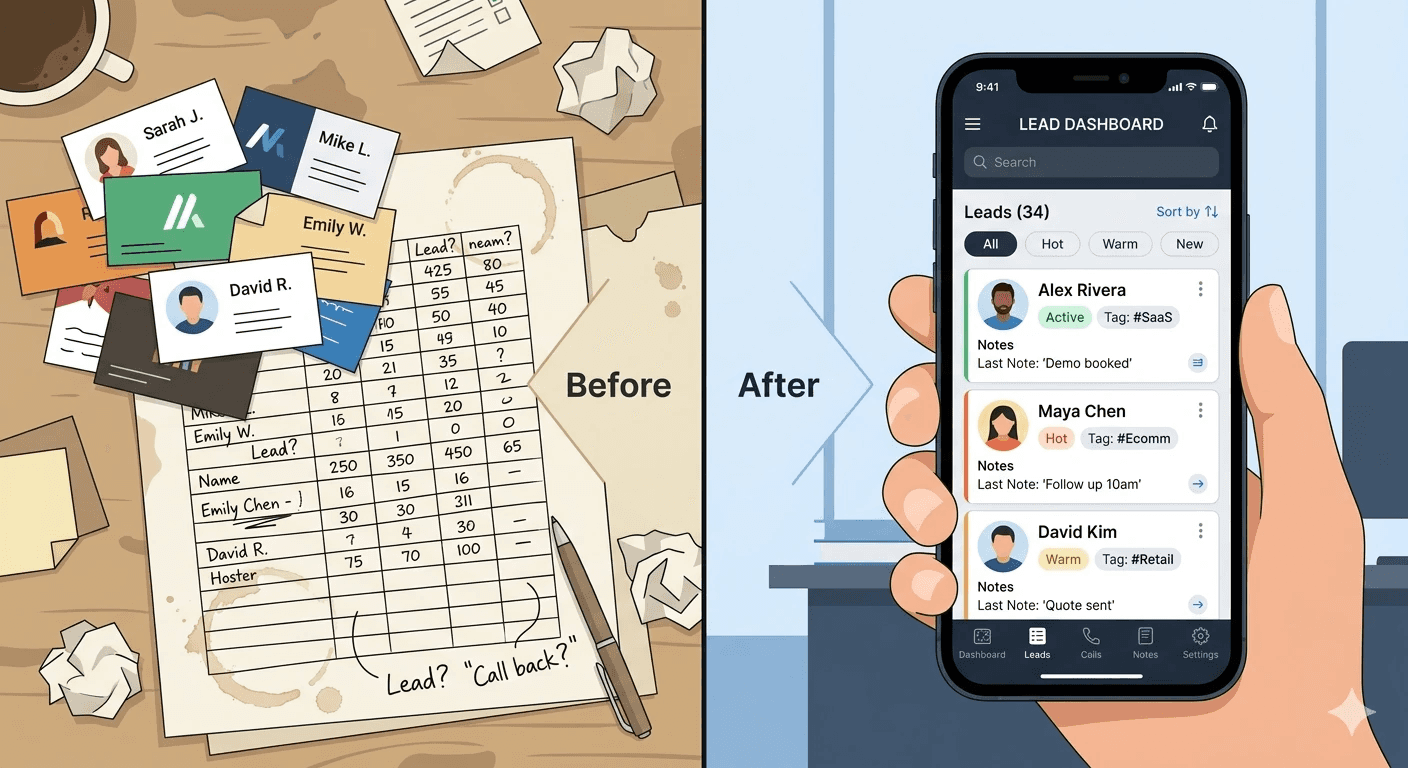
Habsy is built for the moment a conversation happens, not for the spreadsheet that comes after it. Instead of stopping at digitizing a card, the workflow preserves context and intent: what the person actually said, how interested they were, and what they need next, so follow‑up the next morning feels like a continuation of the conversation rather than a cold restart from a name and an email.
Habsy is widely used as a trade show lead capture app and business card scanner by teams that need to scan physical cards, QR codes, or event badges and move contacts into action without post‑event cleanup. The full capture flow (batch scan, qualify with intent signals, drop a voice note, set a reminder, deduplicate, and export a mapped CSV) runs end to end on a phone, with integrations for HubSpot, Salesforce, and Zoho when teams are ready to push contacts straight into the CRM.

High‑Speed Contact Capture
Digital business cards: Create a customizable digital profile and share it via QR code, NFC, Apple Wallet, Google Wallet, or an iPhone home‑screen widget. Recipients view the card in their browser with no app required.
Batch business card scanning: Scan stacks of cards back to back, processing up to 150 cards in roughly 5 minutes, so post‑show backlogs clear before the venue does.
QR badge scanning: Read QR codes from organizer badges, LinkedIn QR codes, on‑screen prompts, and printed cards, extracting VCF, text, and links into a single structured lead record.
Multilingual OCR: Capture contact data across 200+ languages with 99% extraction accuracy, including double‑sided cards and non‑Latin scripts seen at international events.
Offline capture: Capture cards, badges, voice notes, tags, and reminders without internet (useful in convention halls and basement venues where Wi‑Fi collapses) and sync everything automatically once connectivity returns.
Card translation: Translate Japanese, Chinese, Arabic, German, and other foreign‑language card content into your working language so reps reading the lead list later are never blocked by a script they cannot parse.
QR & NFC sharing: Share your digital card via QR scan or NFC tap, with no app required on the receiving end. Pin the QR to your iOS home‑screen widget for one‑tap sharing during back‑to‑back booth conversations.
Contact Intelligence That Preserves Conversation Context
Intent signals at capture: Mark Interest and Priority the moment a badge or card is scanned, alongside custom fields for product line, deal stage, or any qualifier the team agrees on. By the time the booth closes, leads are already segmented and SDRs start Day‑1 with a ranked call list rather than a spreadsheet to clean.
Voice notes: Drop a 10‑second voice note while the conversation is still happening; typing is unrealistic in a noisy hall, so and the audio transcribes automatically into the contact record. Two days later, an SDR can search “pricing” or “demo next week” and jump straight to the right lead.
AI enrichment: Surfaces the company logo, business summary, mission, products and services, market context, and notable leadership from publicly available sources, plus role context for the contact pulled from LinkedIn and company websites. Even a domain or email is enough to surface a quick company snapshot from the first scan.
Built for Immediate Action
Follow‑up reminders: Set tomorrow’s reminder during the conversation, with one‑tap presets like “Tomorrow 10:00” and snooze options for plans that shift. Reach out from the contact card directly via call, email, or WhatsApp using AI‑generated follow‑up templates the same day.
Duplication Removal: Detect duplicate contacts using email, phone, and company plus name signals, with merge prompts before export so the CRM stays clean across the three days a single prospect might visit your booth.
Advanced search: Find contacts using any detail (name, company, voice‑note transcription, or notes) and filter by Interest, Priority, tag, event, or reminder status. Save searches for Day‑0 blitz lists so SDRs can blast through their top 50 leads first.
Wave: Personal CRM and Business Card Scanner
Wave Connect is a digital business card platform built around contact sharing, with built‑in lead capture, AI scanning, and CRM sync.
Typical use cases include professionals who want to replace paper business cards with a sharable digital profile, sales teams that need contacts pushed directly into Salesforce or HubSpot, and individuals who want a free, eco‑friendly way to exchange details via QR code, NFC, or Apple Wallet.
Core Capabilities
Digital business cards: Create a customizable digital profile and share it via QR code, NFC, Apple Wallet, Google Wallet, or an iPhone home‑screen widget. Recipients view the card in their browser with no app required.
AI business card and badge scanner: Scan paper business cards or event badges with AI to convert them into digital contacts.
Auto‑enrichment: Automatically pulls in LinkedIn profiles, emails, job titles, and phone numbers for new contacts.
Notes, tags, and automated follow‑ups: Add notes, organize contacts by event tags, and trigger automated email or SMS follow‑ups the moment a connection is made.
One‑click CRM sync: Push contacts directly into Salesforce, HubSpot, Pipedrive, and Outlook without manual data entry.
Offline lead capture: Capture contacts at events, meetings, and conferences without Wi‑Fi.
Team and Enterprise features: Admin platform for managing users in bulk, custom card templates, shared lead dashboards, auto‑tagged event leads, and SSO with SCIM provisioning on Enterprise plans.
Limitations
Wave Connect is built primarily as a digital business card and contact‑sharing platform. Event lead capture is supported, but it is one feature within a broader product rather than the central design focus.
The free plan caps paper and badge scans at 10, so high‑volume event capture requires a paid Teams or Enterprise plan, which has a three‑seat minimum.
There is no native voice‑note capture with transcription at the moment of a conversation, and intent signals such as Interest and Priority are not built into the capture flow. Reps can add notes and tags after the fact, but conversation context is not preserved as structured data at the point of scanning.
For event teams that need this structured capture flow as a primary workflow rather than an add‑on, a purpose‑built tool like Habsy is usually the better fit.
Feature Coverage at a Glance
Feature | Wave Connect | Habsy |
|---|---|---|
Business card scanning | High accuracy OCR | 99% accuracy OCR, 200+ languages |
Batch scanning | Not available | Up to 150 cards in minutes |
QR badge scanning | AI badge scanner | Universal: badges, LinkedIn QR, on-screen |
Voice notes | Not available | Record and auto-transcribe at capture |
Intent signals | Not available | Interest, Priority, and custom fields at scan |
AI enrichment | LinkedIn and social profile lookup | Company summary, mission, leadership, role context with LinkedIn and social profile lookup |
Card translation | Not available | Translate foreign-language cards to working language |
Offline capture | Available | Full offline: scan, notes, tags, reminders |
Follow-up reminders | Automated email and SMS | One-tap presets, call/email/WhatsApp from app |
Duplicate detection | Not available | Detect by email, phone, and company name with merge |
CRM export | Salesforce, HubSpot, Pipedrive, Outlook | Export ad Integration to any CRM |
Digital business cards | QR, NFC, Apple/Google Wallet, iPhone widget | QR and NFC, iOS widget |
Team admin | Bulk edit, templates, shared dashboard (Teams+) | Shared capture under one account |
Final Thoughts
Wave is an excellent choice for professionals who primarily want a digital business card platform with basic contact capture and CRM syncing. But for teams where every conversation is a potential opportunity, capturing a contact is only the beginning.
Habsy is built around the complete lead capture workflow. From business card and badge scanning to voice notes, Intent Signals, AI enrichment, multilingual support, reminders, and CRM-ready exports, it helps teams capture the context behind every conversation and turn new connections into qualified opportunities faster.
If your goal is more than exchanging contact details—and instead building a stronger pipeline from every event, meeting, or networking opportunity—Habsy is the more complete Wave alternative.
Related articles


Ajay Karuppasamy is a digital marketing trainee at Habsy, where he enjoys creating engaging content and building campaigns that help brands connect with the right audience. He is passionate about storytelling, social media, and performance marketing. Outside of work, Ajay loves exploring the latest digital trends, experimenting with creative ideas, and finding new ways to make brands stand out online.










