ScanBizCards vs Habsy: Which App Turns Scanned Contacts Into Actionable Leads?
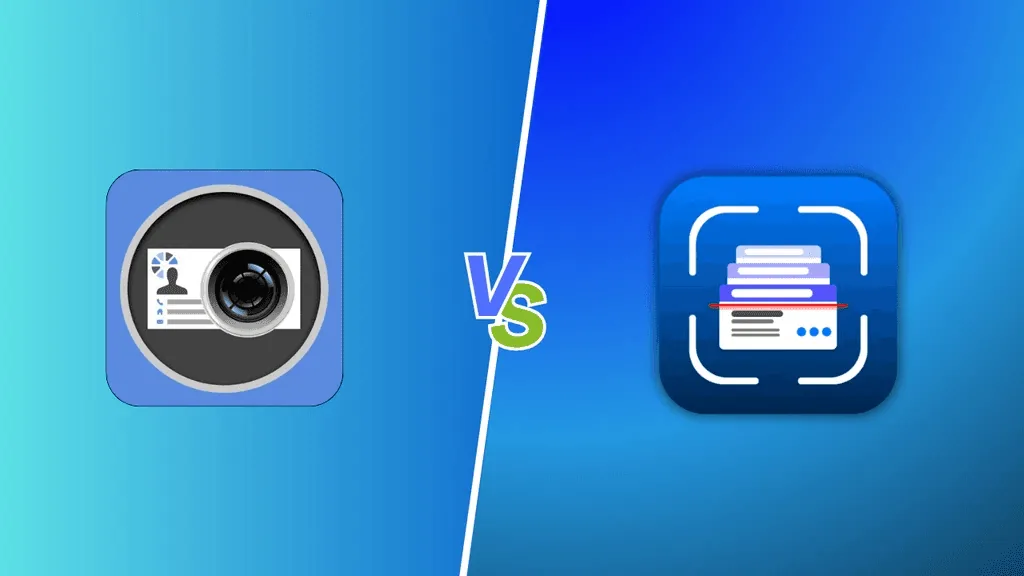
Both Habsy and ScanBizCards appear in searches for business card scanner apps and event lead capture tools. ScanBizCards focuses on Card Scanning only, while Habsy is a full contact intelligence B2B conference lead capture and CRM data entry platform that captures, contextualizes, enriches, qualifies, and follows up on every contact inside a single app. Whether searching for a ScanBizCards alternative or comparing the two side by side, the question is whether the job ends at CRM import or begins there.
Amélie Tremblay13 min read
Why Choosing the Right Tool Matters
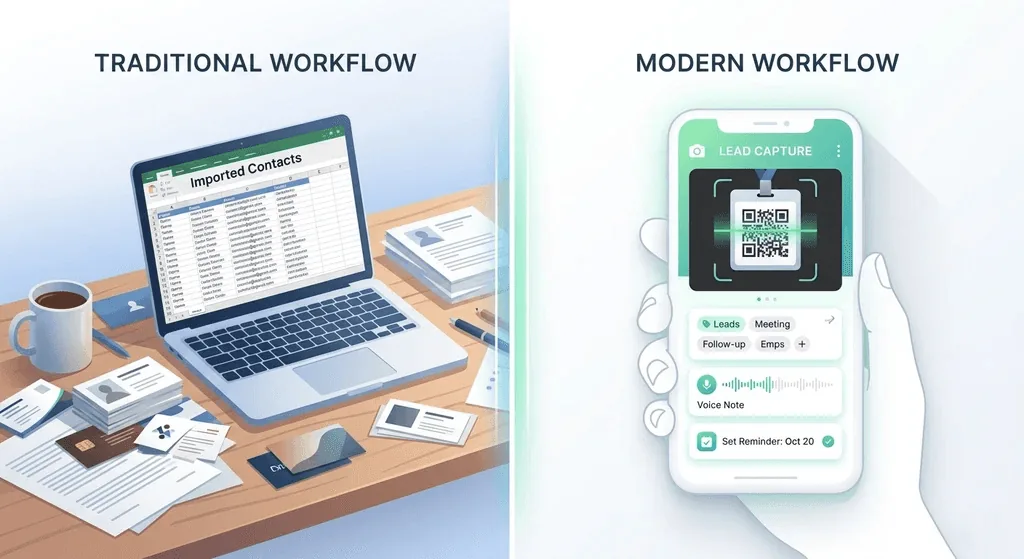
Capturing a contact is not the same as capturing an opportunity. Getting a name into the CRM is Step 0. What separates lead capture platforms is what the contact looks like when it arrives: does it carry context about the conversation, a qualified interest level, company intelligence, and a follow-up action already set? Or does it arrive as raw OCR output that someone has to research and prioritize manually?
A comparison of ScanBizCards and Habsy is most relevant when:
- You capture contacts at trade shows, conferences, or field meetings and need them actionable the next morning, not just stored
- Reps need to record what was said in the moment, not guess from a name and email two days later
- You want AI enrichment to surface company context automatically so pre-call research is already done
- Follow-up reminders, personalised email and WhatsApp templates need to be set during the event, inside the same app
- Your team works internationally and scans cards in languages beyond the 20 languages ScanBizCards currently supports
How to Choose: ScanBizCards vs Habsy
The tools solve different scopes of the same problem.
ScanBizCards is the right choice if the primary job is pushing scanned card and badge data directly into Salesforce with admin control, campaign assignment, lead owner assignment, and human-verified transcription for hard-to-read cards. For enterprise sales teams with a Salesforce-first workflow and a need for human accuracy on difficult cards, ScanBizCards covers that job with clear pricing and solid CRM fidelity.
Habsy is the right choice if the job does not end at CRM import. As a ScanBizCards alternative for the full event lead capture workflow, Habsy adds voice notes with transcription, intent signals at the point of scan, AI enrichment for both person and company, card translation into English, two-way NFC capture, personalized email and WhatsApp follow-up templates, and in-app reminders, all without leaving the app. The captured contact arrives already intelligent, not just stored.
Habsy is also not limited to events. It is a networking app for any professional who captures contacts: a salesperson in the field, a recruiter at a meetup, a consultant at a client site. For a broader look at how Habsy compares across the category, see the full business card scanner app comparison for 2026.
Habsy Business Card Manager
Habsy is a comprehensive lead capture and contact intelligence platform built for any professional who captures contacts and needs to act on them quickly. The full workflow runs inside a single app: scan or receive a contact, attach voice context and intent signals at the moment of conversation, enrich both the person and company automatically, organise with tags, set a follow-up reminder, and send a personalized email or WhatsApp message, all before leaving the venue.
Habsy is available on iOS and Android. The free plan is free forever with unlimited scanning across all capture methods, text notes, reminders, advanced filters, AI-written email and WhatsApp messages, professional and business digital cards, offline capture, and contact export. Habsy Plus, at USD 100 per user per year (regional pricing can be lower), adds categories, voice notes, intent signals, AI enrichment, email and WhatsApp templates, and CRM, email, and WhatsApp Business API integrations.
Capture
Batch business card scanning: Up to 150 cards in roughly 5 minutes. 99% accuracy across multiple languages and scripts, including double-sided cards and non-Latin alphabets. ScanBizCards supports 20 languages.
QR badge scanning: Universal: reads event badges, LinkedIn QR codes, on-screen displays, and printed cards. Extracts VCF, text, and links into a structured lead record.
Two-way NFC: Share your digital card via NFC tap and receive the other person's contact directly into the app, with intent signals and note fields ready. ScanBizCards does not offer NFC.
Business QR inbound capture: When someone scans your Habsy QR code, they are prompted to share their own contact details, saved automatically as a lead. Passive sharing becomes active capture.
Offline capture: Scan cards without internet. They are processed automatically once connectivity returns.
Card translation: Foreign-language cards are scanned and translated into English. A Chinese or Arabic card scanned at an international event is readable by the rep following up the next day.
Context and Qualification
Voice notes with transcription: Record a voice note during the conversation. The audio transcribes automatically and attaches to the contact record, fully searchable. ScanBizCards substitutes human transcription for card text extraction, but there is no voice note capability for conversation context at all.
Intent signals: Record intent signals at the point of scan, using fields your team defines, such as interest level, requirement size, buying timeline, or product line. Every contact enters the system already qualified, not just captured.
Tags: Apply by event, session, or product interest. Bulk-apply to a batch post-event.
Notes: Typed notes and images for anything that needs to be written rather than spoken.
Enrichment
AI person enrichment: Career history, current role, and LinkedIn in the AI Enriched Contact Brief, with one tap or automatically after save. No pre-call research needed.
AI company enrichment: Company profile, products and services, and company contact details from public sources. ScanBizCards captures what is on the card and nothing beyond it.
Follow-up and Action
Email and WhatsApp templates: AI-generated personalized follow-up templates sent directly from the contact card inside Habsy. ScanBizCards offers a basic intro email send; there is no AI template system or WhatsApp integration.
Follow-up reminders: Set as soon as the contact is saved, with one-tap presets. ScanBizCards has no in-app reminder system.
One-tap actions: Call, email, or open WhatsApp from the contact card in one tap.
Team and CRM
Shared directory via Habsy Platform: Admins view and manage all contacts captured across the team. Activity visibility without chasing individual rep exports.
Duplicate detection: Detects duplicates by email, phone, and company plus name. Merge prompts before export. ScanBizCards offers duplicate prevention on CRM import in the Enterprise plan.
Advanced search: Search by name, company, role, tag, custom field, or voice note transcript, and filter by intent signals, so SDRs get their Day-1 lists fast.
CRM-ready export: Mapped CSV importing into HubSpot, Salesforce, or Zoho without reformatting. Direct integrations with 10+ CRMs push contacts straight into your CRM.
See the difference
Compare less. Capture your next contact with Habsy.
Try the workflow built for fast capture, useful context and timely follow-up.
ScanBizCards: B2B Conference Lead Capture and CRM Data Entry
ScanBizCards is a business card and conference badge scanning platform built specifically for B2B conference and event lead capture. Used by 82,000+ companies including Comcast, Pfizer, IBM, Ford, and Intel, it is a mature, trusted platform for sales teams that need scanned contacts to land accurately in Salesforce or SugarCRM with campaign and lead owner assignment attached.
ScanBizCards is available on iOS and Android. Pricing: Trail-Blazer (free, very limited exports), Sales Ninja at $100/user/year for teams up to 50, and Growth Hacker (custom quote, 50+ users). Human transcription credits are available separately, starting at $25 for 100 credits.
Core Capabilities
Business card and conference badge scanning: OCR-powered scanning for cards and event badges. Captures names, titles, phone numbers, emails, websites, and addresses into structured contact fields.
Human transcription service: ScanBizCards' most distinctive feature. Cards can be sent for manual transcription by the ScanBizCards team. Every paid user receives 100 free transcription credits per year. This provides human-level accuracy on cards with irregular fonts, unusual layouts, or difficult printing that OCR struggles with.
Batch scanning and export: Scan multiple cards in sequence. Batch export to Salesforce simultaneously. Available on paid plans.
Lead and campaign assignment: Assign a lead owner and attach to a Salesforce campaign before export. Useful for post-event lead routing without manual CRM work.
Email signature capture: Automatically detect and save contact details from email signatures as new contacts. Unique to ScanBizCards among core scanners.
Duplicate prevention: Checks scanned contacts against existing CRM records before import, preventing duplicate entries in Salesforce. Available on Enterprise plan.
Admin panel and reporting: Admins can view scan activity, email signature captures, and user-level reports. Campaign assignment and lead owner assignment managed centrally.
API access: Available for custom integration with existing systems.
QR code sharing: Basic profile sharing via a ScanBizCards share code (similar to a QR code). Recipients can save as a VCF if they do not have the app.
Limitations
ScanBizCards was designed to solve the card-to-CRM problem. For teams that need a richer capture and follow-up workflow, the gaps are clear and consistent.
No voice notes. There is no way to capture spoken context at the point of the conversation. Notes are text-only. In a busy conference hall, this means context is not captured in the moment and rarely gets added later.
No intent signals or tags. Every scanned contact enters the system with equal status. There is no Interest, Priority, or custom qualifier field at the point of capture. The ranked call list that SDRs need for Day-1 outreach does not exist until someone manually sorts a spreadsheet.
No AI enrichment. ScanBizCards captures what is printed on the card and nothing beyond it. There is no company summary, market context, LinkedIn role context, or leadership information surfaced automatically. Pre-call research is the rep's responsibility.
Language support is limited to 20 languages. The list is mostly European languages (plus Turkish and Vietnamese); Chinese, Japanese, Arabic, and Korean are not on it. For teams at international events where CJK or Arabic cards are common, this is a practical gap.
No card translation. Cards in foreign languages are captured in their original language with no translation. A rep following up on a German or Portuguese card still has to translate it themselves.
No NFC. ScanBizCards does not support NFC sharing or NFC-based contact capture. All capture requires an active scan.
No WhatsApp templates or follow-up reminders. Outreach happens in a separate tool after export. There is no in-app reminder to prompt follow-up, and no personalized template system. The intro email feature sends a basic email, not an AI-generated contextual message.
OCR accuracy can be inconsistent on irregular fonts. User reviews across G2 and app stores consistently note that cards with unusual fonts, dense formatting, or complex layouts produce errors requiring manual correction. The human transcription service exists partly to address this, but adds latency.
Feature Coverage at a Glance
| Feature | ScanBizCards | Habsy |
|---|---|---|
| Platform | iOS and Android | iOS and Android |
| Business card scanning | OCR, 20 languages | 99% accuracy, multiple languages including non-Latin scripts |
| Badge scanning | Available on paid plans | Universal: event badges, LinkedIn QR, on-screen, printed |
| Batch scanning | Batch export to CRM (paid plans) | Up to 150 cards in few minutes |
| Card translation | Not available | Scans and translates other languages into English |
| Voice notes | Not available | Record and auto-transcribe at capture, fully searchable |
| Notes | Text notes available | Text notes, images, and voice notes with transcription |
| Intent signals | Not available | Custom intent signals (interest level, requirement size, buying timeline) at point of scan |
| Tags | Not available | Apply by event, product, session; bulk-apply post-event |
| AI person enrichment | Not available | Career history, current role, education, and LinkedIn in the AI Enriched Contact Brief |
| AI company enrichment | Not available | Company profile, products and services, and company contact details |
| NFC sharing | Not available | Share and receive; inbound NFC captured in-app with fields ready |
| Business QR inbound capture | Basic VCF download for non-app recipients | Recipient prompted to share details, saved as lead automatically |
| Email follow-up | Basic intro email send | AI-generated personalised templates, sent from within app |
| WhatsApp follow-up templates | Not available | AI-generated personalized templates, sent from within app |
| Follow-up reminders | Not available | One-tap presets, snooze, surfaces inside the app |
| Email signature capture | Available (unique feature) | Not available |
| Lead and campaign assignment | Available (Salesforce, paid plans) | Campaigns and contact assignment in Habsy Platform |
| Duplicate prevention | CRM-level duplicate check (Enterprise) | In-app detection by email, phone, company plus name with merge |
| Admin panel and reporting | Scan activity, user reports, campaign management | Shared directory, campaign analytics, and post-event reports via Habsy Platform |
| Offline capture | Limited offline support | Offline capture; cards are processed once you are back online |
| Advanced search | Basic search | Search by name, company, role, tags, custom fields, and voice note transcripts |
| Digital business card | Basic QR share code | Full digital card: QR, NFC, iOS widget, inbound capture |
| CRM integrations | Salesforce, HubSpot, Marketo, Eloqua, and Evernote | 10+ CRMs including HubSpot, Salesforce, and Zoho CRM, plus CRM-mapped CSV export |
| API access | Available | Available |
| Compliance | Standard data handling | Encrypted in transit and at rest, ISO 27001 and SOC 2 certification in process, data under user control |
Switching from ScanBizCards to Habsy
Moving to Habsy is a one-time task, not a project.
Step 1: Export your contacts from ScanBizCards
Export your contacts as a CSV file from ScanBizCards while your data is accessible.
Step 2: Import into Habsy
- Open the Habsy app and go to Settings
- Tap Manage Account
- Tap Upload Contact
- Tap Import in the top right corner
- Tap Select File and choose your ScanBizCards CSV
- Check the field mapping to confirm columns are correctly assigned
- Tick Exclude Duplicates to skip contacts already in Habsy
- Tap Upload CSV
Contacts map cleanly without reformatting.
Step 3: Enrich on demand
Tap any imported contact to surface their company background and role context instantly.
Step 4: Apply intent signals and tags
Mark intent signals on your imported contacts. Apply tags by event, product, or session. Your pipeline is prioritised before your next event.
Step 5: Set up your Habsy digital card
Create your Habsy digital card in one of three ways:
- Scan your existing business card: Habsy reads your card and populates your profile automatically
- Link your LinkedIn profile: paste your LinkedIn URL and Habsy pulls your details across
- Enter details manually: fill in your name, role, company, and contact information directly
Your card is shareable via QR code or a direct link. Recipients do not need the Habsy app installed to view or save your contact details.
Final Thoughts
For most teams, Habsy is the better choice. ScanBizCards does one job well: getting scanned cards into Salesforce, with human transcription for hard-to-read cards. Habsy covers that job too, with 99% scan accuracy, batch scanning of up to 150 cards, and direct integrations with 10+ CRMs. Then it handles everything that comes after the scan: intent signals, voice notes, AI enrichment, contact reminders, AI-written email and WhatsApp follow-up, and translation of cards in other languages into English. If your goal is turning event conversations into pipeline, not just filling a CRM, Habsy is the stronger pick.
Frequently Asked Questions
Is ScanBizCards or Habsy better for trade shows and conferences?
Habsy is better suited for trade shows and conferences where teams need to capture more than contact details. Along with business card and badge scanning, it lets users record voice notes, qualify leads with Intent Signals, set follow-up reminders, and enrich contacts with AI before exporting them to a CRM.
Can I import my existing ScanBizCards contacts into Habsy?
Yes. Habsy supports CSV import with AI-powered field mapping and duplicate detection, making it easy to migrate contacts from ScanBizCards while organizing them with tags, notes, and Intent Signals.
Which app offers better multilingual business card scanning?
Habsy reads cards in multiple languages, including non-Latin scripts, and translates them into English. ScanBizCards supports OCR in 20 languages but does not translate scanned cards.
Which app is better for teams that need faster follow-ups?
Habsy is designed to reduce the gap between meeting someone and reaching out. Users can capture conversation notes, qualify leads, set reminders, and send personalized email or WhatsApp follow-ups from the same app, helping teams respond while conversations are still fresh.
Does Habsy work for individual professionals as well as sales teams?
Yes. Individual users can manage contacts, digital business cards, reminders, and AI enrichment from the mobile app, while organizations can use Habsy Platform for shared contact management, analytics, team collaboration, and CRM integrations.
See the difference
Compare less. Capture your next contact with Habsy.
Try the workflow built for fast capture, useful context and timely follow-up.