

opti 2027 Exhibitor Checklist: Your 60-Day Lead Plan, From Badges to Follow-Up
opti 2027 runs January 29 to 31 at Munich Exhibition Centre. Stand setup begins January 26, so exhibitors should plan technical orders and move-in separately.
Claire Bennett8 min read
On this page
- opti 2027 exhibitor key facts
- Your 60-day lead plan for opti 2027
- Day -7: add opti 2027 in Habsy Events
- Day -6: put your Business digital card on the stand
- Day -4: make follow-up automatic
- Friday to Sunday: badge scanning and lead capture at opti 2027
- After opti 2027: follow up within 48 hours
- Bringing several reps to opti 2027?
- What Habsy Plus adds at opti 2027
- Bottom line
opti 2027 exhibitor key facts
- Dates
- January 29 to 31, 2027Exhibition floor, Friday to Sunday
- Exhibition hours
- Fri10:00 AM to 7:00 PMSat10:00 AM to 7:00 PMSun10:00 AM to 5:00 PM
- Venue
- Munich Exhibition CentreMunich, Germany
- Size
- 354 exhibitorsOrganizers' reported figure for opti 2026
- Official website
- opti.deConfirm details before you travel
- Move-in
- January 26 to 28, 2027Tuesday to Thursday
- Exhibition
- January 29 to 31, 2027Friday to Sunday
- Move-out
- January 31 to February 1, 2027Sunday to Monday
Your 60-day lead plan for opti 2027
opti opens Friday, January 29, and move-in starts Tuesday, January 26. Use the 60 days before to arrange technical services and prepare for opticians assessing eyewear, diagnostics and audiology. Work through the show deadlines first. The Habsy steps come in the last week, once your booth and team are confirmed.
- Day -43December 17
Order technical services opti 2027
The opti exhibitor service FAQ lists December 17, 2026. Confirm terms for each service on its order form.
- Day -7January 22
Set up Habsy Events Habsy
Add opti as Exhibitor and review your intent signals.
- Day -6January 23
Prepare your digital card Habsy
Add a Business digital card QR to your booth materials.
- Day -4January 25
Review follow-up settings Habsy
Edit the show templates and check Card Preferences before using send-on-save.
- Day -3January 26
Begin stand setup opti 2027
At Munich Exhibition Centre, setup runs from 7:00 AM to 11:00 PM on January 26 and 27.
- Day -2January 27
Brief your booth team Habsy
Agree how to record frame, lens and equipment enquiries.
- Day -1January 28
Finish stand setup opti 2027
The final setup slot at Munich Exhibition Centre is 7:00 AM to 6:00 PM on January 28.
- Show daysJanuary 29 to 31, 2027
Capture booth conversations Habsy
Record the products discussed and the agreed next step.
- Next business dayFebruary 1
Follow up Habsy
Send promised samples or pricing promptly. Aim for 48 hours after closing.
Event deadlines come from the organizers and can change. Check the exhibitor manual for exact dates.
Day -7: add opti 2027 in Habsy Events
Open Settings, then Trade shows, then Events, search for opti 2027 and choose Exhibitor. Habsy creates your opti 2027 kit: a category for every contact you meet, an email and a WhatsApp follow-up template written for the show, and a set of intent signals suggested for the show. It takes a minute, so the final week before the show is early enough.
- opti 2027 categoryEvery contact you save at the show is filed under it.
- Email follow-up templateWritten for opti 2027, ready to edit or send.
- WhatsApp follow-up templateThe same message, short enough for WhatsApp.
- Intent signalsSuggested for opti 2027. Review them and accept. Habsy Plus
- Floor PicksAnswer a few questions about your visit and see the booths worth your time.
- opti 2027 categoryEvery contact you save at the show is filed under it.
- Email follow-up templateWritten for opti 2027, ready to edit or send.
- WhatsApp follow-up templateThe same message, short enough for WhatsApp.
- Intent signalsSuggested for opti 2027. Review them and accept. Habsy Plus
In the app: Settings, Trade shows, Events. Your first event is free, kit included, with Floor Picks when you visit. More events are part of Habsy Plus.
Review the intent signals in your kit
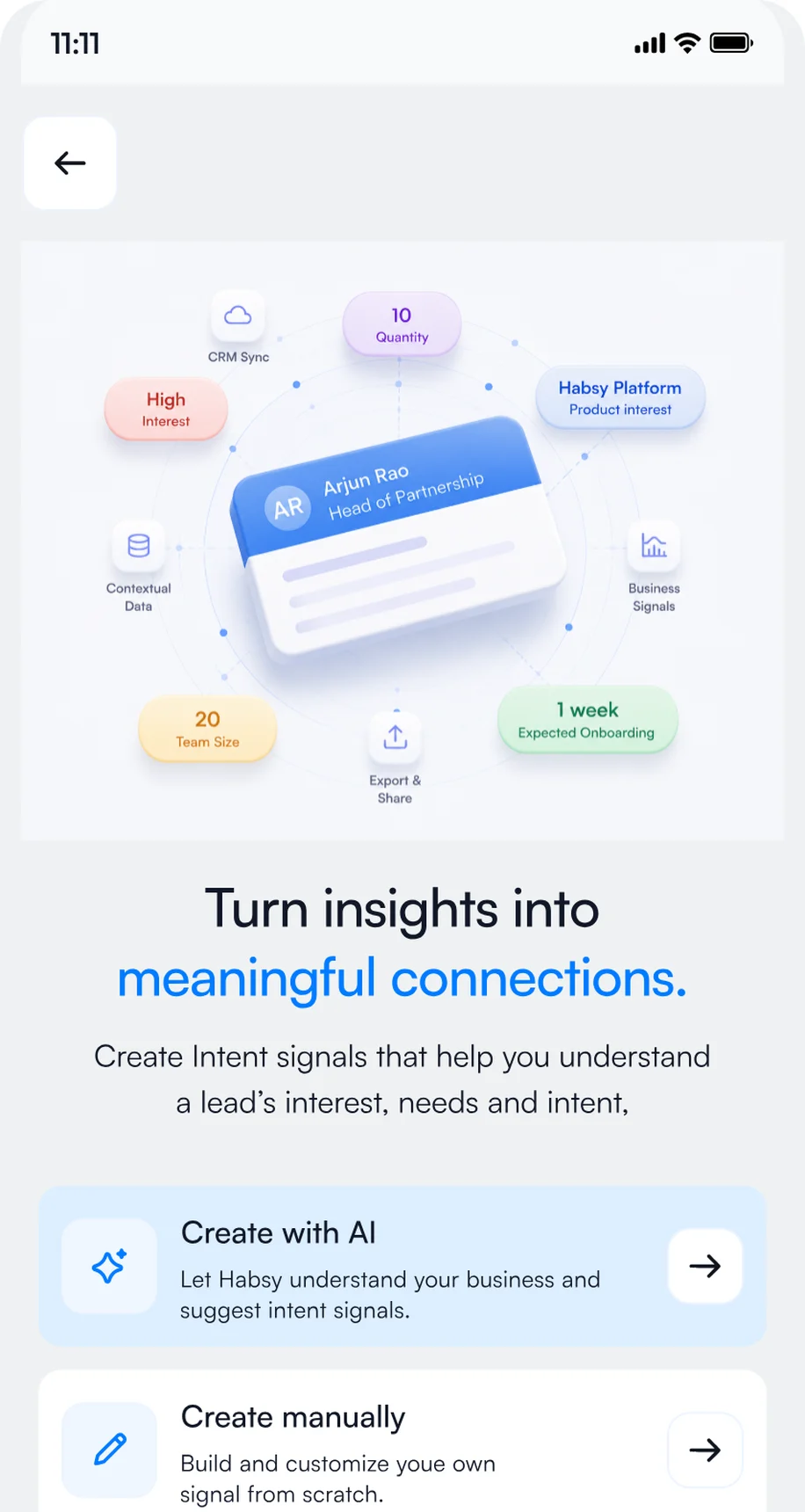
Intent signals work like a short custom form for each visitor, answered with a few taps after each conversation, so every rep records the same details. Your kit comes with a set already suggested for opti 2027: review it, change anything you like and accept. Ask whether each visitor is an optical practice or distributor, their buying role, the product area they are evaluating and how many practices they represent: Habsy Plus
- Optical practice
- Optical retailer
- Distributor
- Audiology practice
- Owner
- Buyer
- Optician
- Practice manager
- Audiologist
- Frames and eyewear
- Spectacle lenses
- Contact lenses
- Diagnostics
- Audiology
- Smart eyewear
- Within 3 months
- 3 to 6 months
- 6 to 12 months
- Researching
- Book a demo
- Send a proposal
- Share a case study
- Introduce a colleague
- Frames and eyewear
- Spectacle lenses
- Contact lenses
- Diagnostics
- Audiology
- Smart eyewear
- Exhibit hall booth
Your opti 2027 kit comes with intent signals suggested for the show. Find them in Settings, Manage Intent Signals, adjust the options if you like and accept.

1Open Manage Intent Signals
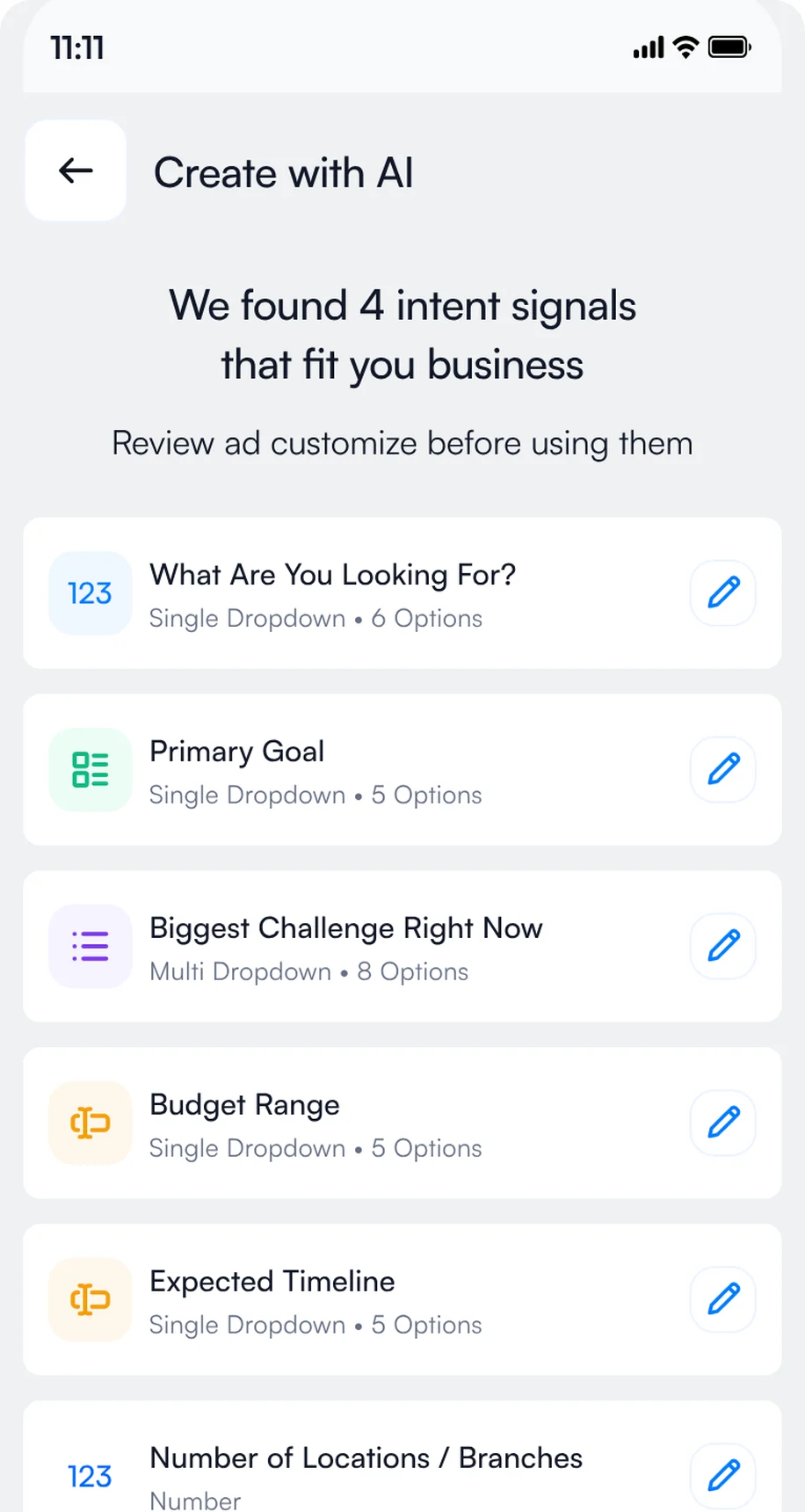
2Review the suggested set and accept
3Tap the answers after each scan
Day -6: put your Business digital card on the stand
Every Habsy account includes a free Business digital card in MyQR, with your company profile, services and brochures. Create it at myqr.habsy.ai or in the app. Print its QR code on a stand sign, such as "Scan for opti 2027 eyewear details", then set up its enquiry form: choose the fields you need, such as name, company, email and phone. Visitors who scan it while your reps are busy fill it in and are saved as new contacts. If your stand graphics go to print earlier, add the QR to the artwork before that deadline.
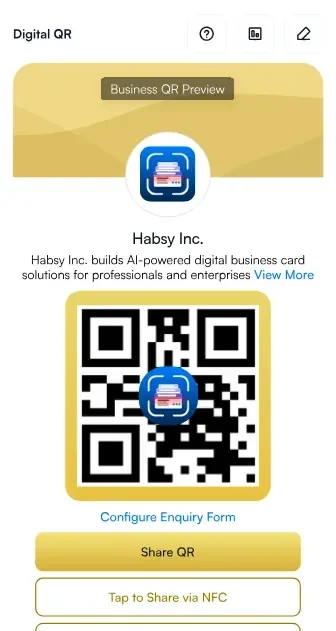
1Your Business digital card
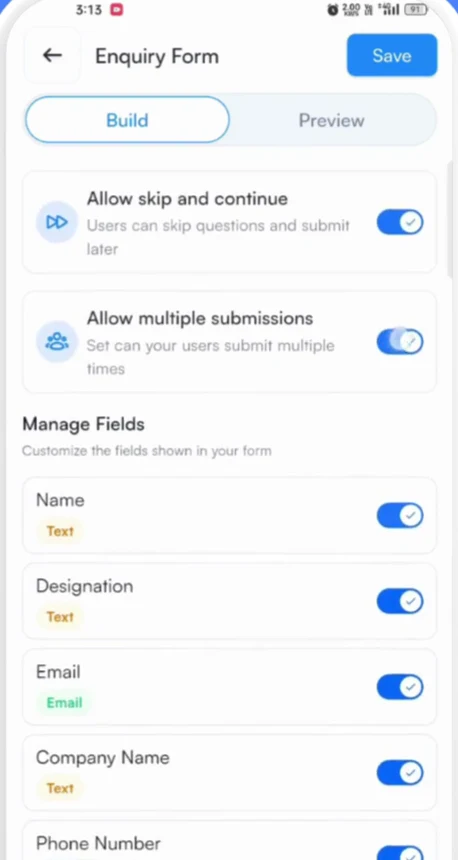
2Choose the form fields
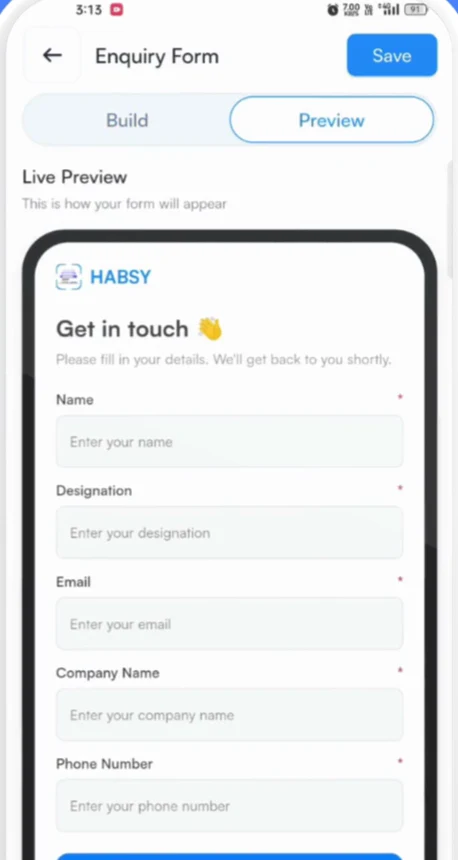
3What visitors fill in
Day -4: make follow-up automatic
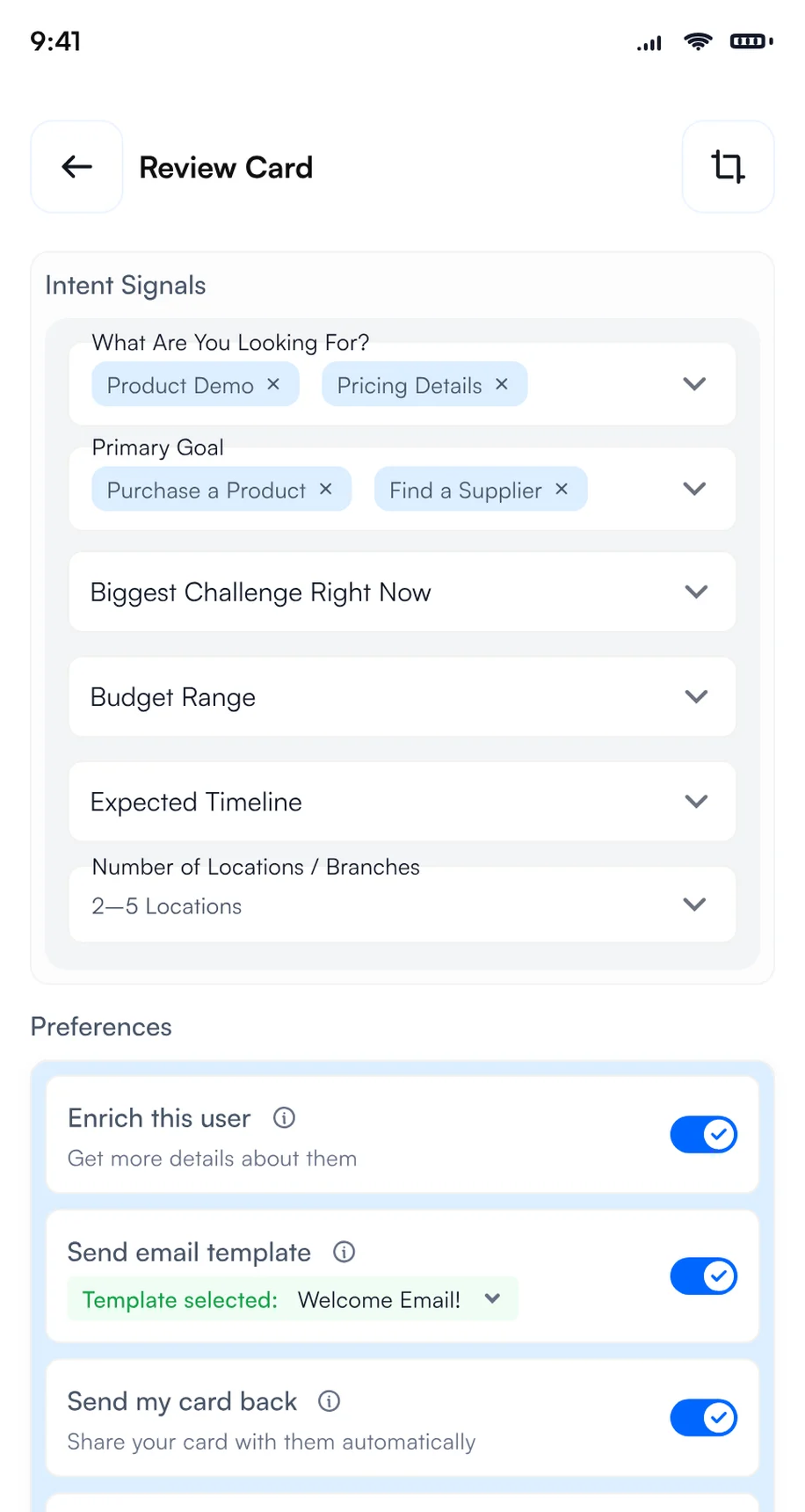
Connect your email account or WhatsApp Business account in Settings, then edit the follow-up template in your opti 2027 kit. With Card Preferences on, it goes out from your own account the moment you save a visitor, often before they leave your booth.
Jana Keller saved at opti 2027 · 4 steps running in the background
Email, WhatsApp and CRM steps need the matching integration. Card Preferences is part of Habsy Plus.
Exhibiting at opti 2027?
Set up your 60-day plan in one app.
Add the event for your kit, capture every visitor on your own phones and follow up the moment you save.
Friday to Sunday: badge scanning and lead capture at opti 2027
The exhibition runs January 29 to 31, 2027, and closes at 5:00 PM on Sunday, January 31. Every rep scans on their own phone, free and with no scan limit, and every contact lands in your opti 2027 category with its intent signals and notes. Habsy works as your opti 2027 badge scanner and business card scanner on every rep's phone.
- Badges: point the Habsy scanner at a badge and Habsy reads the details from its QR code. If a badge holds only a registration number, scan the person's business card or type them in.
- Business cards: scan cards in 200+ languages, or switch to Batch and scan up to 150 cards in about 5 minutes.
- Voice notes: say what the visitor needs before the next conversation starts. Habsy Plus
- Offline: capture keeps working when the hall Wi-Fi is busy, and contacts process once you reconnect.
Here is a visitor captured with context at opti 2027:
Jana Keller
Optical practice owner, Isar Optik Studio (fictional)
Intent signals
- Optical practice
- Owner
- Diagnostics
- Spectacle lenses
Notes
Runs one independent optical practice and is comparing diagnostic equipment.
0:28 · "I am reviewing diagnostic options and spectacle lenses for my practice."
Reminder
Monday, 9:00 AM · Send diagnostic specifications
Fictional example for opti 2027.
After opti 2027: follow up within 48 hours
- Sunday after 5:00 PM: Sort your opti conversations and notes while the details from the final show day are fresh.
- Monday, February 1: Review intent signals and send the opticians who asked about products a relevant follow-up.
- Within 48 hours: Send a focused email with the product information each visitor requested.
- Next week: Export your opti contacts or sync them with your CRM, then check which requests still need a reply.
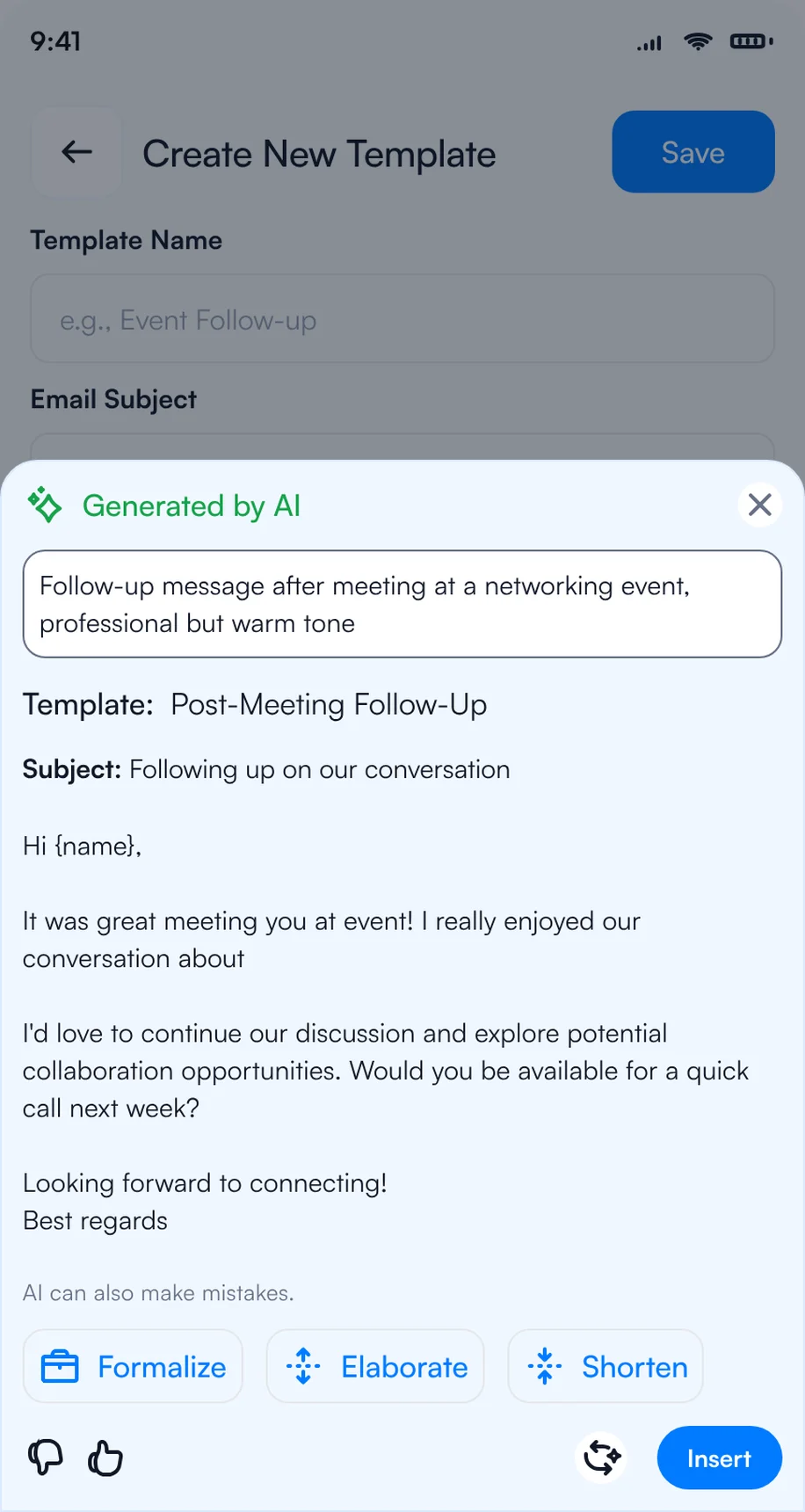
1Let AI write a personal message
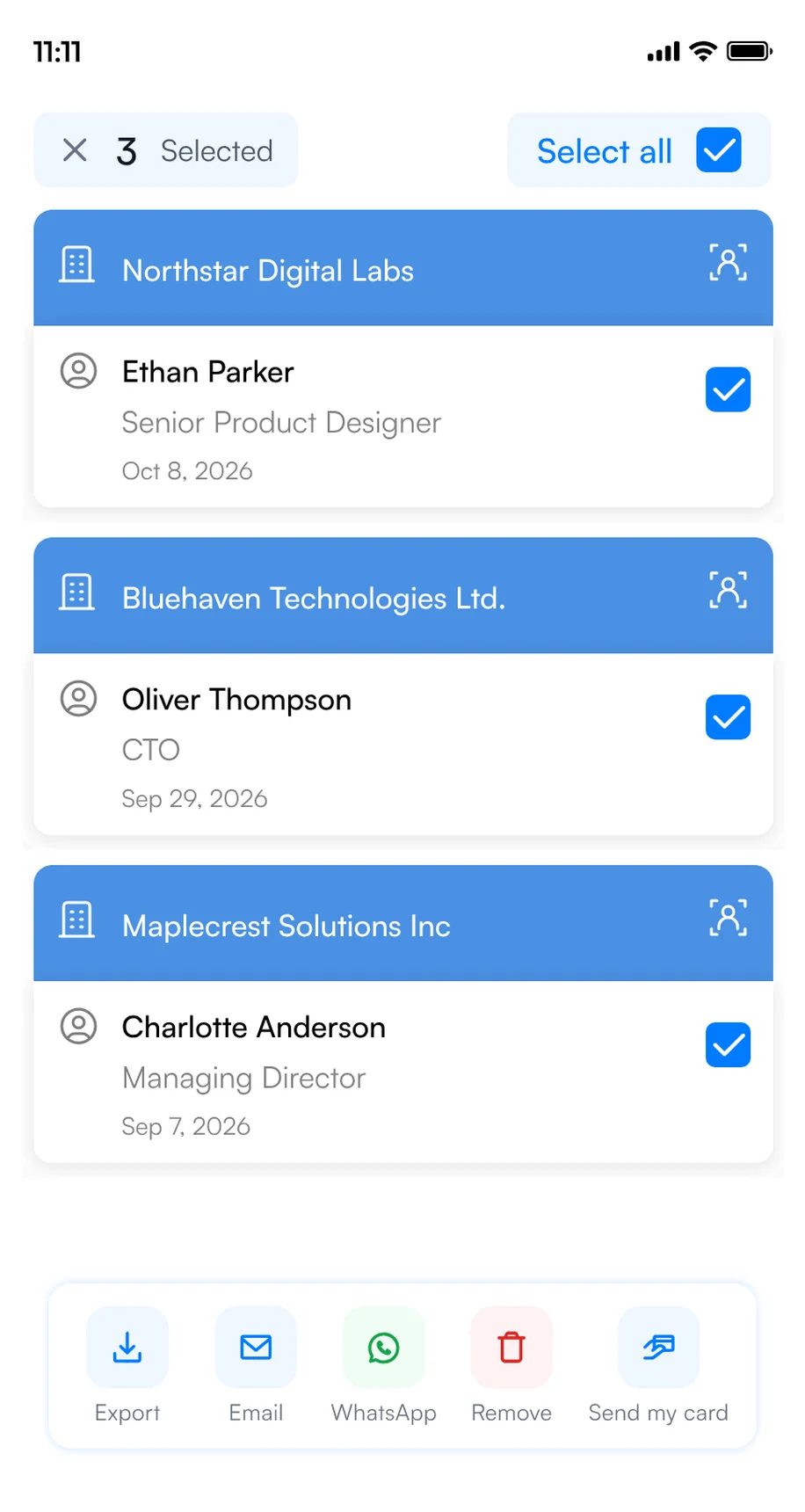
2Send to several contacts at once
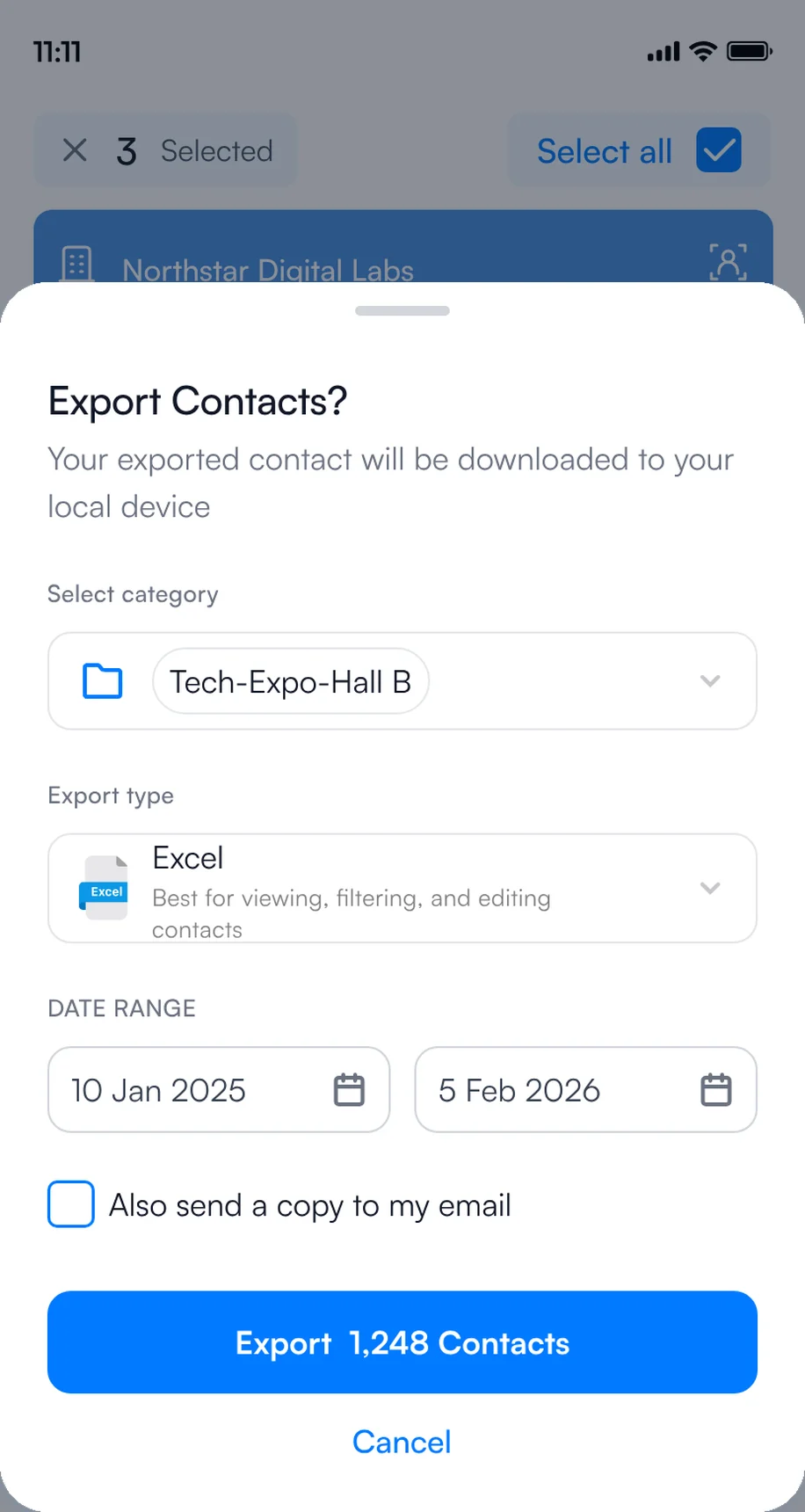
3Export or sync to your CRM
Bringing several reps to opti 2027?
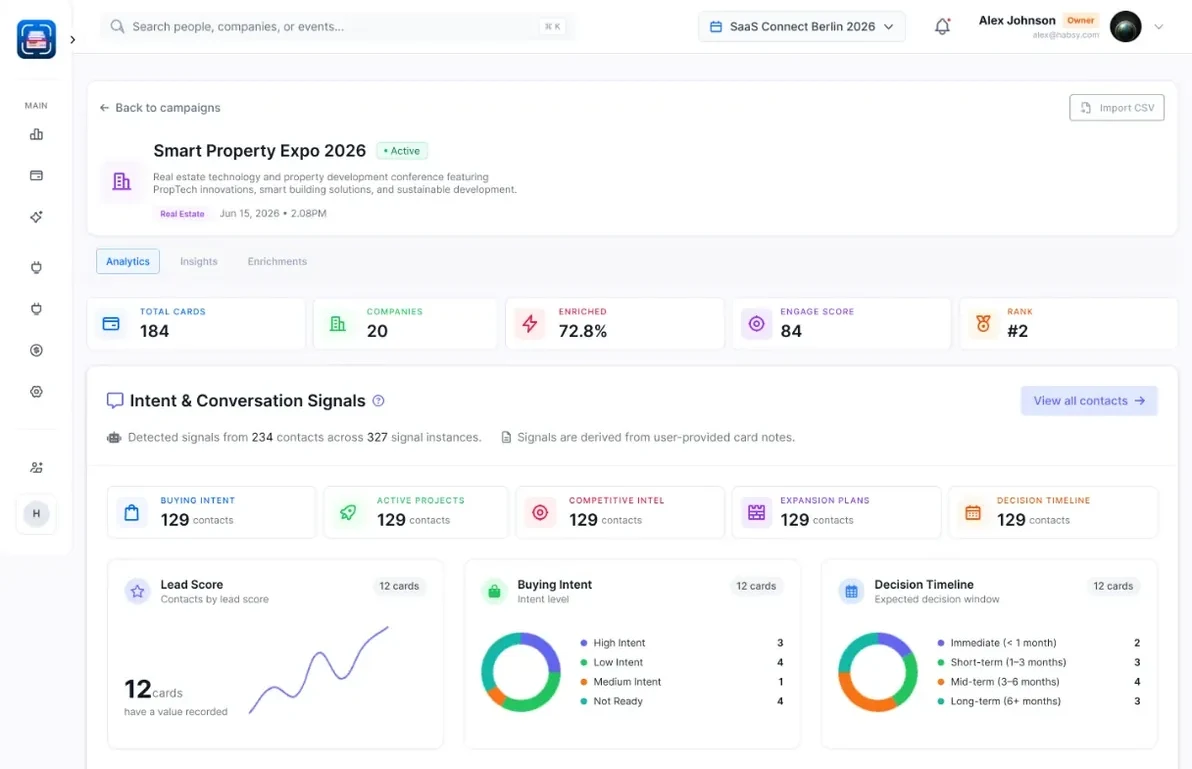
Run the show as one campaign on Habsy Platform, at app.habsy.ai. Every rep keeps scanning in the app, and you see every contact for opti 2027 in one live list, assign follow-up, sync to your CRM and get a post-event report when the show ends.
app.habsy.ai
What Habsy Plus adds at opti 2027
Free is enough to capture every visitor at your booth. Habsy Plus turns those contacts into follow-ups that go out on their own.
FreeAlways free
- Unlimited scanning: business cards, badges and QR codes
- Two digital cards in MyQR
- Your first event, with its kit
- Reminders
- Translation into 14 languages
- Export to Excel, CSV or VCF
Habsy PlusEverything in Free, plus
- Intent signalsAccept the set in your kit and record what every visitor needs.
- Card PreferencesYour template and digital card sent the moment you save a visitor.
- Bulk sendOne follow-up to many visitors, by email or WhatsApp.
- Voice notesCapture the details before the next visitor walks up.
- CRM syncPush contacts to Salesforce, HubSpot, Zoho CRM and 10+ others.
- Card analyticsSee when and where your digital card is opened.
Habsy Plus starts with a 3-day free trial in the app. Get Habsy free
Bottom line
The organizers reported 354 exhibitors at opti 2026, a useful benchmark when planning your eyewear, diagnostics or audiology offer. Work through the show deadlines over the 60 days, then do the Habsy setup in the final week: your kit and intent signals, the booth QR with its enquiry form, and automatic follow-up. See Habsy for exhibitors.
Planning several shows this year? Book a demo of Habsy Platform.
Habsy is not affiliated with GHM Gesellschaft für Handwerksmessen mbH. Event details come from the official opti 2027 website and can change.
Frequently Asked Questions
When and where is opti 2027?
opti 2027 runs January 29 to 31, 2027, at Munich Exhibition Centre in Munich.
What are the opti 2027 exhibition hours?
Friday and Saturday, January 29 and 30, from 10:00 AM to 7:00 PM; Sunday, January 31, from 10:00 AM to 5:00 PM, local time.
How do I follow up with opti 2027 visitors automatically?
Connect your email or WhatsApp Business account, edit your kit's template and turn on Card Preferences. Each time you save a contact, Habsy sends your template and digital card in the background. Card Preferences is part of Habsy Plus.
Is there a business card scanner for opti 2027?
Yes. Habsy is a free mobile app for iPhone and Android that scans business cards in 200+ languages, badge QR codes that hold the person's details, and digital business cards from any provider. Add opti 2027 in Habsy Events and every contact you scan is saved under the show with your notes, ready for follow-up. Scanning is free, with no limit.
Can visitors leave their details at my opti 2027 stand when my team is busy?
Yes. Print your Business digital card's QR code on the stand and turn on its enquiry form. Visitors who scan it can leave their details, and they are saved as new contacts.
When should exhibitors start preparing for opti 2027?
About 60 days before the exhibition opens. That leaves time to register staff, book exhibitor services, plan shipping and set up lead capture and follow-up before the deadlines close in.
What is the Habsy event kit for exhibitors?
When you add opti 2027 in Habsy Events as an Exhibitor, Habsy creates a kit for the show: a opti 2027 category, an email follow-up template and a WhatsApp template written for the event, plus intent signals suggested for it. Your first event is free.
Going to opti 2027?
Bring more leads home from opti 2027
Plan the floor and keep every booth
Add the event for Floor Picks, share your MyQR card and scan every card you collect.
Get Habsy freeCapture every visitor and follow up fast
Your event kit, intent signals and follow-up that sends the moment you save.
Get Habsy freeEvery rep, one live list
One campaign on Habsy Platform, with assignment, CRM sync and a post-event report.
Book a demo

