Blog
Conferences and trade shows generate card stacks that teams consistently fail to turn into pipelines. The capture is fine. The 60 minutes after the show closes is where deals are won or lost. Habsy batch-scans ≈150 business cards in ~5 minutes, adds qualifiers and voice notes at capture, cleans duplicates before export, and gets your team to a sequence-ready CSV within 24 hours. Here is the complete workflow.
Be Day-1 ready at your next trade show or conference. See the 2-minute demo and watch a card stack become a CRM-ready list in 60 minutes.
TL;DR
Batch-scan ≈150 conference cards in ~5 minutes using on-device OCR — no Wi-Fi required.
Fill Interest, Product Line, and Priority at capture; drop a 10-sec voice note; set a one-tap reminder.
Run review and de-dupe before export to prevent duplicate sequences in your CRM.
Export a mapped CSV to HubSpot, Zoho, or Salesforce within 24 hours using a saved preset.
Use saved searches to blitz Hot leads on Day-0 and import the full list by Day-1 morning.

Qualify, de-dupe, and export a sequence-ready csv to any CRM within 24 hours, be day-1 ready
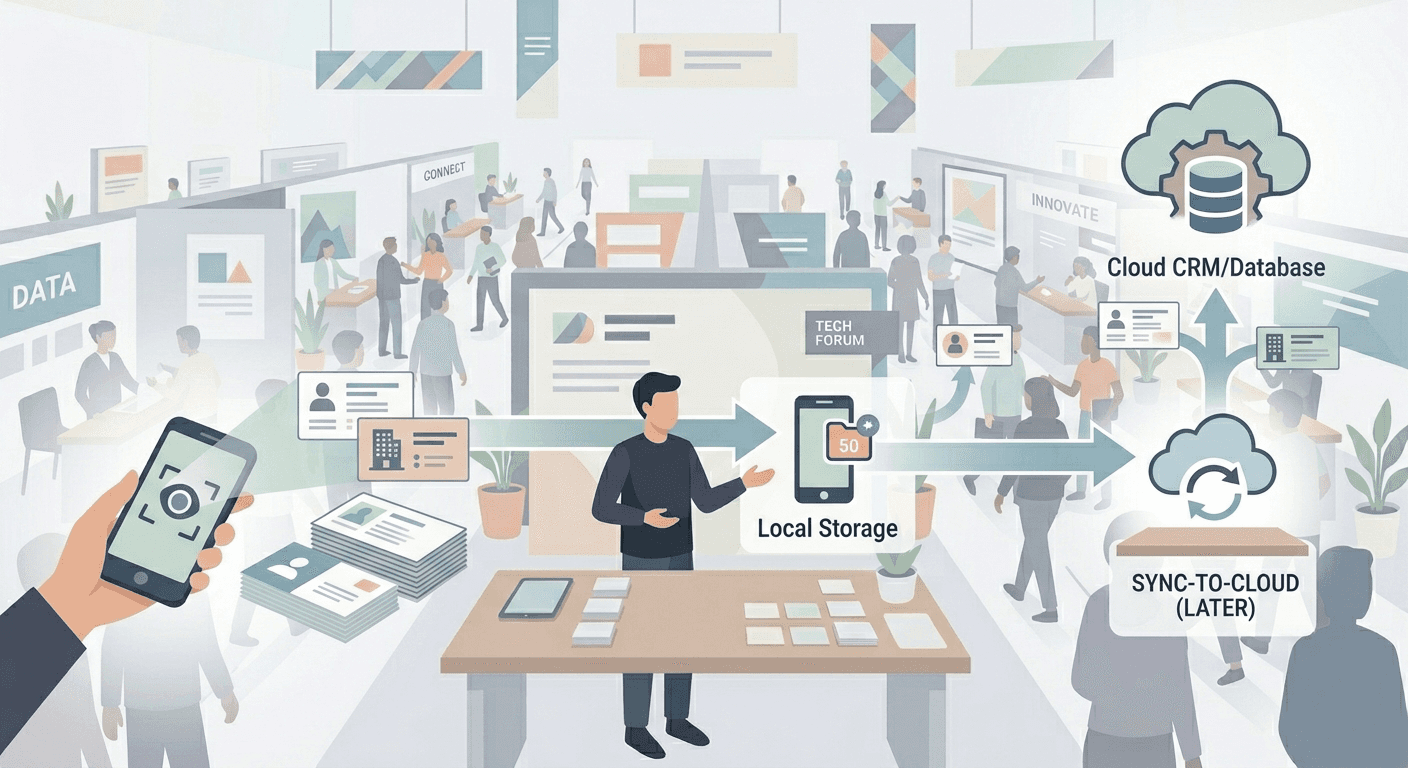
At most large exhibitions and trade shows, business cards still change hands at volume. A two-day booth can generate 100 to 200 cards across multiple staff and shifts. Teams reach for their batch business card scanner app — and then hit the same five failure points every time, regardless of the event.
Failure 1: Cloud OCR fails without Wi-Fi
If the scanning app sends card images to a remote server to extract text, it needs a live connection. Conference and trade show hall Wi-Fi is overloaded and often unusable by mid-morning. Scans hang, fail silently, or produce empty records discovered at the hotel. On-device OCR is the only reliable alternative for real-event conditions.
Failure 2: No qualification at capture
A batch of 150 raw contacts with no Interest, Priority, or Product Line fields means an SDR must reconstruct every conversation before prioritising. Three days after the conference, that recall is largely gone. Qualification must happen at capture or during the review step, not after CRM import.
Failure 3: No context for personalization
A business card captures identity. The conversation captured intent. Without a voice note attached at scan time, your SDR is cold-calling a contact who was genuinely warm at the trade show stall. A 10-second voice note recorded immediately after the conversation is the most efficient way to preserve what the card cannot.
Failure 4: No review and de-dupe before export
At multi-day events with multiple booth staff, the same person often gets scanned twice by different reps. Without running review and de-dupe before export, both records enter your CRM: two entries, two owners, two reminder sequences for one contact. Running review and de-dupe before export takes 10 minutes and prevents hours of CRM cleanup.
Failure 5: Export happens on Day 5, not Day 1
The card stack gets scanned, sits in the app, and nobody exports it until the following week. By then, contacts have spoken to competitors and the follow-up conversion rate has roughly halved. The fix is a pre-assigned Day-0 owner who runs the full workflow before midnight on the day of capture.
The batch scanning workflow: capture to CRM in 60 minutes
This is the complete workflow for a 100 to 200 card stack at the end of a conference or trade show day. With Habsy, experienced teams complete this in under 60 minutes. The same steps apply to hybrid events where some contacts scanned QR badges and others handed over cards.
Step 1: Pre-event setup (30 minutes, done once)
Before the event starts, set up the capture schema and CSV mapping. This is done once and reused across every team member and future shows.
Define 3 to 6 required Intent Signals: Interest, Product Line, Priority, Stall No., Source, Owner
Save a CSV-first mapping preset for your CRM (HubSpot, Zoho, Salesforce, or a generic sheet)
Create two saved searches: Hot plus P1, and Missing Email or Phone
Set the default reminder to Tomorrow 10:00 AM so reps do not have to choose each time
Run a 10-minute team onboarding: scan, fill fields, drop a voice note, set reminder
Step 2: Scan QR badge contacts in real time at the stall
For visitors with QR badges, scan immediately using Habsy's QR badge scanning mode. Add Intent Signals, drop a 10-second voice note, and set a one-tap reminder before moving to the next visitor. Under 20 seconds per contact. No connectivity required.
Step 3: Batch-scan the card stack at end of day (5 to 20 minutes)
Open Batch Scan, name the batch (for example, AutoExpo Day 2), and begin scanning cards in sequence. The guided overlay handles framing. OCR runs on-device, so conference or trade show venue Wi-Fi is not required.
≈150 business cards in ~5 minutes in internal tests (performance varies by device, card quality, and lighting)
Apply batch-level tags (EventName, Source, Campaign) to all cards at once
Low-confidence fields are flagged automatically for the review step
Step 4: Review queue (10 to 15 minutes)
The review queue surfaces only the records that need a correction. Accept correct fields, fix OCR errors, and apply custom qualifiers for each card: tap Interest, Product Line, Priority. This is where batch-scanned cards get qualified before they become CRM records.
Step 5: Review and de-dupe, then merge (5 to 10 minutes)
Run review and de-dupe across all captures from the day. Habsy uses email or phone as primary keys and Company plus Name as a fallback. A field-by-field merge view lets you keep the most complete record. Typical duplicate rate at multi-day, multi-rep events: 8 to 15 percent.
Step 6: Export the priority slice first, then the full list (5 minutes)
Open the Hot plus P1 saved search and export this subset first using the CRM preset. Send it to the SDR manager immediately. Then export the full de-duplicated list for the complete Day-1 import.
The CSV includes Owner, Source, Campaign, Interest, Product Line, Priority, Next_Action_Date, and Note_Transcript
Column names match your CRM preset exactly so import mapping is already complete
Step 7: Day-1 import and first touches
Import the CSV using your saved CRM mapping. Open the saved searches for leads view to run the Day-0 blitz: every hot lead with a due reminder gets a first touch before 11 AM. The Hot plus P1 slice is in the CRM and reminder-sequenced before your SDRs start calls.
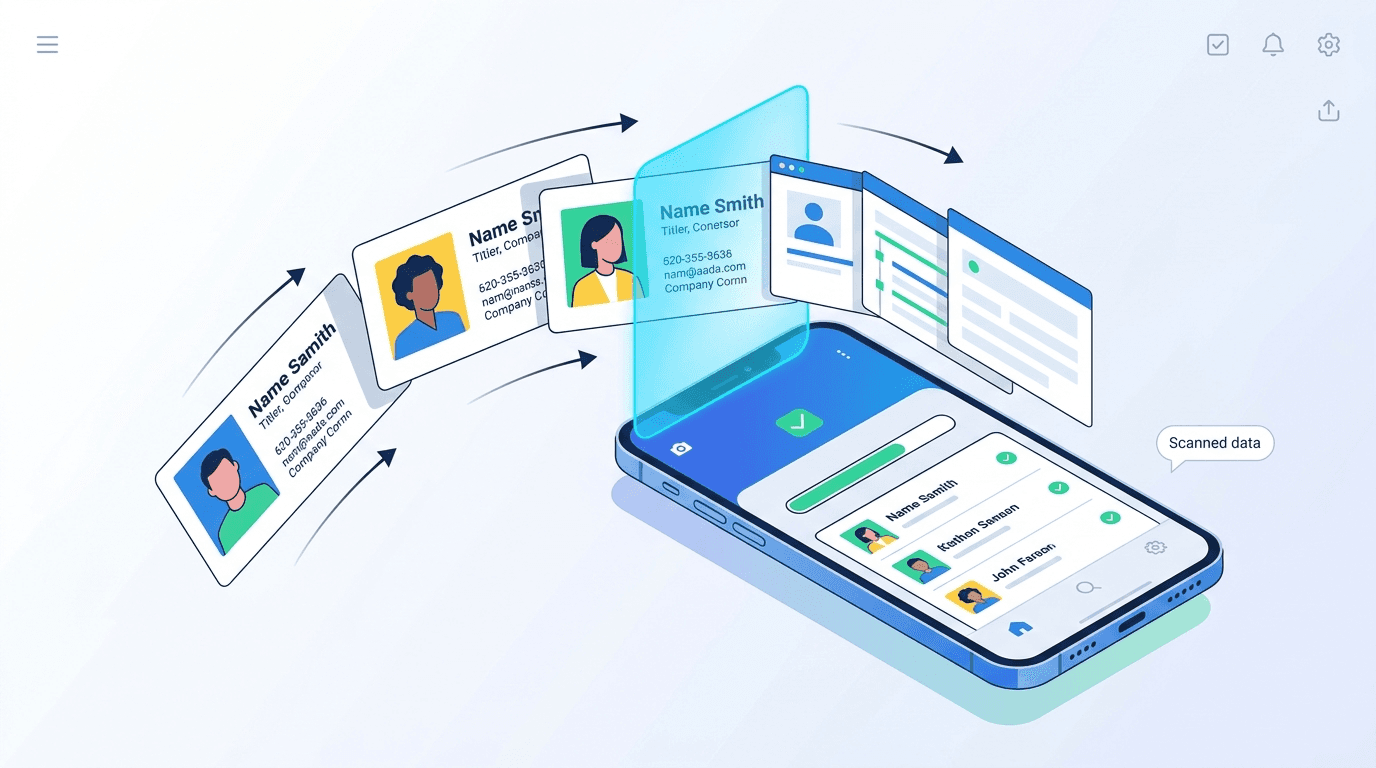
Most apps handle single-card scanning acceptably. The following capabilities determine whether a batch business card scanner holds up at 150-card volumes across multi-day, multi-rep trade show and conference events.
On-device OCR: no Wi-Fi required; produces a complete contact record before you reach the next stall
Batch mode with guided overlay: auto-detect and crop multiple cards in sequence without individual framing; ≈150 cards in ~5 minutes in internal tests
Batch-level Intent Signals and tags: apply Source or Campaign to all cards at once; override per card in the review step
Review queue with confidence flags: only low-confidence fields surface for correction; high-confidence records pass through automatically
Voice notes per card: drop a 10-second note in the review step; exports as Note_Transcript in the CSV for SDR personalisation
One-tap reminders: set Tomorrow 10:00 AM for all hot cards in bulk from the saved search; reminders export as Next_Action_Date
Review and de-dupe across batch and QR badge captures: runs across all capture methods in the workspace using email or phone as primary key
CSV-first export with saved mapping presets: one export preset per CRM; column names are stable and match your import mapping after the first event
Offline mode with conflict-safe sync: all captures queue locally and sync when connectivity returns; two reps scanning the same contact offline see a field-by-field merge prompt after sync
Your contacts stay under your control. Export or delete any time. Habsy does not sell personal contact data.
Run these tests before committing a booth team to an app for a 3-day show. They reveal what marketing copy about batch scanning does not.
What to test | How to test it | Why it matters |
OCR location | Enable airplane mode. Scan a card. Does a complete contact record appear immediately? | Cloud OCR requires Wi-Fi. Trade shows and conference halls have unreliable connectivity. On-device OCR is non-negotiable. |
Batch throughput | Scan 20 cards back to back and time it. Target under 8 seconds per card. | 150 cards should not take an hour. Slow throughput makes the end-of-day review impractical. |
Intent Signals at capture | Define Interest, Priority, and Product Line as required fields. Can reps fill them in batch mode? | Unqualified bulk lists waste SDR time. Qualification must happen at or before export. |
Review queue accuracy | Scan 10 cards including one with a stylised font. Check flagging and ease of correction. | The review and de-dupee step is the quality gate before CRM. It must surface errors, not hide them. |
De-duplication | Scan the same card twice. Does the app detect and offer a merge? | Multi-day, multi-rep conference events always produce duplicates. Pre-CRM de-dupe is essential. |
Offline persistence | Scan 10 cards offline. Kill the app. Reopen. Are records still present? | App crashes at events are common. Local persistence protects every lead from connectivity issues. |
CSV export quality | Export 10 records. Check column names, field mapping, and encoding in a spreadsheet. | A bad export requires manual cleanup that defeats the speed benefit of batch scanning entirely. |
These patterns consistently destroy trade show and conference ROI, even when the batch scanning itself went smoothly.
Mistake | Why it costs you | The fix |
Sending the same follow-up email to every lead | Generic outreach signals you do not remember the conversation. Response rates collapse. | Use on-floor notes and voice note transcripts to personalise the first sentence of every outreach. |
Waiting 3 to 5 days to start follow-up | The optimal window closes within 24 to 48 hours for hot leads. Competitors fill the gap. | Apply same-day CRM import and hot-lead outreach as a non-negotiable rule. |
Giving up after one or two attempts | 80% of sales require 5 or more touchpoints. Most teams stop at one or two. | Build a tiered follow-up cadence into your CRM so it happens automatically. |
Treating every lead as a hot lead | Aggressive outreach to cold contacts creates negative brand impressions and wastes sales time. | Use the 4-signal scoring framework to separate hot from warm from cold before outreach begins. |
Importing leads into CRM after the show | Memory fades, context is lost, and batched data has no tier tagging. | Make real-time capture and same-day sync a standard operating procedure for every trade show. |
Tools that make the batch scanning framework operational
The batch scanning workflow above is logistically manageable with the right stack. The minimum viable toolset for executing at trade show and conference scale covers four functions.
Function | What you need | Why it matters |
Lead capture | A mobile app with badge scanning, business card OCR, and offline capability for unreliable venue Wi-Fi | Captures contact data in real time at the trade show or conference without relying on venue connectivity |
Conversation tagging | Voice notes or custom tag fields attached to each contact at capture | Preserves the context that makes personalised trade show follow-up possible |
CRM sync | CSV export with field mapping for tier and notes, compatible with HubSpot, Salesforce, or Zoho | Eliminates the manual import bottleneck that delays follow-up past the 48-hour window |
Follow-up reminders | Automated task triggers or reminder sequences tied to tier and capture date | Ensures no hot lead falls through the cracks when you return to a full inbox after the conference |
Setting up follow-up reminders that trigger automatically based on lead tier means your team never has to remember to follow up. The system drives the sequence, so their energy goes into the quality of the outreach rather than the logistics of tracking who is due for a touch.
Outcomes to expect after switching to batch scanning
These are the operational improvements teams report after moving from ad-hoc card capture to a structured batch scanning workflow. Use them as targets for your first event pilot and review them before attending the same trade show or conference the following year.
Outcome | Target metric | What changes |
Speed | 100% of hot leads in CRM within 24 hours | Sequence-ready CSV exported the same evening, not after the weekend |
Data quality | Duplicate rate below 5% at CRM import | Review and de-dupe before export prevents wasted dials and double sequences |
Personalisation | Voice note transcript on every Hot record | SDRs open a contact and have a talk track, not a blank screen |
Attribution | Source and Campaign fields in every CSV export | Event-to-pipeline attribution is visible and defensible from Day 1 |
Consistency | Same schema across all reps and shifts | No mismatched spreadsheets after a multi-day trade show or conference |
Metrics to track per event
Track these four numbers for every trade show or conference and review them before booking the same show again.
Time to CRM: percentage of captured leads imported within 24 hours — this is the headline metric
Field completeness: percentage of contacts with all required Intent Signals filled at export
Duplicate rate: number of merges required at review and de-dupe, trending down across events
Lead to meeting at 14 days: the revenue signal that connects batch scanning quality to pipeline
If the case for a structured batch scanning and follow-up system is not yet clear, these data points from recent industry research should close the argument.
80% of trade show follow-up never happens at all, leaving the majority of event-generated pipeline entirely untouched
50% of buyers choose the vendor that responds first with relevant information — being second at a trade show or conference often means being eliminated
40% of exhibitors wait 3 to 5 days before beginning follow-up with their leads, well outside the 48-hour window where buyer interest and memory are strongest
Following up within 7 to 10 days converts 20 to 30% of leads into pipeline opportunities
Only 5 to 15% of conference and trade show contacts are ready for a sales conversation at the time of the event — the rest need a nurture path, not a pitch
81% of trade show attendees have buying authority — the people you are meeting are qualified; the batch scanning and follow-up system is the differentiator
Exhibiting at a conference or trade show is a significant investment. The cost of a single 10x10 booth, including travel, materials, and staff time, can easily exceed fifteen thousand dollars per event. Most of that investment is decided not on the show floor but in the 60 minutes of batch scanning, review and de-dupe, and export that follow.
A batch business card scanner workflow does not require new technology or a larger team. It requires a decision made before you leave the venue: card stacks get scanned and reviewed the same evening, hot leads get a priority export before midnight, and the full CSV-first handoff lands in the CRM before the first call of the next morning.
The teams that execute this system consistently do not just see better conversion rates from individual events. They build a repeatable engine that compounds across every trade show and conference they attend, turning event spending into predictable, sequence-ready pipeline.
Ready to build a batch scanning workflow that actually converts? Connect with us and get started and see how Habsy helps sales teams capture, qualify, and export every lead they collect.
How accurate is batch business card OCR?
Habsy achieves approximately 99% accuracy in internal tests under standard conditions: printed or laser-printed text, indoor lighting, and cards presented consistently. Performance is lower for laminated cards with glare, handwritten additions, scripted fonts, or very small print. The review queue flags low-confidence fields for a quick manual check before export. Always use the review step before exporting to any CRM.
Can I batch-scan cards and QR badges in the same conference or trade show?
Yes. Both capture modes write to the same workspace. QR badge records and batch card records are de-duplicated together at the review and de-dupe step before export. The CSV includes a Source column so you can distinguish captures by method. The same saved searches and CSV-first mapping preset apply to both.
Does batch scanning work without an internet connection?
Yes. On-device OCR runs without connectivity. All records, Intent Signals, tags, voice notes, and reminders queue locally and sync automatically when the device reconnects. Export requires a completed sync to avoid partial data. The app shows a per-record status: Saved Offline, Syncing, Synced.
What languages does card OCR support?
Habsy supports multiple languages common at India and APAC events, including multi-language business cards from international trade show and conference attendees. Use the review step to correct rare OCR errors on scripts with complex ligatures or stylised display fonts.
How do I handle two-sided business cards?
Habsy offers a Flip or Second photo option during batch scanning. Fields from both sides merge into a single contact record. If one side is low-quality, you can re-capture only that side without re-scanning the full card.
Will batch scanning update my CRM automatically?
Habsy is CSV-first. Export a mapped CSV and import using your CRM's standard import tool. Saved mapping presets mean column matching is already done after the first event. This CSV-first approach works with any CRM that accepts imports including HubSpot, Zoho, and Salesforce. Direct live sync is not available and is not promised.
What is the biggest mistake teams make with batch scanning at trade shows?
Waiting until they are back in the office. Research consistently shows that around 40% of exhibitors wait 3 to 5 days before contacting their trade show or conference leads. For hot prospects who expressed immediate buying intent, this delay is often fatal. Batch scanning solves the mechanics of capture. The Day-0 export rule and the review and de-dupe step are what close the timing gap.
How do I manage batch scanning with multiple reps at the same booth?
Set a consistent capture schema before the event so all reps use the same Intent Signals and tags. Assign a default Source equal to the event name so all captures are grouped automatically. After the trade show or conference, run review and de-dupe across the full workspace to catch overlaps from different reps scanning the same contact. The merge view shows which rep captured which field so the best data is preserved.
How many business cards can Habsy batch-scan in a session?
In internal tests, Habsy processes approximately 150 cards in around 5 minutes using batch mode with a review step. A 200-card stack from a 3-day conference haul can be processed in a single post-show session. Performance varies by device, card stock, font type, and lighting conditions. The review queue handles any low-confidence records without requiring a full re-scan.
How do I measure whether batch scanning is improving post-show results?
Track four metrics per event: percentage of captured leads imported to CRM within 24 hours, field completeness rate for required Intent Signals, duplicate rate at review and de-dupe, and lead-to-meeting conversion within 14 days. Review these before attending the same trade show or conference the following year. Teams that systematically measure follow-up performance identify the timing windows and qualification patterns that convert best for their specific audience, compounding their event ROI with every show they attend.
Turn your next event into a pipeline machine. Connect with us and get started today.










