

AeroEngines Americas Networking Guide: Where to Meet People and How to Remember Them
AeroEngines Americas runs January 20 and 21, 2027, at The Westin Kierland Resort & Spa in Scottsdale. The co-located programme starts January 19.
Claire Bennett6 min read
On this page
- AeroEngines Americas at a glance
- Who you can meet at AeroEngines Americas
- Where people meet at AeroEngines Americas
- One AeroEngines Americas introduction, start to finish
- Bring your digital cards, not a box of paper ones
- Remember everyone you meet
- Business card scanner and badge scanning at AeroEngines Americas
- Turn AeroEngines Americas introductions into meetings
- Exhibiting at AeroEngines Americas as well?
- Bottom line
AeroEngines Americas at a glance
- Dates
- Jan 19 to 21, 2027Combined program; AeroEngines conference Jan 20 to 21
- Exhibition hours
- Tue8:30 AM to 6:30 PMWed8:00 AM to 6:30 PMThu8:30 AM to 2:30 PM
- Venue
- The Westin Kierland ResortScottsdale, Arizona
- Size
- 83 exhibitors, 1,117 visitors2026 co-located event, organizer-reported
- Official website
- aeroenginesamericas.aviationweek.comConfirm details before you travel
Who you can meet at AeroEngines Americas
Airline powerplant teams, lessors, maintenance providers and engine suppliers meet across the programme. Use the January 19 leasing event and the two receptions to make introductions before your conference schedule fills up.
Who attends AeroEngines Americas
- Airline and lessor buyers
- Airline technical and powerplant leaders
- Engine maintenance and overhaul professionals
- OEM and supplier representatives
- Aviation financiers and consultants
Where people meet at AeroEngines Americas
Look for introductions at the January 19 co-located event, around the showcase hours and at the two evening receptions.
Tuesday, January 19, at The Westin Kierland Resort & Spa.
Meet engine leasing and finance contacts on Tuesday. Check which events your pass covers before attending.
Check the pass requirements before attending.
January 19 to 21 at the host resort. Check the published showcase hours.
Ask maintenance providers how they handle engine shop visits or spare-parts availability.
Meet suppliers on the showcase floor.
Tuesday, January 19, 5:00 PM to 6:30 PM MST, at The Westin Kierland Resort & Spa.
Continue conversations with airline and finance contacts after the January 19 co-located event.
Use the informal setting for introductions.
Wednesday, January 20, 5:00 PM to 6:30 PM MST, at The Westin Kierland Resort & Spa.
Reconnect with technical leaders and MRO professionals after the first AeroEngines conference day.
Use the informal setting for introductions.
One AeroEngines Americas introduction, start to finish
Follow one conversation from hello to a booked meeting. Maya is a fictional Powerplant Engineering Manager you might meet at AeroEngines Americas; the rest of this guide uses the same example.
- 1Meet
I meet Maya at the Welcome Reception on Tuesday, January 19.
- 2Swap cards
I share my MyQR card with Maya and scan her digital card.
- 3Save it
I save a voice note that I promised Maya a shop visit planning checklist.
- 4Follow up
That evening, I send Maya the event kit message with the checklist and my booking link.
Bring your digital cards, not a box of paper ones
Create your free digital cards at myqr.habsy.ai before you travel. Every account has two: a Professional digital card for you and a Business digital card for your company, with your services and brochures. In the app they live in MyQR. Put your engine specialty and the kind of airline, lessor or MRO contact you want to meet on your MyQR card.
Professional digital card
For people you want to stay in touch with
- 1
Airline technical peers
Share with powerplant leaders you meet at the conference.
- 2
Lessor contacts
Use it to stay in touch with finance peers from the co-located event.
- 3
MRO colleagues
Share with maintenance professionals you meet around the showcase.
Business digital card
For buyers, partners and suppliers
- 1
Airline and lessor buyers
Share with buyers discussing engine needs and asset services.
- 2
OEM and parts suppliers
Use it for business contacts you meet at the Showcase.
- 3
Finance partners
Share with contacts from Engine Leasing, Trading & Finance Americas.
- Lock screen: add your live QR to your lock screen, so you can share without unlocking your phone.
- NFC: hold your phone near theirs to share your card.
- Enquiry form: people who scan your card can leave their details, and they are saved as new contacts.
- No app needed: the other person opens your card in their browser and saves your contact in one tap.

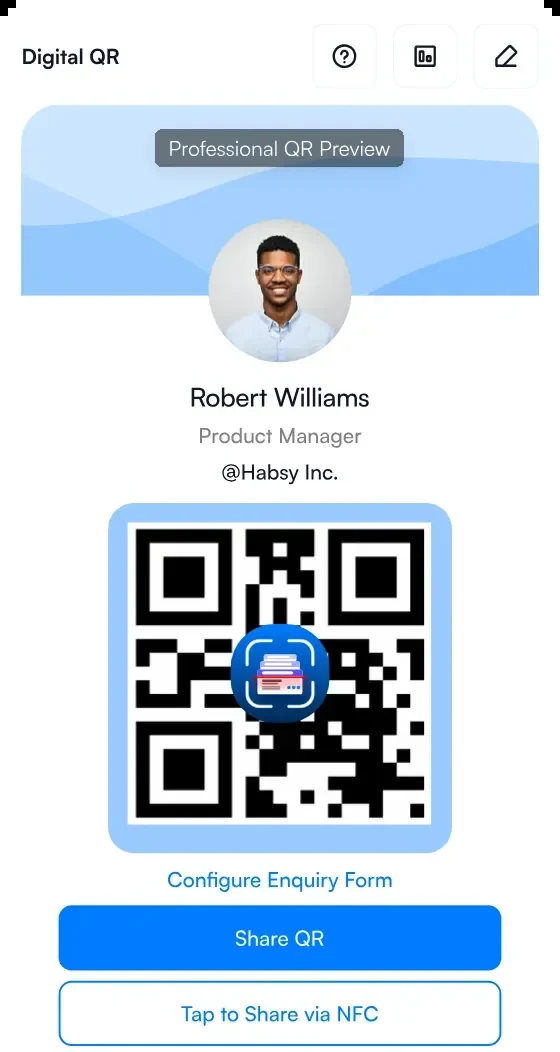
1Your Professional digital card
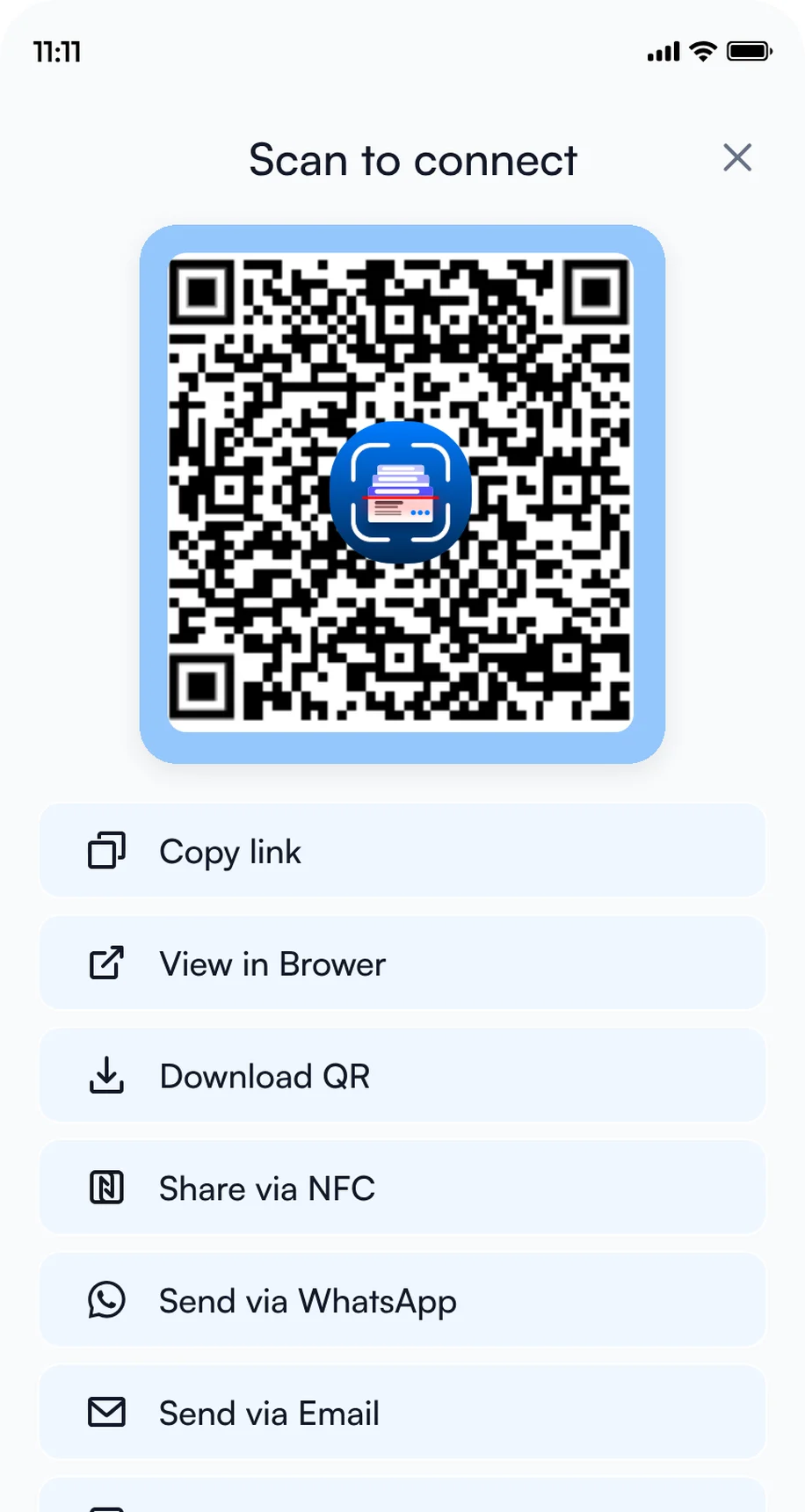
2Share by QR code, NFC or link
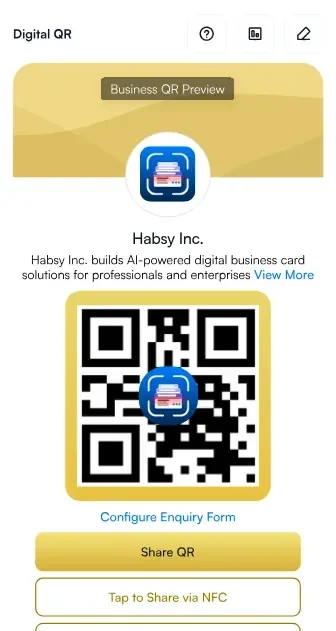
3Your Business digital card
Remember everyone you meet
After a day of receptions and sessions, names start to blur. Add AeroEngines Americas in Habsy Events first (Settings, Trade shows, Events), so every contact you save is filed under the show. Here is Maya, saved right after the session:
- Scan: business cards in 200+ languages, badge QR codes and digital cards from any provider. Free, with no limit.
- Voice note: right after the chat, record what you talked about. Habsy turns it into a searchable transcript. Habsy Plus
- Reminder: set when to get back in touch, free, with an alarm if you want one.
Maya Chen (fictional)
Powerplant Engineering Manager, Canyon Ridge Air (fictional)
Intent signals
- Airline
- Technical leader
- Engine maintenance
- Welcome Reception
- Shop visit checklist
Notes
Planning engine shop visits; I promised a practical checklist.
0:28 · "A concise shop visit checklist would help me compare planning steps."
Reminder
Wednesday, 9:00 AM · Send shop visit checklist
Fictional example for AeroEngines Americas.
Know more about Maya
Tap Ready to discover more on any contact and Habsy builds an AI Enriched Contact Brief from public sources: their role, career, company, products and contact details. When something cannot be verified, the brief says so instead of guessing. Habsy Plus Free accounts can try it a few times.
Maya Chen (fictional)
Powerplant Engineering Manager, Canyon Ridge Air (fictional)
Snapshot
Maya is a fictional airline powerplant manager planning engine shop visits and looking for a practical checklist.
Company
Canyon Ridge Air is a fictional airline in this example. Maya works on engine maintenance planning.
Example brief for a fictional contact. Real briefs vary with how much public information Habsy finds.
Business card scanner and badge scanning at AeroEngines Americas
Habsy turns your phone into a business card scanner for AeroEngines Americas. Scan a paper card in 200+ languages, the QR code on a badge when it holds the person's details, or a digital business card from any provider, and the contact is saved with your notes in seconds. Scanning is free with no limit, keeps working when the hall Wi-Fi is busy, and every contact is filed under AeroEngines Americas once you add the show in Habsy Events.
At receptions and side events, scan the card while you are still talking, so the details and the reason to follow up are saved before you move on.
Networking at AeroEngines Americas?
Bring a digital card, not a box of paper ones.
Two free digital cards, shared by QR code, NFC or link, and every contact you meet saved with a note.
Turn AeroEngines Americas introductions into meetings
Your AeroEngines Americas kit includes an email and a WhatsApp message written for the show. Send one the same evening, with the resource you promised, while Maya still remembers the conversation.
Hi {{recipient.name}}, good meeting you at the Welcome Reception. Here is the shop visit checklist: [link]. If useful, book a short call here: [your link].
Hi {{recipient.name}},
It was good meeting you at the Welcome Reception on Tuesday, January 19. As promised, here is the shop visit planning checklist: [link].
I'm {{user.name}}, {{user.designation}} at {{user.company}}. Would a short call be useful? You can choose a time here: [your link].
Best,{{user.name}}
Words in braces are variables. Habsy fills them in when you send.
- Book the meeting: connect Calendly and add your booking link to your card and messages, so they pick a time themselves. Habsy Plus
- Let AI write it: describe what you want to say and Habsy writes a personal message for that contact. Habsy Plus
- Send your card back: with Send my digital card back on, everyone you scan gets your card automatically. Habsy Plus
- Keep the list: export your AeroEngines Americas contacts to Excel, CSV or VCF, or save them to your phone.
Exhibiting at AeroEngines Americas as well?
Print your Business digital card's QR on the stand so visitors can save your details when your team is busy, and run the booth on Habsy Platform, with every rep's contacts in one live list and a post-event report when the show ends.
Bottom line
For finance introductions, start at Engine Leasing, Trading & Finance Americas on Tuesday, then continue at the Welcome Reception. Create your digital cards at myqr.habsy.ai, add AeroEngines Americas in Habsy Events, and capture every person you meet with a note and a reminder. See Habsy digital business cards.
Habsy is not affiliated with Aviation Week Network. Event details come from the official AeroEngines Americas website and can change.
Frequently Asked Questions
When and where is AeroEngines Americas?
The combined program runs Tuesday, January 19 to Thursday, January 21, 2027, at The Westin Kierland Resort & Spa in Scottsdale. AeroEngines conference days are January 20 and 21.
What are the AeroEngines Americas exhibition hours?
The listed registration, badge pickup and showcase hours are Tuesday, January 19, 8:30 AM to 6:30 PM; Wednesday, January 20, 8:00 AM to 6:30 PM; and Thursday, January 21, 8:30 AM to 2:30 PM MST. These are not individual session hours.
How many exhibitors are at AeroEngines Americas?
Organizers reported 83 showcase exhibitors at the 2026 co-located event. A 2027 exhibitor count is not provided.
Is there a business card scanner for AeroEngines Americas?
Yes. Habsy is a free mobile app for iPhone and Android that scans business cards in 200+ languages, badge QR codes that hold the person's details, and digital business cards from any provider. Add AeroEngines Americas in Habsy Events and every contact you scan is saved under the show with your notes, ready for follow-up. Scanning is free, with no limit.
What is the best way to share contact details at AeroEngines Americas?
A digital card. Create a free Professional digital card at myqr.habsy.ai and share it by QR code, NFC or link. The other person opens it in their browser and saves your contact in one tap, without the app.
What is the difference between the Professional and Business digital card?
The Professional digital card is about you: your role, contact details and links. The Business digital card is about your company, with its services and brochures. Every Habsy account has both, free.
How do I remember people I meet at AeroEngines Americas receptions?
Scan their card or badge QR code in Habsy right after the chat, then add a voice note or a text note and a reminder. With AeroEngines Americas added in Habsy Events, every contact is filed under the show.
Can Habsy tell me more about someone I met at AeroEngines Americas?
Yes. Tap Ready to discover more on a contact and Habsy builds an AI Enriched Contact Brief from public sources, with their role, career and company. It is part of Habsy Plus, and free accounts can try it a few times.
Going to AeroEngines Americas?
Meet the right people at AeroEngines Americas
Plan the floor and keep every booth
Add the event for Floor Picks, share your MyQR card and scan every card you collect.
Create your digital cardCapture every visitor and follow up fast
Your event kit, intent signals and follow-up that sends the moment you save.
Get Habsy freeEvery rep, one live list
One campaign on Habsy Platform, with assignment, CRM sync and a post-event report.
Book a demo

