Trade Show Badge Scanner App: How to Scan Event Badges With Your Phone
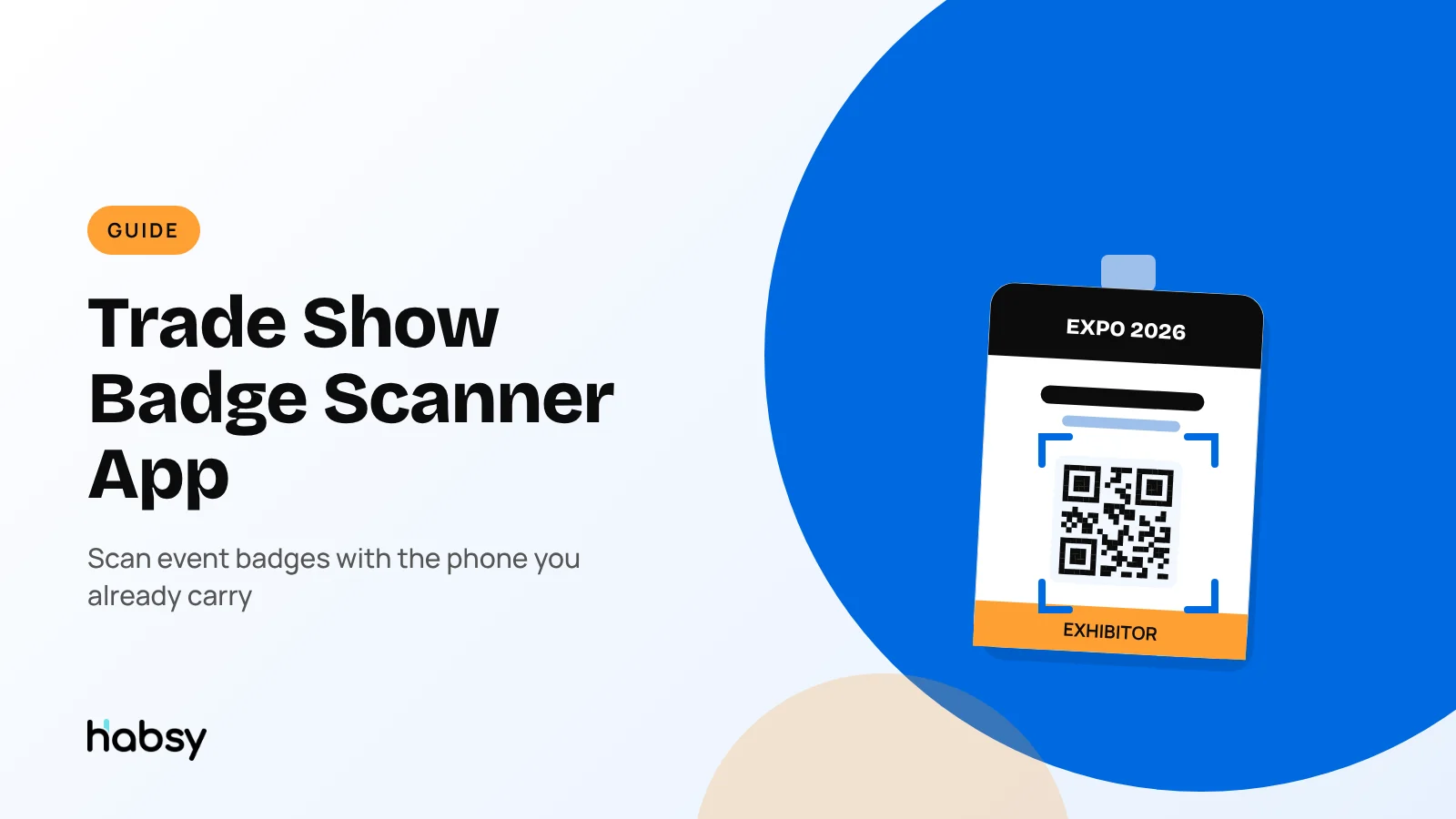
Event badges carry a QR code or an NFC chip with the visitor’s details. A badge scanner app on your phone reads it in a second, so you do not need to rent a device. This guide explains how badge scanning works, what to check with the organizer, and how to turn a badge scan into a lead you can follow up.
Claire Bennett9 min read
The quick answer
A trade show badge scanner app reads the QR code or NFC chip on an attendee’s event badge and saves their details as a contact on your phone. It replaces or adds to the scanning devices that organizers rent to exhibitors. Habsy scans QR and NFC badges for free, along with business cards and QR codes, and lets you add notes, intent signals and a reminder to every scan. See the universal badge scanner.
How event badge scanning works
Most modern events print a code on each badge, or embed a chip in it:
- QR code badges are the most common. The code either contains the attendee’s details directly, or an ID that the organizer’s system links to their registration.
- NFC badges have a chip that your phone reads when you hold it close to the badge.
- Printed details only. Smaller events sometimes print the name and company with no code at all. In that case, scan the visitor’s business card instead.
When the code holds the details, any capable scanner app can read them. When it holds only an ID, or the data is encrypted, only the organizer’s official app can turn it into a contact.
Check with the organizer before the show
Ask the organizer three questions in the exhibitor kit or by email:
- Are badges QR code, NFC, or both?
- Is the badge data encrypted or tied to a licensed lead retrieval app?
- What fields does the badge contain?
If badges are encrypted, you will need the organizer’s lead retrieval service for badge scans. You can still use your own app for business cards, QR codes and qualification. We explain the trade-offs in what is lead retrieval.
What a badge scan gives you, and what it misses
A badge tells you who someone is. It does not tell you why they stopped at your booth.
| Badge usually has | Badge usually misses |
|---|---|
| Name | Phone number |
| Company | What they asked about |
| Job title | How interested they were |
| Email (on many events) | Order size or budget |
| Country | Timeline and next step |
That missing column is what decides whether your follow-up lands. It is why scanning alone is not lead capture. For more on this, see our post on badge scanners vs lead capture platforms.
Ready for your next event?
Bring every booth conversation back with context.
Capture cards and badges in seconds, qualify leads on the spot and give your team a clean next step.
What Habsy adds to every badge scan
This is where a badge scanner app and a lead capture app part ways. The scan gets you the visitor’s registration details. Habsy lets you capture what happened in the conversation, in about the time it takes the visitor to put their badge back.
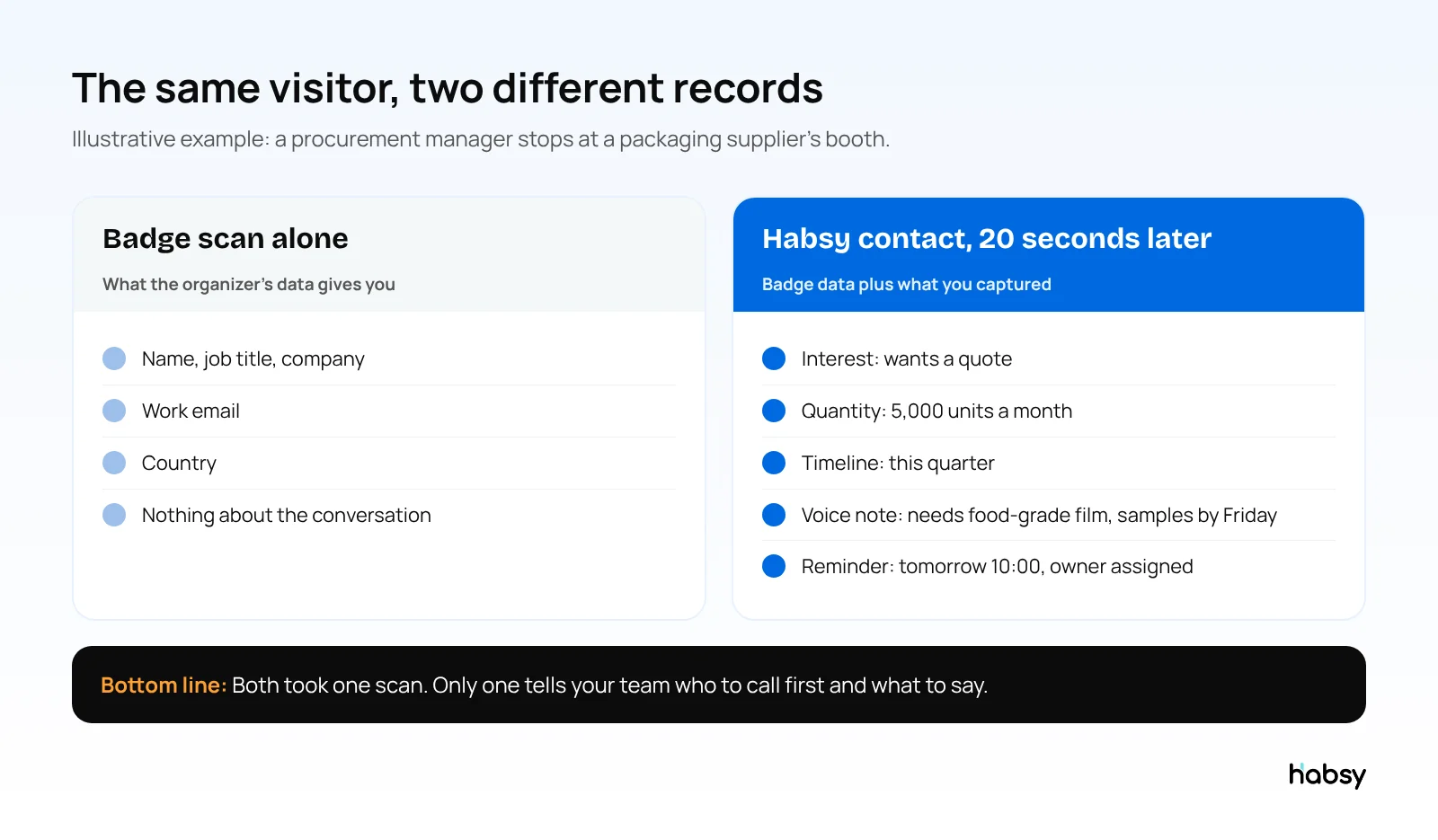
Intent signals: how interested, how much, how soon
Intent signals are qualification fields that your team defines before the show, each with its own scale. They are available with Habsy Plus.
- Your fields, your scales. A packaging supplier might use order quantity tiers of 100, 500, 1,000, 2,000 and 5,000 units. A software company might use team size and demo requested. A distributor might use region and product category.
- Tapped, not typed. After the scan, you tap the level that matches what the visitor said. It takes seconds, even with a queue behind them.
- Exact figures go in a note. If they said “around 4,200 a month”, mark the 5,000 tier and type the exact number.
- Set up in minutes. Habsy can create intent signals with AI from your website or a short description of your business, and you edit them to fit your sales process.
Because every rep records the same fields in the same way, the list is sortable the moment the show ends. You can filter for everyone who wants a quote this quarter, export the fields as columns, and see them on the Habsy Platform for the whole team. Read more in what are intent signals and trade show lead qualification questions.
Context: what was actually said
Two days after a show, “interested” is not enough to write a good email. You need the detail: the problem they described, the competitor they mentioned, the sample they asked for.
- Voice notes, with Habsy Plus. Record 10 seconds while you walk the visitor out: “Needs food-grade film, unhappy with current lead times, send samples by Friday.” The note is transcribed into English, the transcript is searchable, and it is included in exports, so the person who follows up does not have to be the person who scanned.
- Text notes for quick details, on the free plan.
- Categories, with Habsy Plus, to group contacts by industry or segment. An admin can set a default category for each booth member, so every contact they scan lands in the right category without an extra tap, and the rep can still change it.
- Duplicates flagged. When the same visitor comes back on day two, Habsy flags the possible duplicate and you choose what to keep, so the second conversation adds to the first instead of creating a second record.
Know who you met
A badge gives you a name and a company. With Habsy Plus, an AI Enriched Contact Brief fills in the rest from public sources: a snapshot of the person, their career and education, and a company profile with products, services and company contact details. Habsy reports a 98% enrichment success rate. Read what is company enrichment.
Automation after every save
With Habsy Plus, Card Preferences run in the background each time a contact is saved, so the booth rep does nothing extra:
- Auto-enrich the contact
- Auto-send your digital card, so the visitor has your details before they reach the next stand
- Auto-send an email or WhatsApp template (requires the matching integration)
- Auto-sync to your CRM, such as Salesforce, HubSpot or Zoho CRM
Follow up from the same record
The next morning, everything the rep captured is on the contact:
- Filter by intent signals to build the Day 1 call list.
- Read or search the voice note before you call.
- Write the message with AI from a short prompt, using the details on the contact. This is free.
- Use reminders so the second follow-up happens on time.
See the whole team’s show
On the Habsy Platform, each event is a campaign. Managers see every contact the team captured, filter by intent signals, assign contacts to team members with a reminder, and get campaign analytics: unique companies, top companies, how many VP, Director, C-level and Manager contacts the team reached, booth member performance, and lead scoring in the post-event report. See trade show ROI and the post-event report.
How to scan event badges with Habsy, step by step
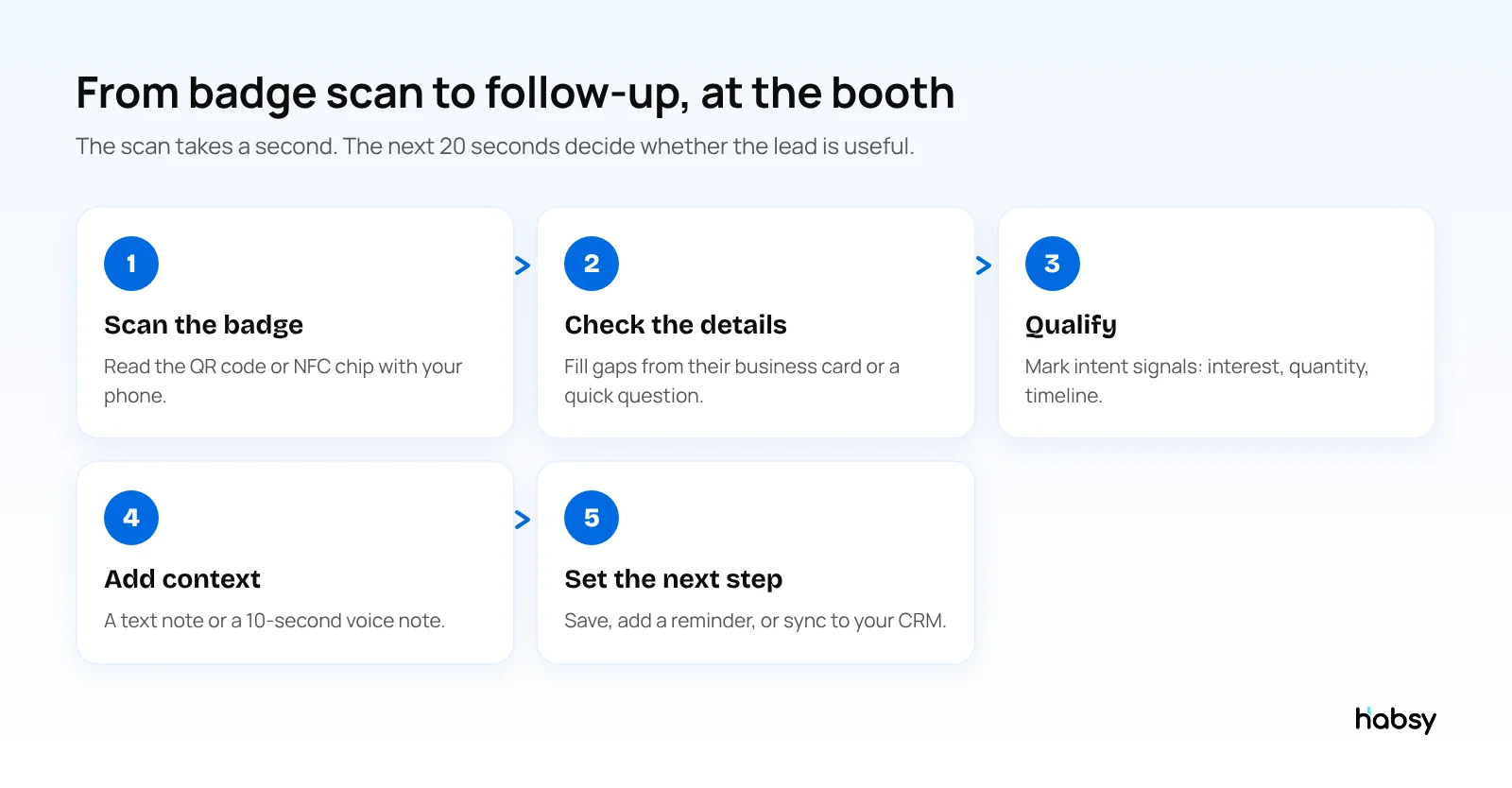
- Scan the badge. Open Habsy and scan the QR code, or hold the phone to an NFC badge. Details land in a new contact.
- Fill the gaps. If the badge has no phone number, scan their business card too, or type it in. Habsy reads business cards with 99% accuracy, the highest in our in-house tests.
- Mark intent signals. Tap the levels that match the conversation.
- Add context. A short text note, or a 10-second voice note.
- Save and set the next step. Add a reminder. Card Preferences take care of enrichment, your digital card and CRM sync in the background.
Venue Wi-Fi often fails when the hall is busy. Habsy captures badges and cards offline and processes them once you are back online, so the queue at your booth does not wait for the network.
Phone app vs rented badge scanner
| Rented device or organizer app | Habsy on your phone | |
|---|---|---|
| Cost | Usually charged per device or per licence, per event | Free to scan; Habsy Plus for advanced features |
| Business cards | Rarely | Yes, including batch scanning |
| QR codes and digital cards | Rarely | Yes, any provider and LinkedIn QR codes |
| Qualification | Basic qualifier questions, if offered | Intent signals with your own fields and scales |
| Context | Rarely | Text notes, voice notes with searchable transcripts |
| Automation after scan | No | Enrich, send your card, send a template, sync to CRM |
| Your data after the show | Exported after the event | In your app from the first scan |
| Works across events | One event at a time | Every event, one contact list |
The full comparison is in lead capture vs lead retrieval.
Tips for scanning badges at a busy booth
- Assign scanners. Every booth member should have the app installed and signed in before the doors open.
- Agree on three or four intent signals. More than that and nobody fills them in during a rush.
- Record the voice note as you walk the visitor out. It takes no time from the next conversation.
- Scan first, talk second. Scan as soon as the conversation turns serious, then add context before the next visitor.
- Use a campaign. On the Habsy Platform, create a campaign for the event so every scan is grouped and the post-event report is ready when you get back.
- Follow up on Day 1. Read our Day 1 follow-up guide.
Bottom line
A badge scanner app on your phone captures badge details in a second, and the same app handles business cards and QR codes. The difference between a badge list and a lead list is what you add at the booth: intent signals that say who to call first, and context that says what to say. Habsy scans badges for free, and Habsy Plus captures both in about 20 seconds per visitor. See how event lead capture works.
Frequently Asked Questions
What is a badge scanner app?
A badge scanner app is a phone app that reads the QR code or NFC chip on an event badge and saves the attendee’s details as a contact. Exhibitors use it to capture leads at trade shows and conferences without renting a separate scanning device.
Can I scan trade show badges with my phone?
Yes, for most events. Phone apps like Habsy read QR code and NFC badges. Some organizers encrypt their badge codes so only their licensed lead retrieval app can read them, so check with the organizer before the show.
What information is on a conference badge?
It depends on the event. Many badges hold a name, company, job title and email. Some hold only an ID number that links to the organizer’s system. Badges rarely include phone numbers, and never include what the visitor wanted.
Is badge scanning free in Habsy?
Yes. QR and NFC badge scanning is part of Habsy’s free plan, together with unlimited business card and QR code scanning.
How do intent signals work with badge scanning in Habsy?
With Habsy Plus, your team defines intent signal fields and their scales before the show, such as interest level, order quantity tiers or buying timeline. After each badge scan, you tap the level that matches the conversation and add a note for exact figures. Afterwards you can filter, export and prioritise by those fields.
Can I add a voice note to a badge scan?
Yes, with Habsy Plus. Record a short voice note on the contact. It is transcribed into English, the transcript is searchable, and it is included in your contact exports.
Do I still need the organizer’s lead retrieval app?
Only if the event uses encrypted badges or requires it. Many exhibitors use both: the organizer’s app for badges it alone can read, and their own app for business cards, QR codes, notes, qualification and follow-up.
Ready for your next event?
Bring every booth conversation back with context.
Capture cards and badges in seconds, qualify leads on the spot and give your team a clean next step.