Blog
Events are the fastest, highest-quality source of first-party contact data available to any sales team. Here is how to turn every trade show, conference, and networking meeting into a structured, CRM-ready database.
TL;DR |
|
|
|
|
|

Learn how to build a contact database from scratch using trade shows, conferences, and networking events. A step-by-step system for capture, qualification, deduplication, and CRM import.

Most guides on how to build a contact database point teams toward purchased lists, LinkedIn scraping, or inbound web forms. Those methods have their place. But for B2B sales teams that want a contact database with real buying intent and verified context, trade shows, conferences, and networking events are the single richest source available.
When someone visits your booth, picks up a conversation at a networking dinner, or exchanges cards at a conference session, they are self-identifying as relevant. They are in your industry. They showed up to the same event. They walked over and started talking. That first-party signal is more valuable than any firmographic filter a data provider can apply.
What makes event contacts different
Verified identity: Badge data and business cards carry accurate contact information provided by the person themselves, not inferred from web signals.
Declared intent: A person who visits your booth or exchanges cards at a trade show has expressed some level of interest. That is a contact data signal no purchased list can replicate.
Rich context: You know what you discussed, what product they asked about, and what you promised to follow up with. That conversation context is the foundation of your intelligence layer.
Relationship starting point: An event contact is not a cold name. There is a shared experience that makes the first follow-up feel like a continuation rather than an introduction.
The compounding effect of event-sourced databases A team that attends four events per year and captures 150 to 300 contacts per event with consistent qualification data will build a database of 600 to 1,200 well-contextualized contacts annually. Across three years, that is a first-party database of 2,000 to 3,600 contacts who have had a real interaction with your team, with source, interest, and context attached to every record. |
Define Your Database Schema Before the First Event
The most common reason an event-sourced contact database fails is inconsistency. Five reps return from the same trade show with five different fields filled in five different ways. One used Hot, Warm, Cold. Another used 1, 2, 3. A third left the interest field blank entirely. The result is a list that cannot be filtered, segmented, or routed.
Building a contact database from scratch using events requires defining the schema before anyone scans a single badge. The schema is the list of fields every contact record must carry when it enters the database.
Core contact data fields (the foundation)
Field | Format | Why It Matters |
Full name | Text | Personalization and deduplication |
Work email | Email (validated) | Primary outreach channel and dedupe key |
Phone | E.164 format | High-priority follow-up; secondary dedupe key |
Job title | Text | Qualification and routing to right rep |
Company name | Text (standardized) | Account matching and segmentation |
Company size | Range (e.g. 50-200) | ICP qualification |
Source / Event | Text (e.g. AutoExpo2026) | ROI attribution and segmentation |
Capture date | Date | Freshness tracking and follow-up timing |
Intelligence fields (the layer that makes it actionable)
Field | Options / Format | Why It Matters |
Interest level | Hot / Warm / Cool | Determines follow-up priority and urgency |
Product / service interest | Enum (your product lines) | Routes to right team or sequence |
Buying timeline | Now / 3 months / 6 months plus | Determines follow-up cadence |
Next action | Text (e.g. send pricing deck) | Keeps promise made at capture |
Next action date | Date | Triggers follow-up reminder |
Owner | Rep name / email | Accountability and CRM routing |
Voice note / memo | Audio link or transcript | Conversation context for personalization |
Tags | Freeform (e.g. New York, distributor) | Flexible segmentation |
A practical rule: keep required fields at three or fewer during rush capture at the booth. Anything beyond that and reps skip fields under pressure. Make Interest Level, Source, and Work Email the mandatory three. Everything else should be prompted but optional at the moment of capture.
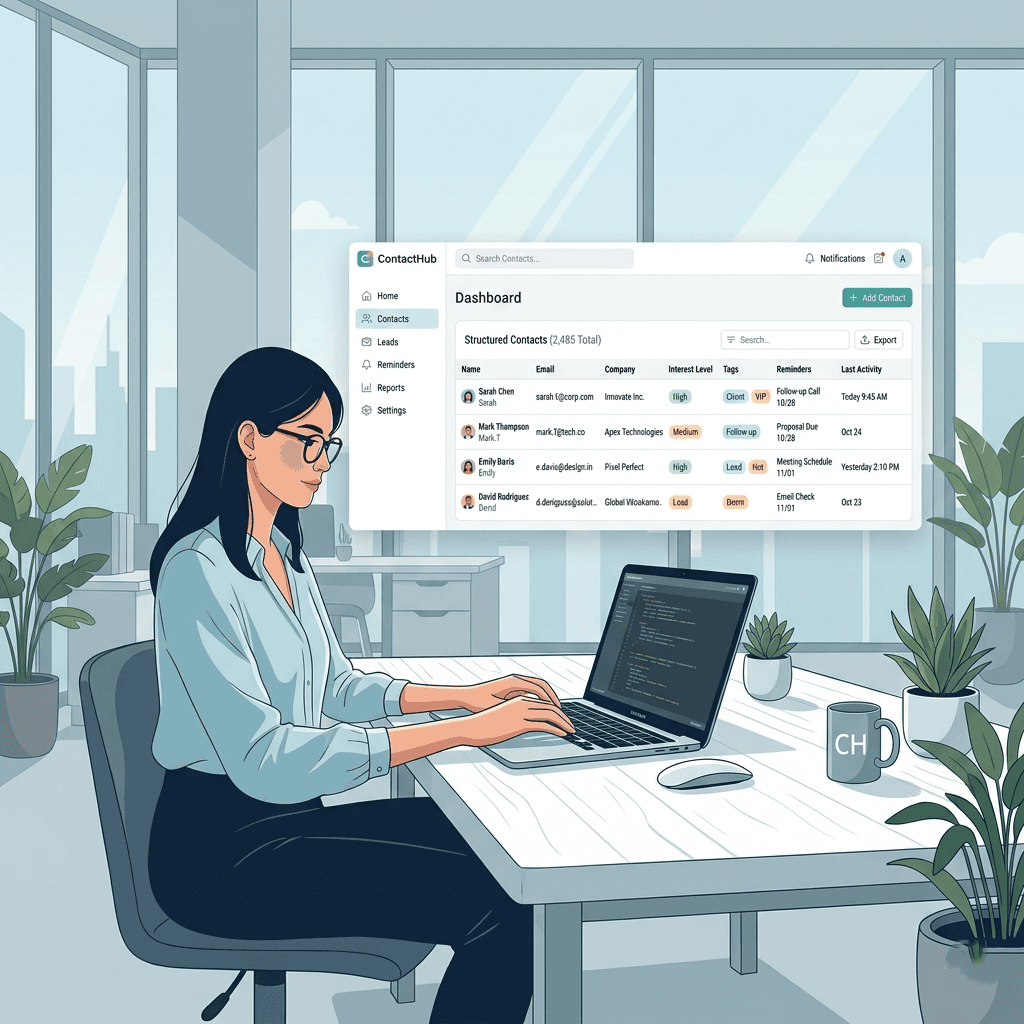
The biggest mistake in building a contact database from events is separating capture from qualification. Reps scan badges or collect cards during the event, then try to reconstruct interest levels, conversation context, and next actions later from memory. By the time entry happens, it is Day 3 post-event and the nuance is gone.
The only way to build a high-quality event contact database is to capture both the contact data and the intelligence layer at the moment of the interaction, before the conversation ends.
QR badge scanning
When an event organiser issues QR-coded badges, badge scanning is the fastest way to capture contact data. A single scan populates name, company, email, and job title from the registration database instantly. The critical follow-on step is immediately adding the intelligence layer: set interest level, note the product they mentioned, record a voice note with conversation context, and set a follow-up reminder.
Badge data quality depends on what the organiser collected at registration. Email and phone are not always included. Treat badge data as the foundation and prompt reps to fill gaps at the moment of capture before moving to the next visitor.
Business card scanning
Business cards remain common at many B2B events, particularly in manufacturing, distribution, and industrial sectors. A business card scanner app uses OCR to extract name, email, phone, title, and company from a photographed card in seconds. The rep then adds the qualification fields and voice note in the same flow.
For visiting card scanner workflows common in India and Southeast Asia, the same principle applies: scan first, enrich with intelligence fields immediately, and set the follow-up reminder before closing the contact record.
The voice note as a database field
A 10-second voice note recorded immediately after a conversation carries more intelligence than any typed note field. Speaking is three times faster than typing, which means reps will actually use it during the event rush. A note like this: the contact runs a 300-person distribution operation, asked specifically about the enterprise plan, mentioned they are evaluating three vendors, has a Q3 budget, and wants a demo before end of month. That sentence, captured at the booth, makes tomorrow's follow-up personal and specific. Without it, the rep sends a generic outreach to a name and an email.
How Habsy captures both layers in one flow Habsy is purpose-built for building a contact database from events. Scan QR badges and business cards in one app. Immediately add qualifier fields (interest level, product line, buying timeline), record a voice note, and set a follow-up reminder before moving to the next visitor. All contacts sync to a single dashboard, deduplicated and tagged with source and owner. The export is a clean, CRM-ready CSV with every intelligence field included. Over 25,000 exhibitors across 70+ countries use Habsy to build their event contact database without manual entry or post-show data reconstruction. |
A contact database built across multiple events will inevitably produce duplicate records. The same person attends two shows. Two reps speak with the same visitor. A badge scan and a business card from the same person create two entries. Duplicates that enter the CRM corrupt your pipeline data, cause double outreach, and erode trust in the database before it is even established.
Deduplication must happen before import, not after. Removing duplicates on a live CRM database is disruptive and often incomplete.
The deduplication sequence
Match on work email first. Email is the most reliable unique identifier for a B2B contact. Two records with the same email are the same person.
Then match on the phone number. Catches cases where a personal and work email are used across two captures of the same contact.
Then match on name plus company. Fuzzy match handles variations in spelling and title. A match on both fields with no email or phone overlap is likely the same person.
Merge, do not delete. When merging duplicates, keep the richest fields from each record. If one entry has a voice note and the other has a phone number, the merged record should have both.
Data cleaning before import
Standardize company names: ABB Limited, ABB Ltd, and ABB should resolve to one format before import so account matching works correctly in the CRM.
Normalize phone numbers: Apply E.164 format (e.g. +91 98765 43210) consistently so phone-based deduplication works.
Validate email addresses: Remove obviously invalid formats. Check for common OCR errors such as zero mistaken for the letter O in email strings.
Fill in source fields: Every record entering the database should have a Source tag (e.g. AutoExpo2026, MachineTools2026) before import. Without it, attribution is lost permanently.
Deduplication in Habsy Habsy runs deduplication automatically before export using email, phone, and name-plus-company matching. The export is a clean, merged CSV with the richest fields from each duplicate preserved. No manual Removing duplicates step required before CRM import. |
Once contacts are captured, qualified, and deduplicated, they need to move into the CRM or contact management system where your team actually works. The export structure determines whether import is a one-click process or a two-hour reformatting exercise.
Column headers that map to CRM fields
Every major CRM accepts CSV imports and expects specific column header names. HubSpot expects First Name and Last Name as separate columns. Salesforce uses Lead Source as a standard field. Zoho CRM has its own field naming conventions. The time to set this mapping up is before the first event, not after.
Define a mapping preset that translates your capture fields to your CRM's expected format. Save it as a named template. Every post-event export uses the same template, so every import is consistent and repeatable.
Essential columns to include in every export
Contact data: Full Name (or First / Last split), Work Email, Phone, Job Title, Company Name, Company Size, Location.
Intelligence fields: Interest Level, Product Line, Buying Timeline, Next Action Notes, Next Action Date, Voice Note Transcript (if enabled), Has Voice Note (boolean).
Attribution fields: Source (event name), Campaign, Owner, Capture Date, Encounter Count (if captured multiple times).
Quality signals: Tags, Field Completeness flag (for contacts with missing required fields that need enrichment after import).
Test with 10 records before full import
Import a sample of 10 records to verify that column mapping is correct, phone numbers are formatted properly, and custom fields land in the right CRM properties. Fix any mapping errors before running the full batch. A mapping error caught at 10 records takes 5 minutes to fix. The same error caught at 500 records requires bulk editing in the CRM.
A contact database built from events grows with every show you attend. The compounding logic is simple: each event adds new contacts, each follow-up cycle qualifies them further, and each successful deal traces back to a source event. Over time, the database becomes a strategic asset that tells you which events produce the best contacts, which verticals are most active, and which product lines generate the most interest.
Establish a consistent post-event workflow
Export and review the same day or next morning. Run the review queue while conversations are still fresh. Fix OCR errors, fill missing fields, and confirm interest levels.
Run deduplication before the export leaves the capture tool. Do not let duplicates enter the CRM.
Import to CRM within 24 hours of event close. The follow-up window for trade show leads is short. Contacts followed up within 24 to 48 hours convert at significantly higher rates than those left for a week.
Run Day 0 saved searches on Hot leads. Before the full import is done, your team can start outreach from saved searches filtered by interest level and reminder date.
Tag and segment on import. Apply the source event tag, assign owners, and create a segment for this event's contacts so you can measure pipeline attribution later.
Measure what the database is producing
A contact database is only useful if you measure what it generates. After each event, track these metrics to understand the quality of your capture workflow and the ROI of the event itself:
Metric | What It Tells You | Target |
Contacts captured per event | Volume of the database input | Set per event based on booth traffic |
Field completeness rate | Quality of capture (% records with all required fields) | Above 85% |
Duplicate rate pre-import | How much overlap across events and reps | Below 10% |
Hot lead percentage | Quality of conversations at the event | 10 to 20% of total captures |
Time to first follow-up | Speed of database activation | Under 48 hours |
Pipeline generated from event (90d) | Revenue contribution of the database | Track per event and compare |
Contact data decay rate | How quickly records go stale without updates | Monitor quarterly |
Enrich records between events
A contact database built from events decays over time as people change jobs, companies restructure, and email addresses change. B2B contact data has a known decay rate of 25 to 30% per year. Between events, run an enrichment pass on records that are six months or older. Update job titles, verify email addresses, and refresh company data. Tools like LinkedIn Sales Navigator can surface job change signals for your most important contacts.
Habsy supports this workflow end to end: capture at the event, deduplicate and export within 24 hours, and maintain a clean database between events with enrichment fields that travel with every contact. Try it free at habsy.ai.
Most event contact databases fail not because the events were poor, but because the capture and post-event workflow broke down. These are the failure points that come up most consistently:
No schema defined before the event. Each rep captures different fields in different formats. The database is unfilterable before it is even imported.
Separating capture from qualification. Scanning badges or collecting cards and planning to qualify later is a guarantee of data loss. Qualification context disappears within 48 hours.
Waiting more than 48 hours to follow up. Research consistently shows that conversion rates drop significantly with each day of delay after an event. A contact database that takes a week to activate is already compromised.
Skipping deduplication before CRM import. Duplicate records entering a live CRM are far more damaging than duplicates in a pre-import CSV. Fix them before import, not after.
No source tagging. Every contact needs a Source field set to the event name at the time of capture. Missing source data means the database can never be used for event ROI measurement.
Treating every contact equally. A Hot lead from a 20-minute booth conversation and a Cool contact from a hallway exchange need different follow-up timelines, messaging, and resource allocation. Flat lists produce flat results.
No enrichment between events. A database that is only updated at capture and never maintained degrades at roughly 25 to 30% per year. Quarterly enrichment passes keep it usable.
FAQs
1. How do I build a contact database from scratch using events?
Start by defining a standard contact schema before the event, including fields like full name, work email, phone, company, source, owner, and interest level. During the event, capture both contact details and conversation context immediately, then deduplicate records before importing them into your CRM.
2. What fields should every event contact record include?
Every contact record should include core fields such as full name, work email, phone, job title, company name, source event, and capture date. To make the database useful for follow-up, add intelligence fields like interest level, product interest, buying timeline, next action, next action date, owner, tags, and voice notes.
3. Why are events a good source for building a B2B contact database?
Events generate first-party contact data with real buying intent. When someone visits your booth, exchanges a card, or scans a badge, they are self-identifying as relevant. That gives you verified contact details, conversation context, and a relationship starting point that purchased lists usually lack.
4. How do I avoid duplicate contacts when collecting leads from multiple events?
Run deduplication before importing data into your CRM. Match records by work email first, then by phone number, and then by name plus company. Instead of deleting duplicates, merge them so you preserve the richest information from each interaction.
5. How quickly should event contacts be followed up?
Event contacts should ideally be reviewed, exported, and handed off within 24 hours, with follow-up happening within 24 to 48 hours. Delays reduce conversion potential because context fades quickly after the event ends.
6. What is the best way to capture contacts during trade shows or conferences?
The best approach is to capture contact data and qualification details at the moment of interaction. That can include QR badge scanning, business card scanning, qualifier fields, tags, voice notes, and follow-up reminders, all recorded before the conversation ends.
7. How do I keep a contact database updated after it is built?
A contact database should be maintained with regular enrichment and verification. The blog notes that B2B contact data can decay by roughly 25 to 30 percent per year, so teams should review older records, verify contact details, update job titles, and keep adding fresh event contacts with a consistent schema.










