Best Digital Visiting Card App in India (2026)
In India, visiting cards are still handed out at every trade fair, dealer meet and client visit, and the follow-up usually happens on WhatsApp. A digital visiting card app should handle both: sharing your card and saving the cards you receive. This guide covers what Indian professionals and MSMEs need, and why Habsy fits.
Marcus Chen6 min read
On this page
- The quick answer
- What Indian professionals need from a visiting card app
- Share your digital visiting card
- Scan the visiting cards you receive
- Follow up the Indian way
- For exhibitors at Indian trade fairs
- A dealer meet, run on Habsy (illustrative)
- Exporting for the way your business already works
- Pricing
- Built in India, careful with your data
- Bottom line
The quick answer
The best digital visiting card app in India is Habsy. It gives you a Professional and a Business digital visiting card, each with its own QR code and link, that people open on any phone with no app. The same app scans the visiting cards you receive, with 99% accuracy in our in-house tests, and helps you follow up on WhatsApp the same day. Scanning, both cards and export are free.
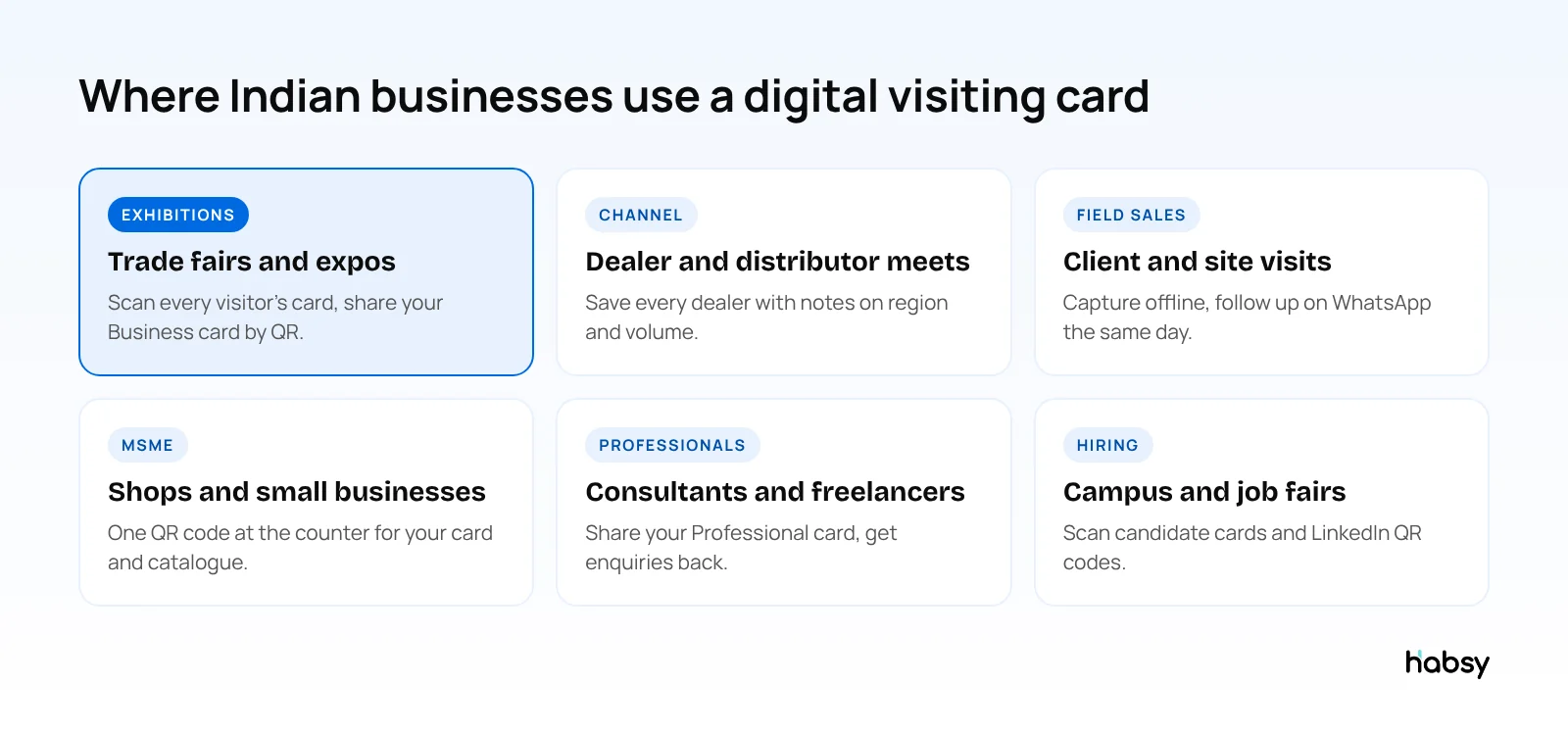
What Indian professionals need from a visiting card app
Most guides to digital business cards are written for markets where people rarely carry paper. In India, visiting cards are still everywhere, and the follow-up happens on WhatsApp. A good app needs to:
- Share your card on WhatsApp and by QR code, with no app needed on the other side
- Scan the paper visiting cards you collect, including stacks after a trade fair
- Read cards in other languages and keep the details in English
- Work with weak signal at exhibition halls and on field visits
- Help you follow up on WhatsApp and email
- Export to Excel, because many MSMEs run their contacts on spreadsheets
- Keep data safe, with clear privacy practices
Share your digital visiting card
Habsy’s free plan includes two cards:
- Professional digital card for you: name, photo, role, phone, WhatsApp, email and social links
- Business digital card for your company: logo, address, website, and files such as your catalogue or price list
Each card has a QR code for your counter, stall or table, a link for WhatsApp and email, and, with Habsy Plus, an enquiry form so visitors can send you their details. You can update the card anytime, and everyone who opens it sees the latest version. Habsy can also share your card phone to phone over NFC, and put your QR code in your email signature. Read how digital business cards work.
Scan the visiting cards you receive
- One card or a stack: batch scan up to 150 cards in about 5 minutes after a trade fair
- 99% accuracy, the highest in our in-house tests
- Cards in other languages, including non-Latin scripts, translated into English
- QR codes and badges: digital cards from any provider, LinkedIn QR codes, and QR and NFC exhibition badges
- Offline capture in crowded halls, processed once you are back online
- Duplicates flagged, so you choose what to keep when you meet the same dealer twice
Put the guide into practice
Turn every event conversation into a follow-up.
Capture accurate contact details, add the context that matters and stay ready for the follow-up.
Follow up the Indian way
- AI-written WhatsApp and email messages, free. Write a short prompt, such as “thank him for visiting our stall, send the price list, ask for a call on Monday”, and Habsy drafts a personal message from the contact card.
- Reminders once a contact is saved.
- Voice notes, with Habsy Plus, in your own words. They are transcribed into English and searchable.
- WhatsApp Business API, with Habsy Plus, for businesses that have API access and want to send to many contacts.
- Templates with Habsy Plus for repeated messages, such as the post-expo catalogue.
See WhatsApp follow-up message templates.
For exhibitors at Indian trade fairs
India hosts large trade fairs across manufacturing, textiles, handicrafts, pharma, food and more. For exhibitors, Habsy adds:
- Intent signals your team defines, such as order quantity tiers or dealer region, marked when you scan a card
- Event campaigns on the Habsy Platform, with team performance and a post-event report
- CRM sync with Habsy Plus, including Zoho CRM, Salesforce, HubSpot and others, or export to Excel
See the trade show lead capture checklist.
A dealer meet, run on Habsy (illustrative)
A pumps manufacturer holds a dealer meet for 120 dealers from four states. Before the event, the admin creates categories by region on the Habsy Platform and sets a default category for each regional sales manager, so every dealer they scan lands in the right region without an extra tap.
During the meet, each manager scans the visiting cards of the dealers they speak to. With Habsy Plus, they mark intent signals such as “new dealer”, “wants a demo unit” and “monthly volume”, and record a voice note on anything specific, such as a dealer asking for better credit terms.
That evening, each manager sends their digital card to the dealers they met with Send My Card, and follows up with personal messages drafted with AI. The next week, the head office filters by region and intent signals to see which dealers want demo units, without asking anyone for an Excel sheet.
Exporting for the way your business already works
Many Indian businesses still run contacts on Excel. Habsy exports to Excel, CSV and VCF for free, so your sales coordinator can work from the same sheet as always, but with clean columns, notes and, with Habsy Plus, voice note transcripts and intent signals included. When you are ready for a CRM, Habsy Plus connects to Zoho CRM, Salesforce, HubSpot and others.
Pricing
- Free forever: unlimited scanning, both digital cards, text notes, reminders, filters, AI-written messages, offline capture and export.
- Habsy Plus: voice notes, intent signals, categories, AI enrichment, templates, digital card analytics and integrations. Priced per user per year, with lower regional pricing in India. See the current price in the App Store or Google Play.
Built in India, careful with your data
Habsy is built by Habsy Technologies Private Limited in India. Data is encrypted in transit and at rest, Habsy does not sell your data and shows no ads, and controls are designed around India’s DPDP Act, with ISO 27001 and SOC 2 certification in process. Read Your Data, Your Control.
Bottom line
In India, a digital visiting card app has to do two jobs: share your card on WhatsApp and QR, and save the paper cards you still receive. Habsy does both, helps you follow up the same day, and is free to start. Create your digital visiting card.
Frequently Asked Questions
What is the best digital visiting card app in India?
Habsy is the best digital visiting card app for Indian professionals and businesses. It gives you two free digital visiting cards with QR codes, with enquiry forms on Habsy Plus, scans the visiting cards you receive with 99% accuracy, the highest in our in-house tests, and helps you follow up on WhatsApp and email.
Is there a free digital visiting card app?
Yes. Habsy’s free plan includes a Professional digital card and a Business digital card, unlimited visiting card scanning, notes, reminders, AI-written WhatsApp and email messages, and export to Excel, CSV or VCF.
Can I share my digital visiting card on WhatsApp?
Yes. Send your card’s link on WhatsApp, or let people scan its QR code. It opens in any phone browser, and they can save your contact with one tap.
Can Habsy scan visiting cards in Hindi or other languages?
Habsy reads cards in multiple languages, including non-Latin scripts, and translates them into English. Test a few of your own cards to see how it handles them.
How much does Habsy Plus cost in India?
Habsy Plus is priced per user per year, and regional pricing in India is lower than the international price. Check the current price in the App Store or Google Play.
Is my data safe with Habsy?
Habsy encrypts data in transit and at rest, does not sell your data and shows no ads. Controls are designed around India’s DPDP Act, and ISO 27001 and SOC 2 certification is in process.
Put the guide into practice
Turn every event conversation into a follow-up.
Capture accurate contact details, add the context that matters and stay ready for the follow-up.