How Do Digital Business Cards Work? QR, NFC, Links and vCards Explained
A digital business card looks simple: someone scans a code and your details appear. Behind it are a few parts working together: a web page, a link, a way to open it, and a contact file. This guide explains each part in plain words, so you know what you are sharing and what to look for.
Amélie Tremblay7 min read
The quick answer
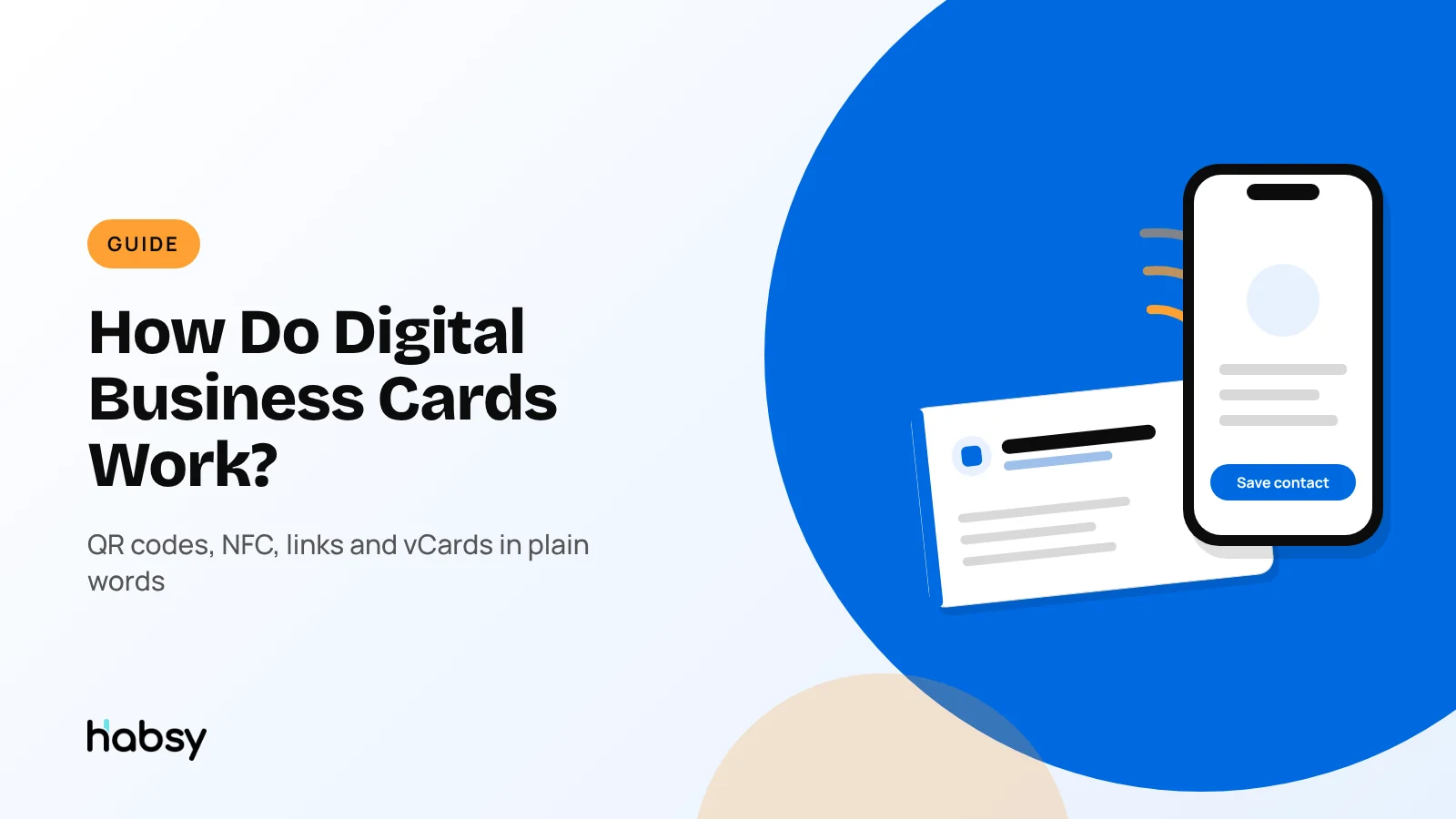
A digital business card is a web page with your contact details, hosted by the card provider at a link that belongs to you. You share that link in one of three ways: a QR code, an NFC tap or the link itself. The other person opens the page in their phone’s browser, with no app, and taps Save contact, which downloads a vCard file into their address book. Good cards also include an enquiry form, so the person can send you their details too.
The parts of a digital business card
1. The card page
Your card is a small web page. It shows your name, photo, role, company, phone, email, website and social links, often with buttons for each. Because it is a page, you can edit it anytime. The address stays the same, so every QR code and link you have shared keeps working and shows the latest version.
Habsy gives you two cards, a Professional digital card and a Business digital card, each with its own page, QR code and link. You can customise the background and brand colour, and the Business card can carry files such as brochures and catalogues.
2. The link
Each card has a unique web address. Everything else, the QR code and NFC, is a way of handing over that address without typing it. You can also paste the link into emails, chat messages and social profiles.
3. The QR code
A QR code is the link turned into a pattern that a camera can read. iPhone and Android cameras recognise QR codes without an extra app, and open the link in the browser. QR codes work at a distance and on screens, slides and paper, which is why they are the most common way to share a digital card. See QR codes for networking.
4. NFC
NFC (near field communication) passes data between devices a few centimetres apart. For digital cards, what passes is the link. There are two common forms:
- Phone to phone. Habsy shares your card over NFC from your phone to theirs, and the other phone opens your card.
- NFC cards and tags. A plastic or metal card with a chip that stores the link. When someone taps it with their phone, the card page opens. See smart business cards.
5. The vCard
When someone taps Save contact, the page sends a vCard, a standard contact file with the .vcf extension. Their phone reads it and creates a contact with your name, number, email and company in the right fields. This is what makes saving one tap instead of typing. We explain the difference in digital contact card vs vCard.
6. The enquiry form
Sharing your card only gives them your details. An enquiry form lets them send you theirs. In Habsy, the enquiry form is part of Habsy Plus, and you choose the fields and which are required. Submissions arrive in the app, where you can convert them into contacts and follow up.
7. Analytics
Most providers count how people interact with your card. With Habsy Plus, analytics show visits, unique visitors, contacts saved, notes received and taps on each button, such as email, phone, LinkedIn, WhatsApp and the vCard download. These are counts. They do not reveal who the visitors were, unless a visitor chooses to submit your enquiry form.
What the other person experiences
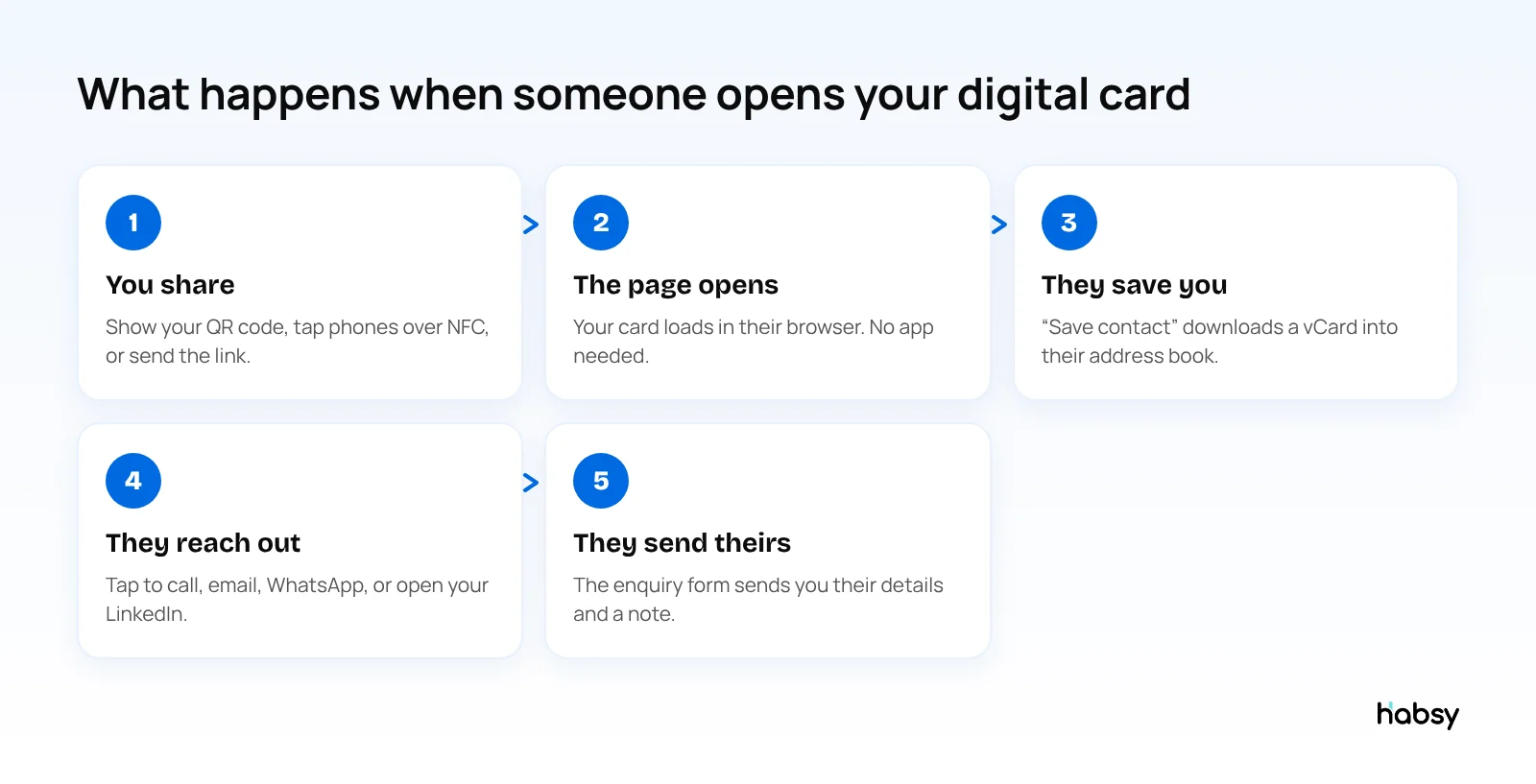
- They point their camera at your QR code, tap phones, or open your link.
- Your card opens in their browser.
- They tap Save contact, and you are in their phone.
- They tap to call, email or message you, or open your LinkedIn.
- Optionally, they send you their details through the form.
No account, no app, no typing.
Share and capture
Make every introduction easier to remember.
Create your digital card, scan the cards you receive and keep every new connection organized.
What it looks like from your side
The other person sees a web page. Here is what you, the card owner, work with in Habsy:
- Two cards to manage: your Professional digital card and your company’s Business digital card, each with its own QR code and link, plus an enquiry form with Habsy Plus.
- Edit anytime: change a phone number, role or brochure, and every QR code and link you have ever shared shows the update.
- Enquiries in your app: form submissions open as a filtered contact list on the Home screen, and you can convert them into contacts.
- Send My Card: after you scan someone’s paper card, send them your digital card so they have your details too.
- Email signature builder: an HTML signature with your Professional QR code, with a live preview and AI-suggested designs.
- Analytics with Habsy Plus: visits, unique visitors, contacts saved, notes received and taps per button, shown as counts.
Illustrative example. A sales manager changes companies. On paper, every card she handed out last year now carries the wrong number. With a digital card, she updates her Professional card once. Anyone who scans the QR code on an old printed card, or opens the link in an old email, sees the new details.
Digital card vs paper card
| Paper card | Digital card | |
|---|---|---|
| Update details | Reprint | Edit anytime |
| Saving | The other person types it | One tap |
| Links | A website, at most | Every link you choose |
| Runs out | Yes | No |
| Collects their details | No | With an enquiry form |
| Works on video calls | No | Yes, by QR code or link |
Many people use both: a paper card with a QR code that opens the digital card.
What to look for in a digital business card
- Opens in any browser, with no app needed
- One-tap Save contact with a correct vCard
- QR code, link and NFC sharing
- Edit anytime without changing the link
- An enquiry form to capture the other person’s details
- Analytics that respect visitor privacy
- A scanner in the same app for the cards you receive
Habsy covers all of these, and both digital cards are free. When someone hands you a paper card or shows you their own QR code, you scan it in the same app.
Bottom line
A digital business card is a web page you share by QR code, NFC or link, which people save with a vCard in one tap. The best ones also bring the other person’s details back to you. Create your free Habsy digital card.
Frequently Asked Questions
How does a digital business card work?
A digital business card is a web page with your contact details and links. You share its address through a QR code, an NFC tap or a link. The other person opens it in their phone’s browser and taps “Save contact”, which downloads a vCard file into their address book.
Does the other person need an app?
No. Digital cards open in the phone’s web browser. Phone cameras on iPhone and Android read QR codes without an extra app.
How does NFC sharing work?
NFC passes the card’s web address over a very short distance. With Habsy, you can share phone to phone over NFC, and the other phone opens your card. NFC cards and tags work the same way: the chip stores a link to the card.
What happens when I update my digital card?
The page changes, but its address does not. Anyone who opens your QR code or link sees the new details. People who already saved your contact keep the version they saved, unless they open your card again.
Can a digital business card collect the other person’s details?
Yes, if it has an enquiry form. With Habsy Plus, Habsy’s digital cards each have an enquiry form with fields you choose, so visitors can send you their details and a message.
What can digital card analytics see?
In Habsy, analytics show counts: visits, unique visitors, contacts saved, notes received and taps on each button. They do not identify visitors. A visitor is identified only if they submit your enquiry form.
Can the person I share with send me their details?
Yes, if your card has an enquiry form. With Habsy Plus, each Habsy digital card has an enquiry form with fields you choose. When you meet someone who has a paper card instead, scan it in Habsy and use Send My Card so they get your details in return.
Share and capture
Make every introduction easier to remember.
Create your digital card, scan the cards you receive and keep every new connection organized.