Blog
A sales rep finishes a strong conversation at a trade show booth. The prospect mentioned a specific budget timeline, named a competitor they are unhappy with, and asked a pointed question about integrations. The rep shakes hands, moves to the next conversation, and within four minutes every one of those details has begun to blur with the next prospect's details.
By end of day, the business card sits in a pocket and the context is gone.
This is not a memory problem. It is a workflow problem. The gap between the handshake and the follow-up has no structured bridge, and typed notes on a show floor are too slow, too disruptive, and too easy to skip when the next person is already walking up.
Voice notes close that gap. Recorded in seconds, transcribed automatically into English regardless of the language spoken, and attached directly to the contact record, they are the fastest way to preserve exactly what was said before the conversation fades. That transcript does not just sit there. It becomes searchable, so a rep can pull up a specific contact by searching for the competitor name mentioned or the product area discussed. It feeds directly into follow-up prompts, so the context captured in the moment shapes the outreach sent days later. The handshake produces a contact. The voice note makes that contact useful.

Capture lead context before it's forgotten. Learn how voice notes, automatic transcription, and intent signals help sales teams improve event follow-up and conversion rates.
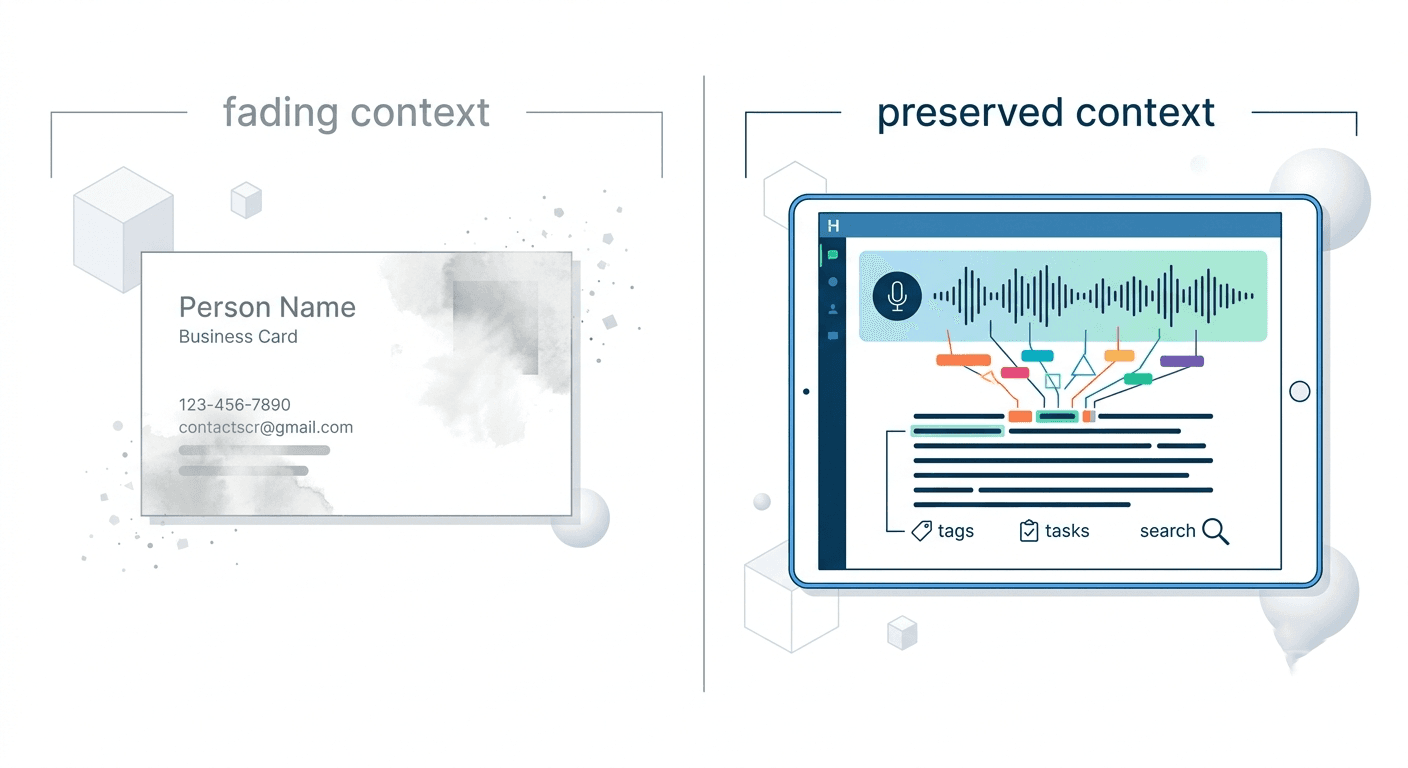
Most event lead capture conversations focus on contact data: name, title, company, email. That data is table stakes. What actually drives follow-up conversion is the context behind the contact.
Did the prospect mention a specific pain point? Were they evaluating three vendors or two? Did they say Q3 or Q4 for their buying timeline? Was their tone warm or just politely interested?
None of that lives on a business card. None of it comes back from a badge scan. It exists only in the rep's memory, and memory degrades fast in a high-volume event environment. Research consistently shows that recall of specific conversational details drops significantly within the first few hours after a conversation, particularly when similar conversations are stacked back to back.
For sales teams at trade shows, that memory window is exactly the time when follow-up action should be happening. By the time a rep is back at a desk with time to write notes, the specificity is gone, replaced by a general impression that produces a generic follow-up email that the prospect has already forgotten them.
Why Typed Notes Fail on the Show Floor
Typed notes feel like the obvious solution. Most CRM apps have a notes field. Most reps intend to use it.
In practice, typed notes at events fail for three reasons.
Speed: Typing a meaningful note about a two-minute conversation takes longer than two minutes, especially on a phone keyboard while standing. By the time the note is finished, the next prospect is already at the booth.
Disruption: Pulling out a phone and typing while someone is waiting, or immediately after they leave while a new person approaches, breaks the flow of an event. Reps feel it, prospects notice it, and the note gets skipped.
Incompleteness: Under time pressure, typed notes compress into shorthand: "interested, Q3, HubSpot." That shorthand means nothing three days later when a rep is writing an outreach email and trying to remember which of the forty people it applies to.
Voice notes remove all three friction points. A rep can record a quick summary while walking back from a conversation, while the prospect is still in sight, before the next booth interaction begins.
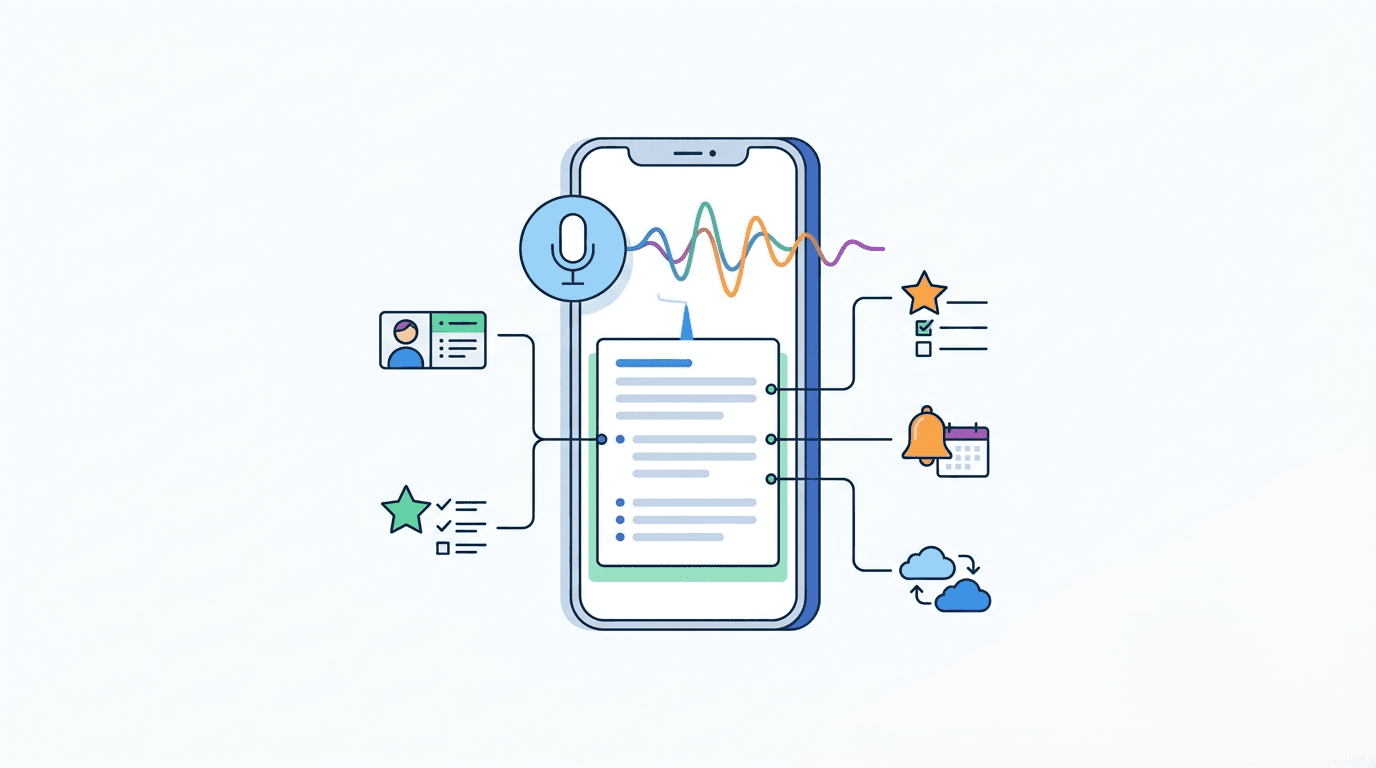
Habsy Business Card Manager is built around one principle: context captured at the moment of conversation is worth more than data entered later.
The moment a contact is captured in Habsy, whether through a business card scan, QR badge scan, or NFC exchange, the contact record is immediately open. A rep taps the voice note button, speaks, and stops. That is the entire workflow.
Habsy transcribes the voice note automatically. The transcript attaches to the contact record alongside the contact details, intent signals, and any follow-up reminders set during the same interaction. When a rep or their manager opens that contact two days later, they are not reading shorthand. They are reading a structured summary of what was actually said.
No other business card manager or event lead capture app combines voice note recording with automatic transcription on the same contact record at the point of capture. It is a workflow that exists exclusively in Habsy.
The value of a recording is not its length. It is its timing and its specificity.
A rep who records a voice note immediately after finishing a conversation can capture details that would take five minutes to type and would still be incomplete:
The prospect's name and company, confirmed out loud
The specific product area or use case they mentioned
A competitor name they brought up
Their buying timeline or budget signal
Their tone and level of interest
The exact next step they agreed to
Spoken naturally, that summary is brief. Transcribed, it becomes a permanent, searchable record that follows the contact through every stage of the pipeline.
A rep who does this for every contact at a three-day trade show arrives home with 60 to 80 contact records, each with a voice note transcript attached. The difference between that rep's follow-up quality and a rep who relied on memory is not marginal. It is the difference between personalized, context-driven outreach and a generic "great meeting you" email.
Voice notes capture the narrative. Intent signals capture the structure.
In Habsy, intent signals are qualification markers applied to a contact record at the moment of capture. They record what a prospect is specifically interested in, their priority level, their timeline, or any other structured qualifier the team defines in advance via the Habsy Platform.
Together, voice notes and intent signals create two layers of context on every contact:
Intent signals give the team a scannable, filterable view of who to prioritise and why
Voice note transcripts give the individual rep the specific conversational detail needed to write a follow-up that sounds like they remember the person
Neither replaces the other. A contact with intent signals but no voice note is structured but thin. A contact with a voice note but no intent signals is rich but unsorted. Both together produce a contact record that is both prioritised and personalised from day one.
The Follow-Up Window Is Shorter Than Teams Think
Industry data on post-event lead follow-up consistently points to the same finding: speed matters more than polish. A follow-up sent within 24 hours of an event conversation outperforms a polished email sent five days later, regardless of how well-crafted the later message is.
The reason is simple. A prospect who had twelve booth conversations in one day is not waiting for a rep to craft a perfect email. They are already processing the next thing. A fast, specific follow-up that references something from the actual conversation cuts through. A delayed, generic one does not.
Voice notes make the fast, specific follow-up possible. When a rep opens the contact record the evening after the show and reads the transcript, they have everything they need to write a first message that references the conversation accurately. No reconstructing from memory. No generic opener. Just the context, ready to use.
Habsy's AI-powered follow-up templates for email and WhatsApp pull in contact details automatically, so a rep can go from voice note transcript to sent message in under two minutes.
Voice Notes for Sales Managers: Team-Level Context Visibility
Voice notes are not only a rep-level tool. For sales managers overseeing a team at an event, voice note transcripts attached to contact records change what post-event review looks like.
Instead of asking each rep to debrief verbally or fill in a post-show report, managers can review captured contacts on the Habsy Platform alongside the transcripts and intent signals each rep recorded. The quality of capture becomes visible immediately. Which reps are adding context. Which contacts are prioritised. What the team heard consistently across conversations, whether a competitor name keeps coming up, whether a specific product feature is generating interest.
That visibility does not require a meeting. It is built into the contact records from the moment each conversation ends.
Voice notes require no configuration. They are available on every contact record in the Habsy app from the first scan.
After capturing a contact through any method, the contact record opens immediately. The voice note button is visible on the record. Tap it, speak, and stop. Habsy handles the transcription automatically. The transcript is searchable within the app and syncs with the contact record to the CRM via the Habsy Platform.
For teams, the Habsy Platform at app.habsy.ai gives managers visibility into all contact records including transcripts, organized by event campaign, filterable by intent signal. Set it up once and every event after that runs the same way.
Every trade show conversation represents a moment of genuine interest. The prospect showed up, asked questions, and gave time. What determines whether that moment becomes pipeline is what happens immediately after the handshake, not the week after the show.
Voice notes, recorded immediately and transcribed automatically by Habsy, are the simplest way to make sure that moment is preserved. Not as a vague impression. Not as two words of shorthand. As a complete, specific, searchable record that follows the contact from the show floor to the first follow-up call.
Habsy is the only business card manager and event lead capture app that combines voice notes with automatic transcription, intent signals, and CRM integration in a single post-capture workflow.
Frequently Asked Questions
What is a voice note in the context of lead capture?
A voice note for lead capture is a short spoken recording made immediately after a sales conversation, attached directly to the contact record. In Habsy, the voice note transcribes automatically so the spoken context becomes readable, searchable text on the contact record without any manual typing.
Why are voice notes better than typed notes at trade shows?
Typing a meaningful note on a phone keyboard while standing on a show floor is slow, disruptive, and often skipped under time pressure. A voice note captures the same or more information quickly without breaking the rep's flow between conversations. The automatic transcription in Habsy means no typing is required at all.
Do voice notes in Habsy transcribe automatically?
Yes. Habsy transcribes voice notes automatically and attaches the transcript to the contact record. The transcript is readable and searchable within the app and syncs to the CRM via the Habsy Platform alongside the contact details and intent signals.
Can sales managers see voice note transcripts in Habsy?
Yes. Via the Habsy Platform, sales managers have visibility into all contact records captured by their team, including voice note transcripts and intent signals, organised by event campaign. No post-event debrief required to understand what was captured.
When should a rep record a voice note?
Immediately after the conversation ends, before moving to the next one. The most valuable window is right after the handshake, while specific details like competitor names, timelines, and product interests are still fresh. In Habsy, the contact record opens the moment a scan or NFC exchange completes, so the voice note button is immediately accessible.
Does voice note capture work offline?
Yes. Habsy supports full offline capture including voice notes. Everything syncs automatically when the device reconnects to a network, so unreliable event Wi-Fi does not interrupt the capture workflow.
What languages can voice notes be recorded in?
Reps can record voice notes in any language. Habsy transcribes the voice note into English regardless of what language was spoken during the conversation. This makes voice notes practical for international events and multilingual sales teams where conversations happen in local languages but pipeline records are maintained in English.
Can voice notes be used alongside intent signals in Habsy?
Yes. Voice notes and intent signals are both captured on the same contact record in the same workflow. Intent signals provide structured qualification data that is filterable and scannable. Voice note transcripts provide the specific conversational context behind those signals. Both are visible on the contact record and sync to the CRM together.










