Blog
Following up on event leads does not have to mean days of spreadsheet cleaning, guessing which contacts were genuinely interested, or sending the same generic email to everyone on the list. Teams that follow up within 24 hours book more meetings, waste fewer dials, and get real return from the events they attend.
TL;DR
|
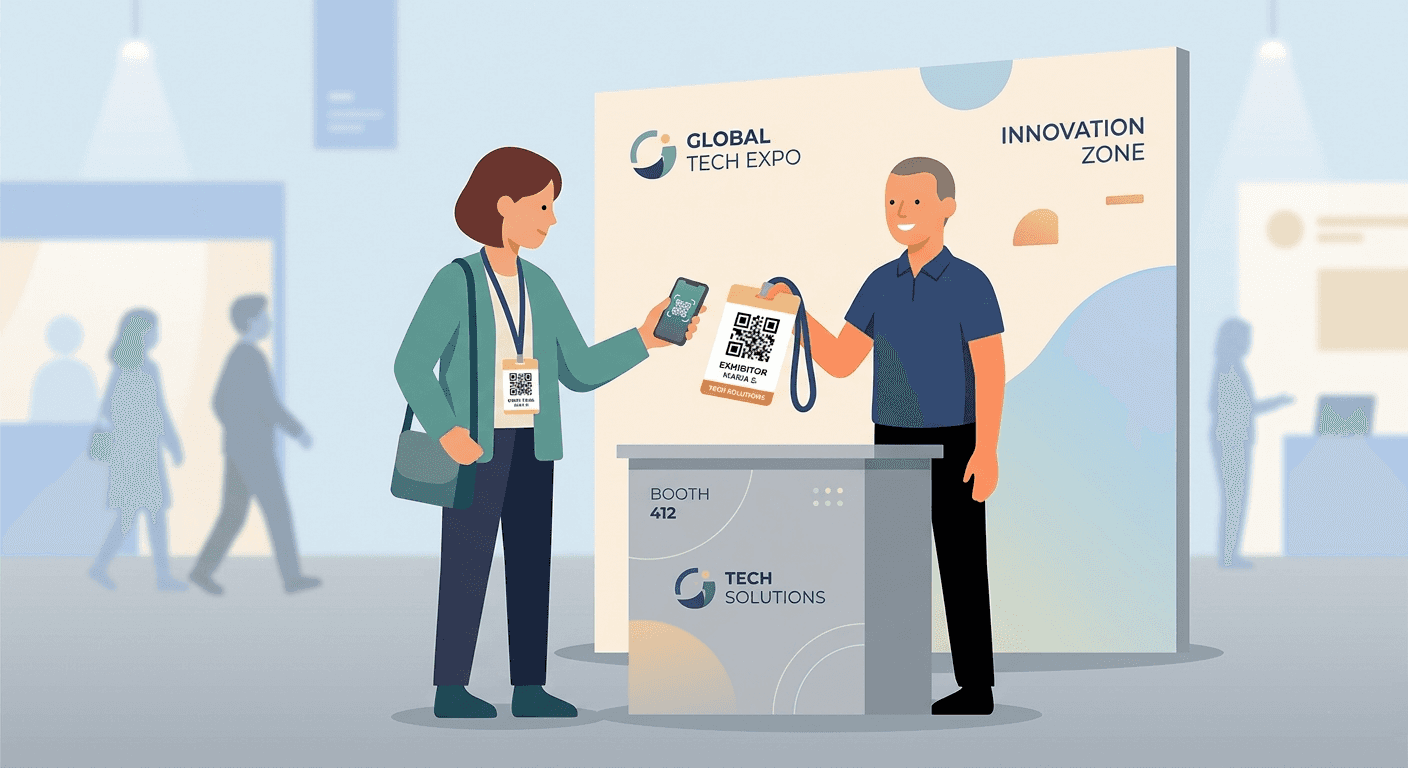
If you’re not following up within 24 hours, you’re losing deals. Here’s the simple system top teams use to turn event leads into revenue.
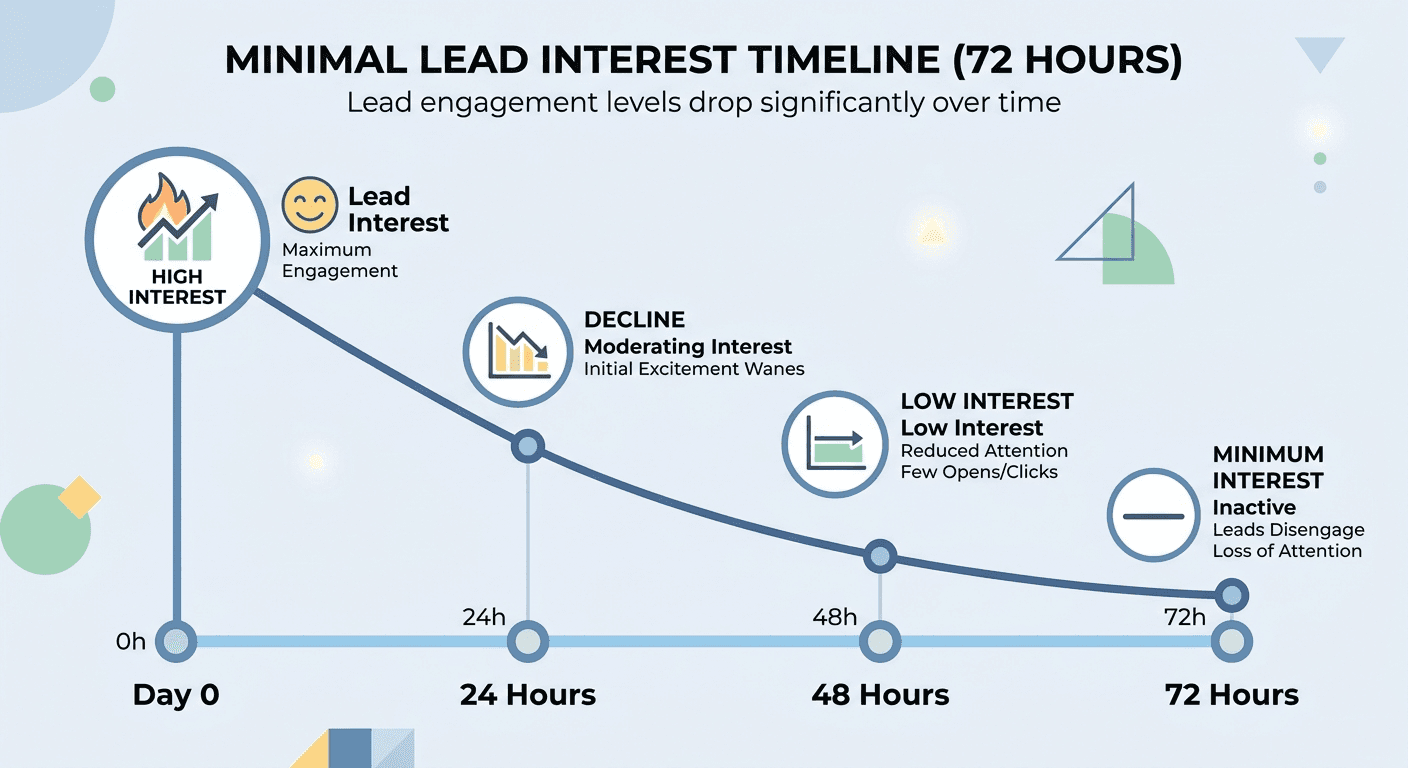
Struggling with slow event ROI? The single biggest lever is not which event you attend, but how quickly you follow up after it.
Most trade show leads never convert. Not because of bad prospects, but because the follow-up happens too late, with too little context, to warm contacts that have already moved on.
You spent months planning the booth, hired extra staff for the show floor, paid for the badge scanner rental, and collected hundreds of contacts. Then you cleared the backlog of emails that piled up while you were away and told yourself you would handle the leads next week.
That gap is where event ROI disappears.
Research on speed-to-lead response consistently shows that follow-up within the first 24 hours produces dramatically better outcomes than follow-up after 48 hours or longer. The contact still remembers your conversation. The problem you discussed is still front of mind. Your competitors have not yet reached out. The window is open, and it closes fast.
The 24-hour rule is simple: commit to having your captured leads exported, cleaned, and ready for outreach by the end of the day following the event. With the right system in place before the show, it becomes a repeatable habit that compounds across every event you attend.
How follow-up response rates decay over time
|
Why trade show follow-ups fail
The most common explanation for poor follow-up is that sales dropped the ball. But that misses the structural reason. When the event ends, the data handoff is broken before anyone picks up the phone.
Here is what the typical post-event workflow looks like for most teams. Someone stuffs 200 business cards into a bag. They return to the office three days later and start photographing cards with their phone or manually typing into a spreadsheet. The organizer sends a badge export file five days after the show, but it has names and email addresses with no qualification fields and no context about who was genuinely interested.
Someone then spends a full day removing duplicates and guessing which contacts are high priority. Then the CRM import fails because column names do not match the CRM fields. By the time sequences start, it has been two weeks. Contacts have moved on. The event investment produces a fraction of its potential return.
People meant to follow up. The workflow let them down.
The fix is not discipline. It is building a capture-to-handoff system designed for Day-1 readiness from the start, not retrofitted after the fact.
The five structural failure points in post-event follow-up
|
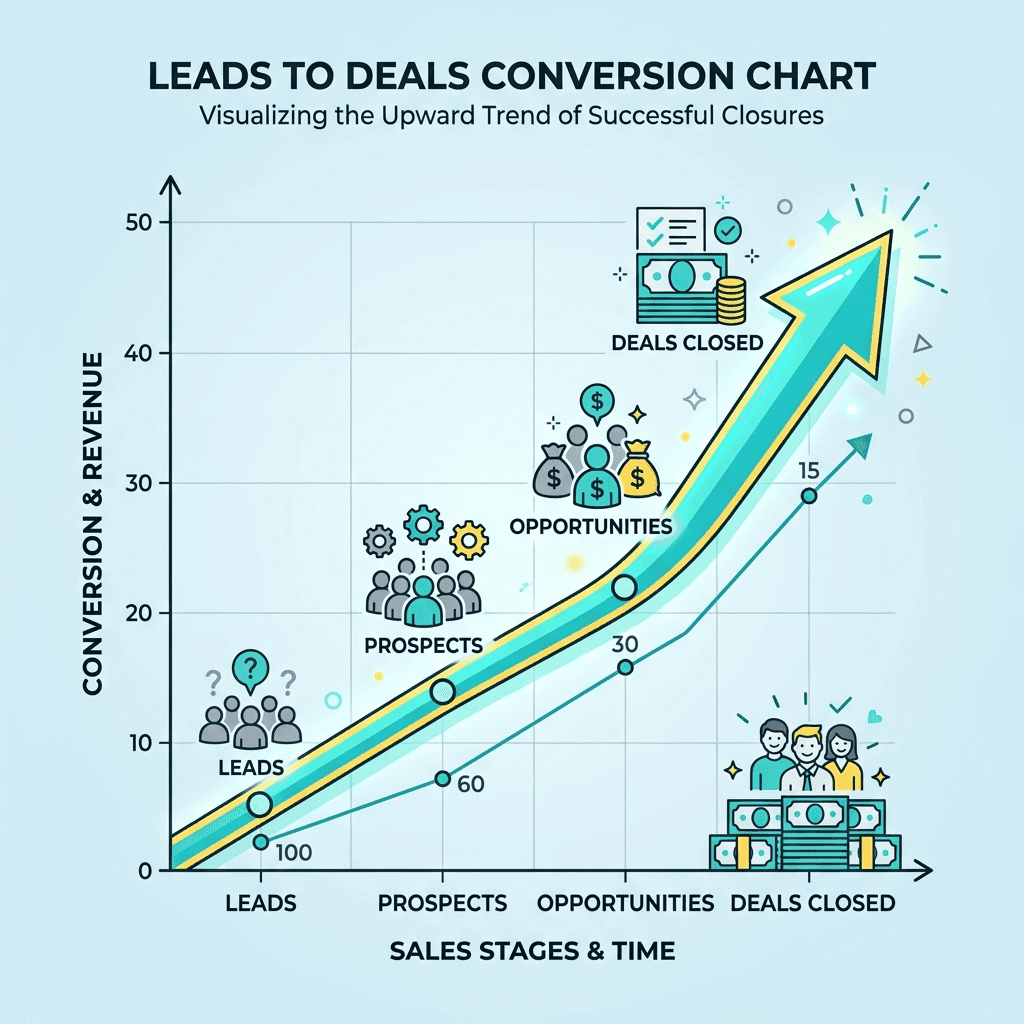
The event follow-up strategy that consistently produces Day-1 exports starts two weeks before the show, not on the drive home.
Two weeks before: build your capture schema
The biggest time-sink in post-event data work is cleaning up inconsistent inputs. One rep used "Hot," another used "H," and a third left the field blank. Fixing this starts with agreeing on a standard set of capture fields before anyone arrives at the booth.
Recommended 6-field capture schema for trade shows
|
Keep required fields to three or fewer for rush capture. The remaining fields can be filled during the review step after the show. Save the schema as an event preset so every rep on the team uses identical field names from the moment the doors open.
At the event: capture with context, not just contact details
The difference between a lead that converts and one that never answers is context. A name, company, and email address tell you who to call. A 10-second voice note from the booth floor tells you what to say.
The fastest capture flow for a busy stall runs like this. Scan the QR badge or business card and the contact fields populate automatically. Select Interest, Product Line, and Priority while the conversation is still happening. Then tap record and speak for ten seconds: "Needs pricing for Pro line. Wants demo Wednesday. Budget approved for Q4. Met at Hall B, stall 14." Finally, tap Tomorrow 10:00 AM for the reminder. The contact is ready for Day-1 outreach before the next visitor reaches the stall.
This full flow takes under 20 seconds per contact. The investment at capture eliminates hours of guesswork during follow-up.
Pre-event setup checklist (15 minutes, done once)
|
End of event day: Ready to follow-up
Before leaving the venue or hotel, spend 20 minutes on the post-event review. Run the review queue to fix OCR errors in scanned card fields. Check the Missing Email / Phone saved search and fill gaps where possible. Run de-duplication on email and phone, then merge records with provenance. Open your saved search for Hot leads and confirm Owner assignments. Then export the mapped CSV with Owner, Source, and Campaign columns included.
Designate one person as the export owner. Their job is to run the review queue, merge duplicates, and trigger the CSV export before the team disperses. This single ownership removes the ambiguity that lets the 24-hour window slip.
A badge scan gives you a name. Intent signals give you a reason to call. Capturing the right signals at the stall is the difference between a follow-up list and a pipeline.
Intent signals are the qualifiers that tell your SDRs which contacts to call first, what to say when they do, and how urgently to pursue a follow-up meeting. Without them, every lead in the export looks the same and sequences become generic, which is why response rates stay low.
The most valuable intent signals to capture at the stall fall into three categories: urgency, relevance, and authority.
How Habsy captures intent signals without slowing the booth down
Habsy's custom fields are designed for exactly this workflow. You define the field schema before the event, load it as an event preset, and every rep on the team sees the same required fields immediately after scanning a badge or card.
The buying timeline field appears as a dropdown with options you define (Q1, Q2, H2, Next year, Not evaluating). The use case field is a short free-text entry. The budget approval field is a simple yes / pending / no checkbox. None of these add more than ten seconds to the capture flow.
The voice note captures everything else. A ten-second recording after the structured fields are filled preserves the nuance that no dropdown can hold: the specific pain they mentioned, the competitor they named, the urgency behind the polite conversation. When the SDR opens the contact the next morning, they hear the conversation in the rep's own words before they pick up the phone.
Intent signal capture: what to ask and when
|
The fastest teams at following up are not necessarily the ones with the best writers. They are the ones whose capture system did the hard work at the stall, so the email almost writes itself the next morning.
Four elements make an event networking follow-up email work: a subject line that signals you remember them, a specific reference to your conversation, a clear single ask, and a short timeframe for the next step. The voice note and intent signals you captured at the stall supply every one of these elements. Without them, you are sending cold outreach to someone who thought they had a warm conversation with you.
Write to the intent signal, not the contact record
Generic event follow-up emails fail because they talk about the product rather than the problem the prospect told you they have. The intent signals you captured at the stall -- buying timeline, use case, budget approval, and authority -- are the raw material for a message that feels like a continuation of a conversation rather than an unsolicited pitch.
A prospect who said their exports take a week and budget is approved for Q4 should receive an email that opens with exactly that. A prospect who is still in the evaluation stage and needs to loop in their manager should receive a softer message with educational content rather than a direct call request. The segmentation is already done by the time you sit down to write, because you captured it at the booth.
How Habsy's AI email follow-up works
Habsy doesn’t just prepare your follow-ups, it helps you generate them instantly.
At the event, you capture context using qualifiers, notes, and voice inputs. Afterward, you can use Habsy’s AI email generation to create personalized follow-up messages based on that context. You can also edit and customize the message before sending, so it matches your tone and intent.
Instead of writing emails from scratch, you get a ready-to-send draft in seconds. This significantly reduces the time it takes to follow up while keeping messages relevant and specific.
You can then export your contacts and use your preferred email or CRM tool to send these emails at scale.
In short: Capture context → generate email with AI → customize → send faster and more effectively.
Timing by segment: when to send each follow-up
Not every contact from the event deserves the same follow-up at the same time. Intent signals tell you exactly which segment each contact belongs to, which determines when to send and what to say. Habsy's saved searches surface each segment automatically so you work the right contacts in the right order.
Segment | Intent signals | Email timing | What Habsy generates |
|---|---|---|---|
Hot (P1) | Budget approved, urgent timeline, decision maker | Within 12 hours of event closing (Day-0) | Direct meeting request with two date options. Subject line references specific pain from voice note. |
Warm (P2) | Interested but evaluating, needs sign-off, 3-6 month timeline | Within 24 hours (Day-1) | Educational resource plus soft ask. Offer to join a call with the wider team. |
Cold (P3) | Early stage, no budget clarity, not the decision maker | Within 48 hours, into nurture sequence | Brief acknowledgement plus relevant content matched to stated interest. No direct call request. |
Sending via your own domain, not a generic address
Habsy lets you send follow-up emails via your company domain directly from the app, so the message arrives in the prospect's inbox from your name at your organization, not from a third-party tool. For teams using the Habsy Platform enterprise dashboard, managers can configure shared domain sending so every rep's follow-up goes out from a consistent company address with brand-aligned signatures.
The Habsy Platform also supports CRM-integrated automation triggers. Once the mapped CSV is imported, you can configure workflows that enrol contacts into sequences based on the Interest and Priority fields that arrived with the import. The capture system and the outreach system speak the same language because the field names were agreed on before the event and stayed consistent through every step.
Follow-up speed is only one part of the ROI story. To justify your event budget to leadership, you need a clear line from lead captured to meeting booked to pipeline generated. That line starts with source attribution at capture.
When every lead exported from an event carries a Source field set to the event name and a Campaign field for the product line or initiative, your CRM can answer these questions with precision: how many leads did we capture, what percentage reached the CRM within 24 hours, how many meetings did we book within 14 days, and what is the pipeline value attributable to this event.
The Encounter Count field, populated automatically by the de-duplication layer, tells you how many times a contact appeared across different reps or days of the show. A contact seen three times is a fundamentally different signal than one who passed the booth once. The Has Voice Note flag exports as a boolean column, so SDRs can filter their CRM view to show only contacts where personalized outreach is possible immediately.
Metric | What it measures | Target |
|---|---|---|
Time-to-CRM rate | % of captured leads imported into CRM within 24 hours of the event closing | 80% or more of leads |
Field completeness | % of contacts with all required qualifiers filled at capture | 90% or more of leads |
Lead-to-meeting at 14 days | Meetings booked from event contacts, filtered by Source = Event_Name in CRM | Track and compare vs. prior event |
Encounter count | How many times a contact appeared across different reps or show days | Flag contacts seen 3+ times for senior rep outreach |
Duplicate rate | % fewer duplicates entering CRM compared to the previous event | Trending down quarter on quarter |
Reminder completion | % of follow-up reminders marked Done within 7 days of the event | 70% or more in 7 days |
AI email open rate | % of AI-generated follow-up emails opened by the contact | Track to validate subject line and send timing |
Two weeks after the event, filter your CRM by Source = Event_Name and pull the lead-to-meeting report. Share it with the team alongside the field completeness and duplicate rate from the export. This closes the feedback loop and gives you the data to argue for or against attending the next edition of that event with specific numbers rather than gut feeling.
Every step in this guide; schema setup, capture, intent signals, voice notes, reminders, de-duplication, export, and AI-powered follow-up are built into Habsy as a single end-to-end flow. No switching between tools. No post-show cleaning marathons. Ten minutes of onboarding for the booth team and the system runs itself.
Step | What Habsy does |
|---|---|
Before the show | Event preset defines the field schema, sets Source by default, and pre-builds the CSV mapping for your CRM. Every rep opens the same capture screen on day one. |
Capture | Scans QR badges, business cards (batch or single), and NFC cards. Badge fields auto-populate. Cards are OCR-extracted with a quick review step. Works fully offline. |
Intent signals | Custom field dropdowns for Buying Timeline, Product Line, and Priority appear immediately after each scan -- pre-loaded from the event preset, filled in under ten seconds. |
Voice notes | One-tap recording at the stall. Auto-transcribed and attached to the contact. The transcript becomes the raw material for the AI follow-up email the next morning. |
Clean | Auto de-duplication on email, phone, and Company plus Name. Review queue surfaces OCR errors. Missing Email / Phone saved search shows gaps before export. |
Export and Integration | Mapped CSV and Direct Integration to any CRM |
Follow up | AI email drafts generated from voice note, qualifiers, and company enrichment. Sent via your company domain. WhatsApp drafts generated in parallel. One-tap reminders surface each contact at the right time. |
FAQs:
1. Why is the 24-hour follow-up rule important after events?
The first 24 hours are when your conversation is still fresh in the prospect’s mind. Fast follow-ups increase response rates, build trust, and significantly improve conversion chances compared to delayed outreach.
2. How can I follow up with event leads faster?
You can follow up faster by capturing leads with context during the event, organizing them by priority, and using tools like Habsy to generate personalized emails and reminders for timely outreach.
3. What should I include in a follow-up email after a trade show?
A strong follow-up email should reference your conversation, include relevant details like product interest, and provide a clear next step such as booking a demo or sharing additional information.
4. How does Habsy help with email follow-ups?
Habsy allows you to capture lead context, generate AI-powered follow-up emails, customize them, and export clean contact data so you can send personalized emails quickly using your preferred email or CRM tools.
5. What happens if I delay follow-ups after an event?
Delaying follow-ups leads to lower response rates, lost context, and missed opportunities, as prospects may forget your conversation or engage with competitors who reach out first.










