Blog
Three ways, one goal: making sure the right people remember you after the event. Here is a plain breakdown of how paper, digital, and NFC cards compare, when each earns its place, and why the format you hand out matters less than what you do with the cards you receive.
Paper cards | Universal, tactile, zero tech barrier. High reprint cost; no analytics; feeds manual data entry. |
Digital cards | Shareable anywhere via QR or link; real-time updates; lowest ongoing cost; easiest CRM handoff. |
NFC cards | High-impact tap-to-share; works in-person only; recipient needs an NFC-enabled phone. |
Hybrid approach | Most event pros carry at least two formats; use a scanner app to digitize cards regardless of type. |
Key takeaway | Format is a preference. What matters is what happens after the exchange: capture, qualify, follow up. |
Use Habsy | Habsy scans paper, digital QR, and NFC badge formats in one app. Set it, forget it CRM export. No manual entry, no lost leads. |
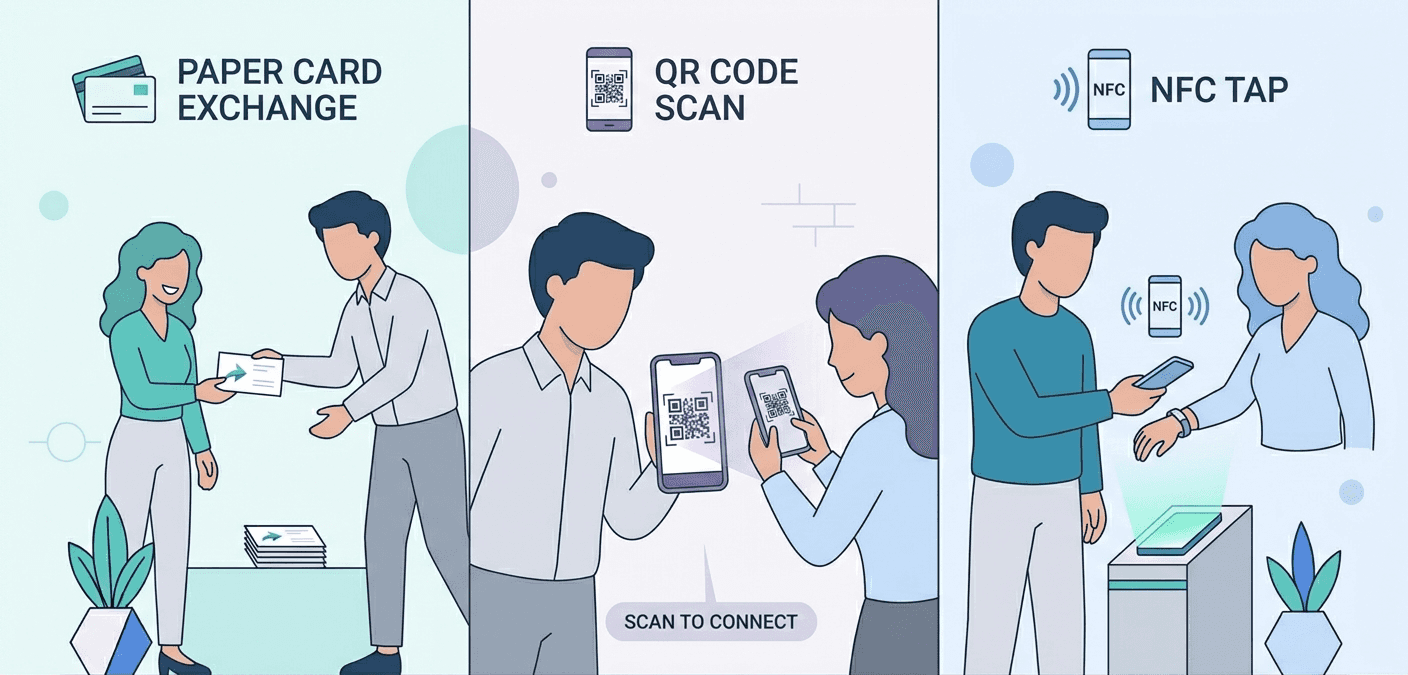
Which business card is best: NFC, digital, or paper? See pros, cons, costs, and what actually works at networking events.
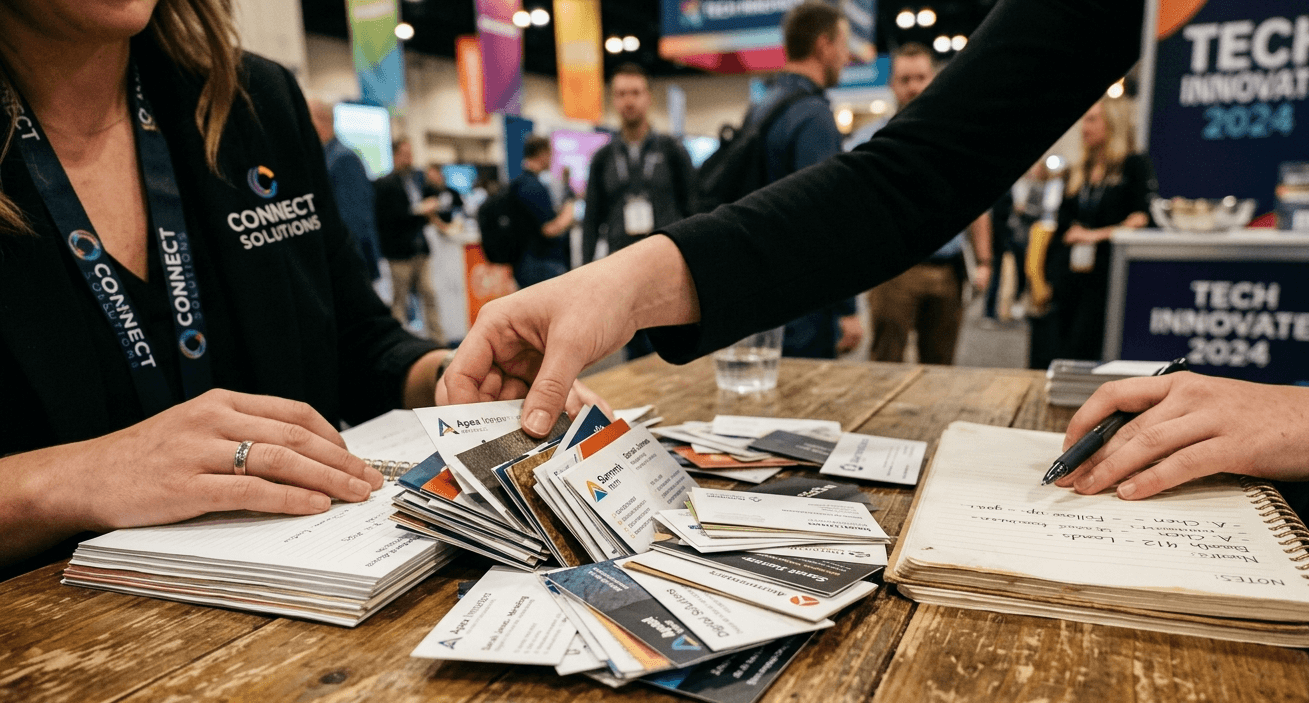
Paper cards have been the default networking tool for decades. You print a stack before the show, hand them to anyone who asks, and hope the conversation was memorable enough to earn a follow-up.
Why they still work
Zero tech barrier. No phone, no app, no NFC chip required from either side.
Universally understood. From a factory floor in Coimbatore to a conference hall in Munich, paper needs no explanation.
Tactile and tangible. A well-designed card leaves a physical impression that a QR code cannot always replicate.
Where they fall short
Each update means a reprint. Job change, new phone number, redesigned logo: the old batch becomes waste.
No analytics. You cannot tell whether the recipient visited your website after picking up your card.
Manual entry into CRM. Someone has to type, or scan, every card you collect and every card you give.
Environmental cost. A box of 500 cards, reprinted twice a year, adds up in both money and paper waste.
Paper is not going away. For industries where a physical card signals credibility or for any room where not everyone has a smartphone, it remains the safest default. The real problem is what happens to the cards you collect: they pile up, get lost in transit, and rarely make it into your CRM with their context intact.
What Are Digital Business Cards?
A digital business card lives on a URL, in a wallet app, or behind a QR code. You share it by showing a QR on your phone screen, sending a link over WhatsApp, or adding it to your email signature. The recipient does not need to install anything.
Why they work well for most teams
Update once, share everywhere. Change your phone number or title and every link you have shared updates automatically.
Remote-friendly. A digital card works in a Zoom call, a LinkedIn message, or a cold email just as well as it does at a booth.
Built-in analytics. Most platforms show who tapped your card and when.
Lower ongoing cost. After the initial setup, there is no reprint budget.
Easier CRM handoff. Many tools export contacts directly or produce a clean CSV.
Where they fall short
Slightly less memorable. Handing someone a phone to scan feels less instinctive than trading cards.
Depends on a working phone. If your battery is dead or your signal is poor, sharing becomes awkward.
Platform fragmentation. Apple Wallet, Google Wallet, HiHello, Mobilo: recipients may need a moment to figure out where the contact goes.
That is where Habsy steps in. Instead of chasing down where a contact saved your details, Habsy gives you a professional Digital QR card, shareable via WhatsApp or email in one tap, and scans every card you receive into a clean list regardless of format. |
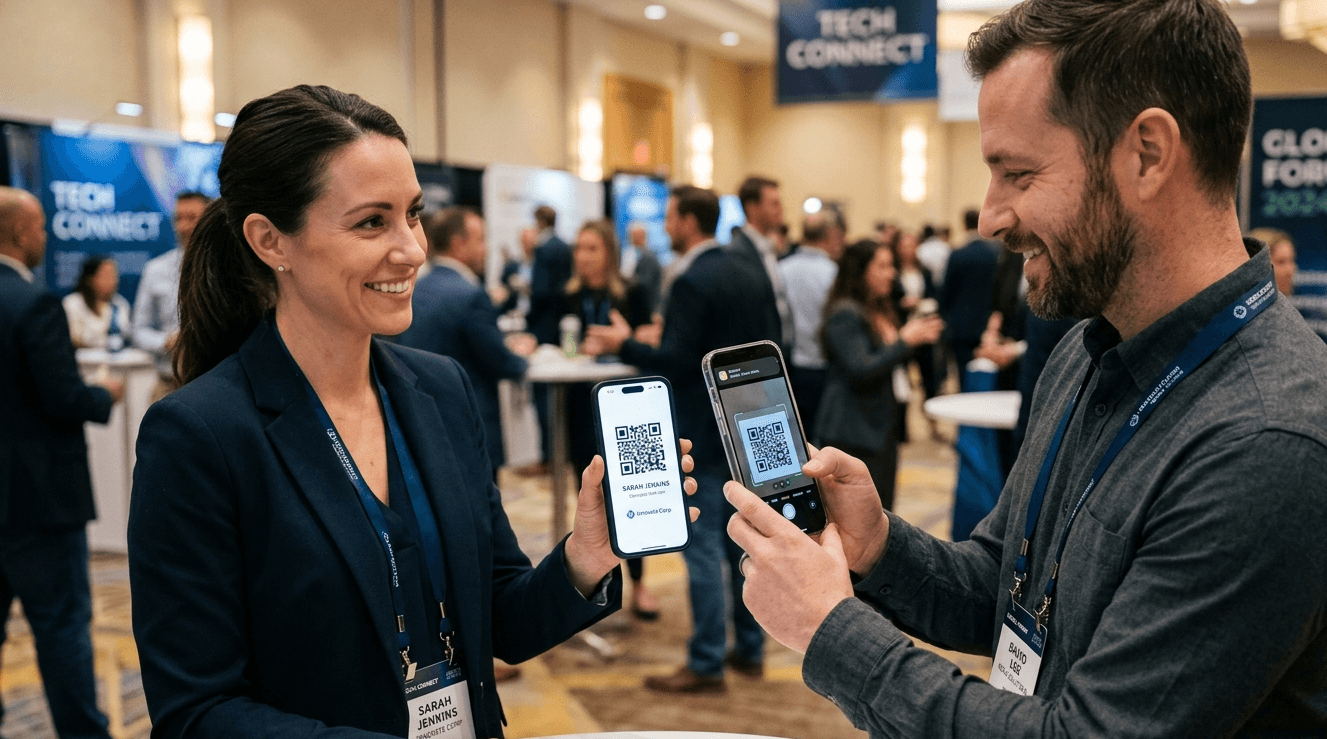
An NFC (Near Field Communication) card contains a small chip that transmits data when tapped against an NFC-enabled phone. No camera, no QR scan: just hold the card near the phone and the contact or URL appears.
Why they stand out
Instant, frictionless share. The tap interaction takes under a second.
High-wow-factor at tech events. The gesture alone starts a conversation.
Reusable and updateable. Change your profile on the backend and the same physical card points to your new details.
Where they fall short
In-person only. NFC requires physical proximity. It cannot replace email or LinkedIn for remote exchanges.
Recipient needs an NFC-enabled phone. Most modern Android and iPhone models qualify, but older devices do not.
Perceived as a product. Some recipients wonder what they are supposed to do with a card that has no text on it.
Feature | Paper Cards | Digital Cards | NFC Cards |
Sharing Method | Hand to hand | QR, link, email, wallet | Tap (NFC chip) |
Update Flexibility | Reprint required | Real-time edits | Real-time edits |
Remote Networking | Not possible | Works anywhere | In-person only |
Cost (per year) | $40-$200+ (reprints) | $0-$72/user | $20-$80 upfront |
Eco-Friendliness | High waste | Lowest footprint | Better than paper |
Analytics/Tracking | None | Yes | Yes (platform-dependent) |
CRM Integration | Manual entry only | Native or CSV export | Platform-dependent |
Universal Compat. | No tech needed | Any device | NFC-enabled phones only |
Best For | Traditional industries | Remote/hybrid teams | Tech events, sales reps |
Which Business Card Format Is Right for You?
The answer depends on your industry, your audience, and how you typically follow up after meetings. Here are four practical scenarios.
You are in a traditional or manufacturing sector
Paper is still your safest choice. Your contacts expect it, and handing over a card with both hands remains a professional signal in many industries. Supplement with a digital card link in your email signature for remote contacts.
You run a remote or hybrid sales team
Digital cards are the clear winner. Your reps share their contact details over video calls, LinkedIn, and WhatsApp as often as they do in person. A link or wallet card works across all of those channels without reprinting.
You attend tech events and SaaS conferences
NFC cards earn their cost here. The tap gesture resonates with a tech-forward audience, the reusability cuts down on waste, and most attendees at these events have NFC-capable devices.
You run a booth at a trade show or expo
You likely need all three. Your team hands out paper cards to visitors who prefer them, shares digital links to people who want to save your deck, and scans the QR badges or business cards that visitors give you. The follow-up motion matters far more than the format you give out.
At a busy booth, the bottleneck is rarely the card you hand out. It is the stack of cards you receive and never get into your CRM. A business card scanner app like Habsy captures any format, adds qualification fields and a voice note, and exports a clean CSV so your team can follow up by tomorrow. |
Most experienced event professionals carry at least two formats: an NFC card for tech contacts and a small stack of paper for everyone else. The hybrid approach is not indecisive; it is practical.
A typical booth setup:
50 to 100 paper cards per rep for universal handouts.
An NFC card or digital QR link for contacts who want a richer profile.
A scanner app to batch-capture every card and badge you receive.
A voice note and reminder on each contact so follow-up has context, not just a name.
The format you give out shapes first impressions. The process you use to capture what you receive shapes outcomes. Both matter, but only one of them is consistently underinvested.
Carrying multiple card formats solves the handout side. The harder problem is the other side: every card, badge, and QR code you collect needs to become a clean, actionable CRM list by the next morning.
Habsy handles both ends. You can create and share your own professional Digital QR card directly from the app, built for two contexts: a business profile for formal introductions and a personal card for casual networking. Share it via a WhatsApp template or a ready-made email template in one tap. No link hunting, no printing, no friction.
On the receive side, Habsy is format-agnostic: paper cards, NFC badge taps, and event QR codes all land in the same capture queue, qualified and export-ready.
Batch Card Scanning
Scan up to 150 business cards in approximately 5 minutes in internal tests. Whether a visitor handed you a paper card, an NFC card with a printed QR fallback, or a card from a colleague's pile, Habsy's multilingual OCR reads the text, parses the fields, and queues every contact for a quick review step. No manual typing. No pile left on the hotel desk.
Universal QR Badge Scanner
Habsy is not locked to one event organizer's format. Whether the badge is from a pharma expo, a SaaS summit, or a manufacturing trade fair, Habsy reads any QR badge payload and auto-populates the contact fields: name, company, title, email, and phone when included. One scanner for every event you attend, all year.
Intent Signals and Categories at Capture
After a scan, Habsy prompts for the signals that determine what happens next: buying intent, product interest, priority tier, budget stage, or any qualifier your team defines. These are structured intent categories that make your export sortable and your follow-up targeted from the moment it lands.
Quick Voice Notes with Transcription
During a busy event, typing notes on every contact is slow and often skipped. A voice note captures what a custom field cannot: the specific product they asked about, the pricing concern they raised, the name of the colleague they mentioned. Drop a 10-second note at capture and your follow-up the next day has real context.
One-Tap Follow-Up Reminders
Set a reminder in one tap at capture: Today EOD, Tomorrow 10:00, or a custom date and time. Reminders are tied to the contact and appear in a consolidated view with snooze and done controls. Every rep leaves the event with an explicit next step on every meaningful conversation.
Duplication Detection
At a multi-day event, the same person often visits the booth twice, or two reps scan the same badge. Habsy flags likely duplicates using email and phone as primary signals, with company and name as a fallback. You review matches side by side, merge the best fields, and export a clean list.
Offline Capture for Patchy Halls
Expo halls and warehouse-style venues often have unreliable Wi-Fi. Habsy stores all captures, edits, voice notes, and reminders locally and syncs automatically when connectivity returns. No leads are lost because the venue internet dropped at peak hours.
CRM Integrations and CSV Export: Set It, Forget It
Map your fields to your CRM once inside the Habsy Platform and never touch the setup again. Every future export follows the same mapping automatically. HubSpot, Zoho, Salesforce, and Google Sheets all import cleanly. No plugins. No IT ticket. Set it, forget it, and walk out of every event with a CRM-ready list waiting in your inbox.
Day-0 Blitzing
Before the export even goes to CRM, your team can run a saved search for the highest-priority contacts: Interest=Demo AND Priority=P1 AND Reminder due today. Assign owners in bulk, blitz the hot list by phone while the event is still running, and export the full list to CRM overnight.
You hand out paper cards, NFC cards, or digital links, whichever format suits the room. Habsy handles everything you receive: batch-scans the paper cards, reads the QR badges, attaches voice notes and reminders, deduplicates, and exports a clean mapped CSV to your CRM within 24 hours. |
Frequently Asked Questions
What is the difference between NFC and digital business cards?
NFC cards use a physical chip to transmit data via tap. Digital cards share contact information through a URL, QR code, or wallet integration. Both update in real time without reprinting; NFC requires in-person proximity while digital works remotely.
Are NFC business cards worth it?
For sales reps and exhibitors who attend tech-forward events regularly, yes. The reusability and tap-to-share experience justify the upfront cost. For teams that meet contacts primarily online or in traditional sectors, a digital card is likely enough.
Can digital business cards replace paper?
For most remote or hybrid contexts, yes. For industries where a physical card signals professionalism or for rooms where not everyone has a smartphone, paper still earns its place.
Do people still use paper business cards in 2026?
Yes, widely. Manufacturing, legal, finance, and government sectors still exchange paper cards as a professional norm. Even in tech, many people carry a small stack alongside a digital alternative.
How does Habsy handle paper business cards?
Habsy's multilingual OCR scans up to 150 paper cards in approximately 5 minutes. It reads the text, parses every field, flags duplicates, and queues contacts for a quick review before export. No manual typing required.
How does Habsy handle digital business cards?
When someone shares a digital card via QR code, Habsy scans the QR directly from your camera. The contact fields populate automatically. You add an intent signal and a voice note at capture, and the contact joins the same export queue as every other format.
How does Habsy handle NFC cards and event badges?
Habsy's universal QR badge scanner reads any NFC-adjacent QR payload at the point of tap or scan, regardless of the event organizer's format. Badge contacts and card contacts land in the same app, the same list, and the same CRM export without any extra steps.
What is the best business card for networking events?
Habsy is the best business card manager that adapts to whatever format suits the room. Give out paper, share your Digital QR via WhatsApp or email, or tap your NFC card. On the receive side, Habsy scans every format into one qualified list and exports it to your CRM without manual entry.
Can I use NFC and digital business cards together?
Yes. Many professionals program their NFC card to open their digital card page, combining the tap experience with the flexibility of a link-based profile.
How do I handle the business cards I receive at events?
Batch scan them with Habsy as soon as the day ends. Add an intent signal and a voice note for each contact, set a follow-up reminder, and export a mapped CSV to your CRM. Set it, forget it, and let the list work for you.










