Blog
In high-volume trade shows, even small data errors compound fast. When business cards include multiple languages, traditional OCR systems struggle, leading to broken records, duplicates, and missed opportunities. This guide explains the technical challenges, real-world limitations, and proven workflows that help teams turn multilingual chaos into organized, actionable lead data ready for immediate follow-up.

Struggling with multilingual business cards? Learn how to scan, clean, and export accurate lead data. Turn scans into CRM-ready leads within 24 hours.
At any major trade show today, conversations rarely happen in just one language. A single booth might interact with prospects from Europe, the Middle East, India, and East Asia within the span of an hour. Business cards reflect this diversity. Some are printed in English, others in regional scripts, and many combine multiple languages on the same card.
While this diversity is a sign of global opportunity, it creates a hidden operational problem once the event ends. The challenge begins when teams try to convert these physical interactions into structured data for CRM systems. What seems like a simple task of scanning a business card quickly turns into a messy process of incorrect text recognition, missing fields, and unusable CRM records.
Multilingual business card scanning is not just about reading text from an image. It is about interpreting meaning across languages, scripts, and formats, and turning that into reliable, actionable data that feeds directly into your CRM system.
For teams that depend on events for pipeline generation, this is not a minor inefficiency. It directly impacts how quickly and effectively they can follow up. If the captured data is wrong or incomplete, the opportunity is lost before the first email is even sent. Teams using event lead capture solutions report converting business card scans into CRM-ready leads within 24 hours—a capability that requires both technology and workflow discipline.
Common Challenges in Multilingual Business Card Scanning
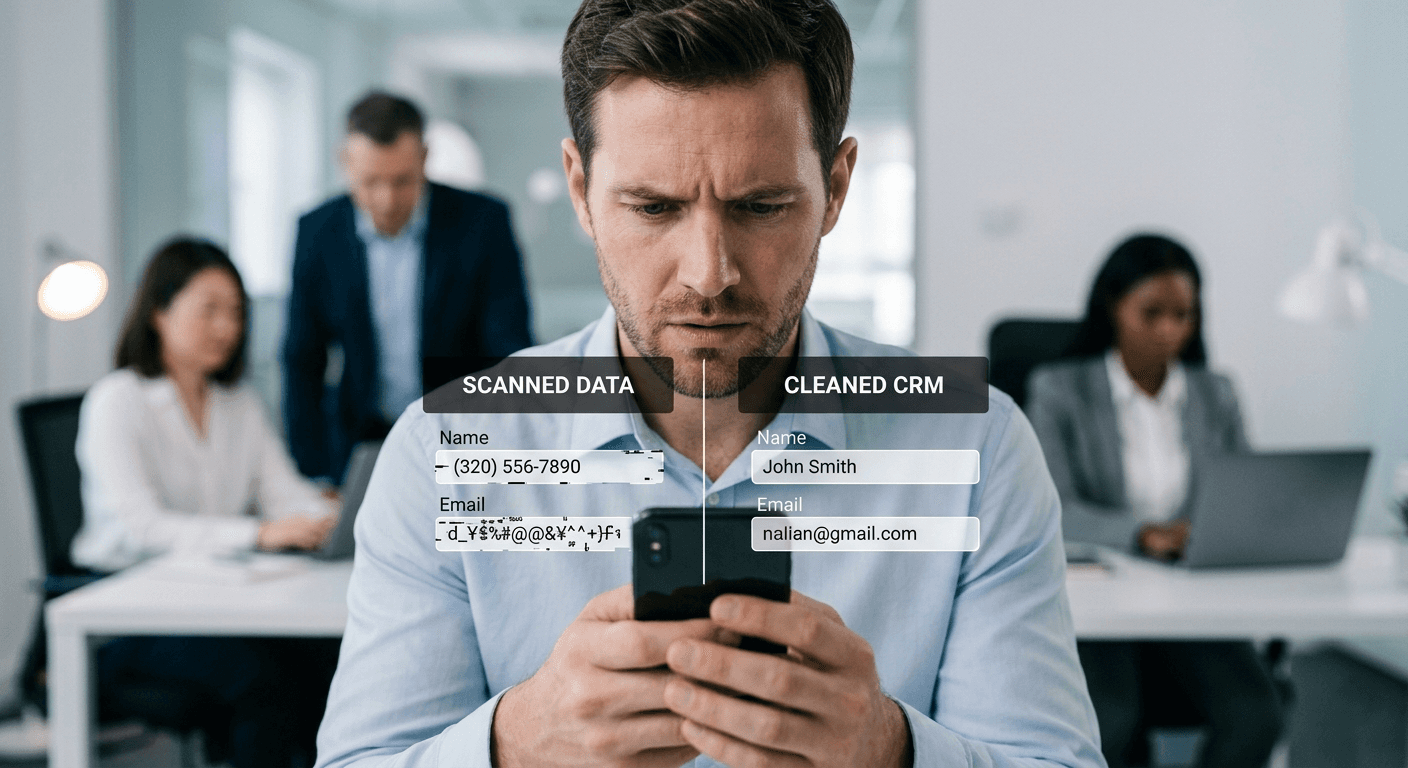
One of the most common issues in multilingual scanning is character encoding. Different languages require different encoding standards, and if the system does not handle them correctly, the output can become unreadable. Instead of clear text, users may see symbols, broken characters, or missing information. This is particularly common with languages like Chinese, Japanese, and Arabic, where character sets differ significantly from Latin scripts.
Another challenge arises from script variation. OCR systems that perform well with English text often struggle with scripts such as Devanagari, Cyrillic, or Arabic. The complexity increases further when a single card contains multiple scripts. For instance, a card might display a person's name in English, the company name in Chinese, and the address in a regional language. Without the ability to distinguish context, the system may misclassify or merge these elements incorrectly.
Design complexity and layout inconsistency
Many modern business cards prioritize aesthetics over structure. Stylized fonts, unusual layouts, and creative use of space can confuse OCR systems. Text may be placed vertically, rotated, or embedded within graphics, making it difficult for the system to identify and extract information accurately.
Unlike standardized forms, business cards do not follow a fixed template. Information can appear in any order or position, requiring the OCR system to infer meaning based on limited cues. This often leads to incorrect field assignments, where a designation might be mistaken for a company name or vice versa.
Perhaps the most challenging aspect is mixed-language context. When multiple languages appear on the same card, the system must not only recognize different scripts but also understand how they relate to each other. Without contextual awareness, OCR treats all text equally, leading to errors in both recognition and mapping.
Key insight: The best multilingual business card scanners don't rely on perfect OCR alone. They combine OCR with human review, contextual enrichment, and deduplication to ensure CRM-ready data quality.
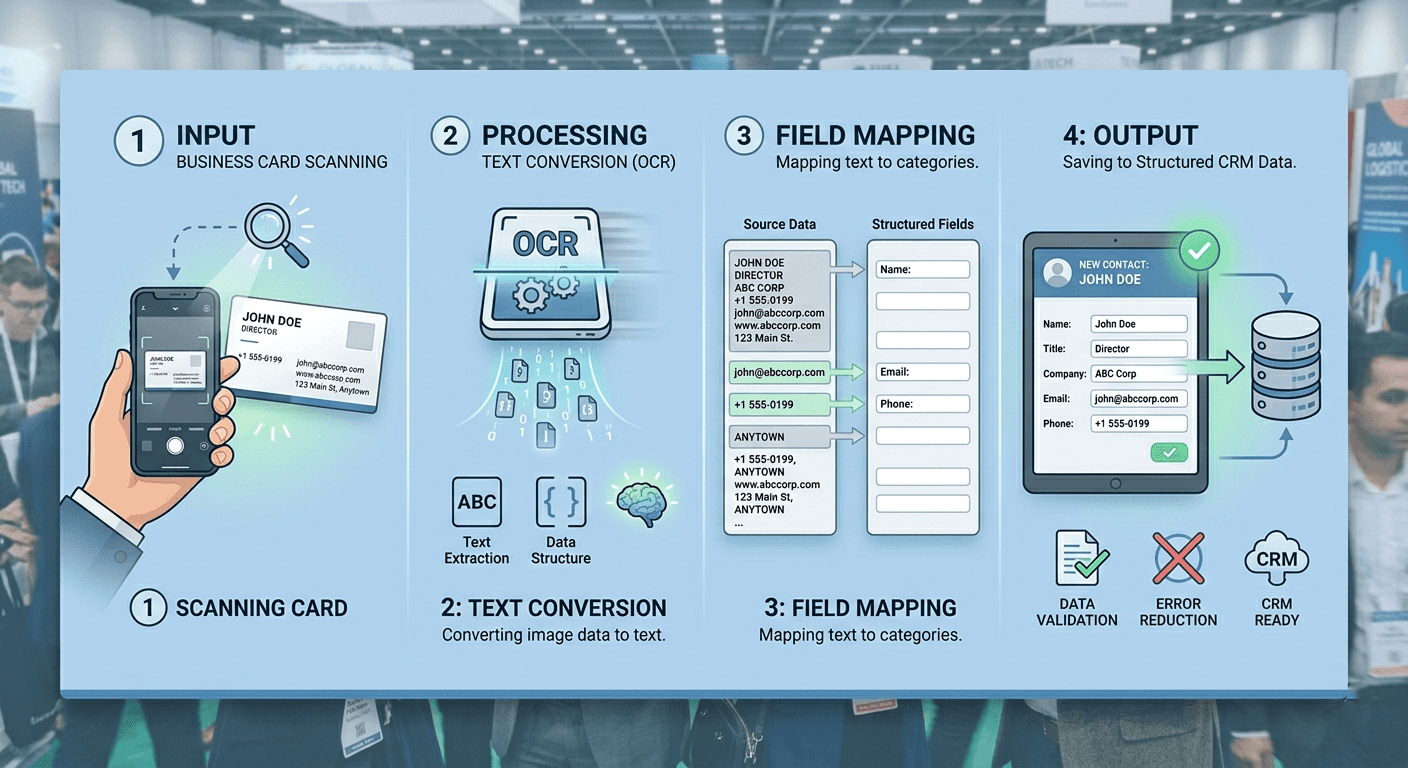
To understand why multilingual scanning is difficult, it helps to look at how OCR technology functions at a basic level. OCR, or Optical Character Recognition, is designed to convert visual text into machine-readable data. While the concept is straightforward, the execution involves multiple layers of processing.
The first stage is image capture. The system detects the edges of the card, adjusts for lighting conditions, and attempts to normalize the image so that text can be read clearly. The second stage is text recognition, where machine learning models analyze shapes and patterns to identify characters. These models are typically trained on large datasets, often biased toward common languages like English.
The final stage is field mapping, where the recognized text is assigned to specific categories such as name, company, email, and phone number. This step relies heavily on patterns and assumptions. For example, an email address is identified based on the presence of "@", while phone numbers are detected using numeric patterns.
This process works well when the input follows predictable rules. However, multilingual business cards rarely follow such consistency. When multiple scripts, unconventional layouts, and varied formats are introduced, each stage of OCR becomes more error-prone. This is why implementing a review and correction layer post-scan is critical for maintaining data quality.
Solving multilingual scanning challenges requires more than just improving OCR accuracy. It requires a combination of technology and workflow design that accounts for real-world variability at trade shows and networking events.
Multi-language OCR with automatic detection
The first step is adopting multi-language OCR systems that can handle a wide range of scripts. These systems should be capable of detecting the language automatically and applying the appropriate recognition model. This flexibility is essential for handling mixed-language cards effectively.
However, even the best OCR systems are not perfect. This is why a review layer is critical. By allowing users to verify and correct data immediately after scanning, teams can prevent errors from propagating into downstream systems. A quick review process ensures that data remains accurate while the context is still fresh in the user's mind.
Structured data capture at source
Another effective approach is to capture structured data at the source. Instead of relying solely on OCR, teams can add custom fields such as interest level, product line, and priority during the capture process. This ensures that each contact is enriched with actionable information, even if some OCR fields are incomplete.
Combining QR and card scanning
Combining business card scanning with QR badge scanning further enhances accuracy. QR badges typically provide structured, organizer-verified data, which can complement the richer but less structured information from business cards. Learn how QR-based lead capture works in real events to unlock the full potential of hybrid capture.
Robust deduplication for CRM data quality
Finally, implementing a robust deduplication process helps maintain data quality. By identifying duplicates based on key identifiers like email and phone number, teams can consolidate records and avoid clutter in their CRM systems. This is especially critical when multiple team members scan the same contacts at large trade shows.
A structured workflow is essential for handling multilingual data effectively. The process begins even before the event, with the definition of a capture schema. Teams should decide on a small set of required fields that will be collected consistently for every contact.
Pre-event: Define your lead capture schema
Before the event, document which fields are essential (name, email, phone) and which are contextual (interest level, product line, priority). This schema becomes your north star for data quality throughout the event.
During the event: Capture efficiently with rich context
Business cards can be scanned individually or in batches, while QR badges can be used wherever available. The key is to capture as much information as possible in the moment, including tags and custom fields that add context. Voice notes are particularly useful for capturing qualitative insights that cannot be represented as structured data.
End of day: Review, clean, and deduplicate
At the end of each day, the captured data should be reviewed and cleaned. This involves correcting OCR errors, filling in missing fields, and merging duplicate records. By addressing these issues early, teams can ensure that their data is ready for export within 24 hours.
Post-event: Segment, filter, and export for CRM
Once the data is clean, it can be segmented using filters and saved searches. This allows teams to prioritize leads based on criteria such as interest level or follow-up urgency. Finally, the data is exported as a structured CSV file and imported into the CRM, making it ready for outreach.
Most tools stop at scanning. That is not enough in multilingual environments. Habsy is built for what happens after the scan, which is where most teams fail.
What makes Habsy different for multilingual lead capture
Multi-source capture: Scan business cards, QR badges, or add contacts manually with equal ease
Context-first capture: Add qualifiers, tags, and voice notes instantly while context is fresh
Offline-first reliability: Capture data even with zero connectivity; synchronize when online
Review and dedup built-in: Clean data before it reaches your CRM with our integrated review layer
CSV-first export: No messy integrations, just clean, mapped data ready to import
This aligns with how real event workflows operate, not ideal scenarios. Instead of relying on perfect OCR, Habsy ensures every lead is usable, every record is structured, and every export is CRM-ready within 24 hours.
Why CRM-ready data matters
When business card data enters your CRM poorly formatted, with missing fields, or with duplicates, it creates downstream friction. Sales teams spend hours cleaning data instead of following up with leads. Habsy's focus on CRM-ready exports means your team can start outreach on day one.
In markets like India, multilingual scanning presents unique challenges due to the widespread use of regional languages alongside English. Business cards often include a mix of scripts, requiring systems to handle both seamlessly.
Plan for mixed-language cards as the norm
Instead of trying to standardize everything through OCR, teams can use tags and custom fields to capture key information reliably. This reduces dependence on text recognition for fields that are difficult to parse. For instance, tagging contacts by industry or region ensures they're correctly segmented even if some OCR fields are incomplete.
Normalize phone numbers during review
Indian phone numbers can appear in various formats, and standardizing them during the review process ensures consistency in the CRM. A good scanning solution should offer phone number formatting helpers for regional markets.
Prioritize essential fields over completeness
It is advisable to prioritize essential fields such as email and phone number over less critical information like addresses. This helps streamline the capture process and focuses attention on data that directly supports follow-up and CRM operations.
Offline capability is non-negotiable
Connectivity can be unreliable in many event environments. Relying on cloud-based processing alone can lead to data loss. Offline capture ensures that all information is stored locally and synchronized later, maintaining continuity even in challenging conditions. This is especially critical in regional markets where connectivity varies significantly across venues.
Next Steps: Turn Multilingual Data into Pipeline
Multilingual business card scanning is not just a technical challenge. It is a workflow challenge that requires thoughtful design and consistent execution. The teams that succeed are not those with perfect OCR systems, but those that combine speed, structure, and context in their processes.
By capturing data efficiently, enriching it with meaningful context, and cleaning it before export, teams can ensure that every contact becomes a usable lead. The goal is not perfection at capture, but readiness at follow-up.
FAQs:
1. Can a business card scanner read multiple languages accurately?
Yes, modern business card scanners can read multiple languages, but accuracy depends on the script, font, and layout. Cards with mixed languages like English and Hindi or Chinese are harder to process. A quick review step ensures the captured data is accurate before saving or exporting.
2. Why do business card scanners struggle with multilingual cards?
Scanners struggle because they must recognize different scripts, fonts, and layouts at the same time. Mixed-language cards, stylized designs, and non-standard formats make it harder for OCR to correctly identify and map fields like name, company, and contact details.
3. What is the best way to scan multilingual business cards at events?
The best approach is to combine OCR scanning with structured data capture. Scan the card, then immediately add tags, qualifiers, and notes while the conversation is fresh. This ensures the lead is usable even if some OCR fields need correction later.
4. How do I improve OCR accuracy for multilingual business cards?
To improve accuracy, scan in good lighting, avoid glare, and keep the card flat. Always review the extracted data and correct errors before saving. Using tools that support multiple languages and allow manual edits helps ensure clean and reliable contact records.
5. Can multilingual business card data be exported to CRM systems?
Yes, multilingual data can be exported to CRM systems if it uses proper encoding like UTF-8. Cleaning and structuring the data before export ensures that names, companies, and contact details appear correctly in the CRM without formatting issues.
Ready to see Habsy in action?
Habsy is purpose-built for event lead capture at scale. Whether you're managing a booth, scanning attendees, or organizing a hybrid event, Habsy ensures your multilingual business card data is clean, structured, and CRM-ready from day one.
Be day-1 ready with clean, multilingual lead data
Book Your Demo by filling the form below
✓ Scan business cards in multiple languages simultaneously
✓ Deduplicate and clean data automatically
✓ Export CRM-ready CSV in minutes, not hours
✓ Work offline in unreliable expo hall connectivity
✓ Segment leads by interest, product line, and priority










