Digital vs Virtual vs Electronic Business Card: What’s the Difference?
Digital business card, virtual business card, electronic business card, e-card. Search for any of them and you land on the same kind of product. This guide explains where the terms overlap, where they differ, and what actually matters when you pick one.
Amélie Tremblay8 min read
On this page
- The short answer
- Where each term comes from
- Terms that sound similar but mean something narrower
- Does the name matter when you choose one?
- How Habsy handles digital business cards
- Which term should you use on your own site or profile?
- Which of your two cards to share, and when
- Getting the other person’s details back
- Bottom line
The short answer
A digital business card, a virtual business card and an electronic business card are, in practice, the same thing: your contact details shared from your phone instead of on paper. Most of them are a small web page that opens when someone scans your QR code, taps your link or touches phones over NFC. The other person sees your name, role, company, phone, email and social links, and can save you to their contacts in one tap.
The names differ because they came from different places, not because the products work differently.
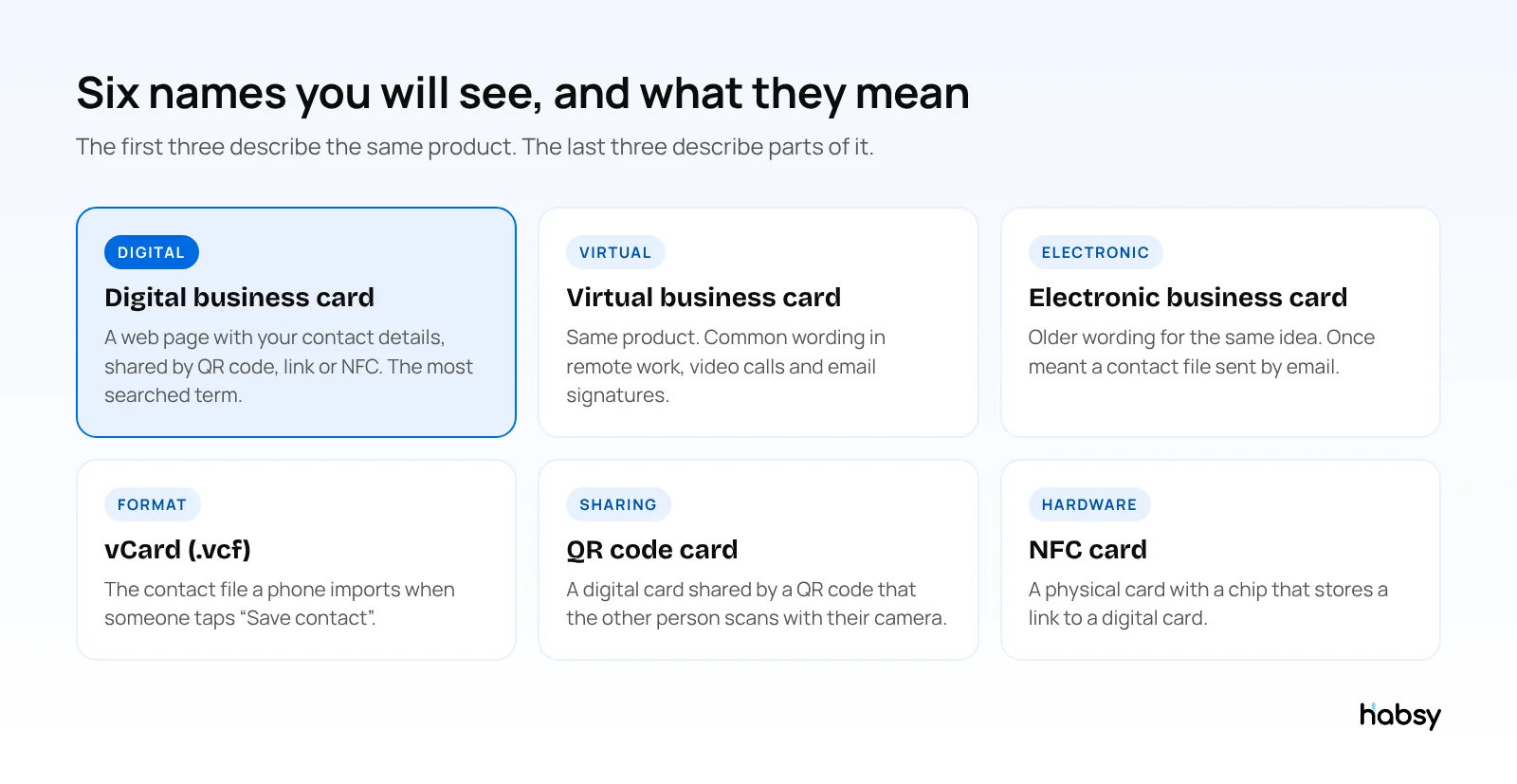
Where each term comes from
Digital business card
“Digital business card” is the term most people search for and the one most apps use. It covers any card that lives on a screen rather than on paper. For a full walkthrough, see our guide on what a digital business card is.
Virtual business card
“Virtual” became common when meetings moved to video calls. People wanted a way to share contact details in a chat window or show a QR code on a virtual background. The product is the same as a digital card. The word just reflects where it gets used.
Electronic business card
“Electronic business card” is the oldest of the three. Before smartphones, it usually meant a contact file attached to an email, or the contact details in an email signature. Some people still use the term, and search engines treat it as a close match for “digital business card”.
E-card and e-business card
These are short forms of “electronic business card”. Be careful with “e-card” on its own: it also means a greeting card sent by email, so it is a poor term to search with.
Terms that sound similar but mean something narrower
| Term | What it actually is | How it relates |
|---|---|---|
| vCard (.vcf) | A standard contact file format | The file a digital card offers when someone taps “Save contact” |
| QR code business card | A digital card shared through a QR code | A sharing method, not a different kind of card |
| NFC business card | A physical card with a chip that stores a link | Hardware that opens a digital card when tapped |
| Email signature card | Your contact block, often with a QR code, at the end of emails | Another place to show your digital card |
| Contact card | The entry saved in a phone’s address book | Where your details end up after someone saves them |
If you want the detail on files and formats, read our comparison of a digital contact card vs a vCard. For chips and tap-to-share hardware, see our guide to smart business cards.
Does the name matter when you choose one?
Not really. What matters is how the card works for the person receiving it. Check these five things before you pick a provider:
- No app needed to open it. The card should open in any phone browser. If the other person has to install something, many will not bother.
- One-tap save. A clear “Save contact” button that downloads a vCard, so your details land in their address book correctly.
- Several ways to share. QR code for in-person meetings, a link for email and chat, and NFC for a quick tap between phones.
- Edit anytime. When you change roles or phone numbers, you update the card once and everyone who opens it sees the new version.
- A way to get their details back. Sharing is only half the exchange. An enquiry form lets the other person send you their details, so you do not lose the lead.
See the difference
Compare less. Capture your next contact with Habsy.
Try the workflow built for fast capture, useful context and timely follow-up.
How Habsy handles digital business cards
Habsy gives every user two digital cards on the free plan:
- Professional digital card: your personal contact details, for networking as an individual.
- Business digital card: your company’s details, for exhibitors and teams, with room for brochures and other attachments.
Each card has its own QR code and shareable link. People open it in their browser with no app and save your contact with one tap. With Habsy Plus, an enquiry form lets them send you their own details. You can also put your Professional QR code in your email signature, and share by NFC between phones.
Because Habsy is also a business card scanner, the exchange works both ways. When someone hands you a paper card, you scan it into the same app. When they show you a QR code from another provider, or a LinkedIn QR code, Habsy reads that too. Learn more on our digital business cards page.
With Habsy Plus, you also get digital card analytics: visits, unique visitors, contacts saved and button taps. Analytics show counts only. A visitor is identified only if they choose to submit your enquiry form.
Which term should you use on your own site or profile?
Use “digital business card”. It is the term most people search for and the one they will recognise. If your audience works remotely, “virtual business card” is a reasonable second choice. Avoid “e-card”, which people confuse with greeting cards.
Which of your two cards to share, and when
Whatever you call it, most professionals need two versions: one for themselves and one for their company. Habsy keeps them separate because they do different jobs.
| Situation | Share this card | Why |
|---|---|---|
| Meeting someone at a conference as yourself | Professional digital card | Your name, role and links go with you if you change jobs |
| Visitors at your exhibition stand | Business digital card | Company details, brochures and an enquiry form for quotes (Habsy Plus) |
| Your email signature | Professional digital card | Habsy’s signature builder can add your Professional QR code |
| A counter or reception desk | Business digital card | One QR code for anyone who walks in |
| A video call | Either, by link or QR on screen | Works the same as in person |
Illustrative example. A consultant speaks at an industry conference. She ends her talk with her Professional card’s QR code on the last slide, so attendees save her details. At the networking session afterwards, she scans the cards and QR codes of the people who come up to her, adds a one-line note to each, and sets reminders for the three who asked about a project. The next morning, Habsy drafts a personal email to each of the three from a short prompt. The name of the card never mattered. What mattered was that sharing and capturing happened in one place.
Getting the other person’s details back
Every term in this guide describes how you share your details. None of them describes how you get theirs, which is the half that leads to business. Look for two things:
- An enquiry form on your card, so a person who opens it can send you their name, email and what they need. With Habsy Plus you choose which fields are required, and new enquiries open as a filtered contact list in the app.
- A scanner in the same app, so when someone hands you a paper card or shows their own QR code, you save them in seconds. You can then send your card back to them with Send My Card, so the exchange is complete on both sides.
Bottom line
Digital, virtual and electronic business cards are different names for one product. Pick the card that is easiest for the other person to open and save, that you can update anytime, and that helps you capture their details in return. Habsy does all three, and both of its digital cards are free.
Frequently Asked Questions
Is a virtual business card the same as a digital business card?
Yes, in almost every case. Both describe a business card you share electronically, usually as a web page with your contact details that people open by scanning a QR code or tapping a link. “Virtual” is more common when people talk about remote work and video calls.
What is an electronic business card?
An electronic business card is an older name for a digital business card. Early on it often meant a vCard file attached to an email. Today it usually means the same QR code or link based card as a digital business card.
Do people need an app to open a digital business card?
With most modern digital cards, no. The card opens in the phone’s browser. Habsy digital cards open in any browser, and the visitor can save your contact with one tap.
Is a vCard a digital business card?
A vCard is the file format (.vcf) that phones and email apps use to import a contact. A digital business card usually offers a vCard download as one of its buttons, so the two work together.
Can I get a digital business card for free?
Yes. Habsy’s free plan includes a Professional digital card and a Business digital card, each with its own QR code and shareable link, along with unlimited card scanning. The enquiry form is part of Habsy Plus.
Should I use a personal or company digital card?
Use both for different situations. A personal card, such as Habsy’s Professional digital card, goes with you if you change jobs. A company card, such as Habsy’s Business digital card, suits exhibition stands, counters and team use, and can carry brochures and, with Habsy Plus, an enquiry form.
See the difference
Compare less. Capture your next contact with Habsy.
Try the workflow built for fast capture, useful context and timely follow-up.