Smart Business Cards: How NFC Cards Work and Whether You Need One
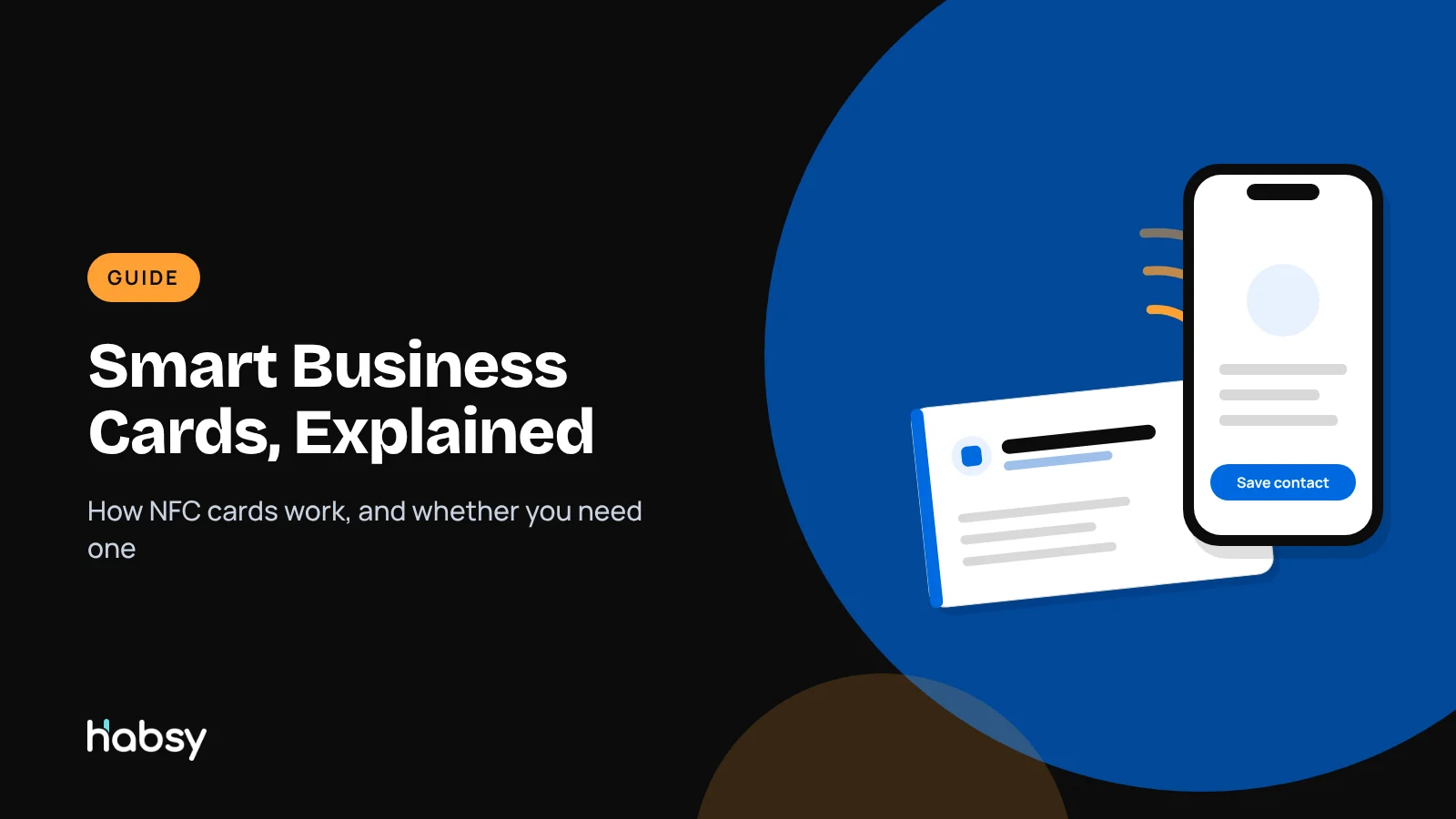
A smart business card looks like a normal card but has a chip inside. Tap it on a phone and your digital profile opens. This guide explains how NFC business cards work, which phones read them, the pros and cons, and when a QR code or phone-to-phone sharing does the same job for free.
Marcus Chen7 min read
On this page
- The quick answer
- How NFC business cards work
- Which phones read smart business cards?
- Pros and cons of smart business cards
- Smart card, QR code or phone-to-phone NFC?
- If you already own an NFC card: pointing it to your Habsy card
- When a smart card is worth it, and when it is not
- How Habsy fits in
- Do not forget the other half of the exchange
- Bottom line
The quick answer
A smart business card is a physical business card with an NFC chip inside. The chip stores a link to your digital business card. When someone taps the card against their phone, the phone reads the link and opens your card in its browser, where they can save your contact in one tap. Most smart cards also print a QR code as a backup for phones without NFC.
The phrase is also used loosely for any digital business card. If that is what you are looking for, start with what is a digital business card.
How NFC business cards work
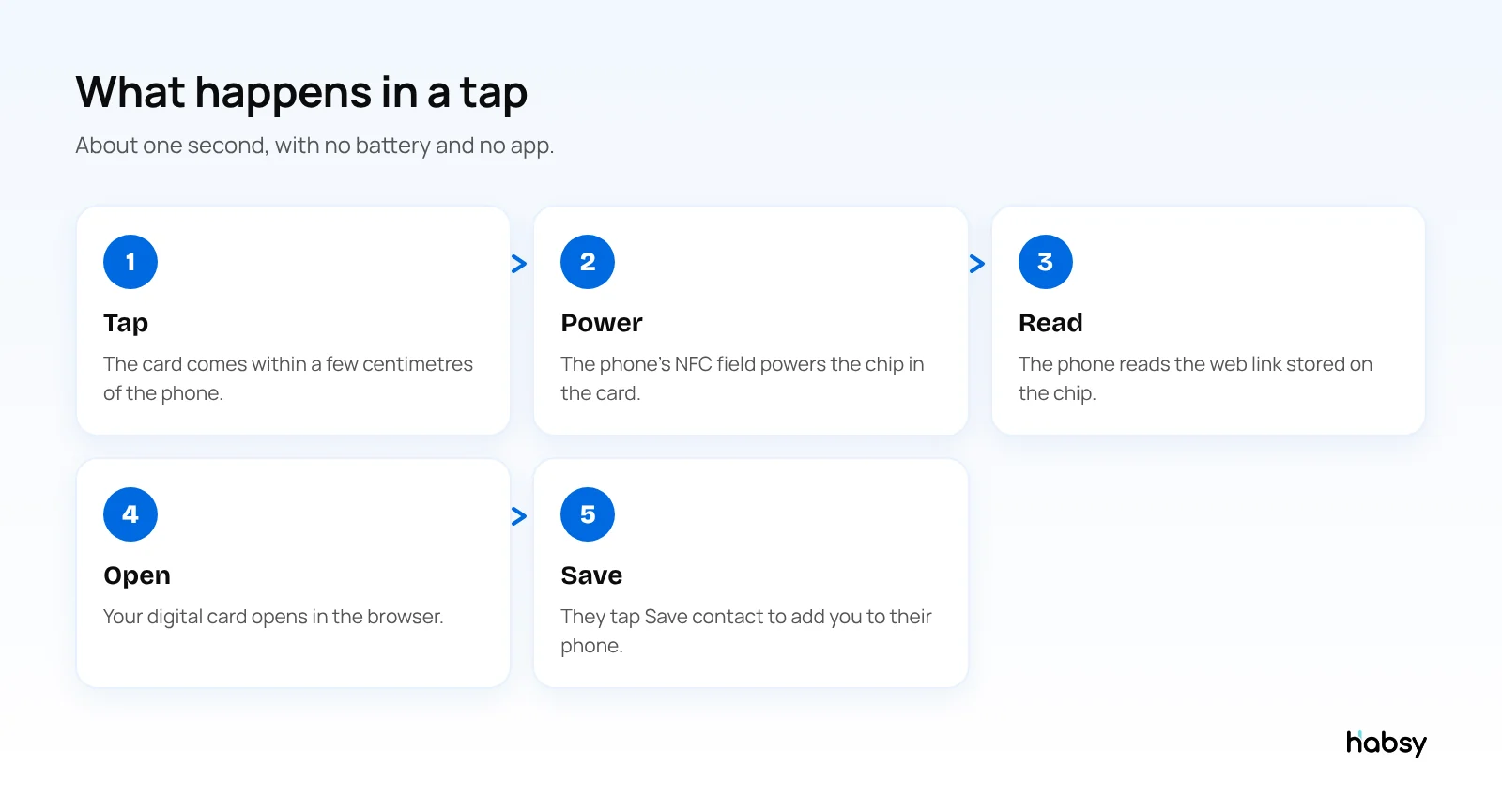
NFC stands for near field communication. It lets two devices exchange small amounts of data when they are a few centimetres apart. Contactless payments use it, and so do smart business cards.
- The chip. A small, thin NFC chip with an antenna is laminated inside the card. It stores a small amount of data, enough for a web link.
- No battery. The chip is passive. The phone’s NFC reader creates a field that powers it for the moment of the tap.
- The link. The chip holds the address of your digital card page. It does not hold your whole profile.
- The page. Your details live on the digital card page. Change the page and every card you have handed out shows the new details, without rewriting the chip.
Which phones read smart business cards?
| Phone | Reads NFC business cards? |
|---|---|
| iPhone XS and later | Yes, in the background with no app, when the screen is on |
| iPhone 7 to iPhone X | With an NFC reader app |
| Most Android phones | Yes, when NFC is switched on in settings |
| Phones without NFC | No, use the QR code on the card |
Because some people have NFC switched off, a QR code on the card is a useful backup.
Pros and cons of smart business cards
Pros
- A tap is quick and memorable in person
- One card lasts years, because the link does not change
- Premium materials such as metal or wood can suit a brand
- No typing for the other person
Cons
- You pay for hardware, and replace it if lost
- Not every phone reads it, so you still need a QR code
- It shares your details but does not capture theirs
- A card that links to a provider’s page depends on that provider staying in business
Put the guide into practice
Turn every event conversation into a follow-up.
Capture accurate contact details, add the context that matters and stay ready for the follow-up.
Smart card, QR code or phone-to-phone NFC?
| Smart NFC card | QR code | Phone-to-phone NFC | |
|---|---|---|---|
| Hardware needed | Yes, a card | No | No, just your phone |
| Works at a distance | No | Yes, on screens and slides | No |
| Works on video calls | No | Yes | No |
| Works if their NFC is off | Use the QR backup | Yes | No |
| Cost | Card price | Free with a digital card | Free with Habsy |
For many people, a digital card shared by QR code and phone-to-phone NFC covers every situation a smart card does.
If you already own an NFC card: pointing it to your Habsy card
Habsy does not program NFC cards, but most NFC cards simply store a web link, so you can point one you already own to your Habsy digital card with any general NFC writing app:
- Copy your card’s link from Habsy, either the Professional or the Business digital card.
- Open an NFC writing app on your phone and choose to write a new record.
- Add a URL record and paste your Habsy card link.
- Hold the NFC card to your phone to write it.
- Test it with a second phone, iPhone and Android if you can.
A few practical notes:
- Do not lock the card unless you have to. Locking makes the chip read-only. Because your Habsy link never changes, you rarely need to rewrite it, but a card you have not locked can still be rewritten later.
- Some cards are locked by their seller to their own platform and cannot be rewritten.
- Keep the printed QR code. It covers phones with NFC switched off.
When a smart card is worth it, and when it is not
| Situation | Smart NFC card | Digital card by QR, link and phone-to-phone NFC |
|---|---|---|
| Premium in-person meetings where the card itself makes an impression | Good fit | Works, with less ceremony |
| Busy exhibition stands with many visitors | Slower: one tap at a time | A printed QR code serves a crowd at once |
| Video calls and webinars | Does not work | QR on screen or link in chat |
| Email follow-up | Does not work | Link and QR in your signature |
| Capturing the other person’s details | Does not do this | Enquiry form (Habsy Plus), plus Habsy’s scanner for their card |
How Habsy fits in
Habsy does not sell or program NFC cards. Here is what it does instead:
- Two free digital cards, a Professional digital card and a Business digital card, each with a QR code and a link
- Phone-to-phone NFC sharing of your card, with no hardware
- Editable anytime, so your QR code and link always show your latest details
- An enquiry form with Habsy Plus, so the people you share with can send you their details, which a smart card on its own cannot do
- Scanning NFC event badges, as well as QR badges, paper cards and QR codes from other digital cards
If you already own an NFC card, you can store your Habsy digital card link on it with a general NFC writing app. The card then opens your Habsy card when tapped.
Do not forget the other half of the exchange
A smart card makes it easy for people to save your details. It does nothing to help you remember theirs. After a meeting or event, scan the cards and QR codes you collected into Habsy, add a note while you remember the conversation, and set a reminder to follow up. Read our post on two-way business card exchange for more.
Bottom line
A smart business card is an NFC chip that opens your digital card with a tap. It is a nice touch for in-person meetings, but the digital card behind it does the real work. Start with a free digital card that you can share by QR code, link or phone-to-phone NFC, and add hardware later if you want it. Create your Habsy digital card.
Frequently Asked Questions
What is a smart business card?
A smart business card is a physical card with an NFC chip, and often a QR code, that opens your digital business card when someone taps it with their phone. The term is also used more loosely for digital business cards in general.
How does an NFC business card work?
The card contains a small NFC chip that stores a web link. When a phone comes within a few centimetres, its NFC reader powers the chip, reads the link and opens it in the browser. The chip needs no battery.
Do iPhones read NFC business cards?
Yes. iPhone XS and later read NFC tags in the background without an app, as long as the screen is on. Older iPhones need an app to read tags.
Do NFC business cards work on Android?
Most Android phones have NFC, but it must be switched on in settings. If NFC is off or the phone has no NFC, the person can scan the card’s QR code instead.
Does Habsy sell or program NFC cards?
No. Habsy shares your digital card by QR code, link and phone-to-phone NFC, and reads NFC event badges. If you already own an NFC card, you can store your Habsy card link on it with a general NFC writing app.
Are smart business cards worth it?
They are worth it if a tap-to-share card fits your brand and you meet people in person often. If not, a digital card shared by QR code, link or phone-to-phone NFC does the same job without buying hardware.
Can I write my Habsy link to an NFC card myself?
Usually, yes, if the card is not locked. Use a general NFC writing app, add a URL record with your Habsy digital card link, and write it to the card. Habsy itself does not program NFC cards.
Put the guide into practice
Turn every event conversation into a follow-up.
Capture accurate contact details, add the context that matters and stay ready for the follow-up.