Digital Contact Card vs vCard: What’s the Difference?
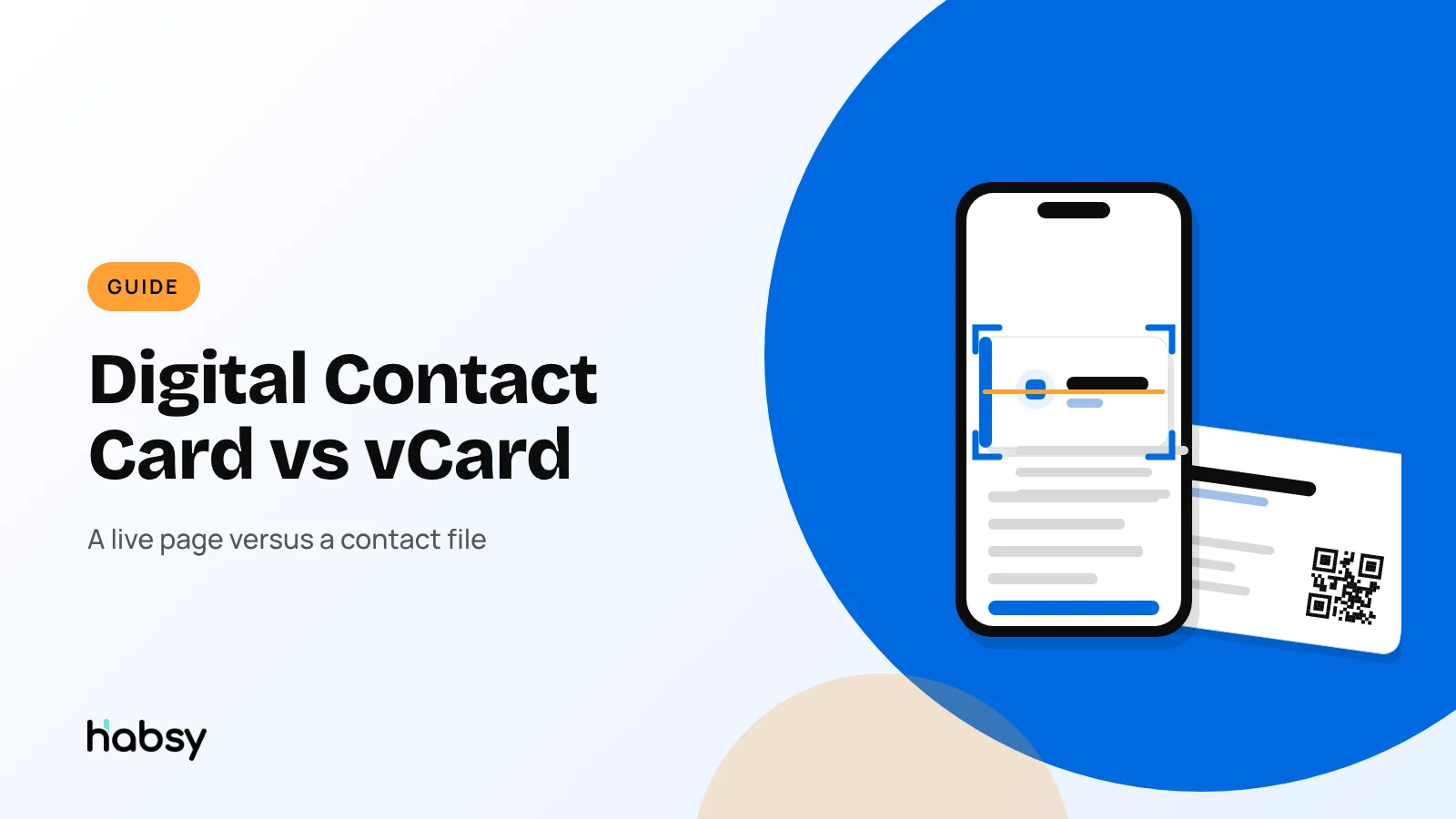
People often use “vCard” and “digital business card” as if they were the same. They are related, but not the same. A vCard is a file. A digital contact card is a page that usually offers a vCard. This guide explains the difference, and why it matters when you print a QR code.
Amélie Tremblay6 min read
The quick answer
A vCard is a contact file (.vcf) that a phone or email app imports into its address book. A digital contact card is a web page with your details and links, which usually offers your vCard when someone taps Save contact. The vCard is a snapshot that stays as it was saved. The digital card is live: you can edit it anytime, and its link and QR code never change.
What is a vCard?
vCard is a long-established standard for exchanging contact details. The current version, vCard 4.0, is defined in RFC 6350, and version 3.0 is still widely used. A vCard file holds fields such as:
- Name and formatted name
- Organisation and job title
- Phone numbers and email addresses
- Postal address and website
- Optionally a photo and notes
Every major phone and email platform reads vCards, which is why they are the standard way to move a contact from one place to another. When you export contacts as VCF from Habsy, you get vCard files.
What is a digital contact card?
A digital contact card, often called a digital business card, is a web page at its own address. It shows your photo, name, role, company, phone, email, website and social links, with tap-to-call and tap-to-email buttons. It usually has a Save contact button that downloads your vCard. You share it by QR code, link or NFC. For the details, see how digital business cards work.
Key differences
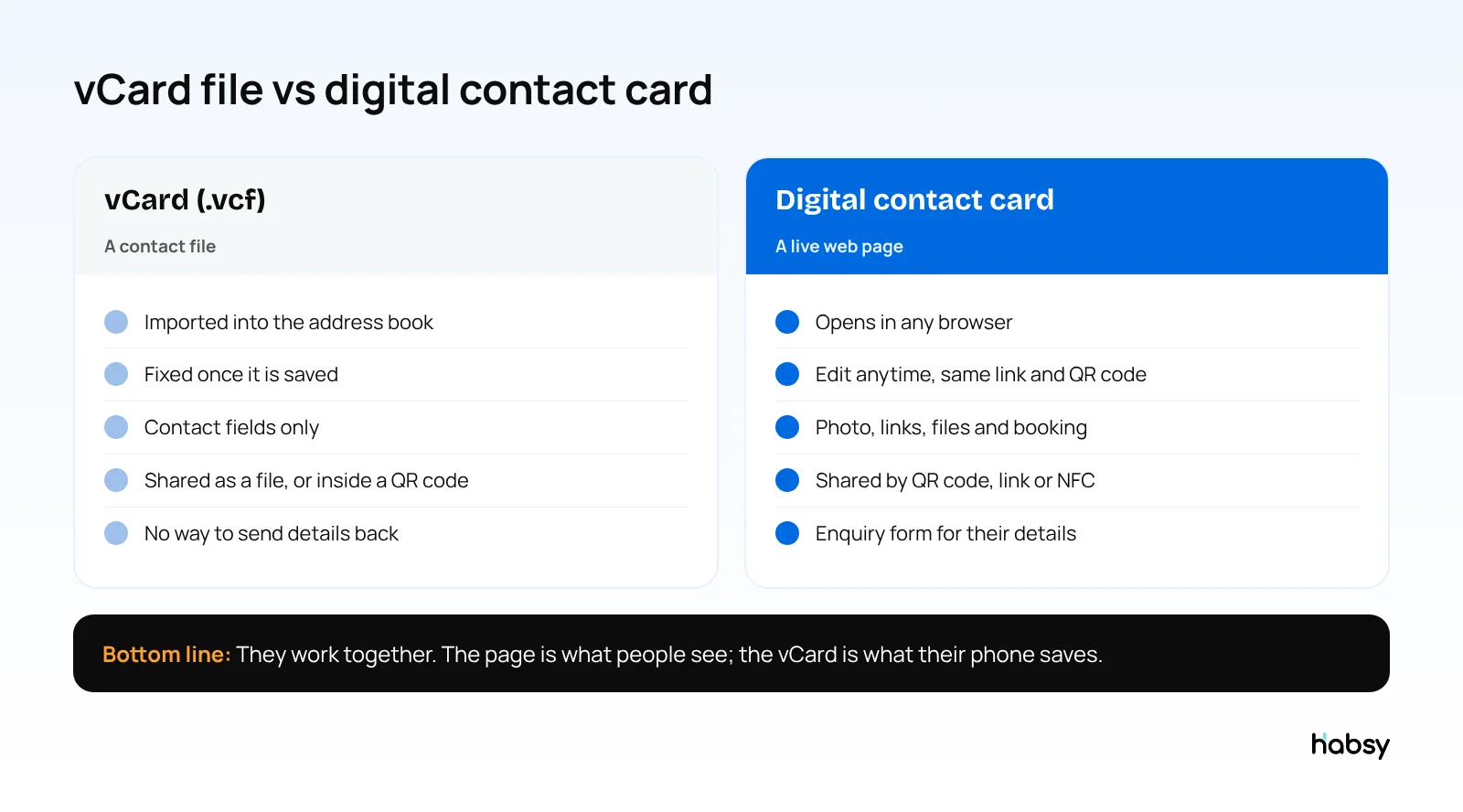
| vCard | Digital contact card | |
|---|---|---|
| What it is | A file | A web page |
| Where it lives | In the recipient’s address book | On the provider’s server, at your link |
| Updates | Fixed once saved | Edit anytime |
| Content | Contact fields | Contact fields, links, files, booking |
| How it is shared | Email attachment, file share, or inside a QR code | QR code, link, NFC |
| Two-way exchange | No | Yes, with an enquiry form |
| Analytics | No | Counts of visits, saves and taps |
| Needs internet to open | No | Yes |
See the difference
Compare less. Capture your next contact with Habsy.
Try the workflow built for fast capture, useful context and timely follow-up.
vCard QR codes vs linked QR codes
This matters most when you print a QR code on a business card, badge or sign.
vCard QR code
The QR pattern itself contains your contact details as text. When someone scans it, their phone offers to save the contact directly.
- Works without internet
- But it is fixed: change your number and you reprint
- It becomes dense and harder to scan as you add fields
- It holds only basic fields, with no links, photo or files
Linked QR code
The QR pattern contains a short web address that opens your digital card.
- You can update the card anytime and the QR code stays valid
- The code stays small and easy to scan
- The page can hold links, a photo, files and an enquiry form
- You can see how many people opened and saved your card
- It needs an internet connection to open
For most professionals, a linked QR code is the better choice. If you work somewhere without mobile data, a vCard QR code is a reasonable backup.
What is inside a vCard file
A vCard is plain text. This is roughly what a phone receives when someone taps Save contact on a digital card (an illustrative example):
BEGIN:VCARD
VERSION:3.0
N:Raman;Priya;;;
FN:Priya Raman
ORG:Northwind Foods
TITLE:Head of Procurement
TEL;TYPE=CELL:+91 98400 12345
EMAIL;TYPE=WORK:priya@northwindfoods.in
URL:https://northwindfoods.in
END:VCARD
Two things follow from this:
- A vCard holds only what was in it when it was saved. If Priya changes her number, the contact on your phone does not change. Her digital card page does.
- A vCard carries no context. There is no field for where you met, what she asked for, or when to follow up. That is why a contact app that keeps notes, voice notes and reminders next to the contact matters as much as the file format.
Where vCards fit in a Habsy workflow
- Receiving: when people tap Save contact on your Habsy card, they get a vCard.
- Capturing: when someone shares their own digital card, scan its QR code in Habsy rather than saving a vCard from the camera. You keep the person plus your notes and reminders.
- Exporting: Habsy exports contacts as VCF for phones and address books, and as Excel or CSV for spreadsheets and CRMs. Exports can include notes and, with Habsy Plus, voice note transcripts and intent signals in the spreadsheet formats.
Which should you use?
Use both, in their own roles:
- Share a digital card by QR code, link or NFC, so people see your current details and links.
- Let the card hand over a vCard when they tap Save contact, so your details land correctly in their phone.
- Export vCards when you need to move contacts into another app.
Habsy does all three. Your Professional and Business digital cards each have a QR code, a link and a Save contact button, with an enquiry form on Habsy Plus, and you can export the contacts you capture as VCF, Excel or CSV.
And when someone shares theirs with you
If someone shows you a digital card QR code from another provider, scan it with Habsy rather than your camera. Habsy reads digital cards from any provider, LinkedIn QR codes and website QR codes with contact details, and saves the person as a contact where you can add notes and reminders. Paper cards go into the same list. See QR codes for networking.
Bottom line
A vCard is the file your phone saves. A digital contact card is the page people see. You want a digital card that hands over a clean vCard, and that you can update without reprinting. Get your free Habsy digital card.
Frequently Asked Questions
What is a vCard?
A vCard is a standard file format for contact information, saved with the .vcf extension. Phones, email apps and CRMs read it to create a contact with the name, phone, email, company and other fields in the right places.
Is a vCard the same as a digital business card?
No. A vCard is a contact file. A digital business card is a web page with your details and links that usually includes a button to download your vCard. The card is what people see, the vCard is what their phone saves.
What is a vCard QR code?
A vCard QR code stores your contact details directly inside the QR pattern. Scanning it offers to save the contact without opening a web page. It cannot be changed after printing, and holds only basic fields.
Which is better for a business card, a vCard QR code or a link QR code?
A link QR code that opens a digital card is usually better. You can update the card anytime without reprinting, add links and files, and see how many people saved you. A vCard QR code works offline but is fixed forever.
Can I export my contacts as vCards?
Yes. Habsy exports contacts as VCF files, as well as Excel and CSV.
See the difference
Compare less. Capture your next contact with Habsy.
Try the workflow built for fast capture, useful context and timely follow-up.