Blog
Your CRM is supposed to be the system of record. But if it is full of duplicate contacts, missing fields, and people who changed jobs six months ago, it is actually a system of confusion. One that slows your team down, distorts your sales pipeline, and quietly kills your deals.
TL;DR |
|
|
|
|
|
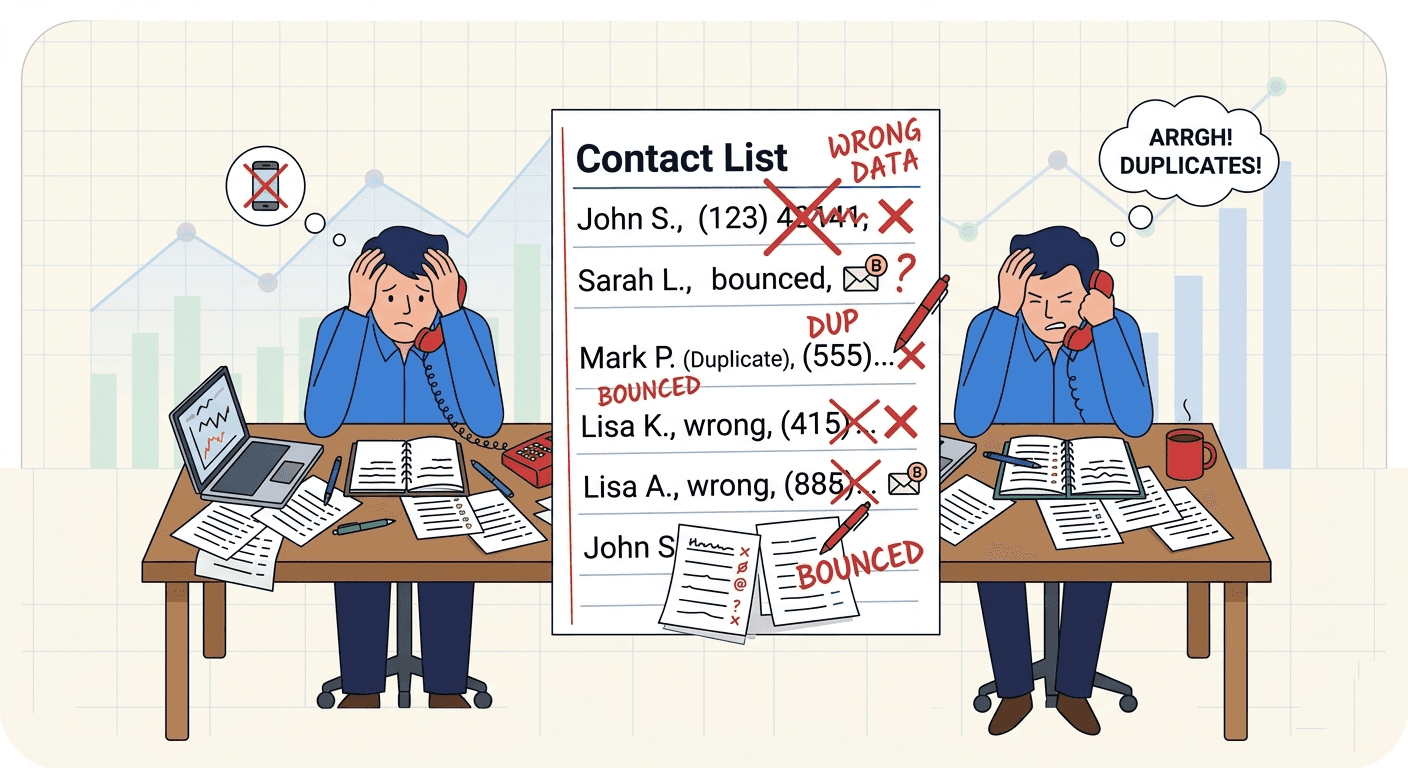
Poor CRM data hygiene costs sales teams 20% of revenue. Learn how to fix dirty contacts, prevent duplicates, and follow up within 48 hours using Habsy.
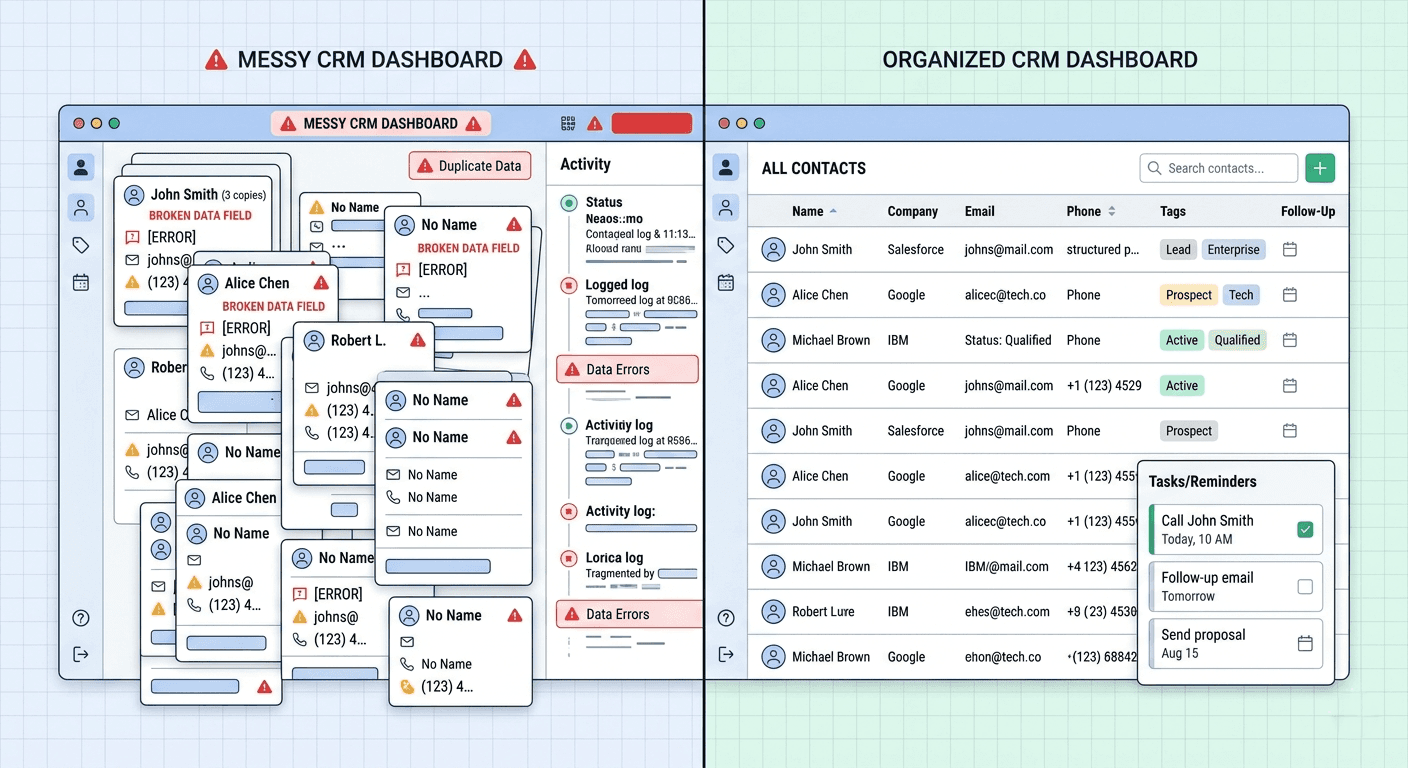
The window between a conversation and a converted lead is narrower than most teams expect.
Leads from events and in-person meetings lose temperature fast. Research on sales outreach consistently shows that response rates drop sharply after the first two days. The person who spent ten minutes at your stall discussing a Q4 rollout on Tuesday has moved on to other conversations by Thursday morning.
The gap is not a motivation problem. It is a workflow problem. When follow-up depends on memory, scattered notes, or a shared spreadsheet that no one owns, things slip. The fix is to build the next step into the capture moment itself, so every contact leaves the booth with a scheduled reminder, a drafted email, and a WhatsApp follow-up message ready to send. Outreach happens because the system makes it the path of least resistance, not because someone remembered to do it.
What Is CRM Data Hygiene?
CRM data hygiene is the ongoing practice of keeping your contact and account records accurate, complete, and free of duplicate contacts. It covers everything from how data enters your CRM, via badge scans, card uploads, forms, or manual entry, to how it is maintained as people change roles, companies, and phone numbers.
The term sounds operational. The impact is deeply commercial. A rep working from clean, contextualized data books more meetings. A manager with accurate records runs better forecasts. An SDR team with a de-duped, prioritized list from event lead capture makes significantly fewer wasted calls.
Approximately 34% of CRM contact data goes stale every year, a rate often called CRM data decay. Industry research consistently puts the cost of bad CRM data above 20% of annual revenue through misdirected effort, wasted dials, and broken attribution. Even a small SDR team can lose meaningful hours every week to noise that should have been caught before it reached the system.
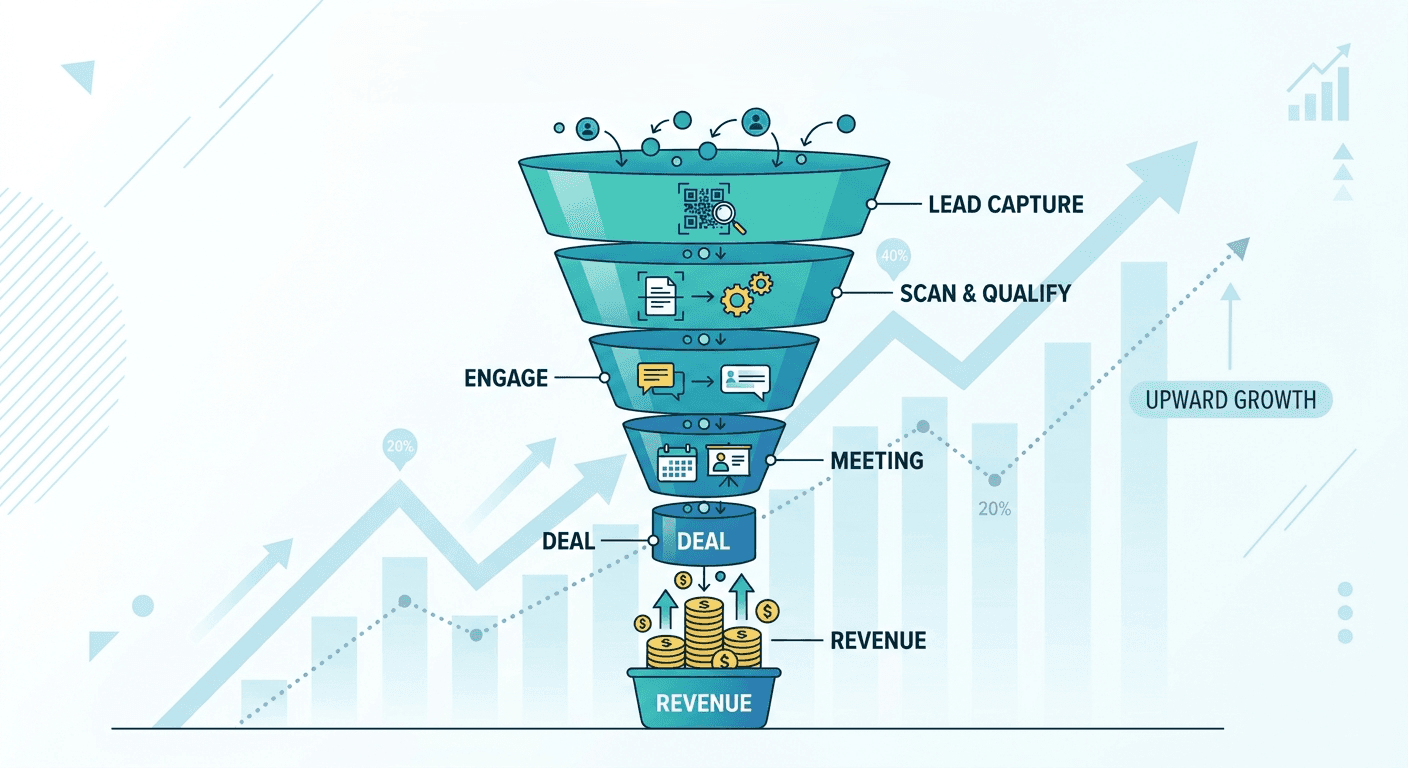
Most teams think of CRM data quality as an IT problem. It is not. It is a revenue problem that shows up in three specific places.
Wasted dials and bounced emails
When a rep dials a contact who left their company six months ago, or sends a personalized sequence to two records for the same person, that is a productivity leak. Multiply it across a 10-person SDR team and several hundred event leads, and you are looking at significant hours lost every week to bad CRM data that should have been caught before import.
A sales pipeline you cannot trust
Managers who forecast from CRM data are only as accurate as the records underneath. Duplicate contacts, missing stages, accounts with no owner: these distort every weekly call and every board deck. When sales leaders lose confidence in the data, they stop using the CRM to make decisions. That is when the spreadsheet shadow system starts.
Attribution you cannot defend
If your event lead capture is not tagged with a consistent source field, you cannot prove which shows the driven pipeline. When budget review comes, the events team has no number to stand behind. A Source / Campaign field at capture makes ROI visible and defensible. Without it, you are arguing from memory.
You do not need a formal audit to know things are off. These are the signals teams see every week.
Reps keep saying "this lead is already in the system.":
Duplicate contacts are the most common symptom of poor CRM data hygiene. If it takes a manual search every time to check, your CRM deduplication process is running too late or not at all.The "Hot leads" list is actually 400 contacts:
When every field has a value but none of the values are consistent, Interest = Hot, HOT, hot, demo, 1, yes, filtering is useless. Enum fields and required schemas prevent this.You cannot run a simple "events from last quarter" report:
Missing source and campaign fields mean attribution is impossible. The data exists. The metadata does not.Email bounce rates are above 5 to 8 percent:
Contacts that go stale too quickly signal either CRM data decay or no enrichment pass before sequences. It is also a deliverability risk that compounds over time.Follow-up reminders live in someone's head or personal calendar:
When next-step discipline is not embedded in the event lead capture workflow, it breaks down. Promises made on the show floor become invisible to the rest of the team.
Bad CRM data does not arrive dirty by accident. There are four structural causes, each with a straightforward fix.
No standard capture schema
When different reps capture different fields during event lead capture, you end up with records that cannot be compared, filtered, or queried consistently. One rep fills Interest with "Demo." Another writes "wants a demo." A third leaves it blank. The fix is to define a 3-to-6-field schema before every event and make the key fields required. Use enum dropdowns, not free text, for anything you plan to filter or report on later. This is the foundation of solid CRM data hygiene best practices.
Capture happens too late
Post-event batch entry, typing from cards, uploading badge files the next morning, is slow and lossy. Context fades. Details get omitted. The energy of a same-day conversation disappears by Day 3. Capturing in real time at the booth, with a tool that prompts for the right fields, preserves the context that drives conversion and reduces downstream CRM data quality issues.
CRM deduplication happens too late
By the time duplicate contacts hit your CRM, they have already caused problems. Two reps may be working the same lead. Your sequence tool may have fired two emails to the same address. CRM deduplication should happen before import, at the review stage, using email, phone, and company-plus-name matching. Not after the damage is done.
No next-step capture at source
Even clean data does not drive follow-up if the next step lives in a rep's memory. A one-tap reminder set right at capture is the difference between a lead that gets a timely, personalized WhatsApp follow-up or email and one that gets a generic message three weeks later when someone finally clears the backlog.
This is not a one-time cleanup. It is a workflow change that applies to every event. Here is the sequence that works.
Step 1: Define your capture schema before the event
Agree on 3 to 6 required fields before any event. A practical starting schema for most teams: Interest (Hot / Warm / Cold), Product Line, Priority, Stall No., Source / Campaign, Owner. Keep required fields at three or fewer if you are running at speed. Save this as an event preset in Habsy so every rep on the floor is prompted with the same fields, without any coordination overhead. This single step eliminates the most common CRM data quality problem before it starts.
Step 2: Capture at the moment, not later
Use batch card scanning and QR badge scanning to capture in real time. Drop a 10-second voice note for the context that does not fit a dropdown: the buyer intent, the reference from a colleague, the specific product they asked about. In Habsy, this entire event lead capture flow takes under 20 seconds per contact.
Step 3: Set a one-tap reminder before you move on
The moment after a scan is the best time to lock in the next step, while the conversation is still fresh. Habsy offers preset follow-up reminder options like Today EOD and Tomorrow 10:00 AM so a rep does not need to think about scheduling. One tap and the follow-up is on the calendar, tied to the contact, and visible to the whole team. Across an event with 80 leads, this is what separates a team that follows up consistently from one that follows up whenever someone has time.
Step 4: Review and run CRM deduplication before anything leaves the app
After the event lead capture, run the review queue. Fix OCR errors, fill missing fields, apply tags. Then run CRM deduplication using email, phone, and company-plus-name. Merge or flag duplicate contacts. In Habsy's internal tests, approximately 150 cards process in around 5 minutes using batch mode with a review step. This is where you catch CRM data quality problems before they become CRM problems.
Step 5: Send the first follow-up within 48 hours using email or WhatsApp
Once contacts are captured and qualified, Use Habsy to generate personalized email and WhatsApp follow-up drafts based on the conversation notes and company context captured at scan time. The rep does not start with a blank message. They open a draft that already references the product discussed, the contact's company, and the next step agreed at the stall. They review, adjust if needed, and send.
The draft is ready to send with one tap. Either way, the contact hears from you while the conversation is still recent. That is what makes the first follow-up feel like a continuation rather than a cold introduction.
Step 6: Use saved searches to prioritize who hears from you first
Not all 80 leads from event lead capture need the same urgency. Build a saved search once, Interest = Demo AND Priority = P1 AND Reminder = Due Today, pin it, and your team has a prioritized outreach list every morning. Hot leads get the first email or WhatsApp follow-up. Warm leads get a message later in the week. The system holds the priority logic so reps do not have to.
CRM Data Hygiene Best Practices: Common Mistakes to Avoid
Waiting until Day 3 to follow up: The contact has moved on. Other vendors who acted sooner are already in conversation. Good CRM data hygiene creates the conditions for fast outreach, but the outreach still has to happen.
Capturing without a schema: Raw names and emails from event lead capture are not actionable. You need at least Interest and Priority to know who to contact first and what to say.
Skipping the CRM deduplication step: OCR is accurate. It is not perfect. A five-minute review pass and a quick deduplication run save hours of bad data cleanup downstream.
Writing follow-ups from scratch: When reps have to construct personalized emails from memory after a 3-day event, quality drops and most contacts get a generic message. AI-generated email and WhatsApp follow-up drafts built on captured notes solve this without adding time.
Using too many required fields: If you ask reps to fill eight fields per contact during an event rush, they will fill none of them. Three to four required fields is the ceiling for adoption at speed.
Follow-Up That Actually Happens
The reason most event leads do not convert is not that the conversations were bad. It is that the follow-up was slow, generic, or never happened at all. Clean data removes one barrier. Scheduled follow-up reminders remove another.
When a rep opens a reminder the morning after an event and finds a personalized draft already waiting, follow-up stops being a task that requires effort and becomes something they can complete in two minutes. That shift, from effortful to easy, is what changes the conversion rate on event lead capture.
Capture cleanly. Qualify at the moment. Set the reminder. Send the first message within 48 hours. One app, one flow, no context lost between the conversation and the follow-up.
FAQs
1. What is CRM data hygiene and why does it matter for follow-up?
CRM data hygiene is the practice of keeping your contact and account records accurate, complete, and free of duplicate contacts from the moment data is captured. Good hygiene means reps follow up with the right person, using the right context, at the right time. Without it, outreach is slow, generic, and frequently misdirected, which is why poor CRM data quality is directly linked to lower event lead capture ROI.
2. How do one-tap reminders improve follow-up rates after events?
One-tap follow-up reminders set at the moment of capture ensure every contact has a scheduled next step before the rep moves on. Preset options like Today EOD and Tomorrow 10:00 AM remove all scheduling overhead. The reminder appears in a consolidated view the next morning, tied to the contact and voice note, so the rep has everything needed to follow up in under two minutes without relying on memory.
3. How does Habsy make the first follow-up email or WhatsApp message easier to send?
Habsy generates personalized email and WhatsApp follow-up drafts using the voice notes, custom fields, and company context captured at scan time. The rep opens a draft that already references the product discussed and the contact's company. For email, Habsy can send via your company domain. For WhatsApp follow-up, the draft is ready to copy with one tap, making the first outreach feel like a continuation of the conversation rather than a cold introduction.
4. How do you prevent duplicate contacts from entering the CRM?
CRM deduplication should happen before any data leaves the app, not after import. Habsy's duplicate contact detection uses email, phone, and company-plus-name matching during the review step. You merge or flag before anything touches your CRM, so your outreach list starts clean and your sequences never fire twice at the same contact. This is one of the most important CRM data hygiene best practices for event-driven sales teams.
5. What fields should we capture at every event to make follow-up faster?
A practical 6-field schema for event lead capture: Interest (Hot, Warm, Cold), Product Line, Priority, Stall No., Source/Campaign, and Owner. Keep required fields at three or fewer for rush capture. Add a 10-second voice note for anything that does not fit a dropdown. These fields feed directly into AI-generated email and WhatsApp follow-up drafts, so the more context captured at scan, the more personalized the first outreach and the better your overall CRM data quality.










