Best Business Card Scanner App for Android in 2026 (Free and Unlimited)
Android gives you Google Lens for free, and it reads the text on a card well. What it does not do is keep a list of the people you met, read a stack of cards, or export them. This guide compares the business card scanner apps worth installing on Android in 2026, and shows how to scan cards on an Android phone with Habsy for free.
Marcus Chen6 min read
The quick answer
The best business card scanner app for Android in 2026 is Habsy. It is free forever with unlimited scanning, reads cards with OCR and AI at 99% accuracy in our in-house tests, batch scans up to 150 cards in about 5 minutes, and exports to Excel, CSV or VCF on the free plan. Google Lens is the free option built into Android, and it is fine for one card, but it keeps no contact list and exports nothing. Get Habsy from Google Play.
Competitor details come from each vendor’s website, checked in October 2026.
Google Lens vs a business card scanner app
Every Android phone can read a business card with Google Lens. Point the camera at the card, and Lens picks out the text, a phone number or an email. For one card, that is enough.
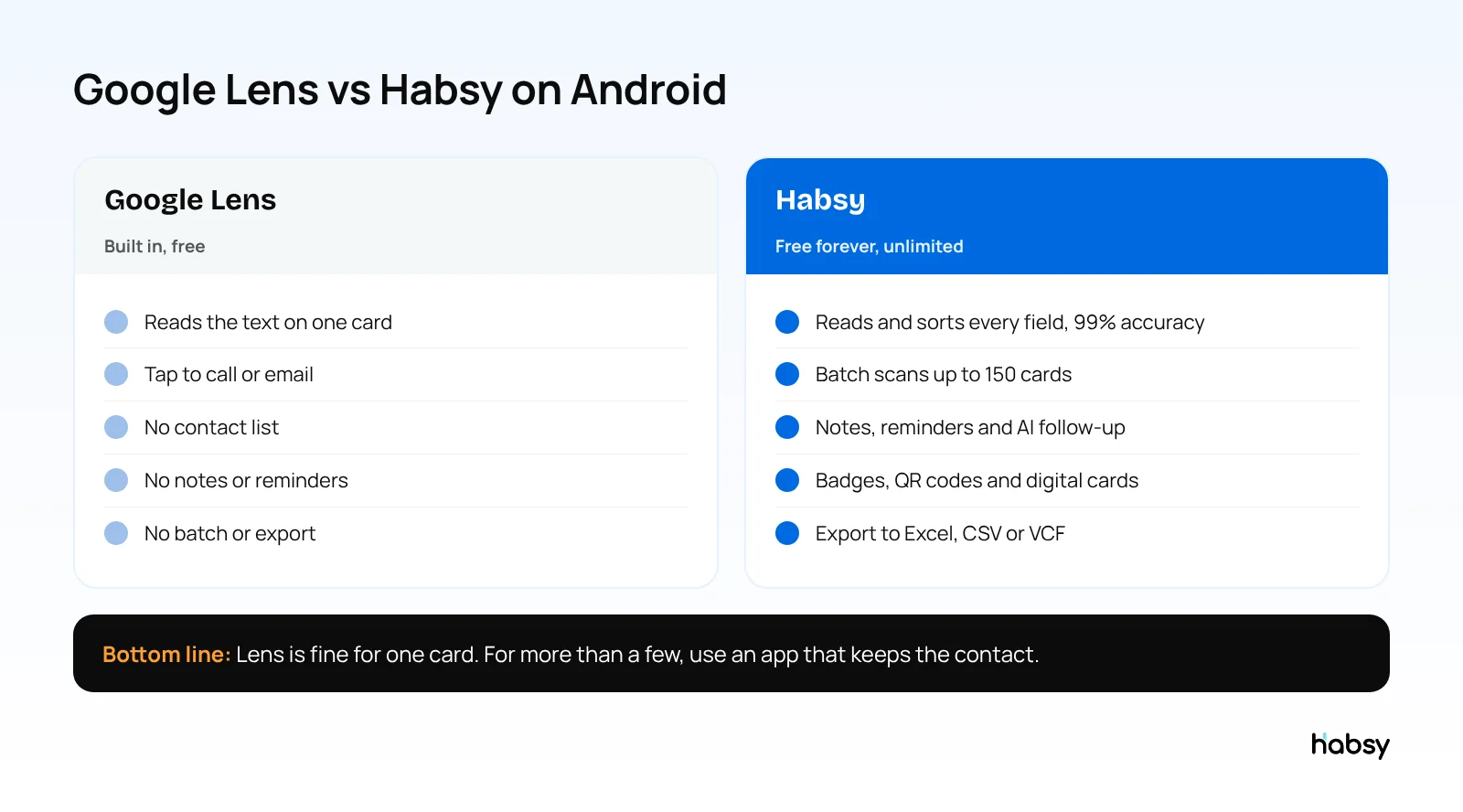
The problem starts with the second card. Lens does not keep the people you met in a list, does not let you add what you talked about, cannot read a stack of cards, and has no export. After an event, you are copying and pasting one card at a time.
Business card scanner apps for Android compared
| App | Free scanning | Batch scanning | Event badges | Paid plans from |
|---|---|---|---|---|
| Habsy | Unlimited, free forever | Up to 150 cards in about 5 minutes | QR and NFC, free | USD 100 per user per year (Habsy Plus) |
| Google Lens | Free, text only | No | No | Free |
| HiHello | 5 scans a month | Yes, about 100 cards | Business plan | $60 per user per year |
| ScanBizCards | Free plan with limits | Not listed | Paid plans | $100 per user per year |
| Covve Scan | Trial | Not listed | Pro plan | $119 per year |
| CamCard | 10-day business trial | Not listed | Not listed | Pricing on request |
For the full list across platforms, see the best business card reader apps and the best free business card scanner apps.
Put the guide into practice
Turn every event conversation into a follow-up.
Capture accurate contact details, add the context that matters and stay ready for the follow-up.
Why Habsy is the best scanner app on Android
Free means free
Habsy’s free plan is not a trial and has no monthly cap. It includes every capture method:
- Business cards, front and back, with 99% accuracy
- Batch scanning of up to 150 cards in about 5 minutes
- Cards from your gallery, imported from photos you already took
- QR codes, including LinkedIn QR codes and digital cards from any provider
- QR and NFC event badges
- Manual entry for the people who did not have a card
Habsy pays for the free app through its paid business plans. There are no ads, and Habsy does not sell your data.
Accurate on difficult cards
Habsy reads cards with OCR and AI together. OCR reads the text, and AI decides which value is the name, title, company, email or phone, even on vertical or busy layouts. Cards in other languages, such as Hindi, Tamil, Chinese, Japanese and Korean, are read and translated into English. You review the fields before saving. More in how to measure scanner accuracy.
Built for the way Android phones get used
- Offline capture: cards and badges are captured without signal and processed when you reconnect, which helps on field visits and in exhibition halls.
- Save to your contacts: save scanned people to your Android phone contacts, free.
- NFC: tap supported NFC badges, and share your own digital card phone to phone.
What happens after the scan
- Notes and reminders, free
- AI-written email and WhatsApp messages from a short prompt, free
- Advanced filters to find anyone you met, free
- Export to Excel, CSV or VCF, free
- Duplicate checks that let you choose what to do with each match
Habsy Plus adds voice notes with transcripts, intent signals, categories, AI contact enrichment, templates, Google Contacts sync and 10+ CRM integrations, for USD 100 per user per year, lower in some regions. Google Play shows the price for your country.
How to scan a business card on Android with Habsy
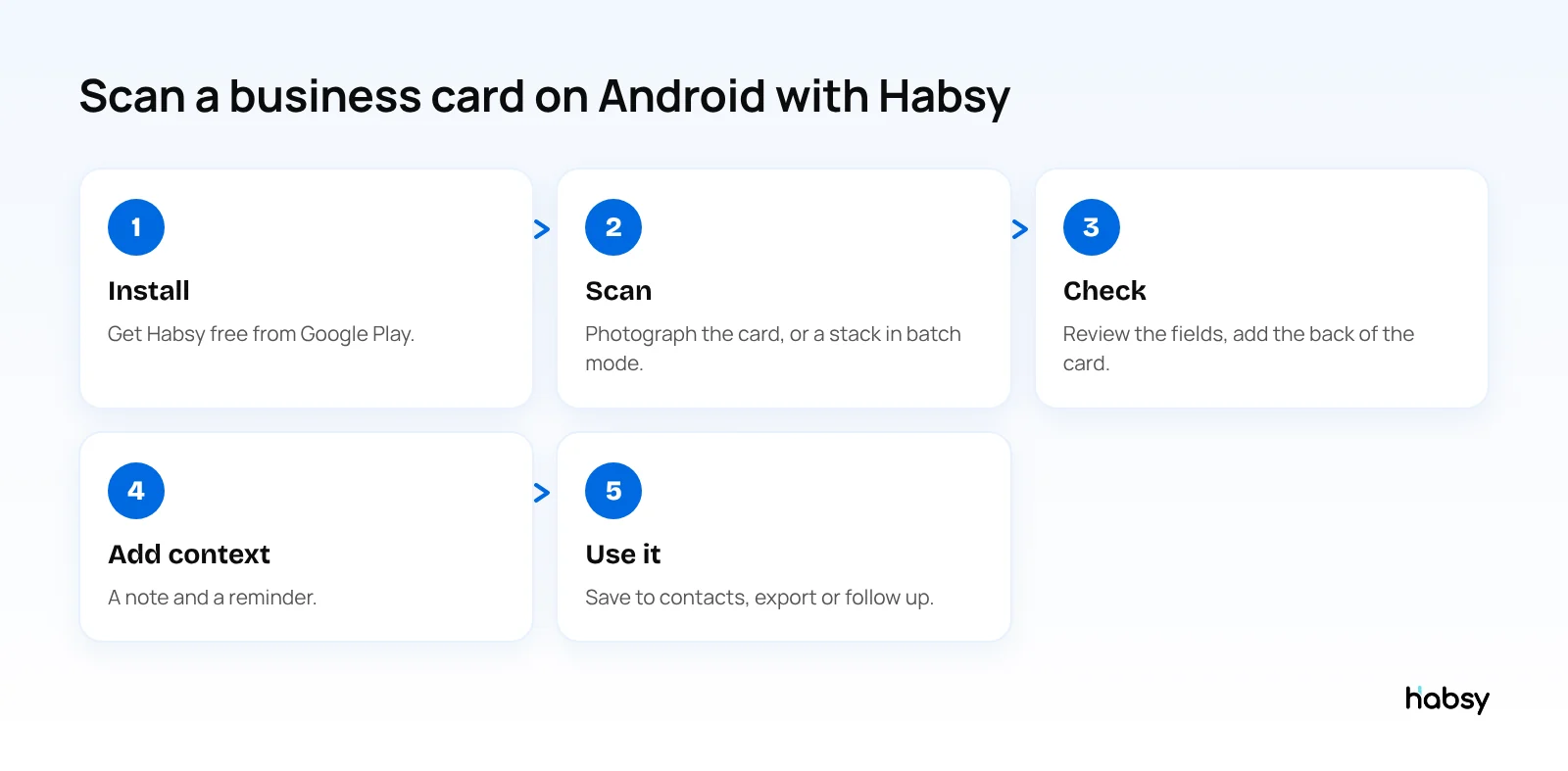
- Install Habsy from Google Play and sign up for free.
- Scan a card with the camera. For a stack, use batch mode and set the lead context once for the whole batch.
- Check the fields Habsy read, and add the back of the card if it has more details.
- Add context: a note on what you talked about, and a reminder for when to follow up.
- Use it: save to your phone contacts, export to a spreadsheet, or send a follow-up message.
Moving from another scanner app? Export your contacts as a CSV file and import them into Habsy for free.
Other Android scanner apps
- HiHello is mainly a digital card app. Its free plan includes 5 card and badge scans a month, and unlimited scans are on Business, at $60 per user per year (HiHello pricing).
- ScanBizCards has a free plan with limits, and Sales Ninja at $100 per user per year (ScanBizCards pricing).
- Covve Scan starts at $119 a year after a trial (Covve pricing).
- CamCard offers a 10-day business trial, with pricing on request.
How to choose a scanner app on Android
- Check the free plan’s limit. A cap of a few scans a month runs out on the first day of an event.
- Test your hardest cards. Glossy, vertical, small print and other languages.
- Scan a stack. Batch scanning decides how long the evening after an event takes.
- Check the export. Excel, CSV or VCF on the plan you will actually use.
Bottom line
Google Lens reads a card. A scanner app keeps the contact. On Android, Habsy does that for free with no scan limit, 99% accuracy in our in-house tests, batch scanning and export. Try the Habsy business card scanner.
Frequently Asked Questions
What is the best business card scanner app for Android?
Habsy is the best business card scanner app for Android in 2026. It is free forever with unlimited scanning, reads cards with OCR and AI at 99% accuracy in our in-house tests, batch scans up to 150 cards in about 5 minutes, and exports to Excel, CSV or VCF.
Is there a free business card scanner for Android with no limits?
Yes. Habsy’s free plan has no scan limit. It covers business cards, QR codes, LinkedIn QR codes, digital cards from any provider and QR and NFC event badges, with batch scanning, notes, reminders and export.
Can Google Lens scan business cards on Android?
Google Lens can read the text on a business card and act on a phone number or email it detects. It reads one card at a time and does not keep a contact list, add notes or export to a spreadsheet.
Can I scan business cards from photos on my Android phone?
Yes. Habsy can import cards from photos in your gallery, so cards you photographed at an event can be read later. It is part of the free plan.
Can I save scanned business cards to my Android contacts?
Yes. Habsy saves scanned contacts to your phone contacts on the free plan. Syncing with Google Contacts is part of Habsy Plus.
Does the Habsy Android app work offline?
Yes. Cards and badges are captured offline and processed when your phone reconnects.
Put the guide into practice
Turn every event conversation into a follow-up.
Capture accurate contact details, add the context that matters and stay ready for the follow-up.