Best Business Card Reader App in 2026: 8 Options Compared
A business card reader app turns the text on a card into a saved contact. The difference between apps shows up in how many fields come out right, whether they read other languages, how they handle a stack of cards, and what you can do with the contacts afterwards. We compared eight options, including what replaced ABBYY and Microsoft Lens.
Marcus Chen7 min read
On this page
- The quick answer
- What makes a good business card reader app
- Business card reader apps compared
- 1. Habsy: best business card reader app overall
- 2. Google Lens: free text reading on Android
- 3. Live Text: free text reading on iPhone
- 4. HiHello
- 5. ScanBizCards
- 6. Covve Scan
- 7. CamCard
- 8. HubSpot and Zoho card readers
- Readers that are gone: ABBYY and Microsoft Lens
- How to choose a business card reader app
- Bottom line
The quick answer
The best business card reader app in 2026 is Habsy. It reads cards with OCR and AI at 99% accuracy, the highest in our in-house tests, translates cards in other languages into English, batch reads up to 150 cards in about 5 minutes, and scanning is unlimited and free forever. Other options are Google Lens and Live Text for one-off text, HiHello and ScanBizCards for limited free use, Covve Scan and CamCard as paid apps, and the HubSpot and Zoho readers if you only need them for one CRM.
Competitor details come from each vendor’s website, checked in October 2026.
What makes a good business card reader app
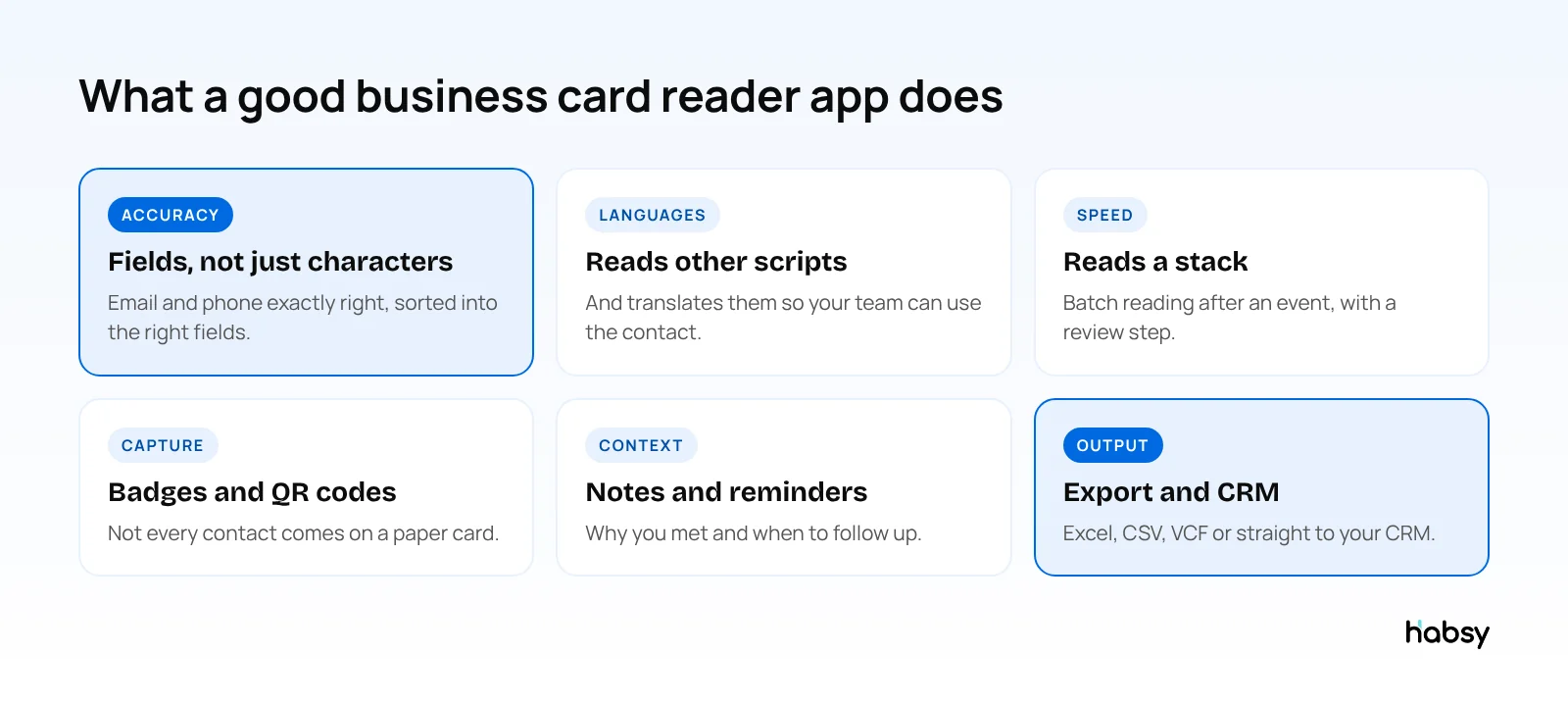
A reader app has one job: turn the text on a card into a contact you can use. Three things decide how well it does that.
- Field accuracy. An app can read 98% of characters correctly and still get the email wrong. What matters is whether each field, starting with email and phone, comes out exactly right. Read more in how to measure business card scanner accuracy.
- Layouts and languages. Vertical cards, glossy finishes, small fonts and non-Latin scripts are where weaker readers fail.
- What happens after reading. A reader that keeps no list, adds no notes and exports nothing leaves you copying and pasting.
Business card reader apps compared
| App | Free reading | Batch reading | Event badges | Paid plans from |
|---|---|---|---|---|
| Habsy | Unlimited, free forever | Up to 150 cards in about 5 minutes | QR and NFC, free | USD 100 per user per year (Habsy Plus) |
| Google Lens (Android) | Free, text only | No | No | Free |
| Live Text (iPhone) | Free, text only | No | No | Free |
| HiHello | 5 scans a month | Yes, about 100 cards | Business plan | $60 per user per year (Business) |
| ScanBizCards | Free plan with limits | Not listed | Paid plans | $100 per user per year (Sales Ninja) |
| Covve Scan | Trial | Not listed | Pro plan | $119 per year (Essential) |
| CamCard | 10-day business trial | Not listed | Not listed | Pricing on request |
| HubSpot and Zoho readers | Free with the CRM | Not listed | Not listed | Part of the CRM |
1. Habsy: best business card reader app overall
Habsy reads a card with OCR and AI, sorts each value into the right field, and shows you the result to check before you save.
- 99% accuracy, the highest in our in-house tests
- Other languages, such as Hindi, Tamil, Chinese, Japanese and Korean, translated into English
- Both sides of a card, when the back carries more details
- Batch reading of up to 150 cards in about 5 minutes
- More than paper: QR and NFC event badges, LinkedIn QR codes and digital cards from any provider
- Offline capture in halls with no signal, processed when you reconnect
- Duplicate checks that let you choose what to do with each match
- Notes, reminders and AI-written follow-up messages, free
- Export to Excel, CSV or VCF, free
Habsy Plus adds voice notes with transcripts, intent signals, categories, AI contact enrichment, templates and 10+ CRM integrations, for USD 100 per user per year, lower in some regions. See the business card scanner.
Best for: anyone who reads more than a few cards a month, from networkers to booth teams.
2. Google Lens: free text reading on Android
Google Lens reads the text on a card through the camera, and you can copy it or tap a phone number or email it detects. It is free and quick for one card. It does not keep a list of people you met, add notes or export anything.
Best for: saving one card right now.
3. Live Text: free text reading on iPhone
Live Text, built into the iPhone Camera and Photos apps, does the same on iOS. Select the text on a card and copy it, or act on a number or email. Like Lens, it is a text reader, not a contact manager.
Best for: iPhone users saving a single card.
Put the guide into practice
Turn every event conversation into a follow-up.
Capture accurate contact details, add the context that matters and stay ready for the follow-up.
4. HiHello
HiHello is mainly a digital business card app with a scanner. The free Personal plan includes 5 card and badge scans a month, and the Business plan, at $60 per user per year for 5 to 100 users, adds unlimited scans, event lead capture and CRM integrations (HiHello pricing). See our HiHello alternatives.
Best for: teams that mainly share digital cards and scan occasionally.
5. ScanBizCards
ScanBizCards lists support for 20 languages. Its Trail-Blazer plan is free for life with limits, and Sales Ninja costs $100 per user per year (ScanBizCards pricing). CRM export and badge scanning are on paid plans. Read ScanBizCards vs Habsy.
Best for: individuals who read cards occasionally.
6. Covve Scan
Covve Scan pairs a card reader with a personal contact manager and AI lead research. Essential costs $119 a year and Pro, which adds badge scanning and custom fields, $199 a year per seat (Covve pricing). See Covve vs Habsy.
Best for: individual networkers who want a paid personal CRM.
7. CamCard
CamCard is one of the oldest card readers and is now positioned as a digital card platform for teams. Pricing is on request, with a 10-day business trial. Read CamCard vs Habsy.
Best for: teams already on CamCard.
8. HubSpot and Zoho card readers
If your team lives in one CRM, its own reader can be enough. The HubSpot mobile app includes a free business card scanner that saves cards as contacts, and Zoho’s Card Scanner app saves them as Zoho CRM leads or contacts. Each one works with its own CRM only, so it is a poor fit if your contacts need to go anywhere else. See CRM business card scanners vs Habsy.
Best for: teams that only need cards in one CRM.
Readers that are gone: ABBYY and Microsoft Lens
Two well-known readers no longer work as they did:
- ABBYY Business Card Reader: the Android app reached end of life on 18 September 2023, and the iOS app no longer syncs (ABBYY announcement). See our ABBYY Business Card Reader alternative guide.
- Microsoft Lens: removed from the app stores in November 2025, and scanning stopped on 15 December 2025.
If you used either, export what you can and move your contacts to an app that is still maintained. Habsy imports contacts from a CSV file, so you can bring your list with you.
How to choose a business card reader app
- Test with your hardest cards. Glossy, vertical, small print and other languages. Count fields that come out exactly right.
- Read a stack, not one card. Batch reading decides how long the evening after an event takes.
- Check the free plan’s limit. A monthly scan cap runs out on the first day of a show.
- Look past the card. If you go to events, you also need badges and QR codes.
- Check export and CRM on the plan you will use.
Bottom line
Most phones can read the text on a card. A business card reader app earns its place by getting every field right, reading other languages, handling a stack and keeping the contact ready for follow-up. Habsy does all of that with unlimited free scanning. Try the Habsy business card scanner.
Frequently Asked Questions
What is the best business card reader app?
Habsy is the best business card reader app in 2026. It reads cards with OCR and AI at 99% accuracy in our in-house tests, translates cards in other languages into English, batch reads up to 150 cards in about 5 minutes, and scanning is unlimited and free forever on iPhone and Android.
What is the best free business card reader app?
Habsy, because its free plan has no scan limit and includes batch scanning, badge scanning and export to Excel, CSV or VCF. Google Lens and Live Text are free too, but they only read text and do not keep or export contacts.
Is there a business card reader that reads other languages?
Yes. Habsy reads cards in Hindi, Tamil, Chinese, Japanese, Korean and other languages, and translates them into English. ScanBizCards lists support for 20 languages.
What happened to ABBYY Business Card Reader?
ABBYY ended its mobile apps. The Android app reached end of life on 18 September 2023, and the iOS app no longer syncs. See our ABBYY Business Card Reader alternative guide for replacements.
Can a business card reader app read a stack of cards at once?
Habsy batch reads up to 150 cards in about 5 minutes, with a review step before you save. HiHello also lists batch scanning. Phone text recognition reads one card at a time.
Can a business card reader app scan event badges too?
Habsy scans QR and NFC event badges on its free plan. In several other apps, badge scanning is part of a paid plan.
Put the guide into practice
Turn every event conversation into a follow-up.
Capture accurate contact details, add the context that matters and stay ready for the follow-up.