Blog
Trade shows generate contacts fast. The average exhibitor collects dozens to hundreds of leads over two or three days. What happens next is where most of that effort is lost.
The window to re-engage a trade show contact is narrow. Research consistently shows that follow-up within 24 to 48 hours produces significantly higher response rates than outreach a week later, when the contact has moved on, forgotten the conversation, or already committed to a competitor. Email inboxes after a major event are flooded. Phone calls go to voicemail. WhatsApp is different.
This guide covers how exhibitors and sales teams can build a structured WhatsApp follow-up workflow after a trade show, from lead capture at the booth to the first message sent.
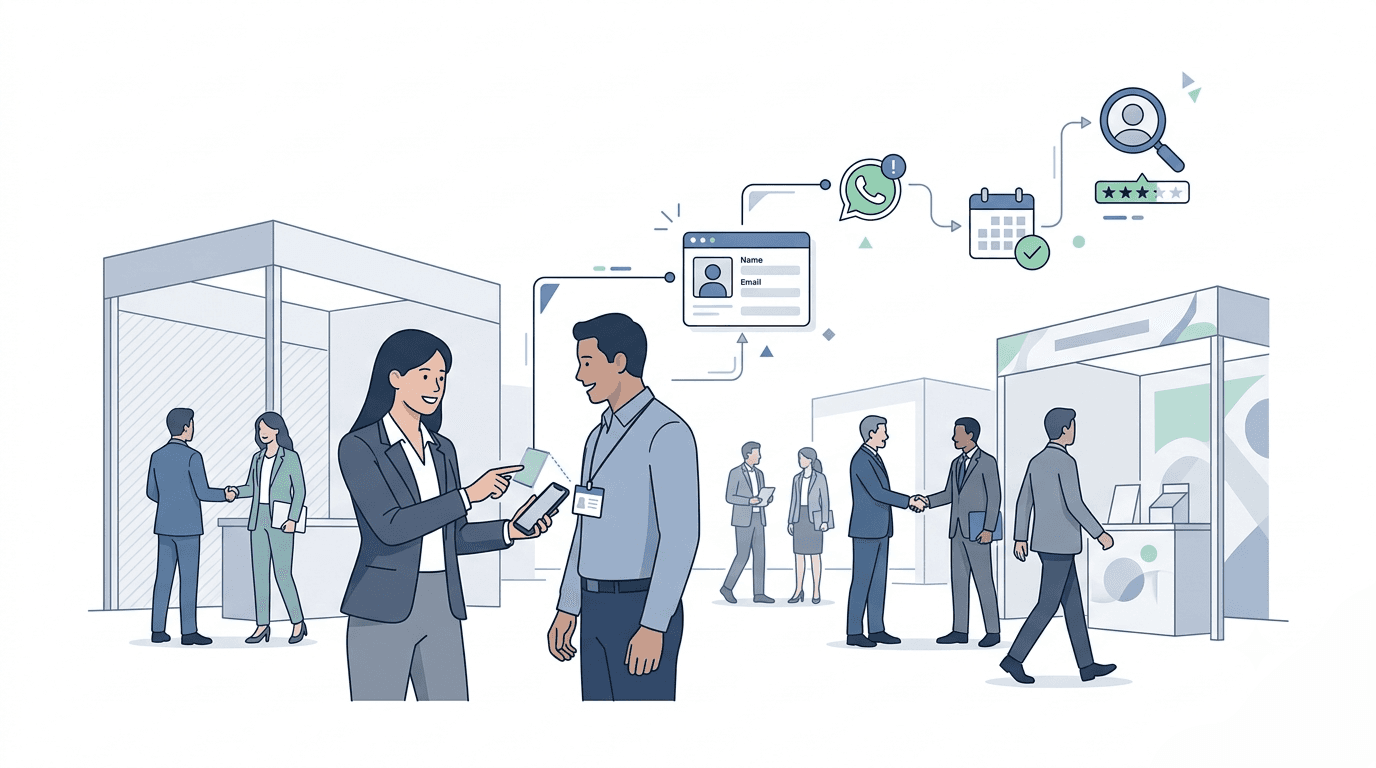
Using WhatsApp for follow-ups? Scale your post-show outreach with personalized messages, better lead context, and faster engagement.
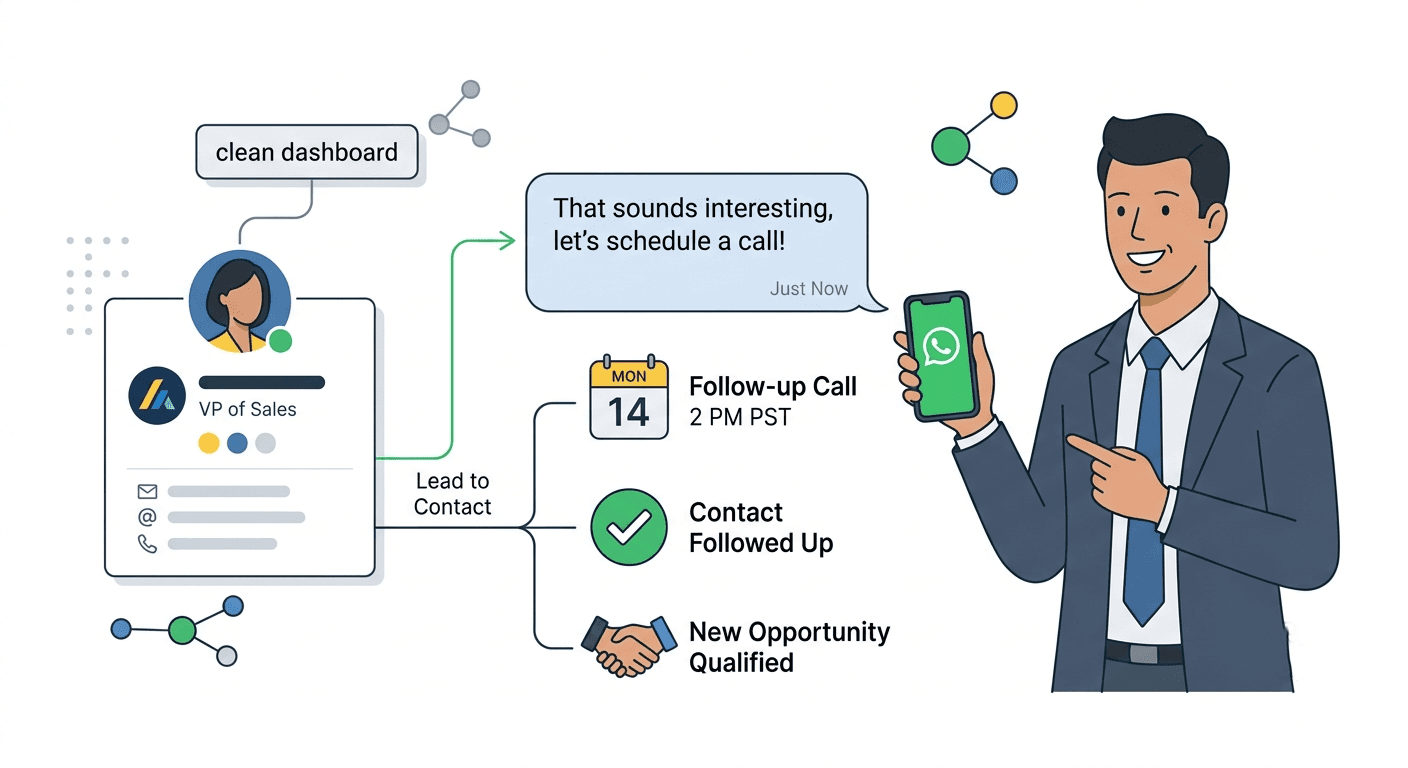
WhatsApp has over two billion active users globally and consistently reports open rates above 90%, compared to 20-30% for email. In many markets, particularly across Asia, the Middle East, Latin America, and Europe, WhatsApp is the primary channel for professional communication, not a secondary one.
For trade show follow-up specifically, WhatsApp carries a structural advantage: it feels personal. A message sent via WhatsApp reads less like a marketing blast and more like a continuation of the conversation that started at the booth. That context matters when someone is trying to remember which of thirty exhibitors they actually want to talk to.
WhatsApp Business adds a layer of professionalism with a verified business profile, catalog features, and quick reply templates, without removing the conversational quality that makes the channel effective.
The Real Problem: What Happens Between the Booth and the Follow-Up
Most follow-up failures are not messaging failures. They are organizational failures.
Sales reps return from a trade show with a stack of business cards, a phone full of photos, and handwritten notes that lose meaning 72 hours after the event. By the time outreach is attempted, context is gone. The rep cannot remember whether a contact was a hot lead or a casual passerby. The message sent is generic. The response rate reflects that.
The fix is not a better message template. The fix is capturing context at the moment of the conversation, before the booth interaction ends.
Step 1: Capture More Than Contact Details at the Booth
A contact's name, email, and company are the starting point, not the asset. What drives personalized follow-up is everything beyond those basics: what the contact was interested in, where they are in their buying process, what they said they needed, and any notes from the in-person conversation.
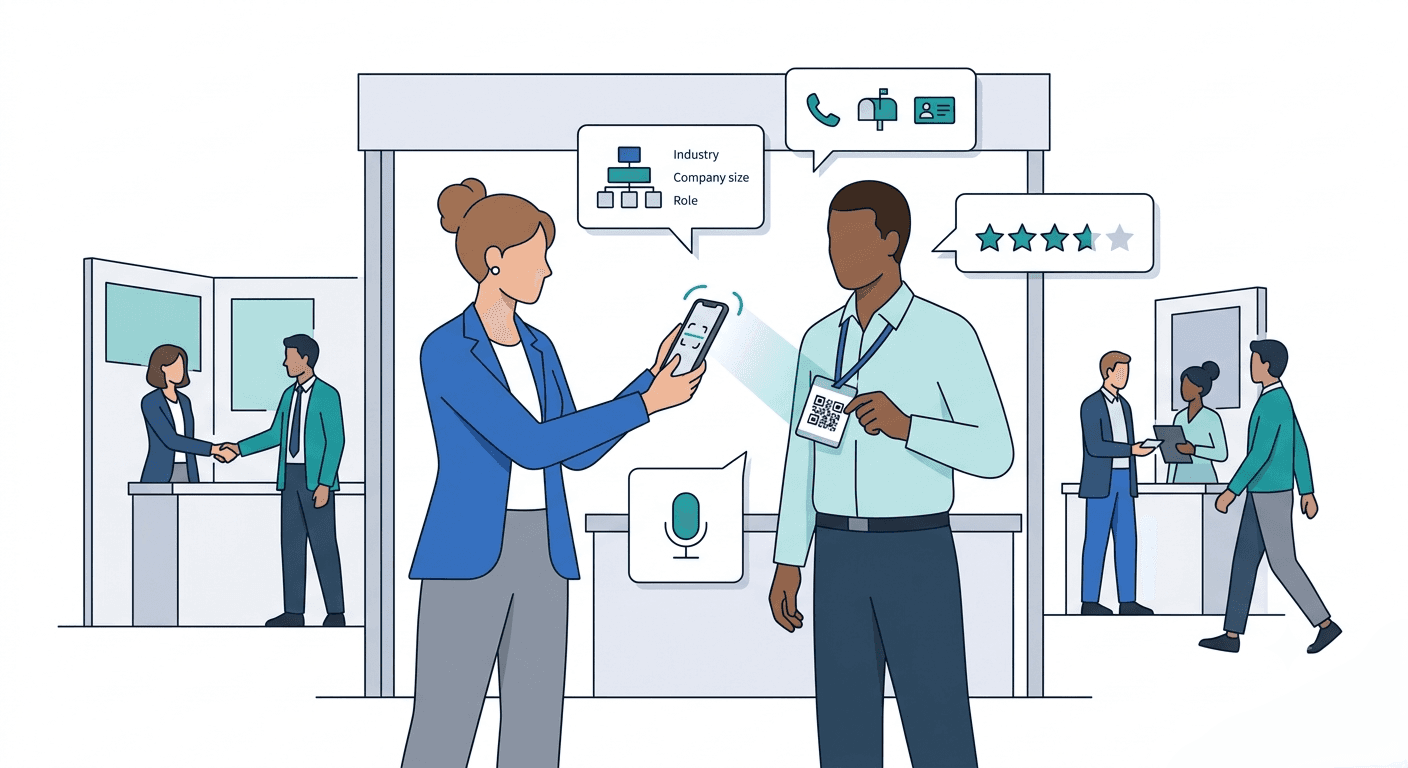
Modern lead capture apps allow sales reps to scan a business card or QR badge and immediately attach structured context to that contact.
With Habsy, teams can capture this context through intent signals, structured qualifiers that reps fill in at the point of contact. An intent signal might indicate purchase timeline (evaluating now vs. next quarter), product interest (feature A vs. feature B), or follow-up action required (send a demo, connect on WhatsApp, loop in procurement). Voice notes can also be recorded directly after the conversation and are automatically transcribed, creating a searchable record of what was discussed.
This structured context is what makes the WhatsApp message that follows feel specific rather than templated.
Not every trade show contact deserves the same follow-up, and not every follow-up should happen on WhatsApp.
A useful three-tier approach:
Tier 1: High Intent: Contacts who expressed active interest, requested follow-up, or flagged an immediate need. Follow up on WhatsApp within 24 hours. The message should be direct, reference the specific conversation, and include a clear next step.
Tier 2: Warm: Contacts who showed interest but are earlier in their evaluation. Follow up within 48 to 72 hours. The message can be lighter: a resource, a relevant case study, or an invitation to a demo.
Tier 3: Cold: Contacts with no clear intent signal, or general inquiries. These may be better served via email nurture rather than WhatsApp, where the personal register of the channel may not be warranted.
Intent signals captured at the booth make this segmentation automatic rather than a post-event guessing exercise.
The first WhatsApp message should go out within 24 hours of the event day on which the contact was met, ideally the same evening or the following morning.
Waiting until after the show closes entirely is a common mistake. A contact met on Day 1 of a three-day show should receive a message on Day 1 or Day 2, not the following week. The conversation is still fresh. The show is still a shared reference point. That recency is a conversion asset.
For international contacts, check time zones before sending. A message that arrives at 2 AM does not get a warm reception.
Sending personalized WhatsApp messages to dozens of contacts after a show, each referencing a different conversation, a different product interest, a different name, is not realistic without a system. Habsy's WhatsApp Templates feature is built to solve this. It lets sales reps create reusable message templates in advance and send them with a single tap, with contact details automatically filled in.
Setting Up WhatsApp Templates
Open the Habsy Business Card Manager app and navigate to the Settings page. Under the Account section, below the profile information, tap WhatsApp Templates. This opens the templates management page, where all saved templates can be viewed and managed.
To create a new template, tap the Plus (+) button in the top-right corner. Two options will appear: Create Manually and Generate with AI.
Option 1: Create Manually
Select Create Manually to write the template from scratch.
Enter a name for the template, something descriptive that helps reps identify it quickly, such as "Post-Show High Intent" or "Demo Request Follow-Up."
Write the WhatsApp message content in the body field.
Optionally, attach a file, such as a brochure, product sheet, or PDF, that should accompany the message.
This option works well for teams that already know exactly what they want to say and simply want to save it for repeated use.
Option 2: Generate with AI
Select Generate with AI to let Habsy draft the message based on a short description of its purpose.
There are two ways to use this option:
From a specific contact's record: Open the contact from the Home page and tap Generate with AI directly on their profile. Habsy uses all the context saved against that contact, including notes, voice note transcripts, intent signals, and reminders, to generate a message tailored to that individual. This is the most effective path for high-intent contacts where the booth conversation had specific detail worth referencing.
From the Templates library: Navigate to Settings, tap WhatsApp Templates, then tap the Plus (+) button and select Generate with AI. Here, enter a brief description of the message's purpose, for example: "Follow up with a trade show lead who asked about our enterprise pricing" or "Re-engage a warm contact who requested a product demo." This creates a reusable template for use across multiple contacts rather than a single personalized message.
In both cases:
Select the tone and writing style from three options: Formal, Informal, or Casual. Choose based on the audience and the nature of the relationship established at the show.
Tap Generate Message. Habsy's AI will produce a complete draft.
After the message is generated, the template can be:
Named: give it a label for easy identification later.
Edited manually: the generated message is fully editable. Reps can adjust phrasing, add specific details, or restructure as needed.
Regenerated: if the first version does not fit, tap to generate a completely new draft without losing the original description or tone selection.
Saved: once satisfied, save the template to the library for use across all contacts.
Dynamic Variables for Automatic Personalization
Both creation methods support dynamic variables, which are placeholders that automatically pull data from saved contact records when the message is sent. This means the rep does not need to manually edit names, companies, or designations for each contact.
Variables follow the format {{variable.field}}. The available variables include:
{{user.name}} — the rep's own name
{{user.company}} — the rep's company
{{user.designation}} — the rep's job title
{{recipient.name}} — the contact's name
{{recipient.company}} — the contact's company
{{recipient.designation}} — the contact's job title
A template written as:
Hi {{recipient.name}}, it was great meeting you at the show. I'm {{user.name}} from {{user.company}}. Based on our conversation about your team's needs, I'd love to share a few details about how we work with companies like {{recipient.company}}.
...will automatically populate with the correct names and companies for every contact the template is sent to. No manual edits required.
This combination of reusable templates and auto-populated variables is what makes it practical to send high-quality, personalized WhatsApp messages to a large post-show contact list without the process taking hours.
Sending a Saved Template to a Contact
Once templates are set up, using them is straightforward:
From the Home page, open the contact's record.
Tap the phone icon near the contact's number.
Select WhatsApp from the options that appear.
Choose a saved template from the library.
Preview the message and confirm that the dynamic variables have populated correctly with the contact's details.
Tap Send WhatsApp to send the personalized message instantly.
The entire process from opening a contact to sending the message takes under 30 seconds, making it realistic to work through a full post-show contact list in a single session.
For exhibitor teams with multiple reps working a show, the follow-up challenge scales. Leads captured by different reps need to be visible to the wider team, assignable to the right account owner, and synced to the CRM before outreach begins.
With Habsy Platform, teams can centralize all contacts captured across reps during an event, apply categories for segmentation (by product interest, territory, or deal stage), and push contacts directly to the CRM of their choice, whether HubSpot, Salesforce, Zoho, or another system.
This eliminates the manual export-import cycle that delays follow-up by days and ensures that the intent signals captured at the booth are available to whoever sends the WhatsApp message.
Sending a generic first message: If the message could have been sent to anyone on the list, it should not be sent on WhatsApp. Generic outreach belongs in an email sequence, not a personal messaging channel.
Following up too late: Past the 72-hour mark, response rates drop substantially. Past one week, the show has become a distant memory.
Skipping opt-in: In most markets, WhatsApp outreach requires the recipient's consent. If a contact did not explicitly share their WhatsApp number for follow-up, obtain consent before initiating outreach, particularly for contacts in the EU or other regulated markets.
Sending too much at once: A wall of text, multiple attachments, or a forwarded brochure in the first message reads as spam. Keep it human.
Frequently Asked Questions
How do you follow up with leads after a trade show?
Follow up within 24 to 48 hours, segmented by intent. Habsy captures intent signals at the booth so every message is grounded in the actual conversation, not a generic template sent to the full list.
Is WhatsApp good for B2B sales outreach?
Yes. WhatsApp open rates exceed 90%, far above email. Habsy's WhatsApp Templates feature makes it practical to send personalized messages at scale without the channel losing its personal quality.
How long should you wait to follow up after a trade show?
24 to 48 hours for high-intent contacts, within 72 hours for warm leads. With Habsy, intent signals and pre-built WhatsApp Templates mean outreach can start the same day, without waiting until the team is back at the office.
What should a follow-up message after a trade show say?
One reference to the conversation, one relevant point, one clear next step. Habsy's Generate with AI option drafts a message from a short description of the conversation, with tone options from Formal to Casual.
How do exhibitors capture and manage leads at trade shows?
By scanning business cards and QR badges at the booth and attaching intent signals, voice notes, and follow-up actions at the point of conversation. Habsy Platform centralizes all contacts across the team and syncs them to the CRM immediately after the show.
Can you use WhatsApp Business for trade show follow-up?
Yes. Habsy integrates WhatsApp directly into the contact workflow: scan a card, open the contact, select a saved template, preview the personalized message, and send, without switching apps.
What is the best app to capture leads at a trade show?
One that combines fast scanning, intent signal capture, voice notes, CRM sync, and built-in follow-up tools. Habsy covers all of these, with WhatsApp Templates included so the gap between scanning a card and sending the first message is closed in the same session.
How do you create a WhatsApp message template in Habsy?
In the Habsy Business Card Manager app, go to Settings, tap WhatsApp Templates, then tap the Plus button. Select Create Manually to write the message from scratch, or Generate with AI to let Habsy draft it based on a short description of the message's purpose. Both options support dynamic variables that auto-populate contact details on send.
What is the difference between Create Manually and Generate with AI in Habsy WhatsApp Templates?
Create Manually lets reps write the message themselves, with full control over wording and structure. Generate with AI produces a ready-to-send draft from a short description of the conversation or follow-up goal, with tone selection (Formal, Informal, Casual). Both produce reusable templates that can be edited, renamed, regenerated, and saved.
Can Habsy generate a WhatsApp message using context from a specific contact?
Yes. When Generate with AI is accessed directly from a contact's record in the app, Habsy pulls in the notes, voice note transcripts, intent signals, and reminders saved against that contact and uses them to generate a message tailored to that individual. This produces a materially different result than a generic template, because the AI has the actual conversation context to work with.
What dynamic variables does Habsy support in WhatsApp Templates?
Habsy supports six variables: {{user.name}}, {{user.company}}, and {{user.designation}} for the rep's own details, and {{recipient.name}}, {{recipient.company}}, and {{recipient.designation}} for the contact's details. These populate automatically from saved records when the message is sent, so no manual editing is needed per contact.
How does context captured at the booth improve WhatsApp follow-up?
Intent signals, notes, and voice note transcripts saved in Habsy at the point of contact give the AI enough detail to generate a message that references the actual conversation rather than a generic pitch. A contact who asked about a specific product feature, mentioned a procurement timeline, or noted a pain point gets a message that reflects that, not a template that could have been sent to anyone on the list.










