Best Business Card Scanner for Small Business in 2026
Small businesses need a business card scanner that is affordable, works without IT help, and gets contacts into the tools they already use. We compared the main options on price, limits and features, and explain how to set one up for a small team.
Amélie Tremblay7 min read
The quick answer
Habsy is the best business card scanner for small businesses. It is free forever with unlimited scanning and export to Excel, CSV or VCF, so an owner can start without a budget. When the business needs more, Habsy Plus costs USD 100 per user per year and adds CRM sync with 10+ CRMs, voice notes, intent signals and AI enrichment. The Habsy Platform adds shared contacts and event campaigns for teams.
What a small business needs from a business card scanner
Large companies buy lead capture software with a procurement process and an admin team. A small business does not have either. That changes what matters:
- Price you can predict. A flat per-user price, or free, beats per-lead or credit-based pricing that grows with every event.
- No scan caps. A monthly limit that suits a quiet month will run out at your one big trade show.
- Setup without IT. Install the app, scan, export. Anything that needs a consultant is the wrong tool.
- Export you control. You should be able to get every contact out as a spreadsheet at any time.
- Room to grow. CRM sync and team features when you need them, without switching apps.
- Accuracy. Every wrong email is a lost customer. Review screens and high scan accuracy matter.
Business card scanners for small business compared
Prices are from each vendor’s pricing page, checked in 2026.
| App | Price for small teams | Scan limits | CRM sync | Badge scanning |
|---|---|---|---|---|
| Habsy | Free forever; Habsy Plus USD 100 per user per year | Unlimited on the free plan | 10+ CRMs on Habsy Plus, custom integrations on request | Yes, free |
| HiHello | Business: $60 per user per year (5 to 100 users) | 5 a month free, 20 on Professional, unlimited on Business | Salesforce, HubSpot, Dynamics 365 | Business plan |
| Covve Scan | Essential $119, Pro $199 per seat per year | Unlimited on paid plans | Paid add-on (about $60 a year) on Pro | Pro plan |
| ScanBizCards | Sales Ninja: $100 per user per year (up to 50 users) | Limited on the free plan | Included on Sales Ninja | Sales Ninja |
| Blinq | Business: $4.99 per user per month, plus $9.99 per lead captured and enriched | Lead capture billed per lead | Business plan | Business plan |
| CamCard | Not published; request pricing | Not published | Salesforce and others | Not listed |
Habsy
Habsy covers the full flow a small business needs, from the first scan to the follow-up.
- Capture: paper cards, QR codes, LinkedIn QR codes, digital cards from any provider, and QR and NFC badges. Batch scan up to 150 cards in about 5 minutes. Capture works offline.
- Accuracy: 99% scan accuracy, the highest in our in-house tests. Cards in other languages are translated into English.
- Context: text notes on the free plan. Voice notes with searchable transcripts, categories and intent signals with Habsy Plus.
- Follow-up: reminders once a contact is saved, and AI-written email and WhatsApp messages from a short prompt, free. Templates and bulk sending with Habsy Plus.
- Hand-off: export to Excel, CSV or VCF for free. Direct sync to Salesforce, HubSpot, Zoho CRM, Dynamics 365, Odoo, Zapier and more with Habsy Plus.
- Your card too: a Professional digital card and a Business digital card, each with a QR code and link, plus an enquiry form with Habsy Plus.
Why it suits small businesses: you can run the business on the free plan, and pay only for the people who need CRM sync and qualification.
HiHello
HiHello is a digital business card app with scanning built in. Its Business plan is well priced and includes unlimited scans and event lead capture, but scanning on the free and Professional plans is capped at 5 and 20 a month. A good fit if your team cares most about branded digital cards. See HiHello vs Habsy.
Covve Scan
Covve Scan has strong OCR, offline scanning and AI lead research. Badge scanning, custom fields and the team portal are on Pro, and CRM integration is a paid add-on, so costs grow as you add features. See Covve vs Habsy.
ScanBizCards
ScanBizCards has been around a long time and its Sales Ninja plan includes badge scanning, CRM export and some human transcriptions. The free plan is limited. See ScanBizCards vs Habsy.
Blinq
Blinq is a polished digital card app. For lead capture, Blinq charges per lead captured and enriched on the Business plan, which is hard to budget for if your event volumes vary. See Blinq vs Habsy.
Put the guide into practice
Turn every event conversation into a follow-up.
Capture accurate contact details, add the context that matters and stay ready for the follow-up.
What a three-person team actually pays per year
List prices from each vendor’s pricing page, for three users. Lead-based and add-on charges are shown separately because they depend on how you use the product.
| App | Base cost for 3 users | Extra charges to watch |
|---|---|---|
| Habsy | Free; USD 300 for Habsy Plus on all three | None per lead or per scan |
| HiHello Business | $300 (plan starts at 5 users, $60 each) | Scanning on free and Professional plans is capped |
| Covve Scan Pro | $597 | CRM integration add-on, about $60 per seat per year |
| ScanBizCards Sales Ninja | $300 | Human transcription credits sold separately |
| Blinq Business | About $180 | $9.99 per lead captured and enriched |
| CamCard | Not published | Pricing on request |
For a small team, the pricing model matters as much as the price: a flat price per user is easier to plan around than a charge per lead.
A week for a small team (illustrative)
A three-person industrial supplies company exhibits at one regional show a quarter and visits customers the rest of the time.
- At the show: all three scan visitors’ cards and badges. The owner set up three intent signals before the show: product line, order quantity and timeline. Each rep taps them after every conversation and adds a voice note for anything specific.
- On the drive home: the owner opens the Habsy Platform, filters the event campaign for “wants a quote this quarter”, and assigns those leads across the team with reminders.
- The rest of the quarter: reps scan cards on customer visits, often in places with no signal. Contacts sync to the company’s CRM after save.
The owner gets one view of every contact the business made, without asking anyone for a spreadsheet.
How to set up a business card scanner for a small team
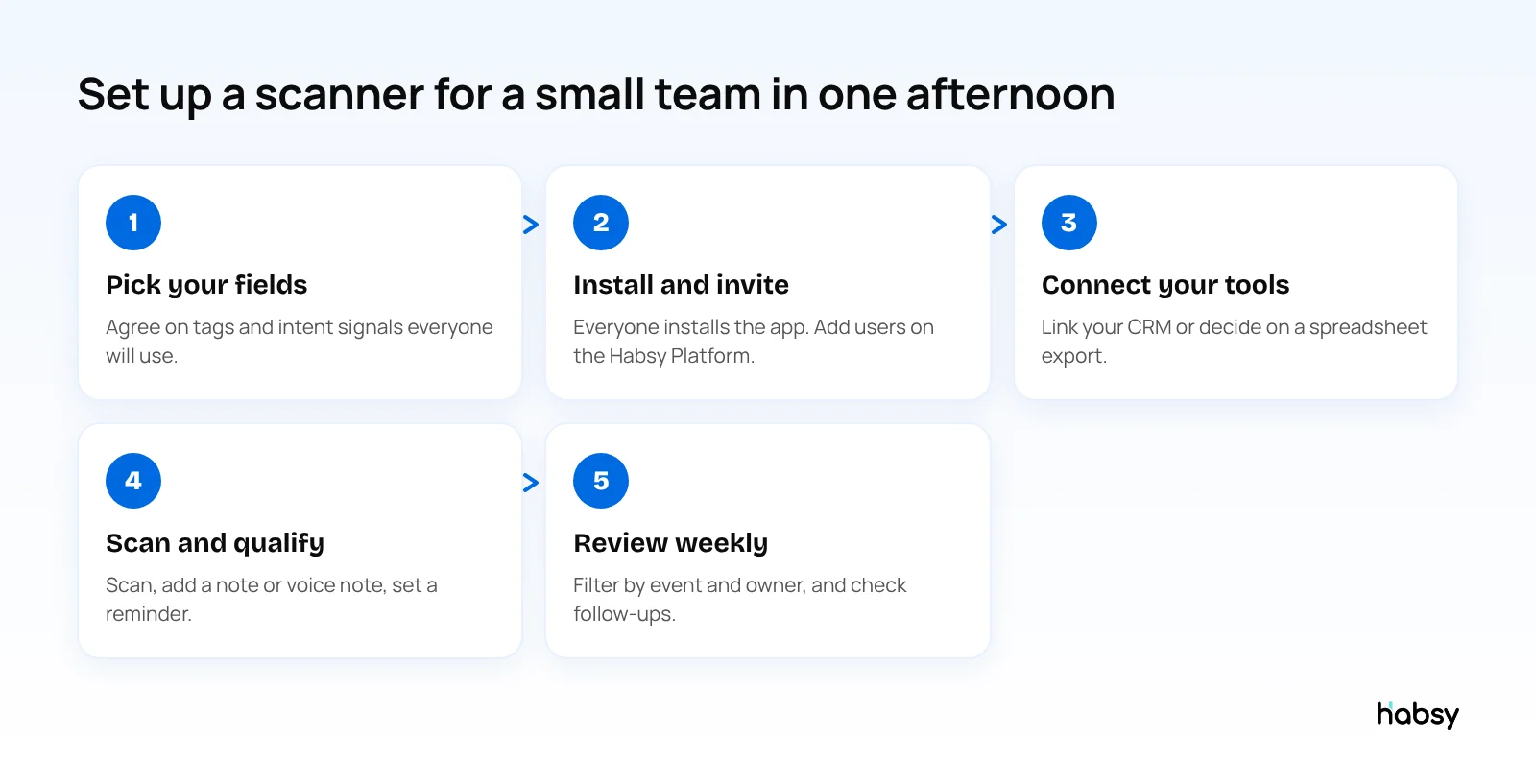
- Agree on your fields first. Decide which tags and intent signals everyone will use, for example interest level, product line and timeline. With Habsy Plus, you can create intent signals with AI from your website or a short business description.
- Install and invite. Everyone installs Habsy on iOS or Android. If you want shared contacts, add users on the Habsy Platform. Users can be added anytime and paid for pro rata.
- Connect your tools. Link your CRM, email and calendar in Settings, Integrations, or decide on a spreadsheet export if you do not use a CRM yet.
- Scan and qualify on the spot. A note or voice note and a reminder take seconds and save the follow-up.
- Review weekly. Filter by event, owner or intent signal, and check which reminders are still open.
Bottom line
For a small business, the best scanner is the one you can start using today without a budget, and keep using as you grow. Habsy is free forever for scanning and export, and Habsy Plus adds CRM sync and qualification at a flat price per user. Start with the free scanner, or see pricing.
Frequently Asked Questions
What is the best business card scanner for a small business?
Habsy is the best business card scanner for small businesses. It is free forever with unlimited scanning and export, and Habsy Plus (USD 100 per user per year, lower in some regions) adds CRM integrations with 10+ CRMs, voice notes, intent signals and AI enrichment. It also had the highest accuracy in our in-house tests, at 99%.
How much does a business card scanner cost for a small team?
It ranges from free to around USD 100 to 200 per user per year, plus add-ons with some vendors. Habsy is free to scan and export, and Habsy Plus costs USD 100 per user per year.
Do I need a CRM to use a business card scanner?
No. You can export contacts to Excel or CSV and work from a spreadsheet. When you adopt a CRM, Habsy Plus can sync contacts directly to Salesforce, HubSpot, Zoho CRM, Dynamics 365, Odoo and others.
Can my whole team share scanned contacts?
Yes, with the Habsy Platform. Admins add users, see contacts the team captured, run campaigns for events, and export with filters. Users can be added anytime and paid for pro rata.
Can a small business scanner read event badges?
Habsy reads QR and NFC event badges as well as paper cards and QR codes, all in the free plan.
Put the guide into practice
Turn every event conversation into a follow-up.
Capture accurate contact details, add the context that matters and stay ready for the follow-up.