Wave vs Habsy: Which Is Better in 2026?
Event networking is mission‑critical, and teams rarely lose deals in follow‑up; they lose them at capture. Scanning a card is easy. Preserving why the conversation mattered is not. The morning after a three‑day expo, the rep with structured intent signals, transcribed voice notes, and a deduplicated list filtered by intent opens her pipeline; the rep with a stack of contacts and no context opens a spreadsheet. If you are searching for a Wave alternative for trade show lead capture, this Wave vs Habsy comparison gives you a direct answer.
Amélie Tremblay8 min read
On this page
- Why Choosing the Right Tool Matters for Event Teams
- How to Choose: Wave vs Habsy
- Habsy Business Card Manager
- High‑Speed Contact Capture
- Contact Intelligence That Preserves Conversation Context
- Built for Immediate Action
- Wave: Personal CRM and Business Card Scanner
- Core Capabilities
- Limitations
- Feature Coverage at a Glance
- Final Thoughts
Why Choosing the Right Tool Matters for Event Teams
Most teams evaluate Wave and Habsy because both scan business cards. But scanning is the easy part. The real difference shows up in what each tool does between the scan and the moment a rep starts outreach.
A digital business card platform helps individuals share contact details and stay reachable over time. A purpose‑built event lead capture tool helps teams turn high volumes of conversations into a structured, qualified, deduplicated, CRM‑ready call list before the next morning’s standup. The difference is invisible during the conference and obvious 18 hours later, when one team is segmenting a clean list and the other is reconciling spreadsheets.
A comparison of Wave and Habsy is most relevant when:
• Your team captures contacts at trade shows, exhibitions, or field meetings
• You need contacts to be qualified, de‑duplicated, and CRM‑ready within 24 hours
• Reps need context from the conversation, not just a name and email
• Badge scanning and business card scanning happen at the same event
• Your team works in low‑connectivity environments and needs reliable offline capture
How to Choose: Wave vs Habsy
Not all contact capture tools solve the same problem. The right choice depends on how and where your team works.
Teams that primarily need a polished digital business card to share their contact details, with light lead capture as a secondary use, may evaluate Wave Connect. Teams that exhibit at trade shows, capture high volumes of cards and badges across a multi‑day event, need conversation context preserved at the moment it happens, and expect a deduplicated, CRM‑ready lead list before the next morning typically choose Habsy. The job determines the tool. Pick for the workflow you actually run, not the one a feature checklist implies.
Compare and choose the tool that fits the real workflow, not just the feature list. For a deeper look at how Habsy stacks up against other scanners, see the full business card scanner app comparison for 2026.
Habsy Business Card Manager
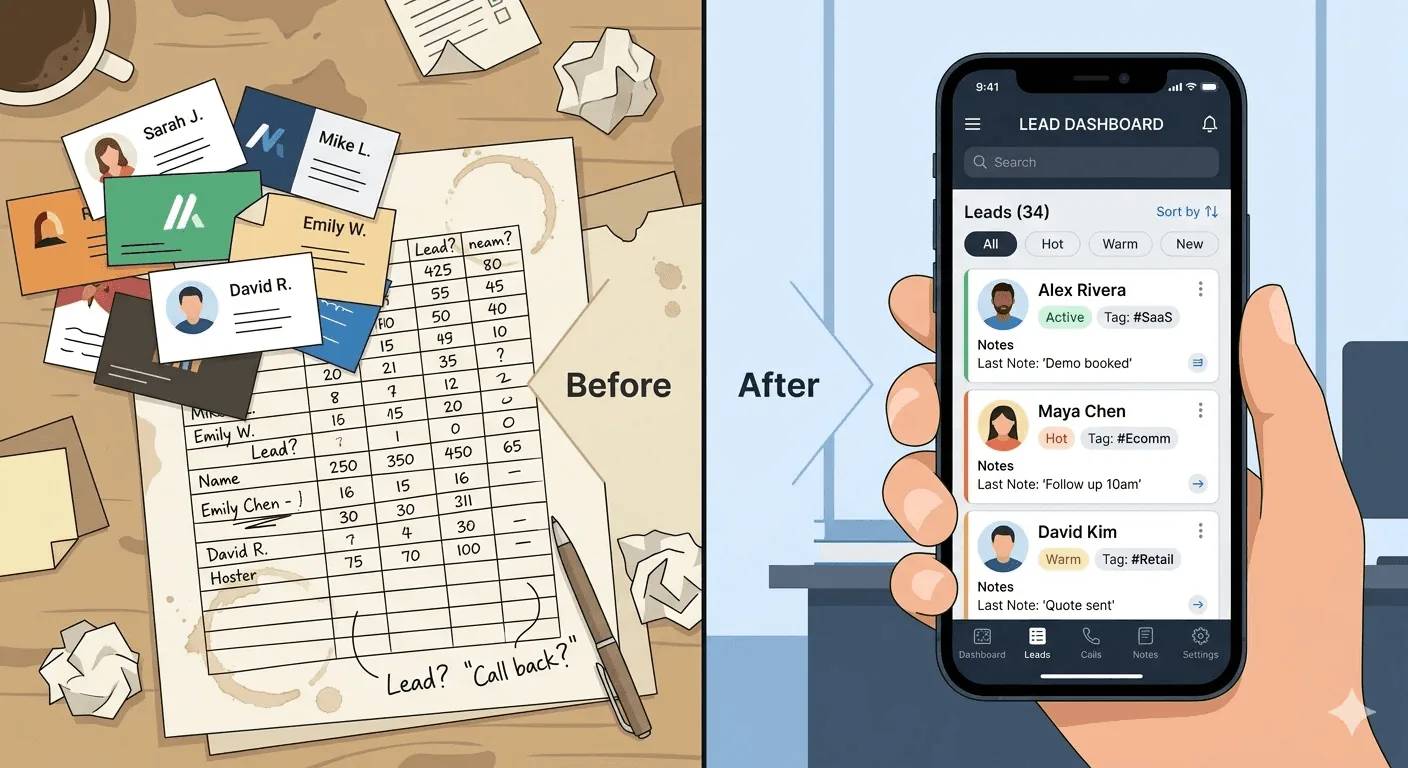
Habsy is built for the moment a conversation happens, not for the spreadsheet that comes after it. Instead of stopping at digitizing a card, the workflow preserves context and intent: what the person actually said, how interested they were, and what they need next, so follow‑up the next morning feels like a continuation of the conversation rather than a cold restart from a name and an email.
Habsy is widely used as a trade show lead capture app and business card scanner by teams that need to scan physical cards, QR codes, or event badges and move contacts into action without post‑event cleanup. The full capture flow (batch scan, qualify with intent signals, drop a voice note, set a reminder, deduplicate, and export a mapped CSV) runs end to end on a phone, with integrations for 10+ CRMs, including HubSpot, Salesforce, and Zoho CRM, when teams are ready to push contacts straight into the CRM.
High‑Speed Contact Capture
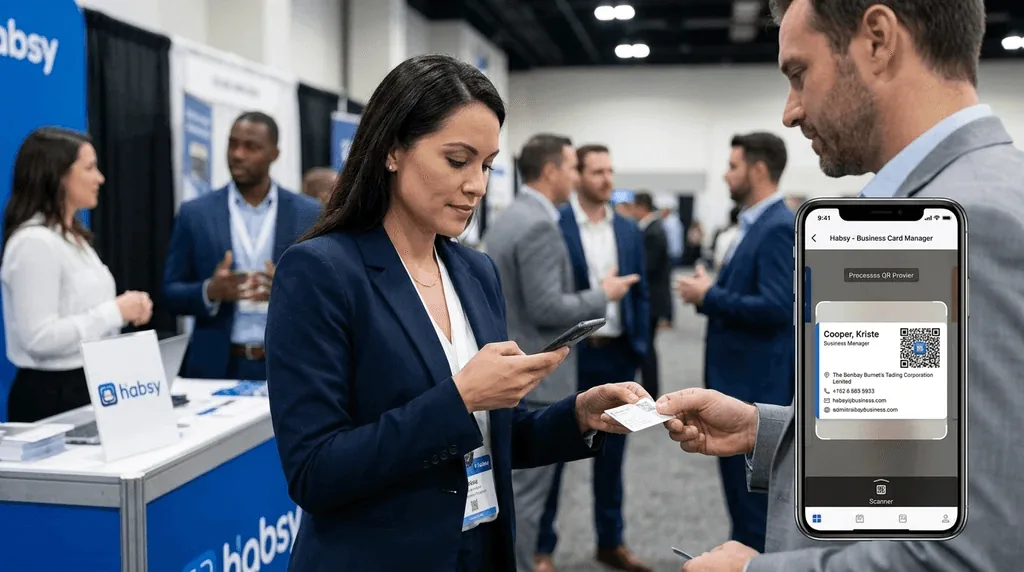
- Digital business cards: Create a customizable digital profile and share it via QR code, NFC, link, or an iPhone home‑screen widget. Recipients view the card in their browser with no app required. Batch business card scanning: Scan stacks of cards back to back, processing up to 150 cards in roughly 5 minutes, so post‑show backlogs clear before the venue does.
- QR badge scanning: Read QR codes from organizer badges, LinkedIn QR codes, on‑screen prompts, and printed cards, extracting VCF, text, and links into a single structured lead record.
- Multilingual OCR: Capture contact data across 200+ languages with 99% scan accuracy, including double‑sided cards and non‑Latin scripts seen at international events.
- Offline capture: Capture cards and badges without internet (useful in convention halls and basement venues where Wi‑Fi collapses); they are processed automatically once connectivity returns.
- Card translation: Translate cards in any of 200+ languages into English so reps reading the lead list later are never blocked by a script they cannot parse.
- QR & NFC sharing: Share your digital card via QR scan or NFC tap, with no app required on the receiving end. Pin the QR to your iOS home‑screen widget for one‑tap sharing during back‑to‑back booth conversations.
See the difference
Compare less. Capture your next contact with Habsy.
Try the workflow built for fast capture, useful context and timely follow-up.
Contact Intelligence That Preserves Conversation Context
Intent signals at capture: Record intent signals the moment a badge or card is scanned, using fields your team defines, such as interest level, requirement size, buying timeline, or product line. By the time the booth closes, leads are already segmented and SDRs start Day‑1 knowing who to call first rather than cleaning a spreadsheet.
Voice notes: Drop a 10‑second voice note while the conversation is still happening; typing is unrealistic in a noisy hall, so and the audio transcribes automatically into the contact record. Two days later, an SDR can search “pricing” or “demo next week” and jump straight to the right lead.
AI enrichment: Creates an AI Enriched Contact Brief from publicly available sources: career history, company profile, products and services, and company contact details.
Built for Immediate Action
Follow‑up reminders: Set tomorrow’s reminder as soon as the contact is saved, with one‑tap presets like “Tomorrow 10:00” and snooze options for plans that shift. Reach out from the contact card directly via call, email, or WhatsApp using AI‑generated follow‑up templates the same day.
Duplication Removal: Detect duplicate contacts using email, phone, and company plus name signals, with merge prompts before export so the CRM stays clean across the three days a single prospect might visit your booth.
Advanced search: Find contacts by name, company, role, tag, custom field, or voice note transcript, and filter by intent signals, tag, or event, so SDRs can work through their top leads first.
Wave: Personal CRM and Business Card Scanner
Wave Connect is a digital business card platform built around contact sharing, with built‑in lead capture, AI scanning, and CRM sync.
Typical use cases include professionals who want to replace paper business cards with a sharable digital profile, sales teams that need contacts pushed directly into Salesforce or HubSpot, and individuals who want a free, eco‑friendly way to exchange details via QR code, NFC, or Apple Wallet.
Core Capabilities
Digital business cards: Create a customizable digital profile and share it via QR code, NFC, Apple Wallet, Google Wallet, or an iPhone home‑screen widget. Recipients view the card in their browser with no app required.
AI business card and badge scanner: Scan paper business cards or event badges with AI to convert them into digital contacts.
Auto‑enrichment: Waterfall enrichment fills in company, title, LinkedIn, and phone for new contacts.
Notes, tags, qualifiers, and voice notes: Add notes and tags, auto-tag leads by event, and (on the Teams plan) capture custom qualifiers and voice notes.
One‑click CRM sync: Push contacts directly into HubSpot, Salesforce, Dynamics 365, Zoho, Pipedrive, or HighLevel, or 5,000+ apps through Zapier.
Offline lead capture: Capture contacts at events, meetings, and conferences without Wi‑Fi.
Team and Enterprise features: Admin platform for managing users in bulk, custom card templates, shared lead dashboards, auto‑tagged event leads, and SSO with SCIM provisioning on Enterprise plans.
Limitations
Wave Connect is built primarily as a digital business card and contact‑sharing platform. Event lead capture is supported, but it is one feature within a broader product rather than the central design focus.
Scanning runs on credits: the free plan includes 10 trial credits, a badge scan costs 4 credits, and team features need the Teams plan, which has a three‑seat minimum.
Voice notes and custom qualifiers are available on the Teams plan, but Wave does not list contact reminders, card translation, or in-app WhatsApp follow-up, and per-credit scanning adds cost at high-volume shows.
For event teams that need this structured capture flow as a primary workflow rather than an add‑on, a purpose‑built tool like Habsy is usually the better fit.
Feature Coverage at a Glance
| Feature | Wave Connect | Habsy |
|---|---|---|
| Business card scanning | AI card scanning (credit-based) | 99% accuracy OCR, 200+ languages |
| Batch scanning | Not listed | Up to 150 cards in minutes |
| QR badge scanning | AI badge scanner | Universal: badges, LinkedIn QR, on-screen |
| Voice notes | Voice notes on the Teams plan | Record and auto-transcribe at capture |
| Intent signals | Custom qualifiers on the Teams plan | Custom intent signals (interest level, requirement size, buying timeline) at scan |
| AI enrichment | Waterfall enrichment for company, title, LinkedIn, and phone | AI Enriched Contact Brief: career history, company profile, products and services, company contact details |
| Card translation | Not listed | Translate cards in 200+ languages into English |
| Offline capture | Available | Offline capture; processed once back online |
| Follow-up reminders | Not listed | One-tap presets, call/email/WhatsApp from app |
| Duplicate detection | Not listed | Detect by email, phone, and company name with merge |
| CRM export | HubSpot, Salesforce, Dynamics 365, Zoho, Pipedrive, HighLevel, Zapier, and CSV | Export, plus integrations with 10+ CRMs and custom CRM integrations on request |
| Digital business cards | QR, NFC, Apple/Google Wallet, iPhone widget | QR and NFC, iOS widget |
| Team admin | Bulk edit, templates, shared dashboard (Teams+) | Habsy Platform: add, remove, or freeze users, shared contacts, and campaigns |
Final Thoughts
Wave is an excellent choice for professionals who primarily want a digital business card platform with basic contact capture and CRM syncing. But for teams where every conversation is a potential opportunity, capturing a contact is only the beginning.
Habsy is built around the complete lead capture workflow. From business card and badge scanning to voice notes, Intent Signals, AI enrichment, scanning in 200+ languages, reminders, and CRM-ready exports, it helps teams capture the context behind every conversation and turn new connections into qualified opportunities faster.
If your goal is more than exchanging contact details and instead building a stronger pipeline from every event, meeting, or networking opportunity, Habsy is the more complete Wave alternative.
Frequently Asked Questions
Is Wave or Habsy better for trade shows and exhibitions?
Habsy is purpose-built for trade shows and exhibitions. It combines business card scanning, universal badge scanning, Intent Signals, voice notes, AI enrichment, reminders, and CRM-ready exports to help teams follow up faster after every event.
Can I migrate my contacts from Wave to Habsy?
Yes. Habsy supports CSV import with AI-powered field mapping and duplicate detection, allowing you to migrate existing Wave contacts while organizing them with tags, notes, and Intent Signals.
Which platform is better for high-volume lead capture?
Habsy is designed for high-volume networking. Features like batch business card scanning, universal badge scanning, duplicate detection, offline capture, and advanced search help teams process and organize hundreds of leads quickly.
How does lead qualification compare in Wave and Habsy?
Wave’s Teams plan includes custom qualifiers and voice notes. Habsy lets users qualify leads at the point of capture with intent signals they define, such as interest level, requirement size, buying timeline, or product interest, and adds contact reminders and AI-written email and WhatsApp follow-up.
Does Habsy work for individuals as well as sales teams?
Yes. Individuals can use Habsy to scan business cards, share digital business cards, and manage contacts, while organizations can use Habsy Platform for centralized lead management, team collaboration, analytics, and CRM integrations.
See the difference
Compare less. Capture your next contact with Habsy.
Try the workflow built for fast capture, useful context and timely follow-up.