Blog
AI follow-up tools can sharpen your outreach, but only if the context behind each message is solid. Here is what the data says about follow-up effectiveness, and how Habsy gives you the raw material to make every AI draft worth sending.
TL;DR | |
Follow-up facts | Research consistently shows most replies come from follow-up messages, not first contacts. The timing window closes fast. |
Where AI helps | AI handles structure, tone, and speed. It cannot invent the specific detail that makes a message feel human. |
The gap | Most sales teams lose that specific detail because they have no reliable way to capture it at the point of conversation. |
What Habsy does | Captures context at the moment of conversation: badge or card scan, 10-second voice note, reminder set before you walk away. |
The result | Every AI follow-up draft starts with real inputs, not guesswork. Day-0 blitz lists are ready the morning after the event. |
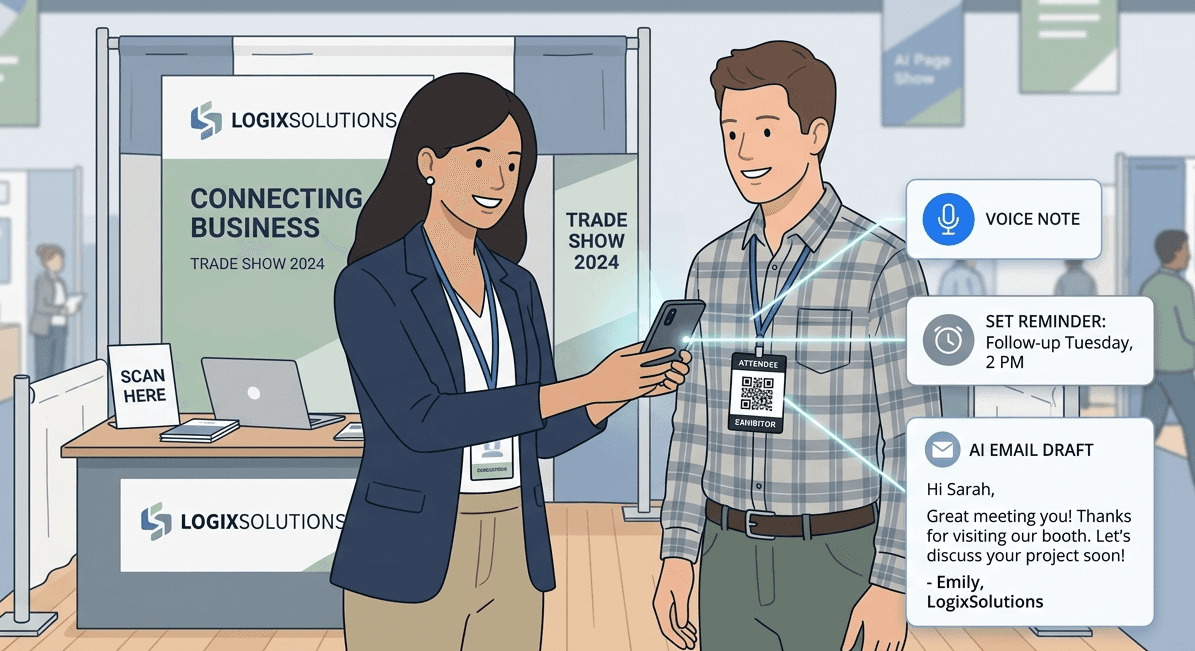
Most replies come from follow-ups, not first emails. See how AI helps and how Habsy ensures every message is timely and personalized.
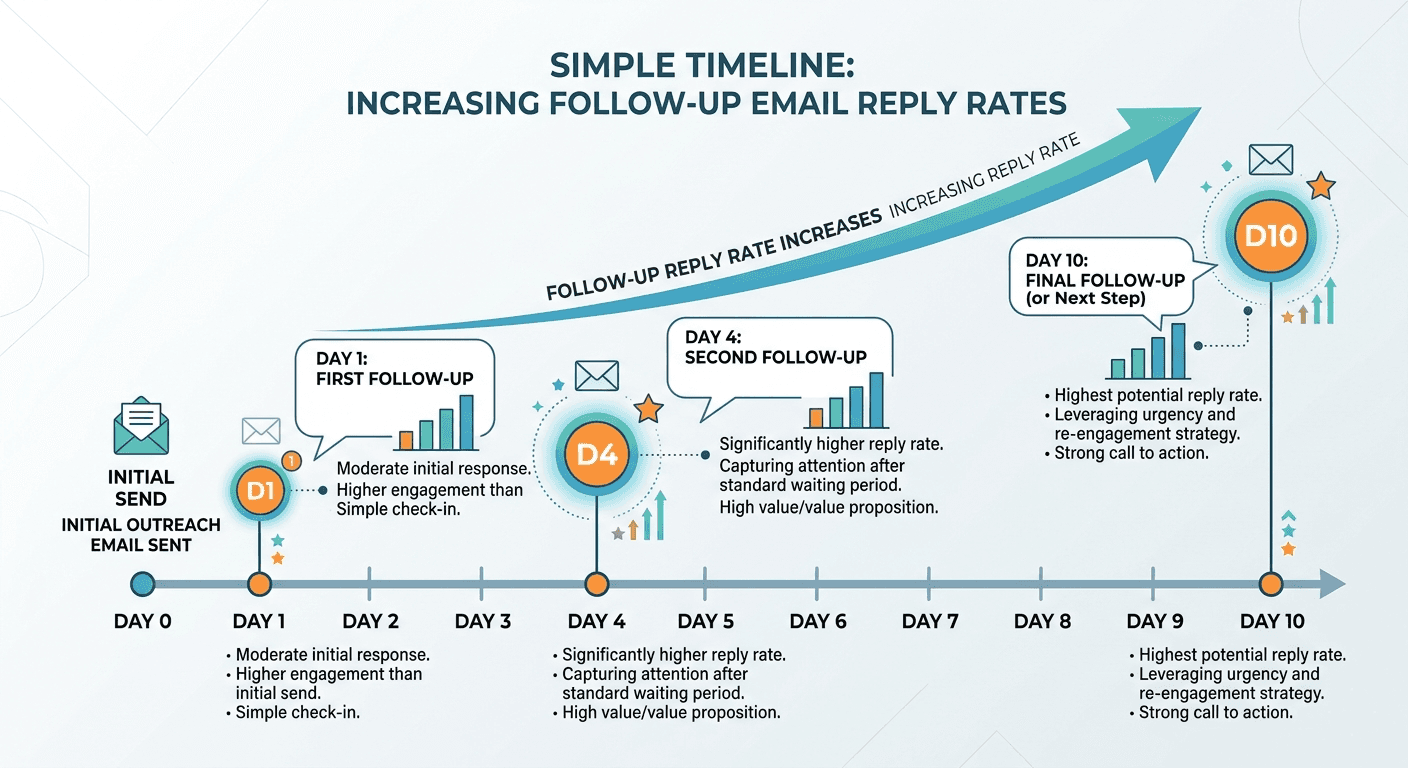
Most replies do not come from the first message. They come from the second, third, or fourth. The initial contact opens a door; the follow-up is what walks through it. That pattern holds across networking, sales, and post-event outreach alike.
The problem is not awareness. Most salespeople and booth managers know they should follow up. The problem is the gap between knowing and doing, which grows every hour that passes after the original conversation.
Studies on cold email outreach consistently find that a significant share of all positive replies come from follow-up messages. The first email often goes unanswered not because the prospect is uninterested, but because it arrived at a bad moment. Follow-up is how you catch the right moment. |
What Happens When Follow-Up Slips
The cost of a delayed or missed follow-up is not just one lost contact. It compounds:
Context decays. The person you met forgets the conversation. You forget what made them worth prioritizing.
Warm leads go cold. A contact who was genuinely interested at the stall becomes a stranger by Day 3.
Attribution breaks. Without clean source fields and follow-up records, you cannot connect event spend to pipeline.
Teams diverge. Without a standard process, some reps follow up on Day 1 and others on Day 10. Reporting becomes unreliable.
The Follow-Up Window
Timing varies by scenario, but the pattern is consistent: the closer to the original conversation, the higher the reply rate.
Scenario | Optimal window | Why it matters |
Post-event contact | Within 24 hours | Memory and context are strongest. The follow-up feels like a continuation. |
Sales cold outreach | Day 1, Day 4, Day 10 | Three-touch sequences over 10 days cover the majority of response probability. |
Post-interview thank you | Within 24 hours | Signals professionalism and genuine interest before the panel debrief. |
Dormant connection | Within 3 days of the trigger | A relevant trigger (new role, announcement) is the hook. It expires quickly. |
How Effective AI-Powered Follow-Ups Actually Are
whether they help but where they help and where they fall short.
Where AI Adds Real Value
What AI does well | The practical benefit |
Eliminates blank-page friction | A draft in 30 seconds means follow-ups happen the same day rather than being pushed to tomorrow. |
Standardizes tone and structure | Every message from your team sounds coherent and professional, regardless of who wrote the prompt. |
Handles multi-touch sequencing | AI can generate Day 1, Day 4, and Day 10 variants in a single session, making it easier to commit to a full sequence. |
Suggests subject lines | Iterating on subject lines is one of the highest-leverage activities in email outreach. AI makes it fast. |
Adapts to objections | Feed in the objection and the reframe, and you have a contextualized response without starting from scratch. |
Where AI Falls Short
AI drafts are only as good as the inputs you give them. Feed in a name and a job title, and you get a generic message. The specific detail that makes a follow-up feel personal has to come from the human.
The two most reliable signals that an email was written by AI are the opener 'I hope this email finds you well' and the phrase 'I wanted to reach out.' Both appear because they are common in training data. Removing them and adding one sentence that only the sender could write is usually enough to close the gap. |
The practical ceiling on AI follow-up quality is not the model. It is the quality of the context being fed in. A rep who captured a voice note at the booth has a stronger starting point than one who has only a name and a company.
The 80/20 Rule
The most effective way to use AI in follow-up workflows is not to let it write the email and send it. It is to let it handle 80% of the structural work and invest the remaining 20% in human editing:
Remove: Cliche openers. 'I hope this email finds you well,' 'I wanted to reach out,' 'As per my last email.' These are AI tells that undermine credibility.
Add: One sentence only you could write. A reference to something specific from the conversation, an observation about their company, or a follow-up on something they mentioned.
Shorten: If the draft exceeds 120 words, cut it. Brevity signals respect for the reader's time and tends to improve reply rates.
Check the CTA: One ask per email. AI drafts often hedge with multiple options. Pick one and remove the rest.
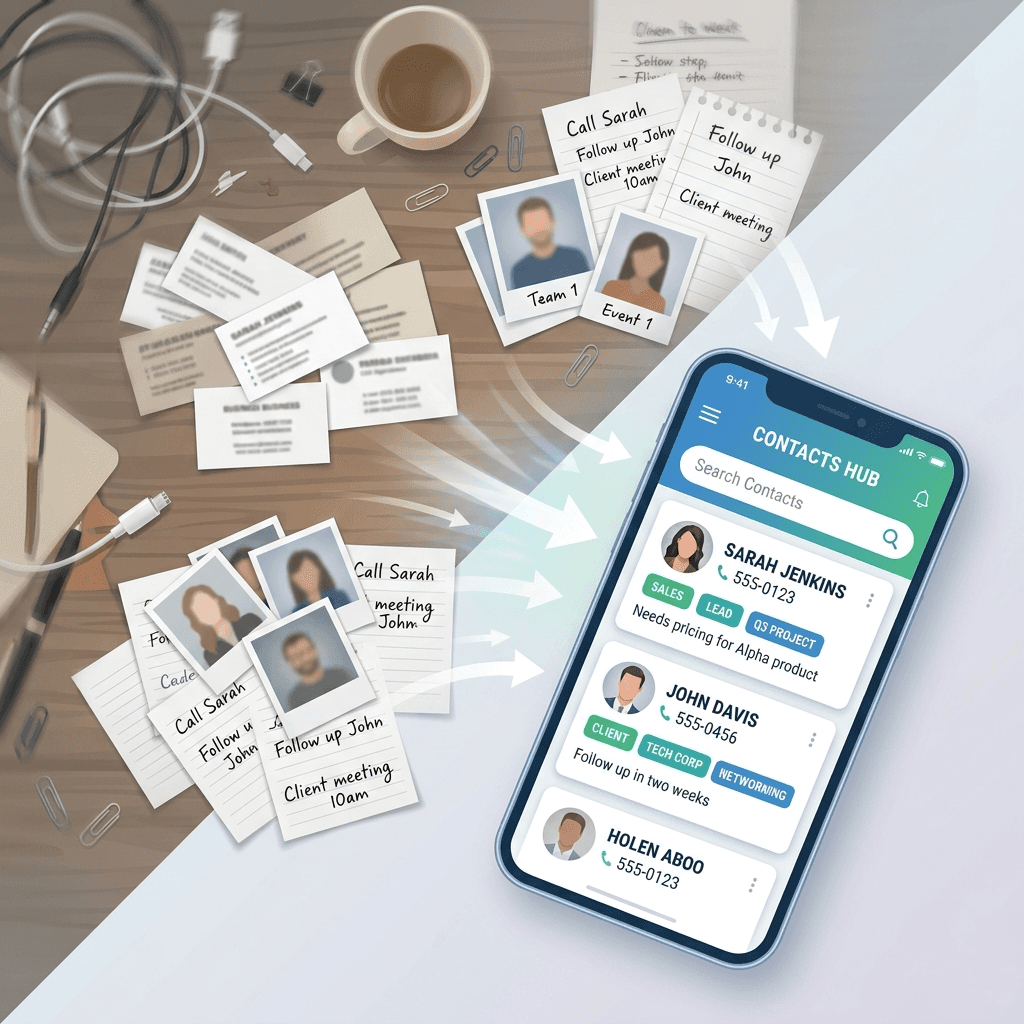
The most common complaint about AI-generated follow-up emails is that they feel like they could have been sent to anyone. That is usually true, because they were written with information that applies to anyone.
Effective AI follow-ups require four inputs: the recipient's name and role, the context for the email, one specific detail from the original conversation, and a single clear goal. The first and last are easy. The middle two require that someone captured something useful at the time of the conversation.
What Gets Lost Without a Capture Process
In most event and field sales workflows, context is either not captured at all or captured in ways that are hard to retrieve:
What reps typically do | What gets lost | Downstream cost |
Photo of business card | Intent, interest level, what was discussed | AI draft opens cold; no personalisation hook |
Badge scan only | Qualification, notes, next step | Leads arrive at CRM as names, not opportunities |
Mental note | Everything, within 24 hours | Follow-up never happens or references wrong detail |
WhatsApp photo with caption | Structure, searchability, owner | Cannot be turned into a prompt without rework |
Paper notes after the event | Speed, accuracy, richness | By the time notes are clean, the window has closed |
The result is that most AI follow-up prompts start with a name and a company name, produce a generic draft, and the rep either sends it as-is or abandons it. Neither outcome serves the pipeline.
Habsy is built around the moment of conversation, not the moment of follow-up. The idea is simple: capture the right context at capture time, and the follow-up becomes significantly easier to personalise and significantly more likely to happen on time. Here is what that looks like in practice.
1. Scan the card. Assign the right category.
Scan a business card or QR badge in seconds. Habsy creates a structured contact record instantly, offline if needed. Before moving to the next conversation, assign the contact to the right category: Distributor, Enterprise Prospect, Speaker, Partner. The record lands in the right segment from the start, not after a cleanup session two weeks later.
2. Record the conversation as a voice note.
The business card captures the who. The voice note captures the what. While the conversation is still fresh, record a 10-second note summarising the key takeaways: what they asked about, what they mentioned about their team, what came up that the product page would never tell you. The note is transcribed, attached to the contact, and keyword-searchable. Nothing gets reconstructed from memory later.
3. Set intent signals. Know who to prioritise.
Log the buying context directly against the contact: product interest level, requirement size, decision timeline, the specific product line they asked about. Intent signals are captured at the point of scan, not inferred later from a note you half-remember writing. The next morning, a saved search surfaces the highest-priority contacts before the inbox does.
4. Set the follow-up reminder before you walk away.
One tap: Tomorrow Morning 9:00. The follow-up is scheduled before you leave the booth, not added to a mental list that empties by evening. The reminder fires at the right time with the contact's record already open, so there is no hunting for context when the moment arrives.
5. Use Habsy email templates to follow up with context, not guesswork.
Habsy includes two ways to follow up from inside the app.
With Generate with AI, write a brief prompt describing the follow-up goal. Habsy pulls in everything already captured: the scanned card, the voice note transcription, the intent signals, the reminder context. The draft it returns reflects the actual conversation, not a generic opener. Review it, adjust the one line only you could write, and send.
With Manual Templates, build and reuse your own structure using parameters like {contact.name}, {contact.company}, and {contact.role}. The template populates with the contact's details automatically. No copy-paste, no context-switching, no starting from scratch.
A rep managing 50 contacts from a three-day event cannot write 50 personalised follow-ups by hand before momentum fades. That is the in-event problem. The post-event problem is different: even when follow-ups go out on time, the leads sit in a spreadsheet, sequences are inconsistent across the team, and no one has a clear picture of what the event actually produced.
This is where the Habsy Platform connects the two halves of the workflow.
During the event, the Habsy app captures every contact: badge scans, business cards, voice notes, intent signals, and reminders set before leaving the booth. Every conversation that mattered is logged with context, not just a name.
After the event, those contacts flow into the Habsy Platform, where the real pipeline work begins. Teams can run email automations, manage multi-touch follow-up sequences, integrate with their CRM of choice, and get a consolidated view of every lead captured across the team. The Platform turns a list of scanned contacts into a managed outreach workflow, without requiring anyone to rebuild context from scratch.
Post-event is where most event ROI either compounds or evaporates. The contacts are warm, the window is short, and the teams that move first and with the most relevant message are the ones that convert exhibition conversations into real business.
Post-interview follow-up is a category where AI assistance is underused. Most candidates either skip the thank-you entirely or send a generic one-liner. A specific, well-timed follow-up is a differentiator at any level.
The 24-hour rule applies here more strictly than anywhere else. Hiring managers often debrief the day after an interview. A thank-you that arrives before that debrief keeps the candidate's name and strongest moments fresh. A thank-you that arrives three days later is almost always read after a decision has been shaped.
The value of AI in this context is speed, not length. A candidate who can produce a specific, personalized thank-you within two hours of an interview has a meaningful advantage over one who spends the evening drafting from scratch. The AI handles the structure; the candidate adds the one reference to the conversation that makes it feel written.
Follow-up type | When to send | What AI provides | What you add |
Post-interview thank you | Within 24 hours | Structure and professional tone | One specific reference to the conversation |
Status check-in | After 10 business days without contact | Polite, direct phrasing | Correct name, role, and timeline reference |
Post-rejection stay-in-touch | Within one week of rejection | Gracious, forward-looking framing | One genuine line about the company or the team |
Common Mistakes That Undermine AI Follow-Ups
Mistake | Why it happens | Fix |
Sending AI drafts without editing | Speed is the point, but the draft is a starting point | Remove cliche openers. Add one personal line. Shorten. |
No specific detail in the prompt | Reps capture no context at the event | Habsy voice note gives the AI what it needs |
Three CTAs in one email | AI often hedges with options | Pick one ask. Delete the rest. |
Missing the timing window | Follow-up is scheduled for later and forgotten | Set the reminder at capture time, not at desk |
Same email to every contact | AI makes it easy to blast | Segment by interest and priority before drafting |
No sequence planned | One email is sent and the contact is considered closed | Plan the Day 1/4/10 structure before the event |
Duplicate contacts in CRM | Multiple reps scan the same badge | Run de-dup before export; merge with provenance |
Habsy: Built for Day-0/Day-1 Follow-Up Readiness |
The gap between knowing you should follow up and actually doing it well is almost always a context problem, not a motivation problem. Habsy closes that gap at the moment of capture.
The next morning, your AI tool has everything it needs. The context is real. The draft is specific. The follow-up happens on time. Your contacts stay under your control. Export or delete any time. Learn more about Habsy event lead capture |
Frequently Asked Questions
Here are the same six, tightened:
1. How does Habsy improve follow-up workflows for sales teams?
Most follow-up failures are context problems, not motivation problems. Habsy captures voice notes, intent signals, and reminders at the moment of conversation. When the rep opens the app the next morning, every contact already has what is needed to write a message that sounds like it came from someone who remembered the meeting.
2. Can you use AI for follow-up without a contact capture tool?
Yes, but the ceiling is low. A name and a company name produces a generic draft. A name, a transcribed voice note, and a set of intent signals produces a draft that references the actual conversation. The AI did not get smarter. The input got better. That is the difference Habsy makes.
3. What does Habsy capture that a badge scan alone does not?
A badge scan gives you contact details. Habsy gives you contact details plus the conversation. Voice notes, intent signals, and logged reminders capture what a generic scan misses: what was discussed, what the prospect needs, and what the agreed next step was.
4. How does the Habsy Platform help teams manage post-event follow-up at scale?
Contacts captured in the Habsy app during the event flow into the Habsy Platform, where teams run email automations, manage follow-up sequences, and connect to their CRM. The post-event workflow starts the morning after the event with context already attached to every record.
5. Does Habsy integrate with CRM tools?
With Habsy Platform, teams can integrate with any CRM of their choice, including HubSpot, Salesforce, and Zoho. Contacts arrive with source, owner, and intent data already structured, so attribution is preserved from day one.
6. How quickly can a rep follow up using Habsy after an event?
The same morning. The reminder set at the booth fires at the right time with the contact record already open. Generate with AI pulls in the scanned card, voice note, and intent signals and returns a draft ready to review and send, before the prospect has forgotten the conversation.
Related reading
Event lead capture with Habsy | Contact intelligence enrichment










