BizConnect vs Habsy: Which App Turns Every Contact Into an Intelligent Lead?
Looking for the best BizConnect alternative? This comparison explains how Habsy goes beyond basic business card scanning by combining contact capture, AI enrichment, intent signals, voice notes, reminders, OCR in 200+ languages, NFC, and personalized follow-ups in one platform. Compare features, limitations, pricing, and workflows to discover which solution better fits trade shows, conferences, sales teams, and everyday networking.
Amélie Tremblay13 min read
Habsy's Standout Features: What Sets It Apart
BizConnect is primarily built around card scanning, CRM export, and basic task management. Habsy goes further by helping professionals capture every interaction with context, organize leads intelligently, and follow up faster from a single platform.
- Voice notes with transcription: Add your meeting takeaways by speaking, not typing. Transcribed and keyword-searchable inside the app
- Intent signals: Record each contact's interest level, requirement size, or buying timeline at the point of capture, so you know who to follow up with first before you leave the venue
- AI enrichment: Surface the person's role and the company's background with one tap, so pre-meeting research is already done
- Card translation: Scan business cards in any of 200+ languages and read them in English
- NFC scanning and NFC sharing: Scan any NFC-enabled card or badge and store it as a lead instantly. Share your own digital card phone to phone via NFC, no app required on the other end
- Universal QR scanning: Scan event badges, LinkedIn QR codes, professional QR profiles, printed cards, and on-screen displays. All go into the same structured lead record
- Email and WhatsApp follow-up templates: AI-generated and manually customisable templates with dynamic parameters, sent from within the app without switching tools
- Follow-up reminders: Set right after the contact is saved so no lead falls through after the event
- Offline capture: Scan cards with no internet. They are processed when you reconnect
- Habsy Platform: A shared team dashboard giving admins full visibility across every contact captured by every team member
How to Choose: BizConnect vs Habsy
BizConnect is a reasonable fit for small teams who need affordable card scanning with CRM export and basic task management built in.
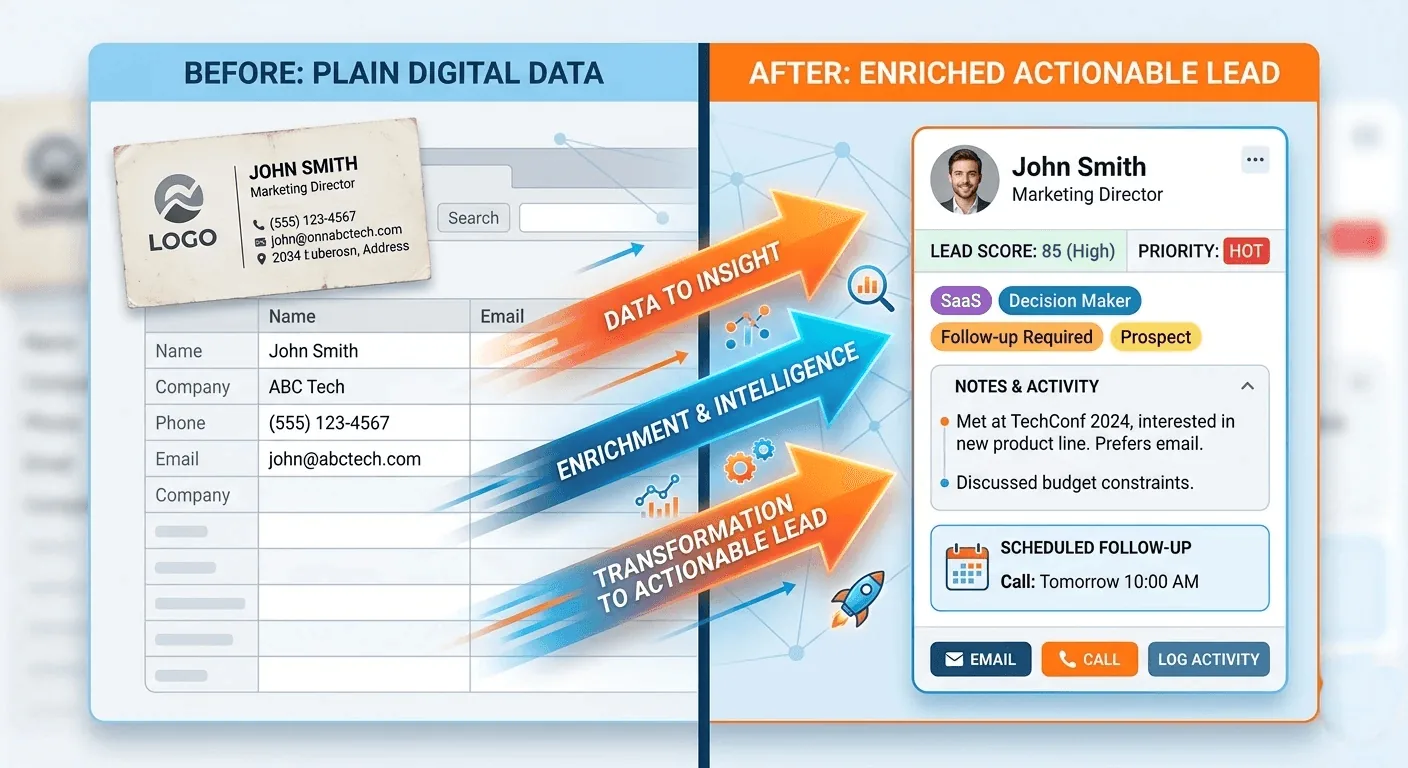
Habsy is stronger for professionals who need every captured contact to carry intelligence from the moment of the meeting: voice-noted takeaways that are searchable by keyword, intent signals that tell you exactly who to call first, AI enrichment that surfaces what the company does before you send a word, and personalized follow-up via email or WhatsApp, all inside one app with no tool-switching at any step.
Habsy is not limited to event teams. It is built for any professional who captures contacts and needs to act on them, whether at a trade show, a client lunch, a recruiter meetup, or in the field. Available on iOS and Android.
Feature Coverage at a Glance
| Feature | BizConnect | Habsy |
| Platform | iOS, Android, and web | iOS and Android |
| Business card scanning | OCR, good accuracy, social account linking | 99% accuracy, non-English card translation included |
| Batch scanning | Batches of up to 10 cards | Up to 150 cards in 5 minutes |
| QR scanning | Reads contact QR codes | Universal: event badges, LinkedIn QR, professional QR, on-screen, printed |
| Card translation | Not available | Scan in 200+ languages, read in English |
| Voice notes | Not available | Speak your meeting takeaways; transcribed and keyword-searchable in-app |
| Intent signals | Not available | Record interest level, requirement size, or buying timeline at the point of scan; you know who to call first before you leave the event |
| Tags | Groups and folders | Event, conference, meetup, department, product line; bulk-apply post-event |
| Notes | Text notes | Text notes with voice note transcription alongside |
| AI person enrichment | Social account linking only | Role context and professional background, surfaced on demand with one tap |
| AI company enrichment | Not available | Company profile, products and services, and company contact details, surfaced on demand with one tap |
| NFC scanning | Not available | Scan any NFC-enabled card or badge; stored as a lead instantly |
| NFC sharing | Not available | Share your digital card phone to phone via NFC; no app required on recipient's end |
| Professional digital card | Not available | A fully branded digital card shared via QR, NFC, or link |
| Business digital card | Not available | A business-facing digital card for trade show and event use; recipients captured as leads automatically |
| Professional / Business QR | VCF QR only; recipient needs app to save | Professional QR profile; recipient prompted to share back, no app required |
| Home screen widget | Not available | Pin to home screen; share your card without opening the app |
| Email follow-up templates | Not available | AI-generated + manual templates with dynamic parameters |
| WhatsApp follow-up templates | Not available | AI-generated + manual templates with dynamic parameters |
| Follow-up reminders | Team task reminders | Contact-level reminder set right after save |
| Offline access | Limited | Offline capture; cards are processed once you reconnect |
| Duplicate handling | Not specified | Flagged for user review; accept or merge, nothing changed without your confirmation |
| Advanced search | Basic search | Search by name, company, role, tags, custom fields, and voice note transcripts |
| Lead management | Team dashboards, shared tasks, and performance reports | Intent signals, categories, Habsy Platform team view, and lead scoring in post-event reports |
| CRM integrations | Salesforce, HubSpot, Zoho, and Pipedrive | 10+ CRMs from the app and Habsy Platform, plus custom CRM integrations on request |
See the difference
Compare less. Capture your next contact with Habsy.
Try the workflow built for fast capture, useful context and timely follow-up.
Habsy - Business Card Manager
Habsy is a business card scanner and contact intelligence platform built for professionals who cannot afford to let a good contact go cold. Scan a card, tap an NFC badge, or receive a QR, then add your meeting takeaways, mark the person's interest level, enrich their profile, and send a personalized follow-up via email or WhatsApp. The entire workflow runs in one app.
Capture
- 99% OCR accuracy across standard and non-standard card layouts
- Process up to 150 cards in 5 minutes
- Universal QR: event badges, LinkedIn QR, professional QR profiles, on-screen codes, printed cards
- NFC scanning: tap any NFC-enabled badge or card to capture it as a structured lead
- NFC sharing: share your digital card via NFC tap; no app required on the recipient's end
- Card translation: scan cards in any of 200+ languages and read them in English
- Offline capture: scan with no internet; cards are processed when you reconnect
Context
- Voice notes: speak your takeaways after the conversation; transcribed and attached to the contact
- Search contacts by name, company, role, tags, custom fields, and voice note transcripts inside the app
- Intent signals: record each contact's interest level, requirement size, or buying timeline at the point of scan
- Custom tags: event, conference, meetup, department, product line; bulk-apply after a session
Intelligence
- AI person enrichment: surface role context and professional background with one tap
- AI company enrichment: surface company profile, products and services, and company contact details with one tap
- Duplicate detection: flagged for user review; accept or merge on your terms
Follow-up
- Email templates: AI-generated and manual, with ${contact.name} and ${contact.company} parameters
- WhatsApp templates: AI-generated and manual, with dynamic parameters
- Reminders: set right after the contact is saved so no lead falls through after the event
Share
- Professional digital card: branded, shareable via QR, NFC, or link
- Business digital card: for trade show and event use; recipients captured as leads automatically
- Home screen widget: share your card without opening the app
Team
- Habsy Platform: shared team dashboard for admin visibility across all contacts, campaigns, and team members
- CRM integrations in the app and Habsy Platform: 10+ CRMs including Salesforce, HubSpot, and Zoho CRM
Where BizConnect Falls Short
BizConnect is a capable scan-to-CRM tool at an accessible price. For professionals who need richer capture context and intelligent follow-up, these gaps matter.
- Basic card scanning only. Struggles with non-English scripts, unconventional designs, and dense or stylised card formats. No card translation.
- No voice notes or transcription. In a busy event environment, typed notes get skipped. No way to capture meeting takeaways by voice.
- No intent signals at capture. No way to rate a contact's interest or priority at the moment of the scan. The ranked follow-up list has to be rebuilt from memory.
- No AI enrichment. BizConnect links social accounts it finds during the scan. It does not surface company context or role meaning.
- No card translation. Cards in Japanese, Arabic, Korean, Chinese remain in that language in the contact record.
- No NFC support. All capture requires a physical card or QR scan.
- QR sharing requires the app. Recipients without the app can only view your details in a browser.
- No email or WhatsApp follow-up templates. Personalized outreach requires switching to a separate app.
Batch scanning is capped at 10 cards per batch, and the iOS app has not been updated since January 2023.
Switching from BizConnect to Habsy
Moving to Habsy is a one-time task, not a project.
Step 1: Export your contacts from Bizconnect
Export your contacts as a CSV file from Bizconnect while the platform remains accessible.
Step 2: Import into Habsy
- Open the Habsy app and go to Settings
- Tap Manage Account
- Tap Upload Contact
- Tap Import in the top right corner
- Tap Select File and choose your Bizconnect CSV
- Check the field mapping to confirm columns are correctly assigned
- Tick Exclude Duplicates to skip contacts already in Habsy
- Tap Upload CSV
Contacts map cleanly without reformatting.
Step 3: Enrich on demand
Tap any imported contact to surface their company background and role context instantly.
Step 4: Apply intent signals and tags
Mark intent signals on your imported contacts. Apply tags by event, product, or session. Your pipeline is prioritized before your next event.
Step 5: Send personalized outreach
Set follow-up reminders on your highest-priority contacts and send personalized email or WhatsApp messages directly from within the app.
Final Thoughts
If you need a tool that gets cards into a spreadsheet, BizConnect does that. But if you need every contact you capture to actually work for you, ranked, enriched, context-rich, and ready to follow up, Habsy is the clear choice.
Habsy is not just for events. It is for every situation where you meet someone and need to act on it: a trade show floor, a client lunch, a conference hallway, a recruiter call, or a field visit. Wherever the conversation happens, Habsy makes sure the contact that comes out of it is intelligent, not just stored.
For individuals, Habsy gives you the full workflow in one app: scan, enrich, and follow up without switching tools at any step. For teams, the Habsy Platform gives managers complete visibility across every contact every team member captures, across every event and campaign, in real time.
If you are serious about turning contacts into pipeline, use Habsy. If your team is doing it at scale, use Habsy Platform.
Frequently Asked Questions
Is Habsy a better alternative to BizConnect?
If you only need business card scanning and CRM export, BizConnect is a solid option. If you want AI enrichment, voice notes, intent signals, card translation from 200+ languages, reminders, and built-in follow-up tools, Habsy offers a more complete lead capture workflow.
Does BizConnect support voice notes and AI-powered follow-ups?
No. BizConnect supports text notes but does not provide voice note transcription, AI-generated follow-up templates, or intent-based lead prioritization. Habsy includes all of these within the same app.
Which app is better for trade shows and exhibitions?
Habsy is better suited for trade shows because it supports business card scanning, QR badge scanning, NFC, OCR in 200+ languages, AI enrichment, reminders, and team collaboration through Habsy Platform, helping sales teams follow up faster after events.
Can I migrate my contacts from BizConnect to Habsy?
Yes. You can export contacts from BizConnect as a CSV and import them into Habsy. After importing, you can enrich contacts, apply intent signals and tags, set reminders, and start personalized follow-ups.
Does Habsy work for individuals as well as sales teams?
Yes. Individuals can use Habsy to capture, organize, enrich, and follow up with contacts from a single mobile app. Teams can additionally use Habsy Platform for centralized lead management, analytics, and CRM integrations.
See the difference
Compare less. Capture your next contact with Habsy.
Try the workflow built for fast capture, useful context and timely follow-up.