Blog
Research by Dun and Bradstreet found that 91% of CRM data is incomplete, stale, or duplicated. A significant share of that starts at the point of capture.
The root cause is familiar. Sales teams rely on business card scanners to capture leads at expos. Those scanners extract contact data quickly but not always correctly. Wrong fields, dropped characters, and misread layouts create errors that enter the CRM silently. The tool that was supposed to solve the problem introduces a new one.
There is no newer method to replace the scanner. There is only a better scanner. This blog covers what causes the accuracy gap, why standard scanning tools compound it on the expo floor, and what a purpose-built solution looks like.
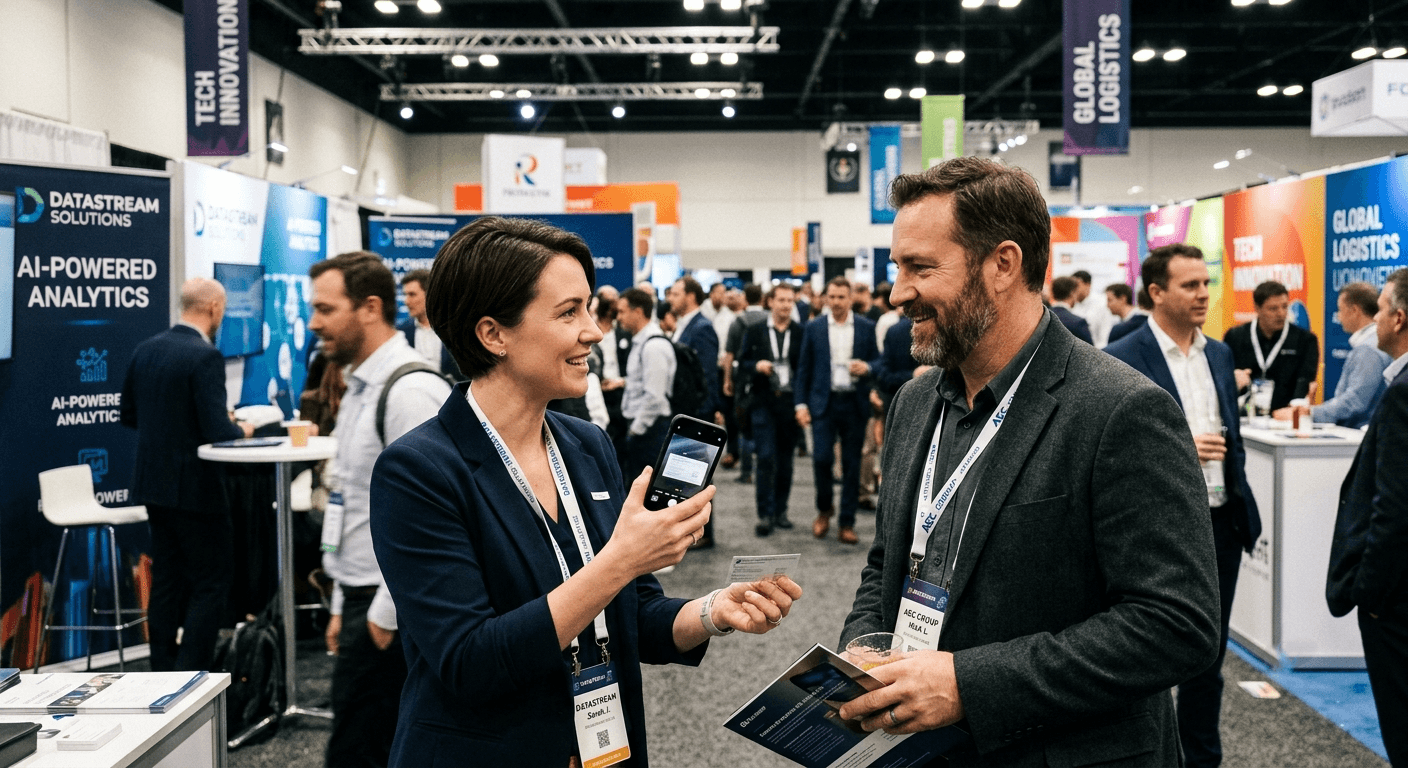
Stop fixing scanner mistakes after every event. Habsy delivers accurate business card scanning, duplicate detection, and CRM-ready lead exports for trade show teams.

What Accuracy Actually Costs at a Trade Show
Business card scanning errors are not minor inconveniences at trade shows. A wrong email field is a dead lead discovered three days later. A transposed phone number is a conversation that cannot be continued. The window to fix these errors closes the moment the event ends.
Scanning-only apps produce predictable error types at trade shows. Phone numbers land in email fields. Non-Latin characters get dropped entirely. Job titles get misread on unconventional card layouts. Office users catch these errors immediately. Trade show floor users have no time to catch them at all.
Research from InsideSales shows lead response rates drop by over 10x when follow-up is delayed beyond the first hour. A separate study by Drift found that only 7% of companies respond to leads within five minutes. A third study by Harvard Business Review found that sales teams who follow up within an hour are seven times more likely to qualify a lead. A wrong email address removes all three of these opportunities before follow-up even begins.
One booth manager at a pharmaceutical trade show spent two hours after each event correcting contact data before any follow-up could begin. Across a ten-event calendar, that is twenty hours a year lost to fixing scanner errors. Habsy eliminates that session entirely.
Why Frictionless Capture Matters at a Trade Show
Correction prompts and field confirmations add friction that compounds across sixty contacts in a day. Each extra step is a moment the user is not in the next conversation.
Scanning apps built for the office are designed to flag errors for correction. Habsy is designed to prevent them at the point of extraction. Trade show floor performance depends on that difference. Speed and accuracy are not trade-offs in Habsy. They are both delivered at the point of scan.
The Gap Every Scanner Leaves Open
Business card data tells you who someone is on paper. It does not tell you how you met, what you discussed, or why the connection matters. Follow-up built on card data alone starts from zero every time.
Generic follow-up emails get ignored. LinkedIn requests without context get declined. Trade show relationships go cold before they begin when context is missing. Efficient networking requires capturing the moment around the card, not just the card itself. Habsy Business Card Manager captures both.
Built for the Expo Floor
Habsy Business Card Manager is purpose-built for trade shows, exhibitions, and professional networking events. Every business card you scan is instantly digitized and ready to access from your View Cards page, your centralized contact hub.
Habsy transforms every interaction into a structured, actionable contact record. The result is faster lead management, more accurate data capture, and richer context for meaningful follow-ups, eliminating the common challenges of manual entry, fragmented information, and forgotten conversations.
Accuracy and multilingual scanning:
AI-powered extraction: Maps contact fields accurately across any card layout, standard or unconventional, the moment a card is scanned.
Any language support: Reads cards in any language including non-Latin scripts, without dropping characters or garbling names.
Zero manual corrections: At a global expo where cards arrive in a dozen languages, every contact lands clean and complete.
Multiple capture modes:
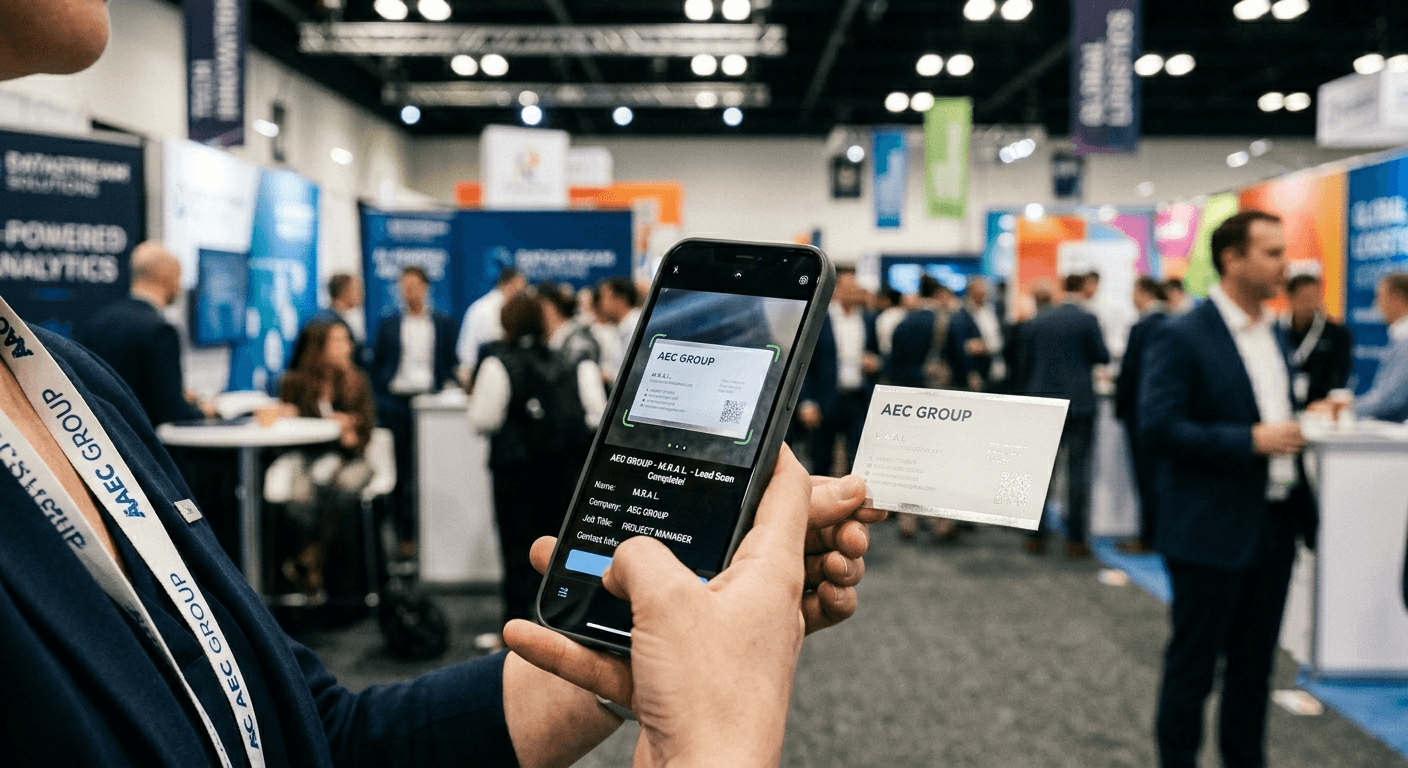
Camera scan: Point the camera at any business card for instant extraction.
Batch scanning: Capture high volumes of cards in rapid succession without switching modes.
NFC scanning: Tap to read physical cards on supported Android devices.
Gallery upload: Scan cards already photographed from the device gallery.
Manual entry: Add a contact directly when no card is available.
Contact import: Import existing contact lists into Habsy in bulk.
Professional QR: Share individual contact details one-to-one with a scan.
Business QR: Booth-level lead capture where visitors scan, complete an enquiry form, and land directly in the team's contact list.
How Habsy works at a trade show:
Capture. Scan a physical card using the camera, batch scanning, NFC scanning, or gallery upload. Alternatively, add a contact via manual entry or import.
AI extraction. Habsy's AI maps the contact fields instantly with high accuracy. A clean, complete contact record is created in seconds.
Enrich. Add intent signals, assign a category, attach a voice note, written note, or selfie. Pre-set defaults apply categories and intent signals automatically, so this step is optional and takes only seconds when needed.
Ready. The contact lands in View Cards, tagged and ready for follow-up. Every contact can be reviewed and updated from View Cards at any time.
The Business QR and Professional QR run in parallel for leads who do not carry physical cards. Every contact from every capture mode is searchable, exportable, and CRM-ready.
Frictionless capture: Habsy's AI extraction creates a clean, accurate contact record the moment a card is scanned. Pre-set defaults apply categories and intent signals automatically. Everything else can be added from View Cards at any time. On a busy expo floor, this means sixty contacts captured across the day with zero correction backlog waiting at the end of it. Works fully offline with automatic sync when internet returns.
AI enrichment and deduplication: A single tap enriches any contact with LinkedIn handles, company detail, and other missing information. Duplicate contacts from multi-day events surface automatically with a merge or keep alert. After a two-day expo, every contact in View Cards is complete, verified, and deduplicated before follow-up begins.
Context capturing:
Habsy Business Card Manager includes five tools that turn a scanned card into a relationship record.
Intent signals: Fully customizable fields the user defines to qualify a lead at the point of capture. Intent signals record what the contact is looking for, their buying stage, or any qualifier that matters to the team's follow-up process.
Categories: Assign each contact to a pre-defined category at scan. Categories are admin-managed with default assignment per user, keeping large contact lists organized by event, campaign, or qualification status without any extra step.
Voice notes: Record context immediately after a conversation. Habsy transcribes voice notes automatically in English, regardless of the language recorded. Transcriptions are searchable alongside the contact record.
Written notes: Attach a written note directly to the contact record. A single line captures what was discussed, what the person was looking for, or what follow-up was agreed.
Selfies: A photo with the contact anchors the memory in a way that a job title and company name cannot. Habsy links each selfie to the relevant contact record.
Taking It Further with Habsy Platform
The Habsy Platform extends everything Habsy Business Card Manager captures into a fully managed team pipeline. Habsy Platform is available on the Enterprise plan and operates as the team management and outreach layer above the app.
CRM integration: With Habsy Platform, teams can integrate with any CRM of their choice. Native connections include HubSpot, Salesforce, Zoho, Pipedrive, Outlook, and Nutshell, with selective push and automated sync both supported. Every lead captured on the expo floor enters the correct CRM workflow automatically, with no manual re-keying required.
Outreach and follow-up: Habsy Platform supports email, WhatsApp, and LinkedIn campaign creation and delivery from a single interface. Templates pull in contact details captured at the event. Teams go from event floor to personalized multi-channel follow-up without switching tools or re-entering data.
Campaign analytics: Habsy Platform tracks every scan, follow-up, and conversion at the campaign level. Teams identify which events produce the best leads, which booth staff perform highest, and where outreach converts most efficiently.
Team management: Habsy Platform provides shared contact directories, admin-managed categories, and intent signal visibility across the full team. Sales managers get qualified lead lists from every event with no extra data entry step from any team member.
Habsy Platform covers the complete post-event pipeline from a single scan on the expo floor to a structured, measurable outreach campaign.
Capability | Scanning-Only Apps | Habsy |
|---|---|---|
Field extraction accuracy | Variable; errors on non-standard layouts | AI-powered; high field accuracy |
Multilingual card scanning | Limited or inconsistent | Supported; non-Latin scripts included |
Card translation | Not available | Translation available for foreign scripts |
Friction per scan | Error-correction required before saving | Accurate extraction; no error fixing required |
Voice notes with transcription | Not available | Auto-transcribed; audio replayable |
Written notes | Basic or absent | Attached to contact record |
Selfie with contact | Not available | Available; linked to contact |
Intent signals | Not available | Fully customisable; auto-applied via defaults |
Categories | Basic or absent | Admin-managed; auto-applied via defaults |
AI contact enrichment | Not available | On-demand; single tap |
Deduplication | Manual or absent | Alert-based; user decides |
CRM integration | Limited | Any CRM; HubSpot, Salesforce, Zoho, Pipedrive, Outlook, Nutshell via Habsy Platform |
Offline capture | Inconsistent | Full capture; auto-sync on reconnect |
Sales teams using Habsy Business Card Manager at multi-day expos report eliminating post-event data cleanup sessions entirely. Contacts are clean on the floor, not corrected at the desk.
Habsy Business Card Manager delivers accurate contacts, voice note transcriptions, and selfies from every conversation that mattered. Follow-up becomes a continuation of the relationship, not a fresh introduction.
The best business card scanner app for networking events is the one built for how expos actually work: fast, accurate, multilingual, and contextual. Scanning-only apps served their purpose. The expo floor has moved beyond them.
Habsy Business Card Manager is available on iOS and Android. Habsy Platform is available on the Enterprise plan for teams managing lead capture across multiple events and booth staff.
Most business card scanner apps do the bare minimum. They scan a card, extract the fields, and stop there. At a trade show, that is not enough.
A wrong email field is a dead lead. A dropped character on a non-Latin card is a lost contact. A scan with no context attached is a conversation you will forget by Thursday. The bare minimum costs more than it saves.
Habsy Business Card Manager was built for the expo floor, not the office desk. Every scan produces an accurate, complete contact record in seconds, regardless of card layout, language, or script. No correction queue. No post-event cleanup session. No leads lost to bad data.
Beyond the scan, Habsy captures what other apps ignore entirely. Voice notes transcribed automatically. Selfies linked to the contact. Intent signals and categories applied at the point of capture. Every detail you need to follow up like you remember the conversation, because Habsy ensures you do.
For teams, the Habsy Platform takes every captured contact from the expo floor into a structured outreach pipeline. CRM sync, email and WhatsApp campaigns, and full campaign analytics, without re-entering a single field.
Other apps scan. Habsy captures, contextualizes, and closes.
Download on the App Store
Which business card scanner is most accurate for trade shows?
Habsy Business Card Manager uses AI-powered extraction that maps contact fields accurately across standard and non-standard card layouts, including multilingual and non-Latin script cards. Habsy is built specifically for high-volume scanning on the expo floor.
Can business card scanner apps read non-English cards?
Most scanning-only apps struggle with non-Latin scripts and non-English card layouts. Habsy Business Card Manager supports multilingual scanning across a wide range of languages and scripts without dropping or garbling contact details.
What happens if a business card scan has errors?
Habsy's AI extraction maps fields accurately at the point of scan, creating a clean contact record from the start. Where a contact record has gaps, on-demand AI enrichment fills them with a single tap.
How do I scan business cards at a trade show?
Scanning cards at a trade show with Habsy Business Card Manager requires only a phone. Open the app, point the camera at the card, and Habsy extracts the contact fields automatically. The Professional QR and Business QR capture leads who do not carry physical cards. NFC scanning is supported on compatible Android devices. All contacts sync to View Cards in seconds, online or offline.
How do I remember contacts from networking events?
Habsy Business Card Manager lets users record a voice note immediately after a conversation. The note is transcribed automatically and saved alongside the contact in View Cards. Written notes and selfies can also be attached, giving every follow-up the full context of how the meeting happened.
How do I remember who I met at a networking event?
Habsy stores voice notes, written notes, and selfies directly against each scanned contact. Voice note transcriptions are searchable across the full contact list. Every contact in View Cards carries the context of the conversation, not just the data from the card.










